

Try ComfyUI in Your Browser
No installation required. Start creating in seconds.
Save 4 Hours. Let Our Auto-Setup Agent Handle Your Workflow.
Drop your workflow.json. Skip the dependencies, custom nodes, and model downloads. Open the link and run.
workflow.json — drop here
Drop workflow.json here, or browse
.json · max 10 MB · parsed locally
How it works
Send it over. Open the link. Done.
Drop your workflow.json. We handle every dependency, custom node, and model. You just open the link.
- YouUpload your workflow.json
- RunComfySets it up. Guaranteed to run.
- YouOpen the link & run your results
Drop a workflow.json to enable
200+ Ready-to-Run Templates
Curated ComfyUI workflows with stunning visuals. All ready to run, no setup required.
Browse by model
Start from a model-specific ComfyUI workflow page, then run it, download JSON, or deploy supported workflows.
MOSS-Image Edit HQ | Single and Reference-Guided Editing
Krea 2 Pose Studio | Flexible 3D-Guided Posing
MiniMax H3 Motion Transfer | Side-by-Side Video
MOSS-Image Inpainting | Precise Local Image Edits
FastH3 Omni Reference to Video
Fibo 2 Edit Turbo Text to Image | Fast 4-Step
Fibo 2 Edit Turbo | Fast 4-Step Image Editing
MOSS-Image Rapid-MOSS SFT 4-Step | Fast Text2Image
Qwen Image 2.1 Turbo Edit | Fast Image Editor
Qwen Image 2.1 Turbo Text to Image | Fast Images
MOSS-Image Base Layout-Guided Text to Image
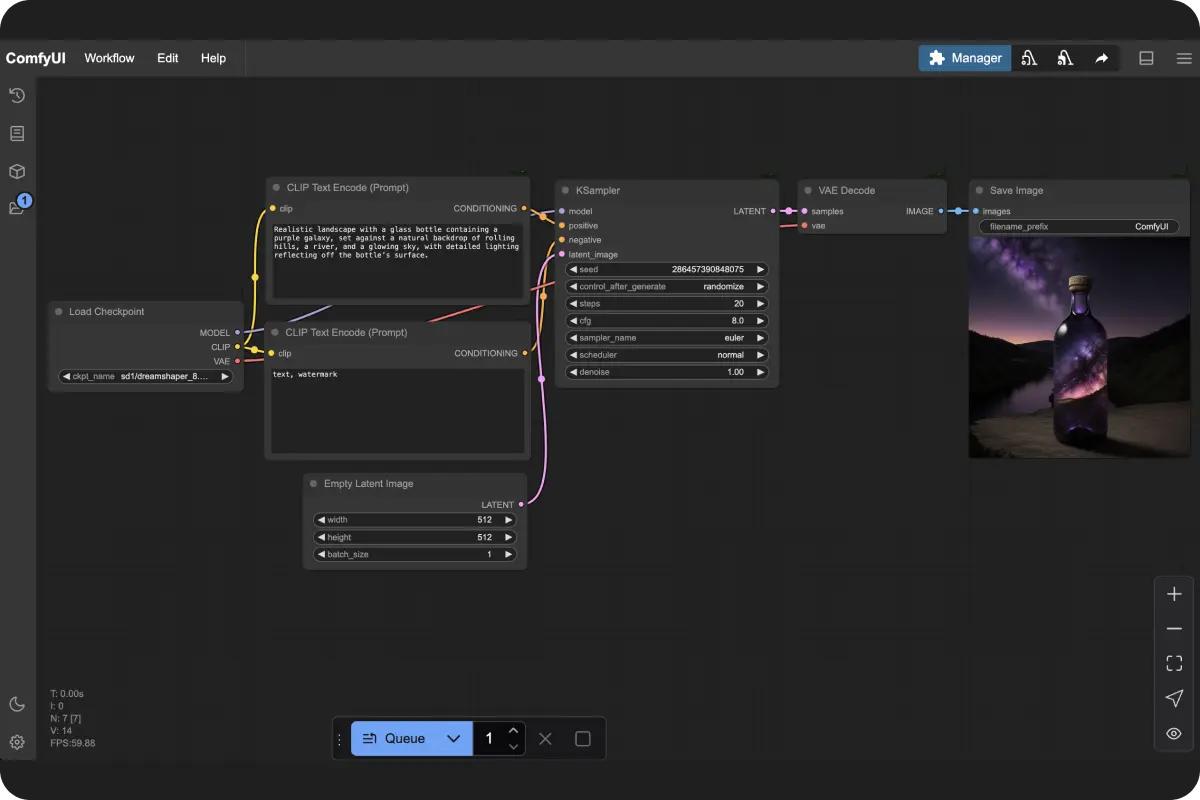
Native ComfyUI, Ready to Use
RunComfy provides an unmodified ComfyUI for a seamless transition between local and cloud environments. The fully configured setup lets you run workflows in seconds.
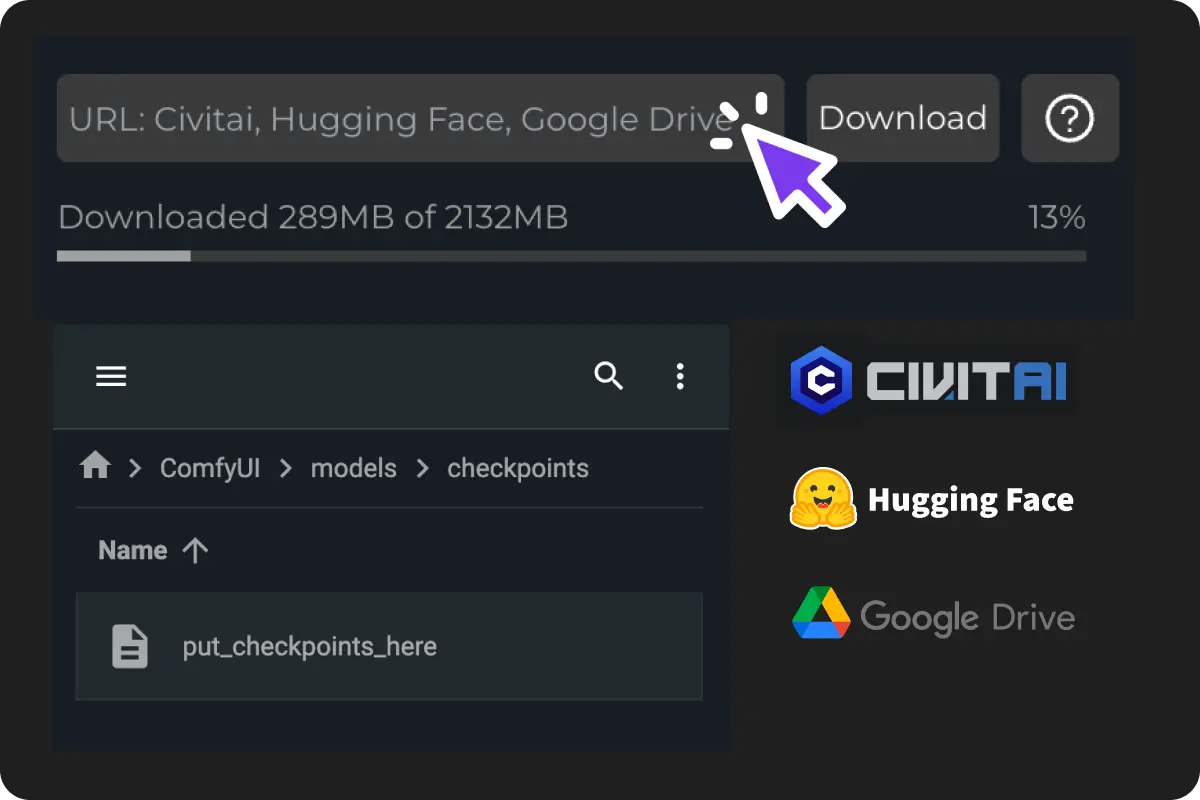
Download Models Freely from Civitai and Hugging Face
Download models directly from Civitai, Hugging Face, and Google Drive for greater artistic freedom—25x faster than local uploads. Models are persisted across sessions.
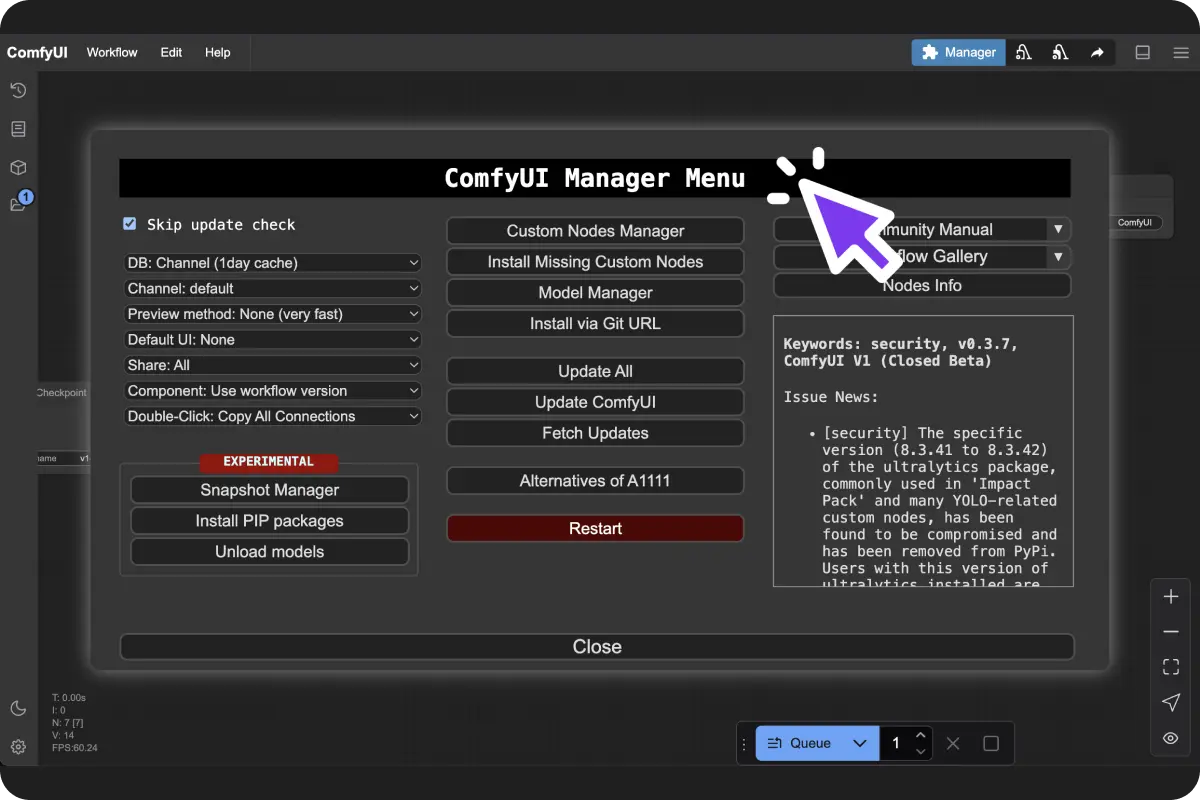
Install Nodes Freely with ComfyUI-Manager
RunComfy offers the ultimate solution for working with ComfyUI nodes. Imagine having unlimited ComfyUI environments at your fingertips.
How Creative Artists Use RunComfy?
Professional Courses
Creator Reviews
Build, Deploy, and Scale
From prototype to production in minutes.
Frequently Asked Questions
What is ComfyUI?
ComfyUI is the most powerful and versatile graphical user interface (GUI) for stable diffusion, offering a comprehensive API and backend architecture that sets it apart from other options. Since its inception, ComfyUI has rapidly expanded beyond just Stable Diffusion, now supporting a wide array of models such as SD1.x, SD2, SDXL, SD3, SD3.5, Flux.1, AnimateDiff, controlnet, Stable Video Diffusion, and many others.
At its core, ComfyUI features an intuitive node-based graph system that empowers users to design and experiment with intricate image and video creation workflows effortlessly. This user-friendly interface provides precise control over every aspect of the creative process, making it accessible to users without any prior coding experience.
How can I get started with ComfyUI?
Installing ComfyUI locally can be complex and requires a powerful GPU. To save time, RunComfy provides a fully configured ComfyUI cloud environment that's ready to use right away. You can focus directly on building and experimenting with your creative workflows, and get started faster with 200+ ComfyUI workflow templates. If you need help or want to connect with the community, feel free to reach out to us on Discord.
Why Choose RunComfy for ComfyUI?
With RunComfy handling your ComfyUI Cloud services, you can concentrate on your art without worrying about technical issues. We give you the tools and efficiency you need to unleash your creativity without any hassles.
- Native ComfyUI without Modification: At RunComfy, we believe in offering an unmodified ComfyUI experience, allowing you to transition effortlessly between local and cloud environments.
- Fully Configured ComfyUI Environment: We provide a completely set up ComfyUI environment, eliminating technical hassles and enabling you to run workflows within seconds.
- Freely Download Models from Various Sources: With RunComfy, you can download models directly from Civitai, Hugging Face, and Google Drive, granting you greater artistic freedom. Our platform offers download speeds 25 times faster than local uploads, and your models will be saved across sessions.
- Effortless Node Installation with ComfyUI-Manager: RunComfy provides a flexible mechanism for you to have unlimited ComfyUI environments to work with (just imagine you have many many different cloud machines for you to play with different nodes setup)
- Multiple GPU Support: Our platform offers five types of on-demand GPU machines, with VRAM ranging from 16GB to 141GB, accommodating models of all sizes.
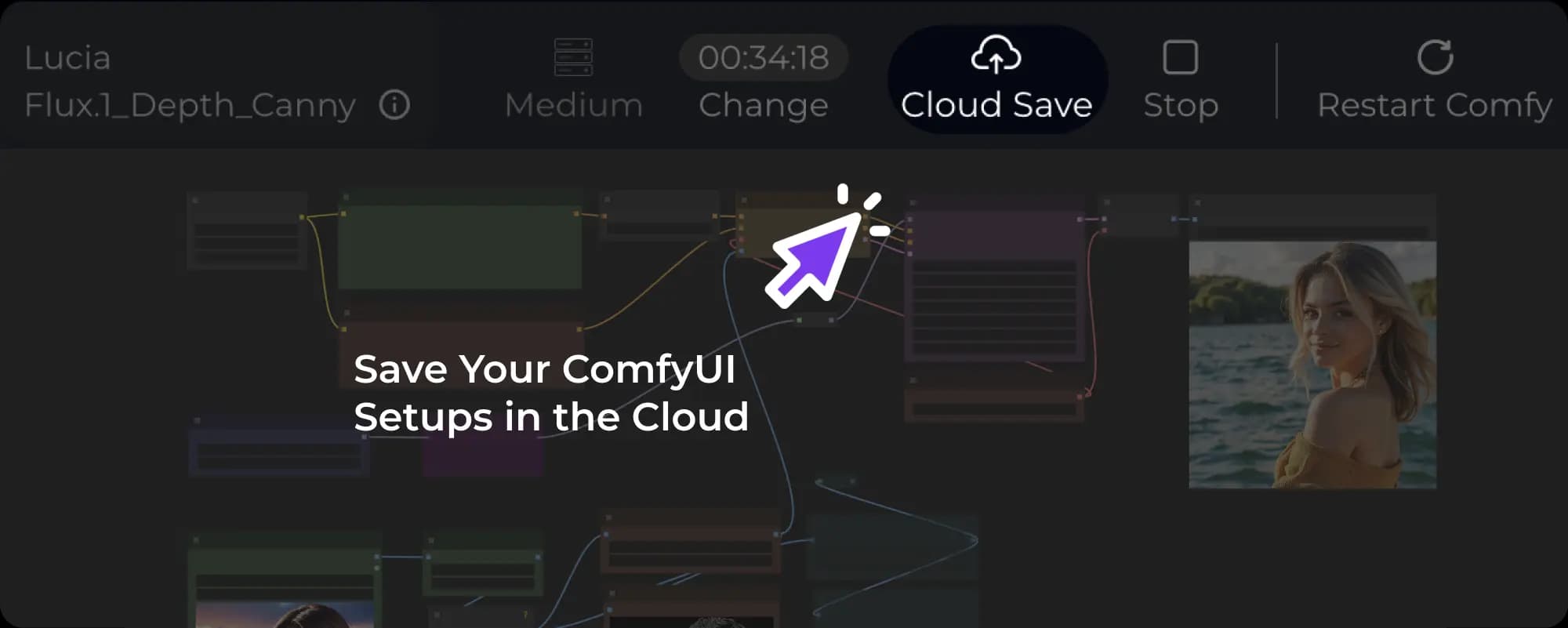
- Reproducible ComfyUI Workflow Environment: RunComfy allows you to save your entire ComfyUI running environment in the cloud. Next time you open the workflow in RunComfy, it will work exactly as you saved it. Imagine having unlimited cloud machines to test nodes/setups without worrying about conflicts. To learn more about this powerful feature, click here.
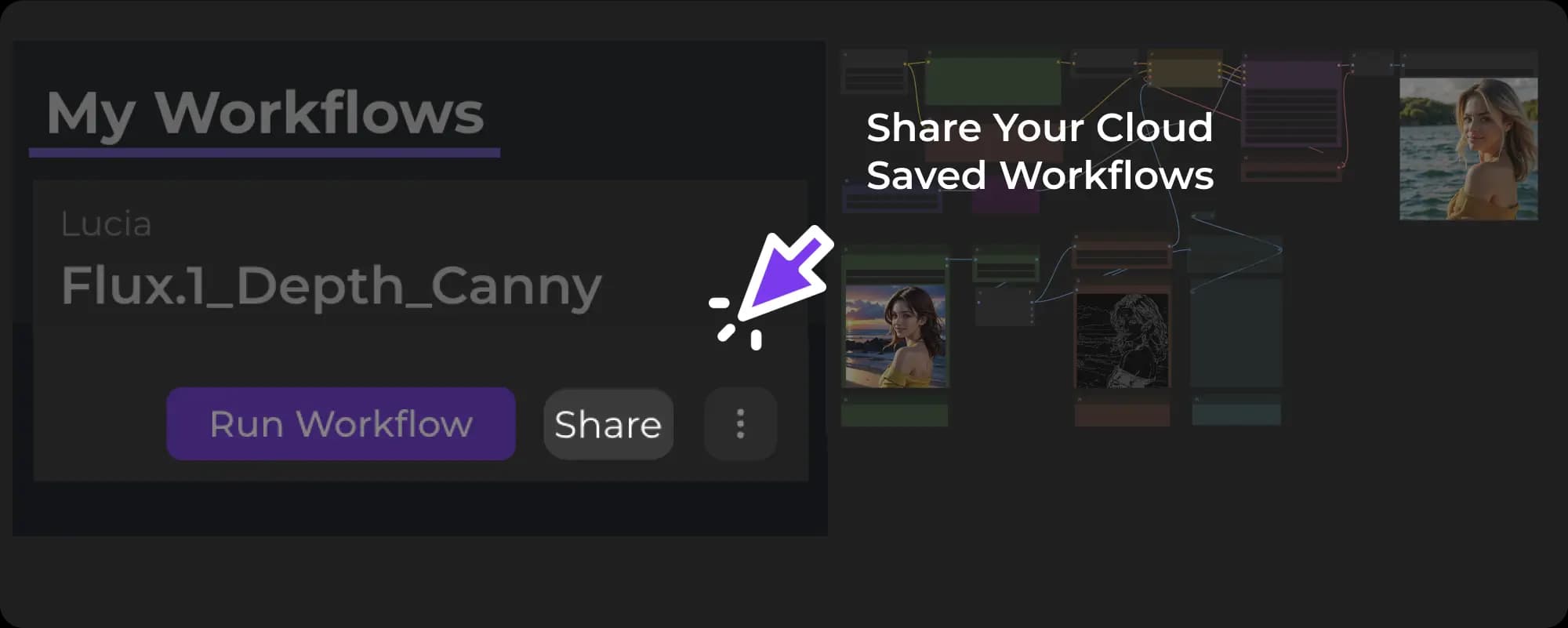
- Share Your ComfyUI Setup with Team: With RunComfy, you can share your saved workflow via a link with your followers, students, and colleagues. When they open it, they'll see the workflow, custom models, nodes, and environment precisely as you saved them, enabling them to start working with the workflow immediately. To learn more about this powerful feature, click here.
- Latest & Diverse ComfyUI Workflows: RunComfy is dedicated to providing you with access to the most recent and visually stunning ComfyUI Workflows. We update our platform daily with the newest ComfyUI Workflows, ensuring you can always leverage the latest techniques and features to enhance your artistic creations. Our extensive collection of ComfyUI Workflows covers a wide range of creative tasks, including video creation and transformation, image generation and editing, restoration and upscaling, 3D modeling, and much more. All ComfyUI Workflows are ready to run, saving you valuable time and effort. We also encourage creators to collaborate and develop even more groundbreaking ComfyUI Workflows.
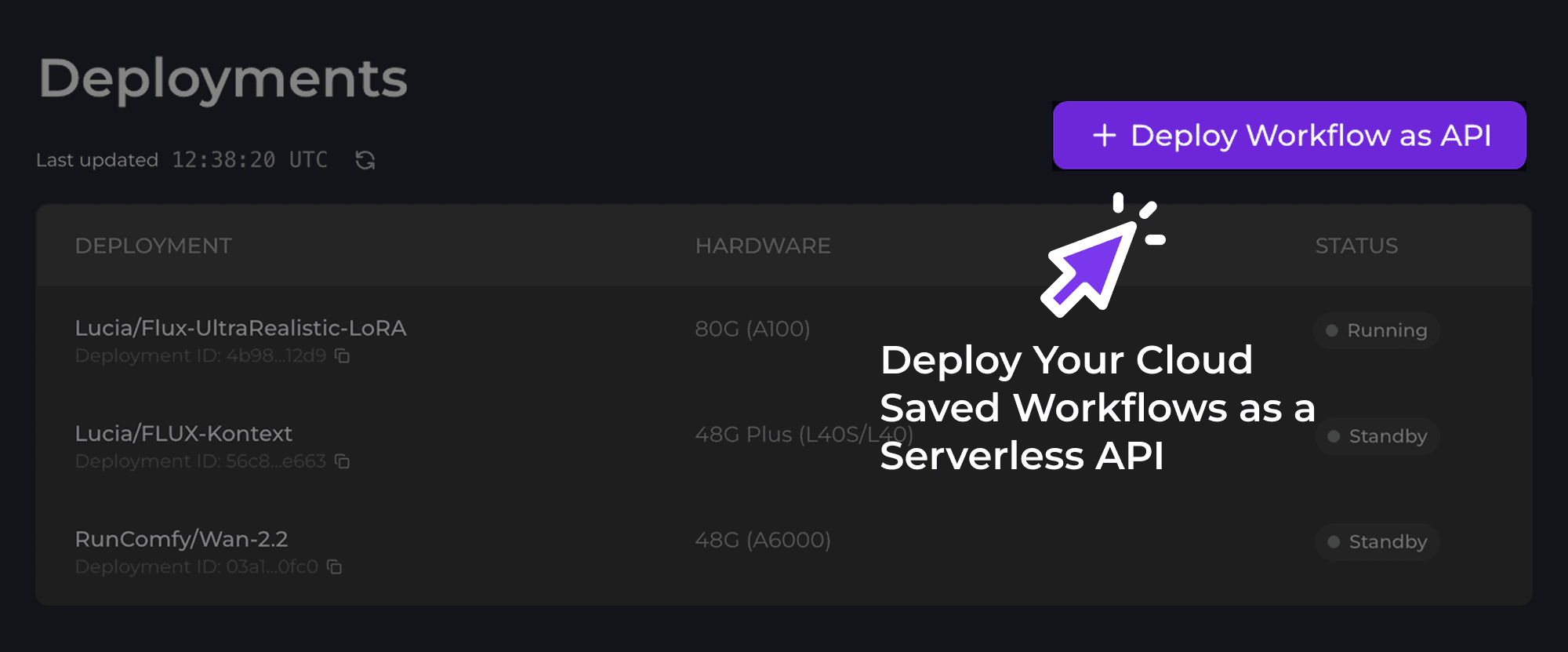
- Serverless ComfyUI API: Turn any Cloud-Saved workflow into an autoscaling API in minutes, zero ops, reproducible runs, versioned deployments, real-time monitoring, and cost-efficient pay-as-you-go GPU billing. To learn more about this powerful feature, click ComfyUI API.
Is there a ComfyUI API service?
Yes. On RunComfy you can turn any cloud-saved ComfyUI workflow into a serverless, autoscaling API in minutes. No DevOps required. You'll get a stable HTTPS endpoint for programmatic calls, parameterize your workflow inputs, and receive reproducible outputs with consistent runs, built-in versioning, real-time monitoring/run history, and cost-efficient pay-as-you-go GPU billing. It's designed for fast prototyping and production use alike, scale up automatically under load and pay only while jobs are running. Learn more here: ComfyUI API.
Can I upload and download my own models or loras to a RunComfy machine? Will my models still be saved after I shut down the machine?
Absolutely! You can directly download models from Civitai, Hugging Face, and Google Drive to RunComfy, with speeds 25 times faster than local uploads. You can also easily upload your own models to the RunComfy from your local device. All the models you use will be securely saved across sessions, so you don't have to worry about losing your work when you close the machine.
Can I install and manage nodes within RunComfy ComfyUI cloud?
Absolutely! RunComfy provides a pre-installed ComfyUI Manager that allows you to easily install and manage nodes. Even better, RunComfy provides a flexible mechanism for you to have unlimited ComfyUI environments to work with (just imagine you have many many different cloud machines for you to play with different nodes setup). To learn more about this powerful feature, click here.
Can I upload my images and videos in RunComfy ComfyUI cloud?
Yes, you can upload images and videos (including folder structures) into the input folder of RunComfy ComfyUI using the file browser.
Will generated, uploaded, or downloaded data persist across machine sessions?
Yes! With RunComfy's Cloud Save feature, you can save your entire workflow, including custom nodes, models, and the complete ComfyUI running environment. The next time you open your workflow in RunComfy, everything will be exactly as you left it. To learn more about this powerful feature, click here.
Is there any technical support available?
Yes! We offer technical support through our Discord channel and email: hi@runcomfy.com. Our team is ready to assist with any questions or issues you might have while using ComfyUI.
I have more questions about ComfyUI/RunComfy, where to find more information?
Great! We are here to answer all of your questions, please see our Ultimate Guide to ComfyUI in RunComfy here first and it is being updated all the time. If you still have questions, please feel free to reach out to us on Discord or email us at here.
Why should I use RunComfy for my AI class/workshop/tutorials?
RunComfy is great for classes, workshops, and tutorials because students can start ComfyUI instantly in the cloud (no local installs) and you get a consistent environment for everyone.
It also supports the full stack: use Models for instant image/video generation demos, and Trainer for LoRA / fine‑tuning on dedicated GPUs.
Billing is flexible: one shared balance, pay as you go, with optional Pro discounts on GPU usage. Learn more here.
Do you have education, team or enterprise plans?
Of course, we have collaborated extensively with educational institutions, government-led AI training programs, and a wide range of enterprises to provide a comprehensive AI Art online content and learning environment. For more information, please feel free to reach out to us at here.
How do I get an invoice?
You can get invoices for your balance top‑ups and subscriptions by following this guide:
Resources
RunComfy
Copyright 2026 RunComfy. All Rights Reserved.RunComfy is the premier ComfyUI platform, offering ComfyUI online environment and services, along with ComfyUI workflows featuring stunning visuals. RunComfy also provides AI Models, enabling artists to harness the latest AI tools to create incredible art.