Flux Klein Face Swap for ComfyUI: seamless, prompt‑driven face replacement#
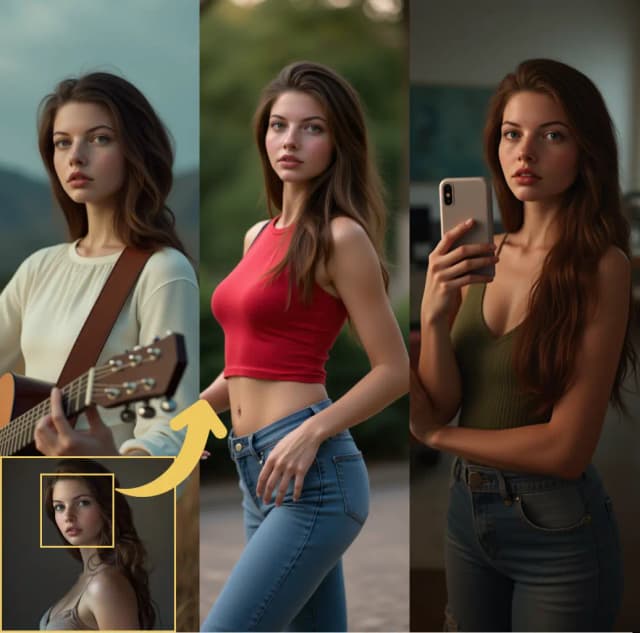
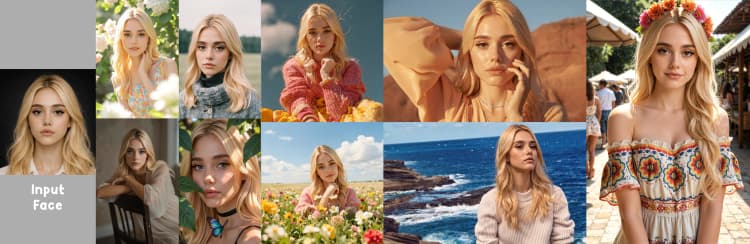
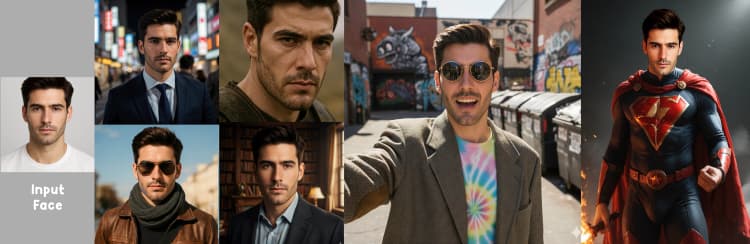
Flux Klein Face Swap is a focused ComfyUI workflow that replaces a face in one image with a face from another while preserving pose, lighting, and texture consistency. It builds on FLUX Klein’s unified image generation and editing to deliver realistic swaps that blend naturally with the scene.
This workflow is ideal for portrait editing, character creation, and content refinement. You provide a base image and a face source image, guide the swap with a short prompt, and the Flux Klein Face Swap pipeline aligns geometry, transfers identity, and renders a clean result with optional upscaling.
Key models in Comfyui Flux Klein Face Swap workflow#
- Black Forest Labs FLUX.2‑klein 9B FP8. The core Diffusion Transformer used here for editing and image synthesis. It integrates the new face while keeping scene style and composition stable. Model card
- FLUX.2‑klein 4B. A lighter alternative that reduces memory and speeds up iteration with slightly lower capacity. Useful for drafts or limited GPUs. Model card
- Qwen 3 text encoder 8B or 4B. Provides prompt understanding for FLUX 2 so the swap obeys your textual instructions about identity, pose, and style. Files are distributed with the Klein splits. Repository
- Flux 2 VAE. Encodes images into the latent space FLUX uses and decodes the final latent back to pixels with faithful color and tone. Repository
- YOLOX object detector and DWPose estimator. Used during preprocessing to locate the face and overall body pose so alignment is natural after the swap. YOLOX DWPose
How to use Comfyui Flux Klein Face Swap workflow#
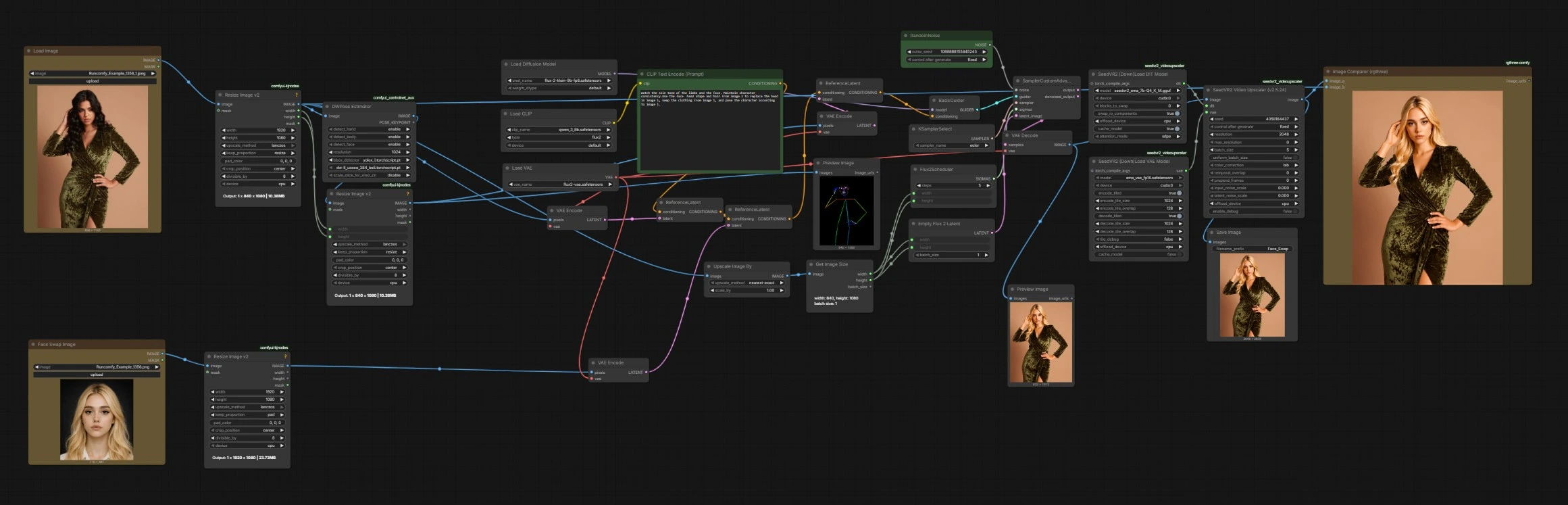
The pipeline flows from inputs to preprocessing, reference conditioning, FLUX sampling, decoding, and optional upscaling. Each stage below names the key UI nodes you will see.
Load inputs with LoadImage (#81) and LoadImage Face Swap Image (#244)#
Choose the base photo in LoadImage (#81). This is the scene and clothing you want to keep. Choose the donor portrait in Face Swap Image (#244). This provides the identity to transfer. Pick images with similar head size and general angle for best results. Both images are resized internally to a consistent working resolution.
Detect pose and faces with DWPreprocessor (#267) and normalize with ImageResizeKJv2 (#468)#
The preprocessor analyzes the base image to find the head and body keypoints, producing guidance that encodes facial layout and pose. This ensures Flux Klein Face Swap aligns the new face with the original orientation and lighting. The result is resized to match the working dimensions so later steps use consistent geometry. You do not need to supply a mask.
Describe the swap with CLIPTextEncode (#250)#
Provide a short instruction that clarifies what should change and what should stay. For example, “replace the head in image 1 with the head from image 2, keep clothing and pose from image 1, match skin tone and lighting.” The text encoder converts your prompt into conditioning that steers the model during sampling. Clear, specific wording yields more faithful swaps.
Build reference conditioning with VAEEncode and ReferenceLatent (#257, #253, #269)#
The base image, the face source image, and the pose guidance are each encoded to latents with VAEEncode. ReferenceLatent (#257) first binds the base image to your prompt so style and scene are preserved. ReferenceLatent (#253) injects the donor face’s identity as a reference. ReferenceLatent (#269) adds the detected geometry, which locks in head position and proportions before sampling.
Schedule and sample with FLUX using UNETLoader (#180), Flux2Scheduler (#237), KSamplerSelect (#240), BasicGuider (#277), and SamplerCustomAdvanced (#261)#
UNETLoader (#180) loads the FLUX.2‑klein model that performs the actual edit. Flux2Scheduler (#237) sets the denoising schedule at the working width and height so the latent resolution stays consistent. BasicGuider (#277) combines the model with your assembled conditioning and passes it to the sampler. Select a sampler in KSamplerSelect (#240) and keep a fixed seed in RandomNoise (#256) to reproduce results when iterating. SamplerCustomAdvanced (#261) then generates the swapped face latent in a single path without manual masking.
Decode and review with VAEDecode (#251), PreviewImage (#457), and Image Comparer (rgthree) (#452)#
VAEDecode (#251) turns the final latent into pixels. Use PreviewImage (#457) to quickly verify identity, skin tone continuity, and hairline edges. Compare the before and after with Image Comparer (rgthree) (#452) to confirm that clothing, pose, and background remain intact. If needed, refine your prompt and re-run to nudge expression or styling.
Upscale and save with SeedVR2VideoUpscaler (#326) and SaveImage (#467)#
The upscaler enhances detail and smooths minor seams while respecting the edited identity. Keep color correction consistent across runs to avoid shifts in skin tone. When satisfied, SaveImage (#467) writes the final result with a clear file prefix so batches stay organized. The upscaler is optional if you already work at a high resolution.
Key nodes in Comfyui Flux Klein Face Swap workflow#
DWPreprocessor (#267)#
Role: detects body and face signals that stabilize alignment. Increase resolution if faces are small in the frame. Enable face and body detection together for portraits that include shoulders or hands to maintain proportion continuity.
ReferenceLatent (#257)#
Role: anchors the base image’s style and scene to the prompt so the swap does not drift. If the environment or outfit is changing unintentionally, adjust the base image crop so this reference emphasizes the region you want to preserve.
ReferenceLatent (#253)#
Role: injects the donor identity. For strong identity transfer, use a sharp, front-facing donor portrait with neutral expression. Avoid heavy makeup or occlusions that could overfit unwanted features.
ReferenceLatent (#269)#
Role: enforces spatial geometry from the detection step so the new face sits naturally on the head and neck. Use when pose or head angle matters. If you want more freedom in expression, choose a base image with the target expression rather than weakening this constraint.
Flux2Scheduler (#237)#
Role: defines the denoising path at your working resolution. More steps can refine subtle textures but cost time. Keep width and height inherited from the pipeline to avoid aspect mismatches with the EmptyFlux2LatentImage input.
SamplerCustomAdvanced (#261)#
Role: performs the guided denoising using your sampler choice and seed. Use a consistent seed for A/B comparisons and change only one thing at a time, typically the prompt. If results feel overcooked, try a sampler that is less aggressive or reduce the effective denoising by starting from a stronger reference.
SeedVR2VideoUpscaler (#326)#
Role: final enhancement and edge cleanup. Raise the target resolution moderately to keep identity stable. If colors shift, enable color correction and keep input noise low to preserve skin tone continuity.
Optional extras#
- Pick input photos with similar head size and orientation for the most convincing Flux Klein Face Swap.
- Keep prompts short and literal. Mention what to replace, what to keep, and any style notes.
- Use a fixed seed while exploring prompts, then vary the seed to add subtle expression changes.
- If skin tone mismatch appears, add a phrase like “match skin tone and lighting” to the prompt.
- Obtain consent and follow local laws and model licenses when performing any face swap.
Acknowledgements#
This workflow implements and builds upon the following works and resources. We gratefully acknowledge @Ai Verse's Flux Klein Face Swap Source workflow for their contributions and maintenance. For authoritative details, please refer to the original documentation and repositories linked below.
Resources#
- Flux Klein/Face Swap Source
- Docs / Release Notes: @Ai Verse's YouTube
Note: Use of the referenced models, datasets, and code is subject to the respective licenses and terms provided by their authors and maintainers.