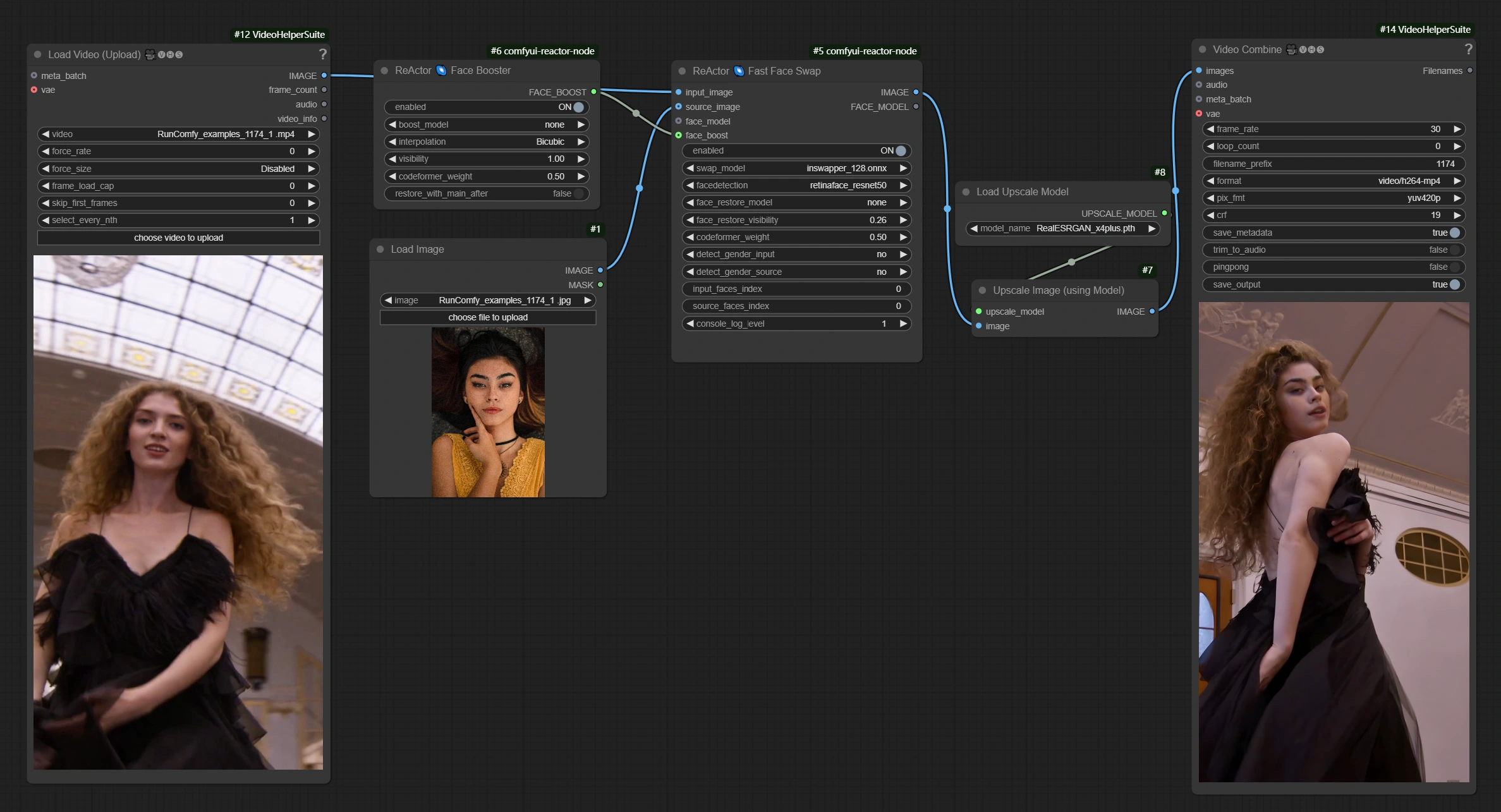
1. What is the ComfyUI ReActor Face Swap Workflow?#
The ComfyUI ReActor Face Swap workflow enables seamless face swapping in images and videos using advanced face detection, swapping, and enhancement models. This ReActor Face Swap implementation produces natural, high-quality results while providing flexible restoration and upscaling options.
Latest Updates#
Recent updates have brought significant enhancements to ReActor Face Swap workflow. Support for GPEN 1024/2048 restoration models improves face quality, while updates to video processing and overall performance optimization enable faster face-swapping operations.
2. Benefits of ComfyUI ReActor Face Swap:#
- Produces realistic face replacements while maintaining natural facial expressions, lighting, and texture
- Offers flexible restoration features with customizable enhancement settings
- Includes upscaling support to improve image and video resolution for clearer outputs
- Delivers smooth video outputs using frame interpolation for fluid motion
3. How to Use the ComfyUI ReActor Face Swap Workflow#
3.1 Generation Methods with ComfyUI ReActor Face Swap#
Primary Method: Video-to-Image Face Replacement#
- Inputs:
- Target Video: Loaded via the Load Video (Upload) node
- Source Image: Loaded via the Load Image node
- Procedure:
- Run the ReActor Face Swap workflow by clicking Queue Prompt for high-quality results
- The final video will be saved using the Video Combine node
Alternative Methods#
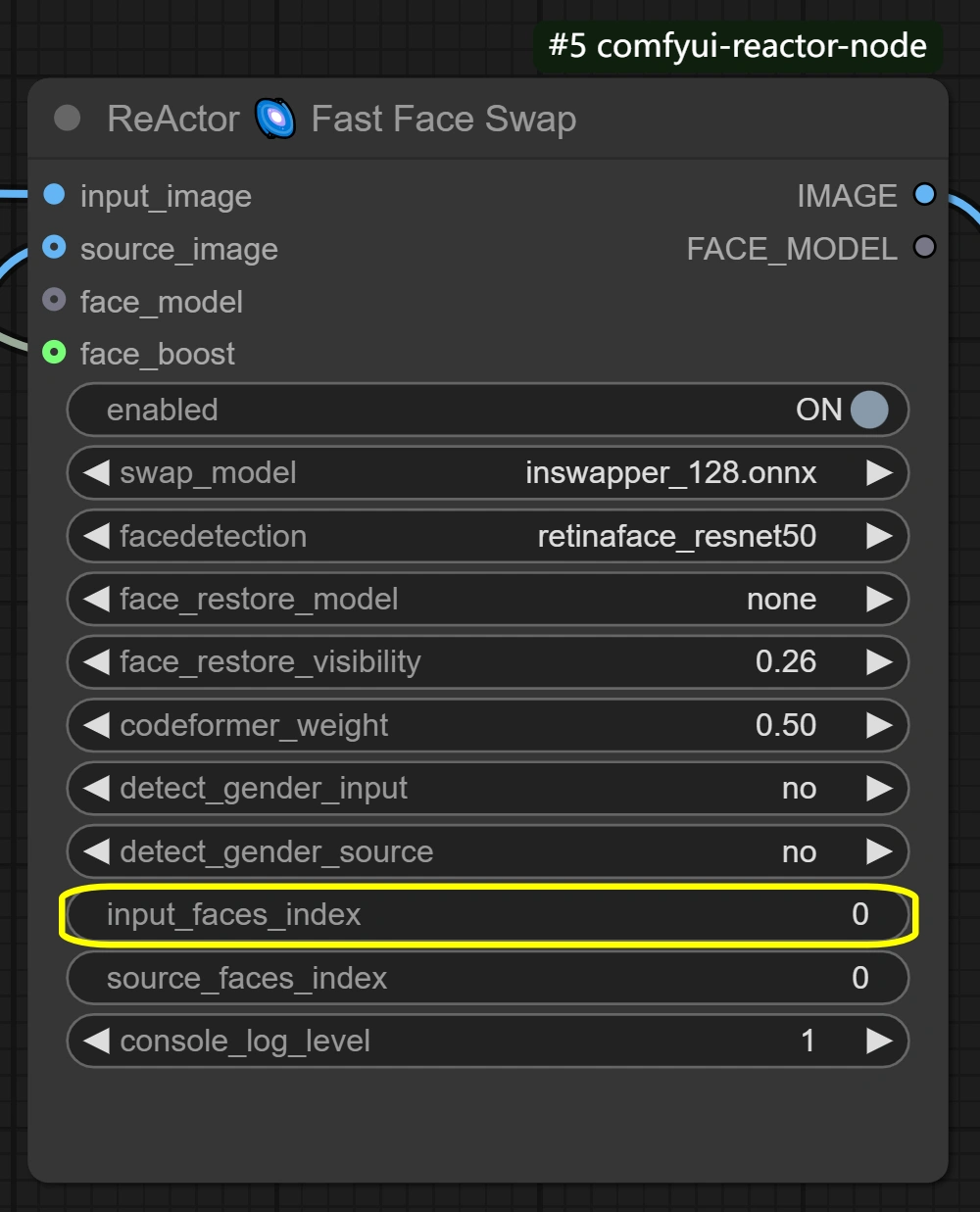
The ReActor Face Swap workflow supports both multi-face and image-only processing. For multiple face swap, adjust the input_faces_index parameter in the Fast Face Swap node to target specific faces (e.g., 0,1,2). For image-only operations, simply use the Load Image node instead of Load Video (Upload) for your target input.
4. Nodes and Parameters Reference of ComfyUI ReActor Face Swap#
Load Video (Upload) Node#
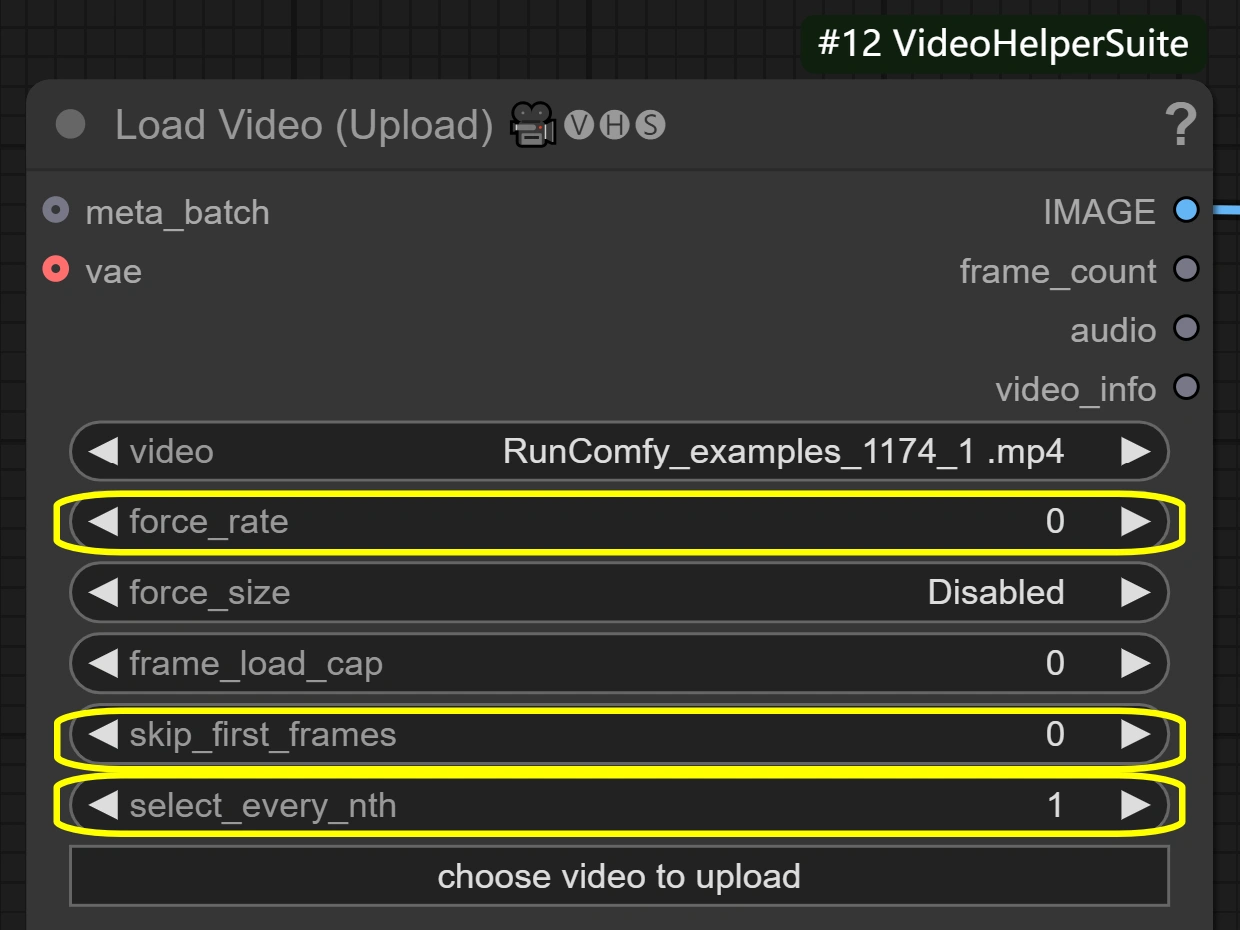
- Purpose: Loads the target video for face swapping
- Key Parameters:
force_rate: Adjusts the frame rate for video extractionselect_every_nth: Controls frame selection frequency- Lower values: More frames, smoother but longer processing
- Higher values: Fewer frames, faster but choppier
skip_first_frames: Skips specified number of initial frames- Useful for trimming input video start
- Trade-offs: Balance between video smoothness and processing time
Load Image Node#
- Purpose: Loads the source image containing the face to swap
- Key Parameters:
image: Path to the source face image- Ensure high-quality, clear face images for best results
- Trade-offs: Image quality directly impacts swap results
Fast Face Swap Node#
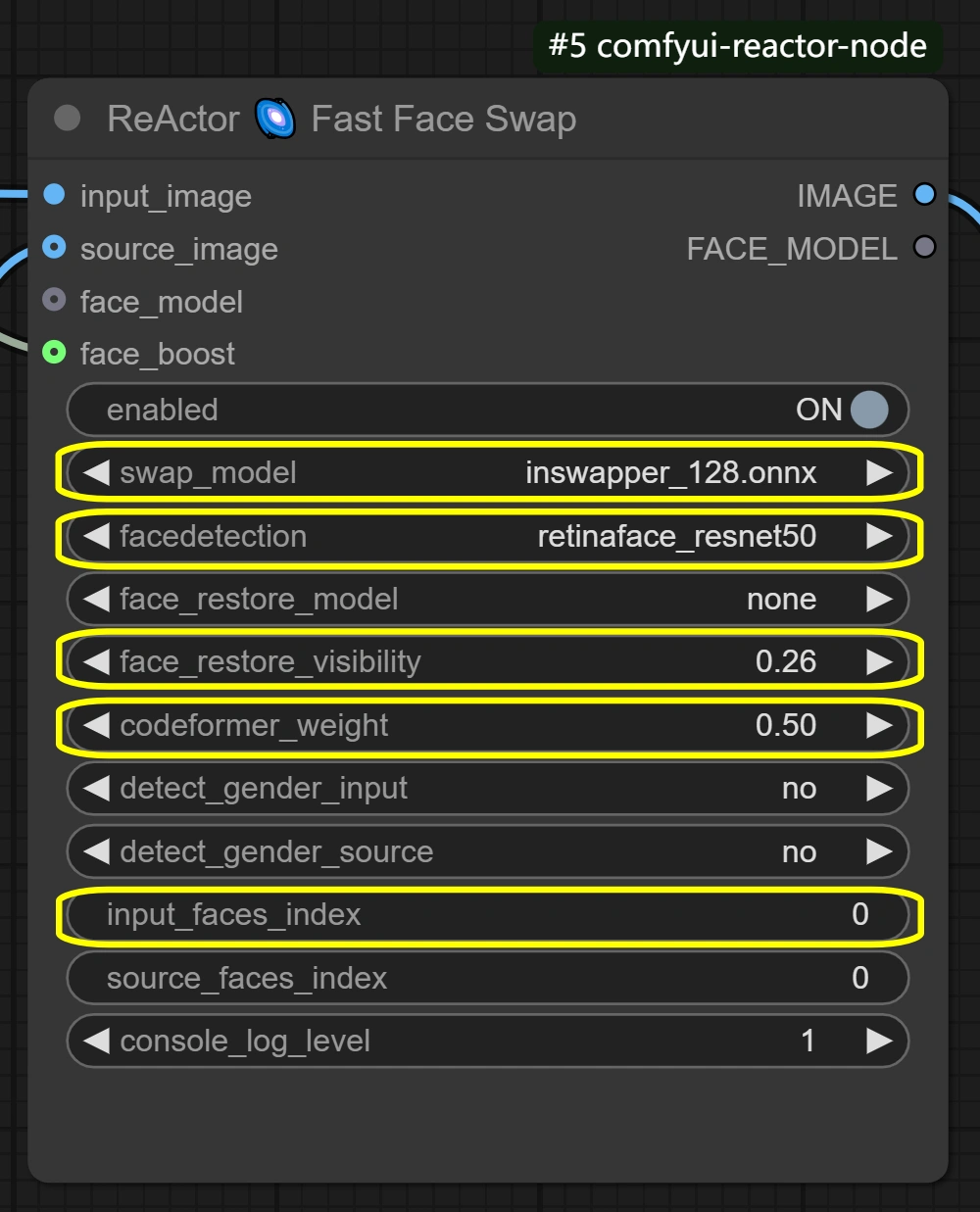
- Purpose: Performs the face swapping operation
- Key Parameters:
swap_model: Face swapping model selection- inswapper_128.onnx: Default model optimized for quality
facedetection: Face detection algorithm choice- retinaface_resnet50: High accuracy, slower
- retinaface_mobile0.25: Faster, lower precision
face_restore_visibility: Restoration blend strength (0.1–1.0)- Higher: Stronger restoration, potential over-smoothing
- Lower: Subtle restoration, preserves original details
codeformer_weight: Detail preservation balance (0.0–1.0)- Higher: Smoother results, less detail
- Lower: More details, potential artifacts
input_faces_index: Specifies faces to swap in multi-face processing
- Trade-offs: Balance between quality, speed, and accuracy
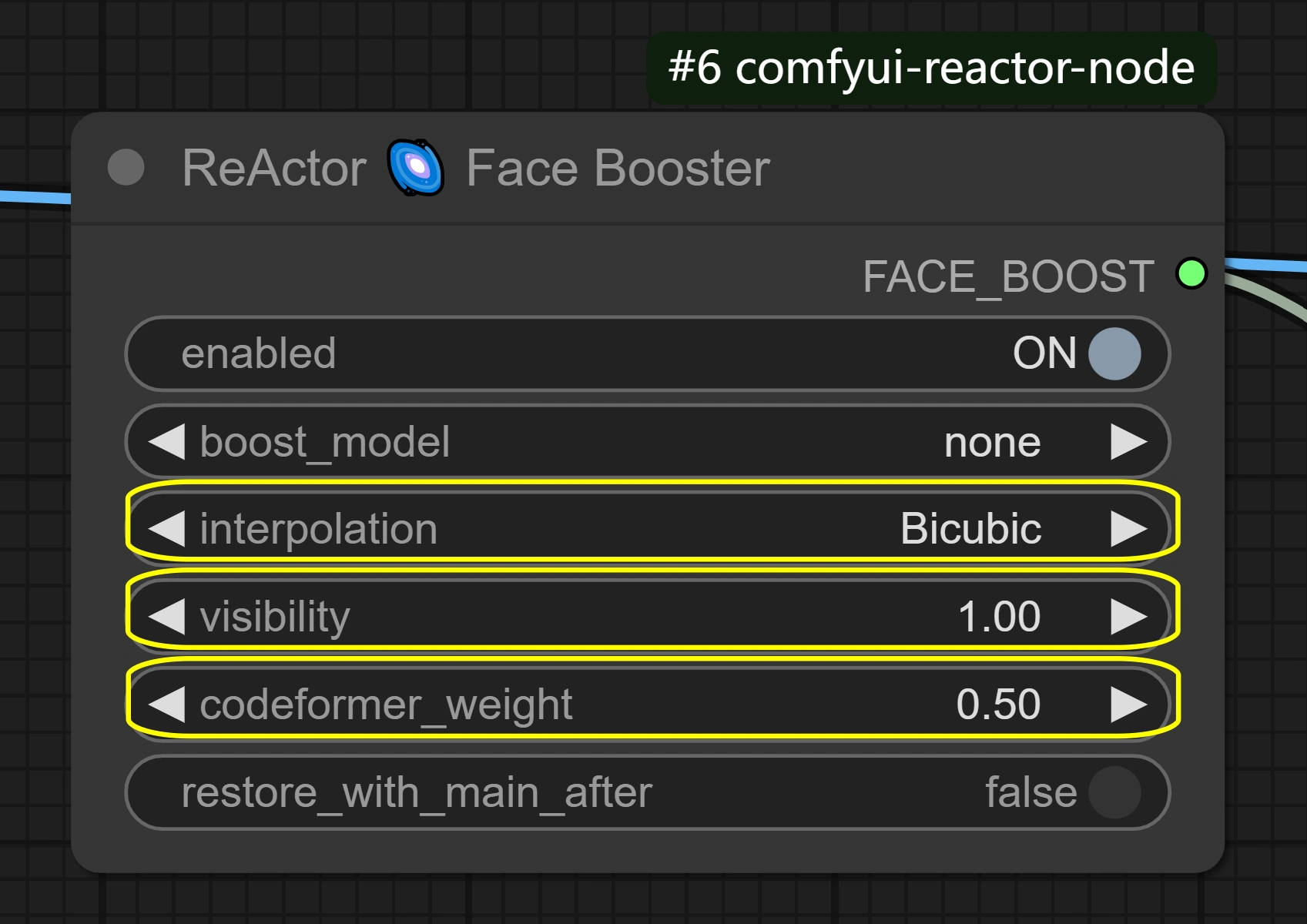
Face Booster Node#
- Purpose: Enhances and restores swapped face before integration
- Key Parameters:
interpolation: Enhancement method selection (e.g., Bicubic)visibility: Restoration intensity (0.1–1.0)- Higher: Stronger enhancement but may over-process
- Lower: Subtle enhancement, more natural look
codeformer_weight: Detail balance (0.0–1.0)- Higher: Smoother, less detail
- Lower: More detail, possible artifacts
- Trade-offs: Enhanced quality vs natural appearance
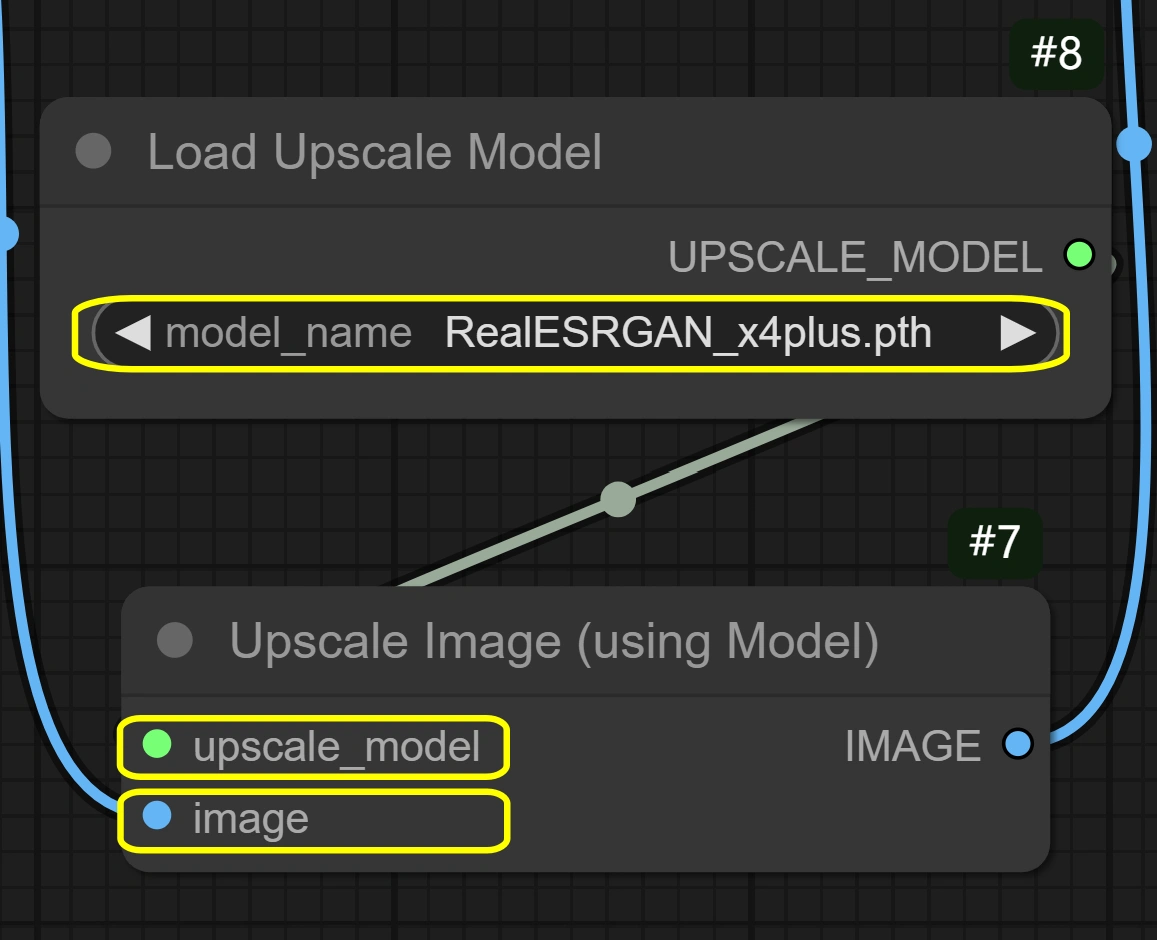
Load Upscale Model Node#
- Purpose: Loads AI upscaling model for resolution enhancement
- Key Parameters:
model_name: Upscaling model selection (e.g., RealESRGAN_x4plus.pth)
- Trade-offs: Higher resolution vs memory usage
Upscale Image Node#
- Purpose: Applies upscaling to processed images
- Key Parameters:
upscale_model: Selected model applicationimage: Target for upscaling
- Trade-offs: Quality improvement vs processing time
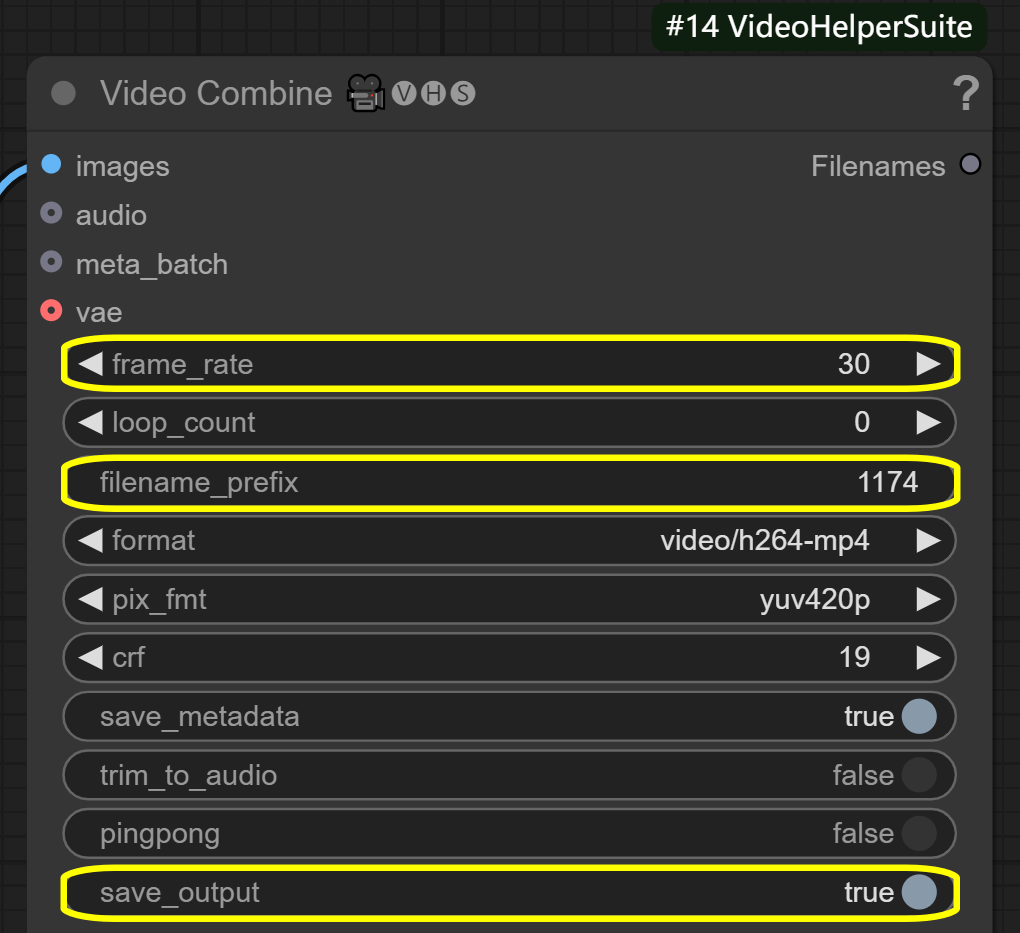
Video Combine Node#
- Purpose: Combines processed frames into final video
- Key Parameters:
frame_rate: Output video frame rate- Higher: Smoother playback, more frames needed
- Lower: Choppier but faster processing
filename_prefix: Custom prefix for output filesave_output: Controls video saving to specified path
- Trade-offs: Output quality vs file size
5. More Information#
For updates, model details, and ReActor Face Swap workflow support, please visit the official GitHub Repository https://github.com/Gourieff/comfyui-reactor-node.