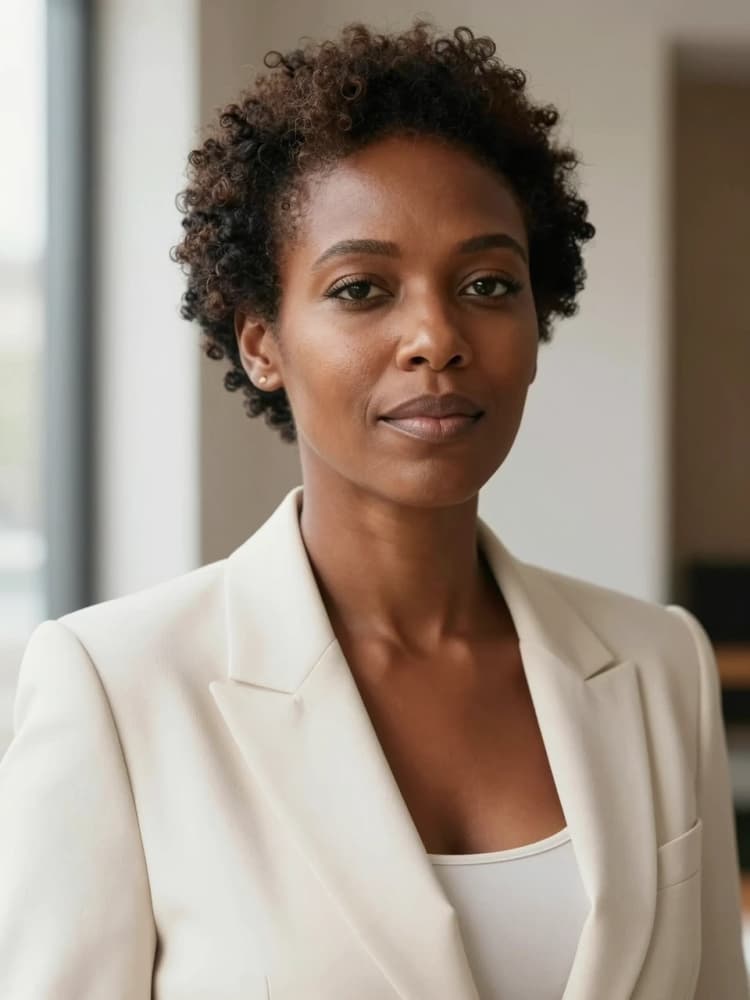


Z Image Real Skin workflow: natural editorial portraits with real skin texture#
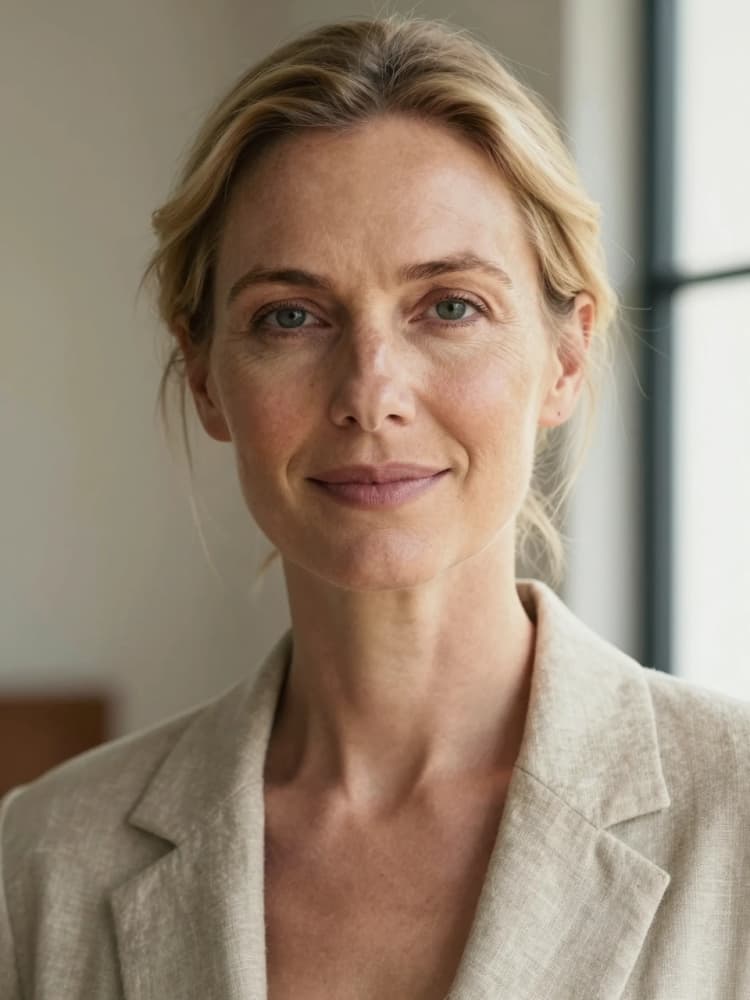
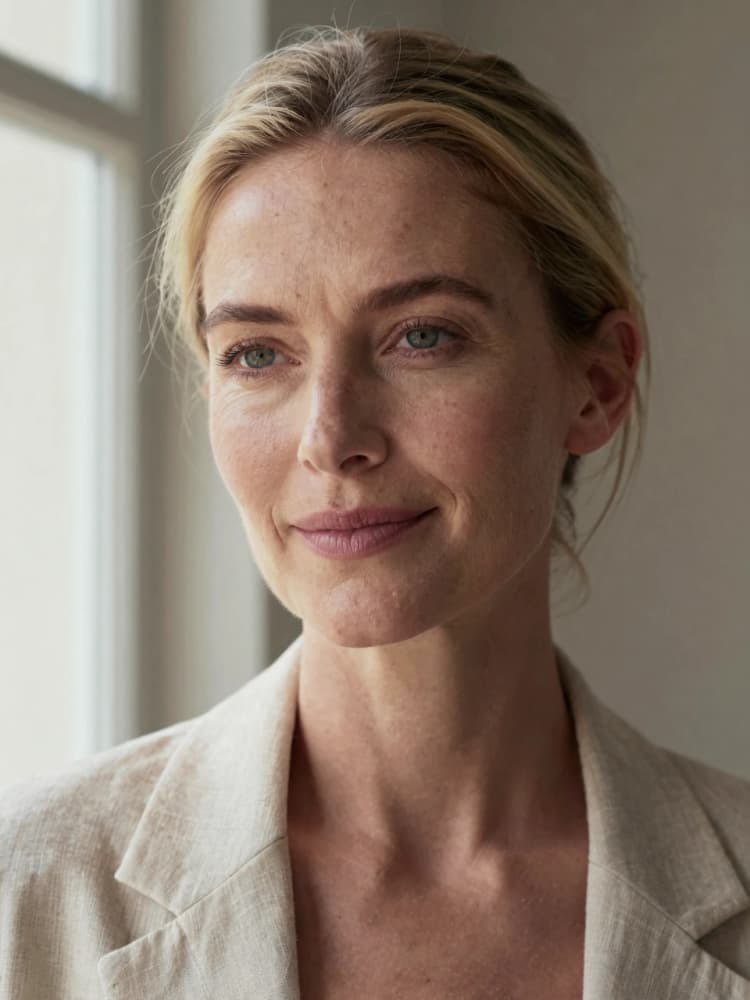
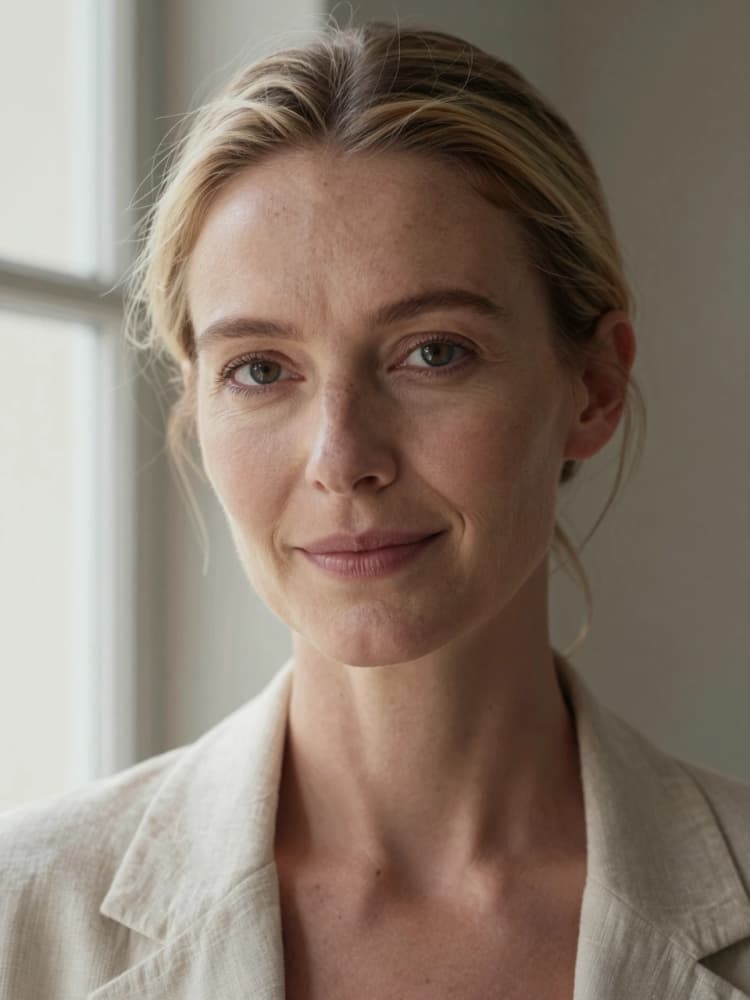
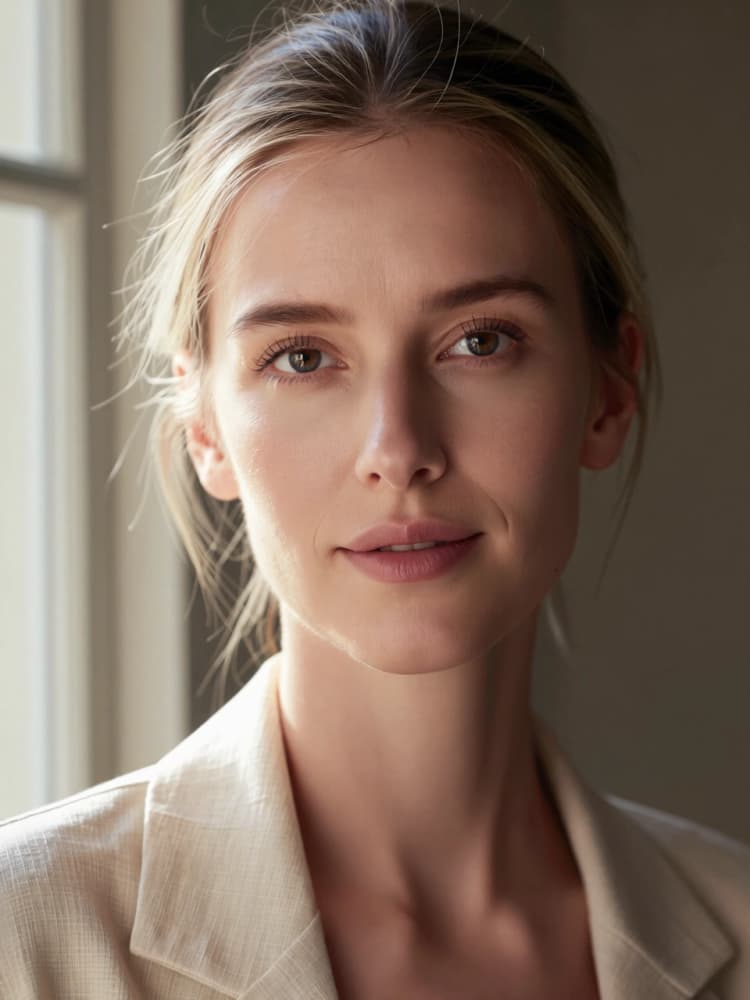
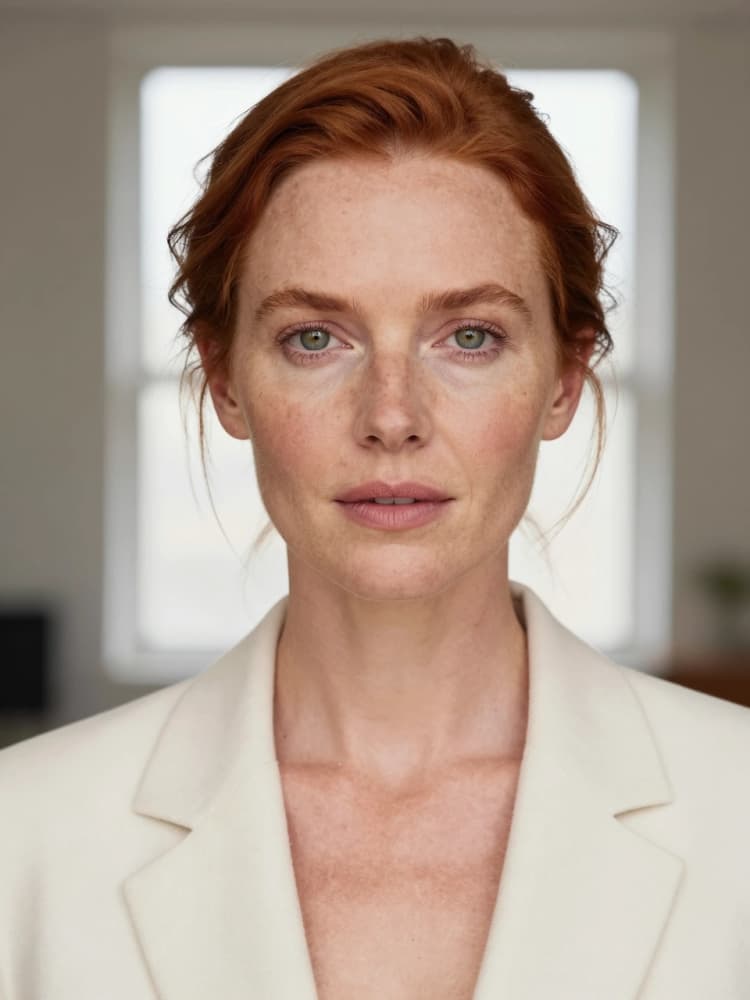
The Z Image Real Skin workflow is a RunComfy-ready ComfyUI pipeline for creating realistic editorial portraits that keep pores, freckles, and fine lines while avoiding plastic, beauty-filtered looks. It combines image-to-prompt extraction with strong text guidance and subtle LoRA accents to produce soft natural lighting, mature facial detail, and magazine-grade color.
Built around Z-Image Turbo with Qwen image encoding and Qwen-VL prompt extraction, this ComfyUI Z Image Real Skin workflow helps artists explore Western portrait references, natural-skin character looks, and high-end editorial aesthetics in a consistent, repeatable way. Four parallel samplers deliver side-by-side variations so you can quickly pick the rendition with the best skin texture and tone.
Key models in Comfyui Z Image Real Skin workflow#
- Z-Image Turbo by Comfy-Org. The primary generative model that drives image synthesis with speed and crisp texture retention. Model card
- Qwen-Image text encoder for ComfyUI. Provides robust CLIP-like text conditioning aligned with Qwen prompts, improving adherence to nuanced portrait instructions. Model files
- Qwen-VL Instruct (8B class). A vision-language model used here to analyze a reference portrait and return a concise, English prompt that preserves identity cues and styling for image-to-prompt guidance.
- Unfiltered Realism v2 LoRA. Adds microtexture and realistic tonal response, helping avoid over-smoothing while keeping skin believable.
- Kook Zimage Realistic Fantasy Turbo LoRA. A light, controllable creative accent that can add editorial polish without flattening pores. Model card
How to use Comfyui Z Image Real Skin workflow#
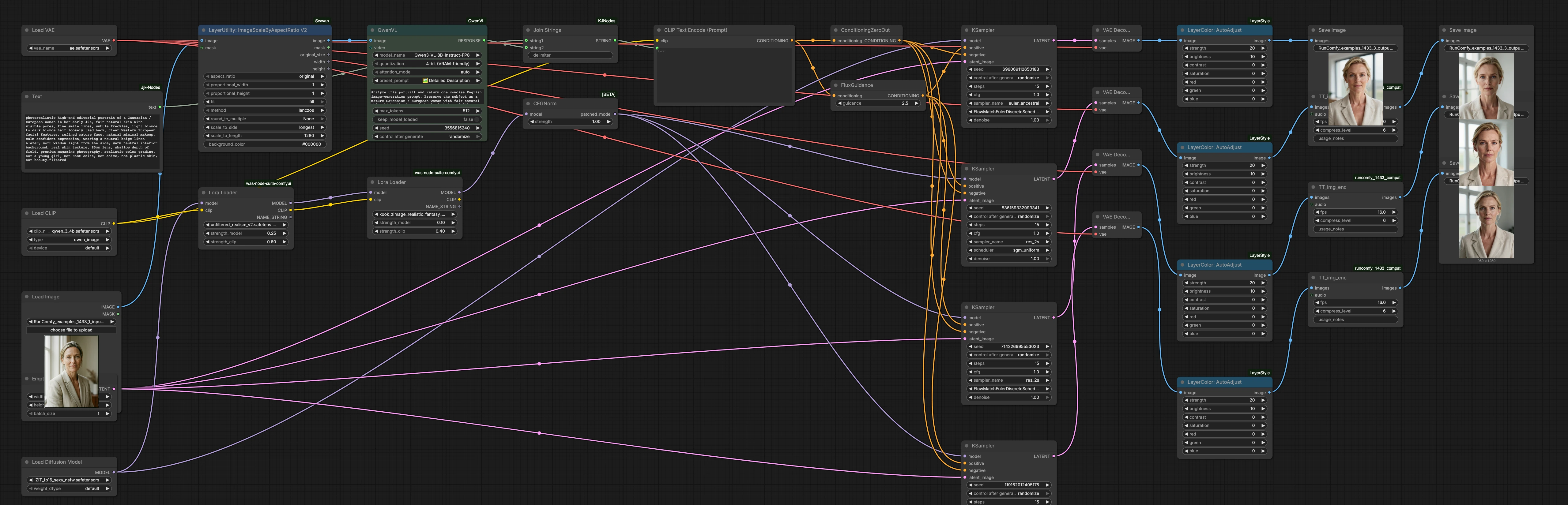
This workflow assembles a high-quality prompt, encodes it with Qwen-Image, and renders four sampler variants in parallel using Z-Image Turbo and subtle LoRA guidance. Start from a clean run, then iterate by nudging text and LoRA weights to taste.
- Reference image input and scaling
- Load a portrait in
LoadImage(#206). The helperLayerUtility: ImageScaleByAspectRatio V2(#211) normalizes dimensions so the analyzer sees a well-framed subject without stretching. - The reference is not used as direct image-to-image; it is inspected to extract a guiding prompt. If you prefer pure text-to-image, you can run without a reference and rely solely on your written prompt.
- Load a portrait in
- Prompt extraction and assembly
AILab_QwenVL(#308) looks at the reference portrait and returns a compact English prompt highlighting age, skin quality, hair, wardrobe, and light. It favors natural skin texture and avoids glam-smoothing cues.JjkText(#200) supplies your base creative direction for editorial style and realism.JoinStrings(#201) merges the base text with Qwen-VL’s result so you get a single, clean instruction ready for encoding.
- Text encoding and guidance shaping
CLIPLoader(#202) loads the Qwen-Image encoder.CLIPTextEncode(#184) turns the assembled text into conditioning for the generator.FluxGuidance(#166) controls how strongly the model should follow the text.ConditioningZeroOut(#165) intentionally blanks the negative side to reduce the risk of over-suppression that can erase pores or fine lines.
- Model loading, LoRA accents, and normalization
UNETLoader(#337) brings in Z-Image Turbo as the backbone generator.- Two
Lora Loadernodes (#438 and #439) apply Unfiltered Realism v2 and the Kook Zimage Turbo LoRA with modest strength. Together they encourage natural microtexture and editorial polish without plastic sheen. CFGNorm(#305) stabilizes guidance so contrast and color stay consistent as you iterate.
- Parallel sampling heads for fast A/B testing
EmptyLatentImage(#212) defines the canvas. FourKSamplerbranches (#251, #255, #478, #487) render at once using distinct sampler and scheduler pairs.- Expect subtle differences in grain, edge crispness, and tonal rolloff. Use these branches to pick the rendition that keeps skin detail while staying flattering.
- Decode and finishing touches
- Each branch decodes through
VAEDecode(#252, #254, #476, #485) and appliesLayerColor: AutoAdjust(#343, #338, #475, #488) for gentle exposure and contrast leveling that protects midtones. - Utility nodes
TT_img_enc(#497, #495, #496) pass images forward for saving. Final images are written bySaveImage(#447, #448, #479, #489) with clear filenames per sampler.
- Each branch decodes through
Key nodes in Comfyui Z Image Real Skin workflow#
AILab_QwenVL(#308)- Purpose: Converts a reference portrait into a concise prompt that preserves identity cues, wardrobe, lighting, and the “real skin” brief.
- Tips: Use a clean, well-lit reference. Shorter outputs skew toward broad style matches; more descriptive outputs steer composition and wardrobe more tightly.
FluxGuidance(#166)- Purpose: Balances textual obedience with model prior. Lower values breathe a bit more natural variance into skin; higher values enforce stricter prompt adherence.
- Tips: If pores fade or skin looks plastic, ease guidance down. If the model drifts from wardrobe or lighting, nudge guidance up.
Lora Loader(#438) Unfiltered Realism v2- Purpose: Restores microtexture and authentic tonal curve.
- Tips: Increase slightly for drier, crisper pores; decrease if grain or minor artifacts appear on cheeks or forehead.
Lora Loader(#439) Kook Zimage Realistic Fantasy Turbo- Purpose: Adds a light editorial accent and cleaner color separation while keeping the “real skin” brief intact.
- Tips: Raise for a glossier magazine vibe; lower for a more documentary look.
CFGNorm(#305)- Purpose: Normalizes guidance so changes in text strength or LoRA weight do not swing exposure and saturation.
- Tips: Keep enabled when comparing sampler heads to ensure fair A/B judgments.
KSamplerheads (#251, #255, #478, #487)- Purpose: Four parallel samplers with different scheduler flavors let you compare skin texture, micro-contrast, and bokeh behavior at a glance.
- Tips: Use the base branch for balanced realism, try the flow-matching branch when you want crisp pores with smooth gradients, use the SGM branch for softer rolloff, and pick the beta scheduler for moodier tonality.
Optional extras#
- Start with neutral, soft window light references for the cleanest Qwen-VL prompts and most flattering skin tone.
- If you are targeting different demographics or styles, rewrite the base text in
JjkText(#200) so Qwen-VL complements rather than contradicts your intent. - To control composition, adjust aspect ratio in
EmptyLatentImage(#212) before sampling. - For reproducible A/B testing, copy the same seed across all
KSamplernodes, then vary one factor at a time. - If VRAM is tight, mute the SaveImage nodes for branches you do not need and run only one or two samplers per iteration.
Acknowledgements#
This workflow implements and builds upon the following works and resources. We gratefully acknowledge RunningHub for the workflow source, Comfy-Org for the Z-Image Turbo and Qwen Image ComfyUI model files, and KZZrin for the Kook Zimage realistic fantasy Turbo LoRA for their contributions and maintenance. For authoritative details, please refer to the original documentation and repositories linked below.
Resources#
- RunningHub/RunningHub workflow source
- Docs / Release Notes: RunningHub post
- Comfy-Org/Z-Image Turbo model files
- Hugging Face: Comfy-Org/z_image_turbo
- Comfy-Org/Qwen Image ComfyUI model files
- Hugging Face: Comfy-Org/Qwen-Image_ComfyUI
- KZZrin/Kook Zimage realistic fantasy Turbo LoRA
- Hugging Face: KZZrin/kook_zturbo
Note: Use of the referenced models, datasets, and code is subject to the respective licenses and terms provided by their authors and maintainers.