logo
RunComfy
ComfyUIPlaygroundPricing
discord logo
ComfyUI>Workflows>MMAudio | Video-to-Audio

MMAudio | Video-to-Audio

Workflow Name: RunComfy/MMAudio
Workflow ID: 0000...1180
MMAudio generates synchronized audio from video and text inputs with unmatched precision. Using multimodal joint training, it adapts to diverse audio-visual and audio-text datasets seamlessly. Its advanced synchronization module ensures perfect alignment, transforming audio creation for modern content needs.

The ComfyUI-MMAudio nodes and its associated workflow are fully developed by Kijai. We give all due credit to Kijai for this innovative work. On the RunComfy platform, we are simply presenting Kijai’s contributions to the community. It is important to note that there is currently no formal connection or partnership between RunComfy and Kijai. We deeply appreciate Kijai’s work!

MMAudio

MMAudio is a powerful tool for creating synchronized audio from video and text inputs. It utilizes multimodal joint training to learn from diverse audio-visual and audio-text datasets, ensuring exceptional adaptability. With its advanced synchronization module, it perfectly aligns audio to video frames. MMAudio revolutionizes audio generation, streamlining the process for creators and innovators alike.

1.1 How to Use MMAudio Workflow?

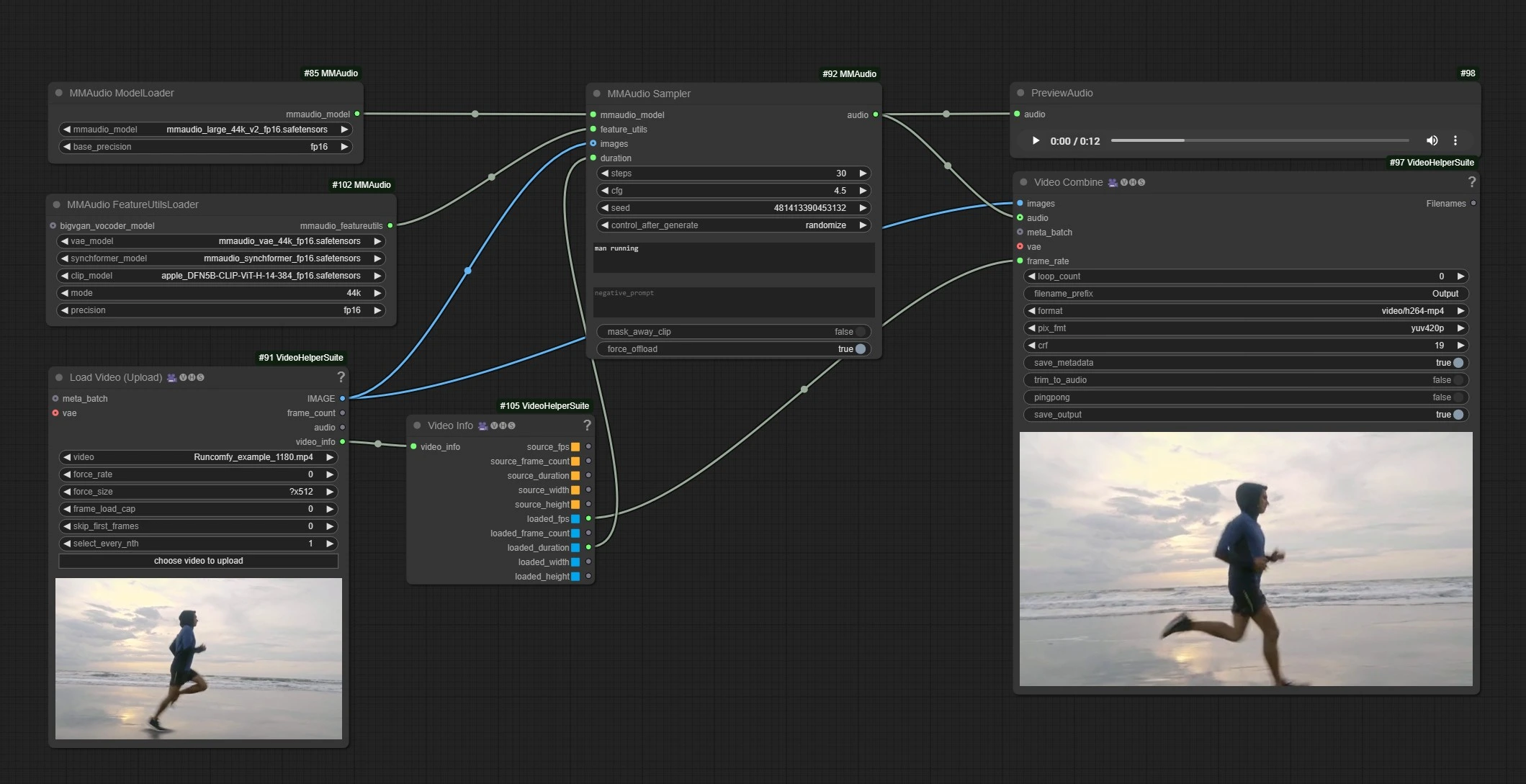
MMAudio

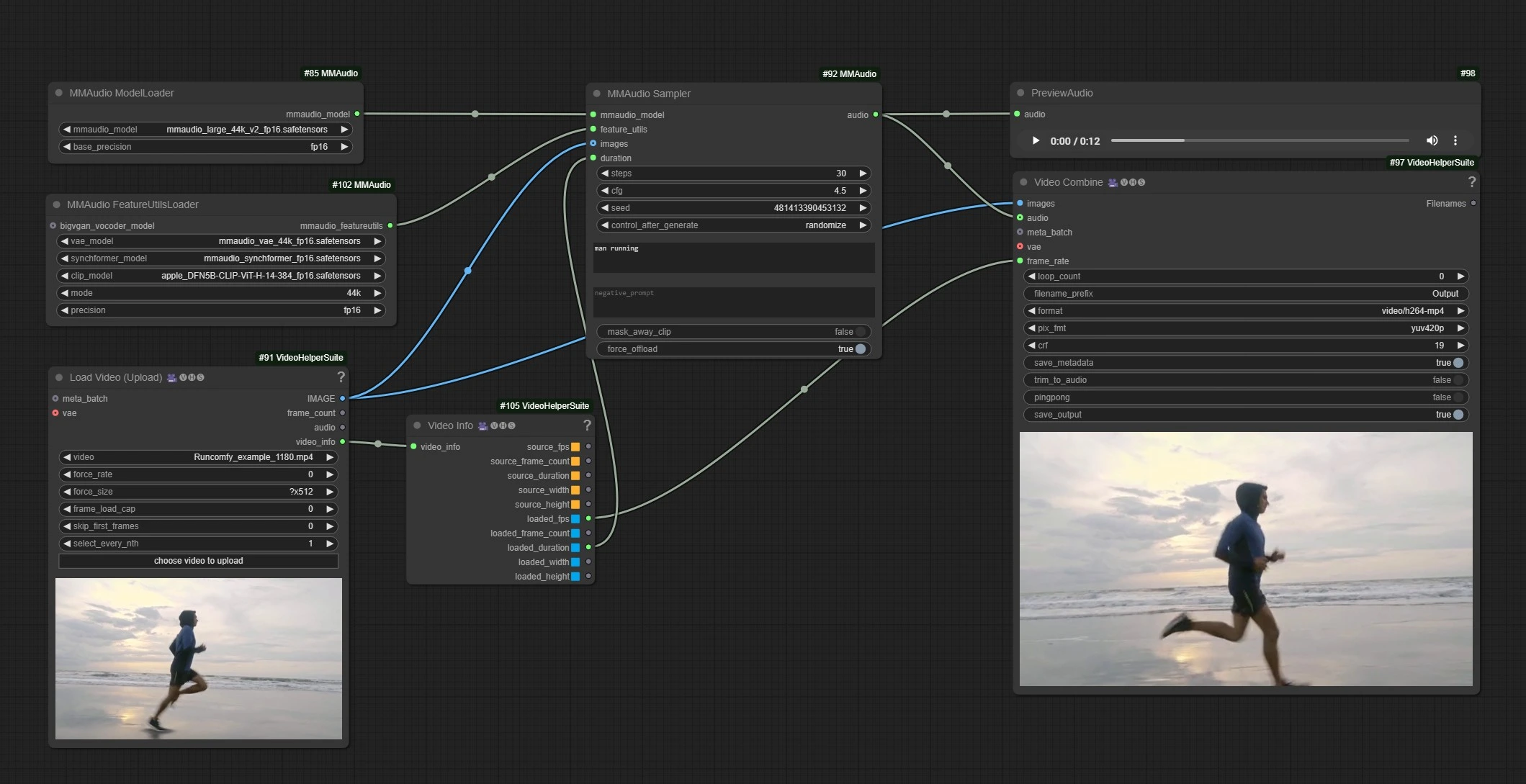
This is the MMAudio workflow, Left Side nodes are inputs for uploading video, Middle is processing MMAudio nodes, and right is the outputs node.

  • Upload your Video in input nodes.
  • Write your audio generation prompts.
  • Click Render !!!

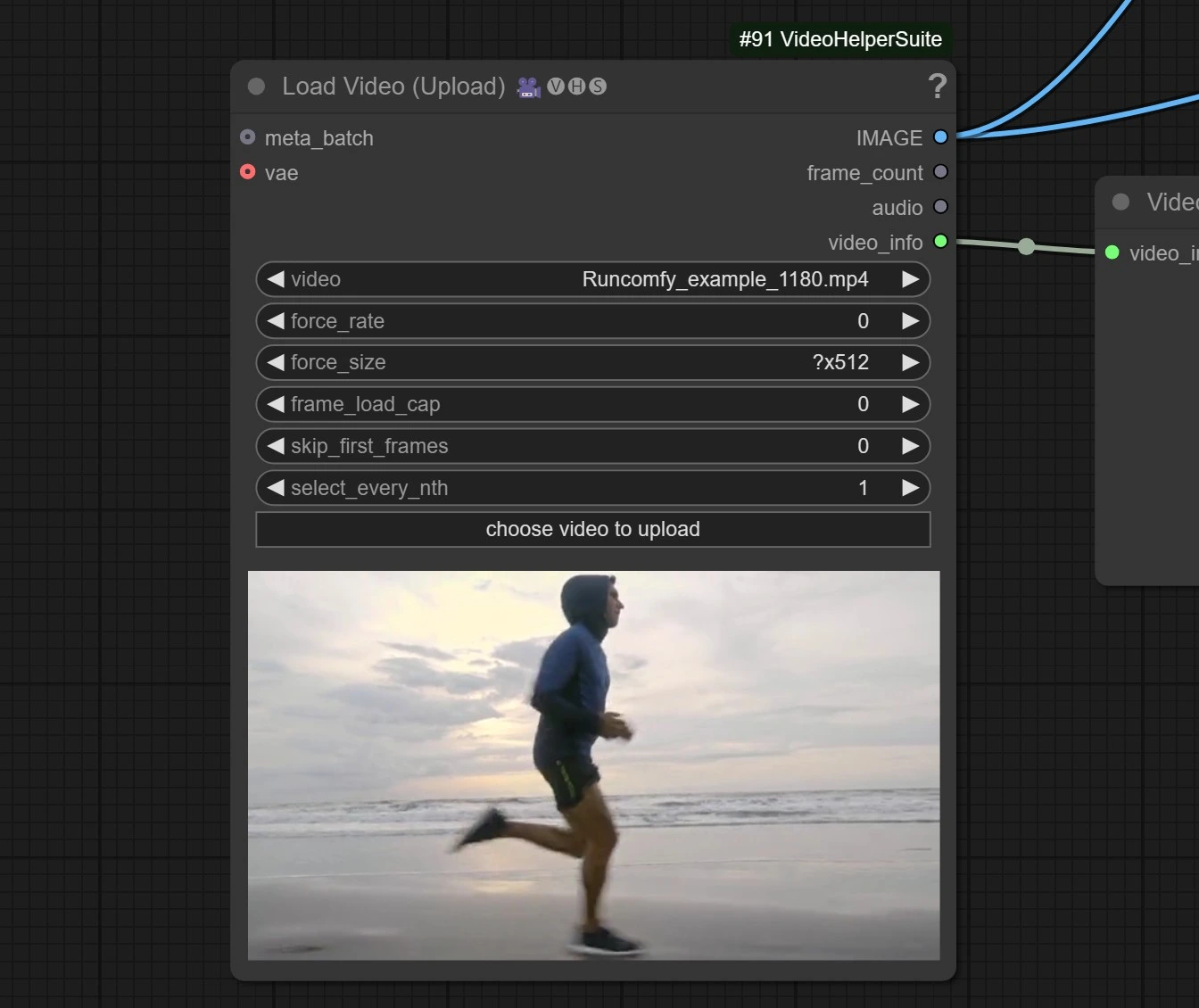
1.2 Video Input

MMAudio

  • Click and Upload your Reference Video.

The video is set to downscale the video to ?*512 resolution as processing HD Video or longer video may run of out memory.

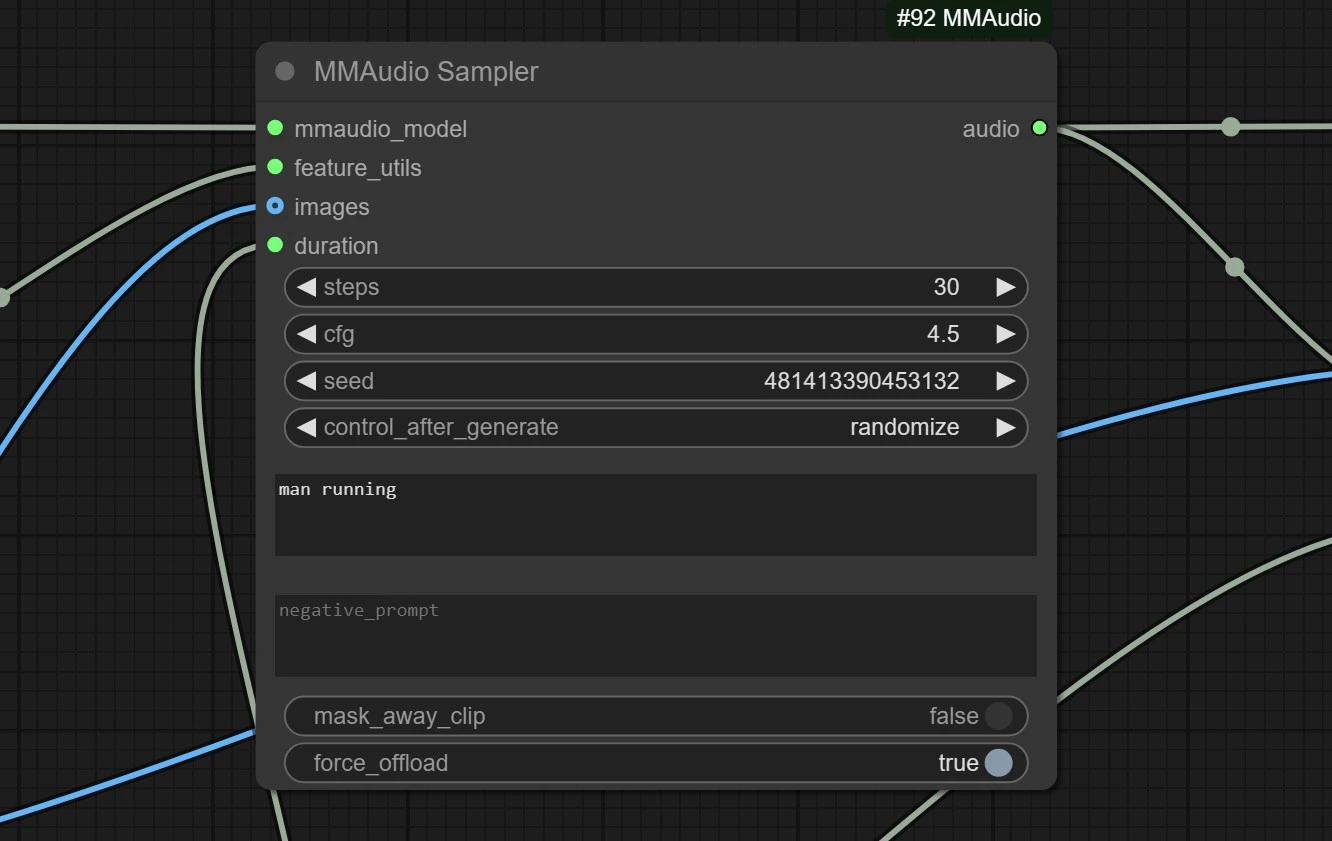
1.3 MMAudio Processing

MMAudio

  • Positive: Enter the video generation prompts for the audio.
  • Negative: Enter what you don't want to hear.
  • Steps : More steps may improve audio quality.

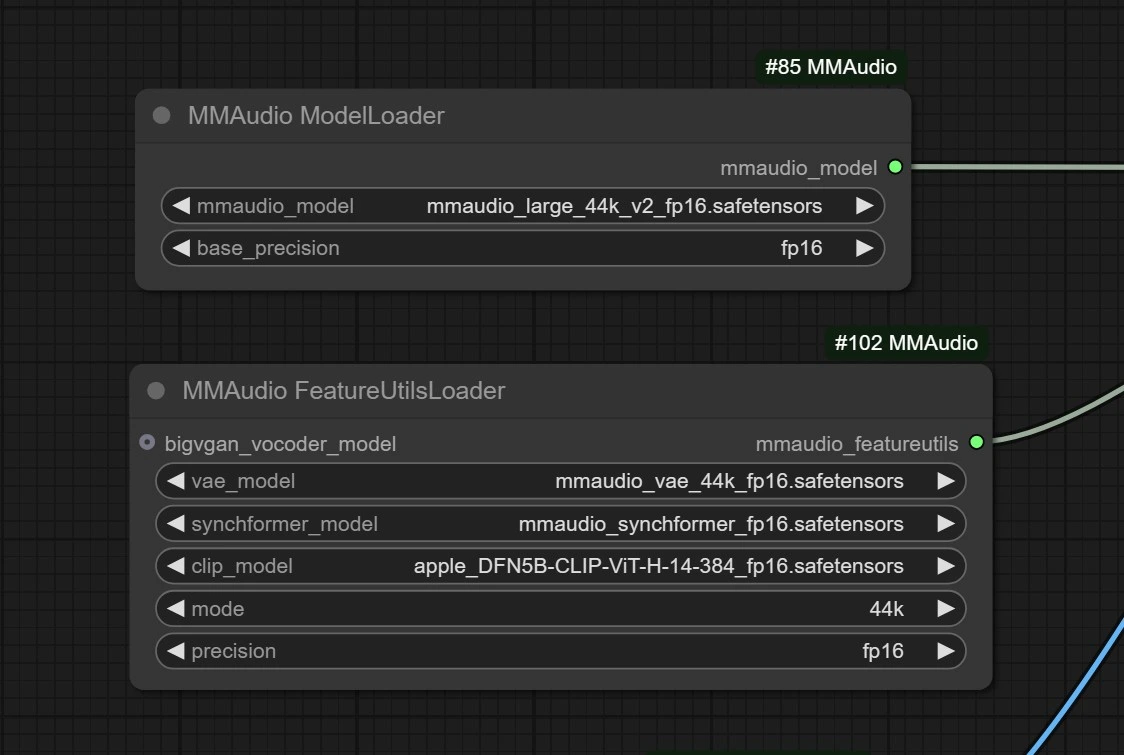
1.4 MMAudio Models

MMAudio

These are the model downloader nodes, it will automatically download models in your comfyui in 2-3 mins.

  • MMAudio Models : https://github.com/hkchengrex/MMAudio

With its innovative multimodal training and precise synchronization, MMAudio sets a new standard in audio generation. Whether you're crafting videos, animations, or immersive experiences, MMAudio empowers creators with seamless, high-quality audio. Elevate your projects and bring your ideas to life with MMAudio.

Want More ComfyUI Workflows?

Wan FusionX | T2V+I2V+VACE Complete

Most powerful video generation solution yet! Cinema-grade detail, your personal film studio.

Wan2.2 VACE Fun | Image to Animated Video

Turn still photos into lifelike animated videos with custom prompts.

Stable Audio Open 1.0 | Text-to-Music Tool

Turns text prompts into cinematic music seamlessly and fast.

SteadyDancer | Realistic Image-to-Video Generator

Turns portraits into smooth, lifelike motion videos instantly.

Wan 2.1 | Revolutionary Video Generation

Create incredible videos from text or images with breakthrough AI running on everyday CPUs.

Wan 2.1 Fun | ControlNet Video Generation

Generate videos with ControlNet-style visual passes like Depth, Canny, and OpenPose.

Wonder3D | ComfyUI 3D Pack

Generate multi-view normal maps and color images for 3D assets.

Wan 2.1 LoRA

Enhance Wan 2.1 video generation with LoRA models for improved style and customization.

Follow us
  • LinkedIn
  • Facebook
  • Instagram
  • Twitter
Support
  • Discord
  • Email
  • System Status
  • Affiliate
Resources
  • Free ComfyUI Online
  • ComfyUI Guides
  • RunComfy API
  • ComfyUI Tutorials
  • ComfyUI Nodes
  • Learn More
Legal
  • Terms of Service
  • Privacy Policy
  • Cookie Policy
RunComfy
Copyright 2025 RunComfy. All Rights Reserved.

RunComfy is the premier ComfyUI platform, offering ComfyUI online environment and services, along with ComfyUI workflows featuring stunning visuals. RunComfy also provides AI Playground, enabling artists to harness the latest AI tools to create incredible art.