

What is PhotoMakerV2#
PhotoMakerV2, an upgrade from PhotoMaker, offers an efficient method for personalized text-to-image generation. It synthesizes realistic photos of individuals using a few input identity images and a text prompt.
Some key features of PhotoMakerV2 include:#
- High efficiency: Quickly generates personalized photos.
- Excellent identity preservation: Maintains the likeness of input identities.
- Flexible text control: Allows specifying context, style, attributes, etc., in the prompt.
- Improved identity fidelity: Enhanced compared to PhotoMaker V1.
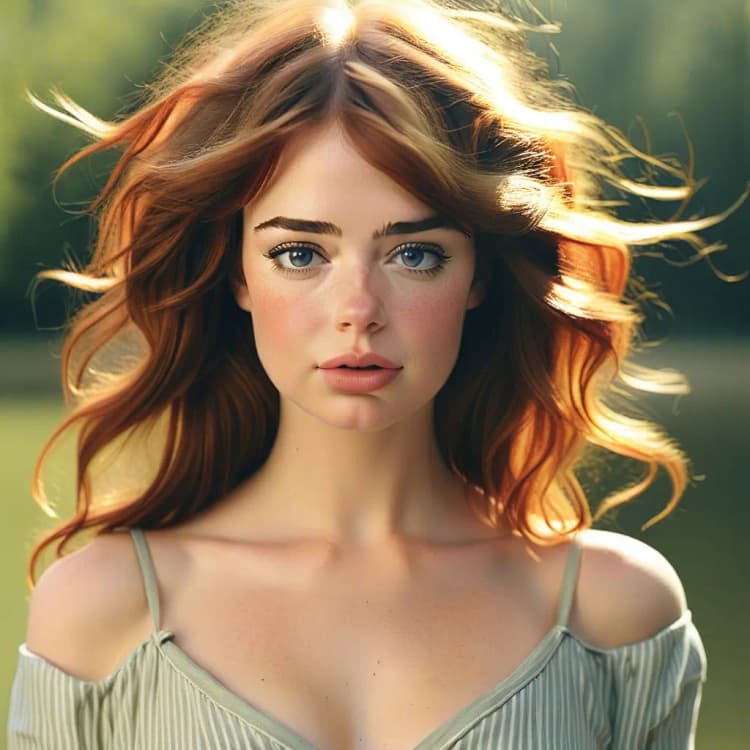
PhotoMakerV2 generates photorealistic images of a person in various contexts, stylizes appearances, changes attributes like age and gender, merges identities, and modernizes people from old photos or artwork. It unlocks numerous creative possibilities.
How PhotoMakerV2 Works#
PhotoMakerV2 encodes one or more input identity images into a "stacked ID embedding," serving as a unified representation encapsulating identity information.
This embedding, combined with a text prompt, feeds into a text-to-image diffusion model. The model then produces an image depicting the embedded identity in the context described by the prompt.
Some key aspects of how it works under the hood:
- Uses an identity encoder to extract identity information from input face images
- Improves identity preservation by leveraging an external face recognition model (InsightFace)
- Encodes multiple identity images into a stacked embedding to capture identity comprehensively
- Feeds the stacked ID embedding into the diffusion model's cross-attention layers
- Guides generation with the text prompt while adaptively merging the identity information
- Trained with an identity-oriented dataset to improve identification capabilities
How to Use ComfyUI PhotoMakerV2#
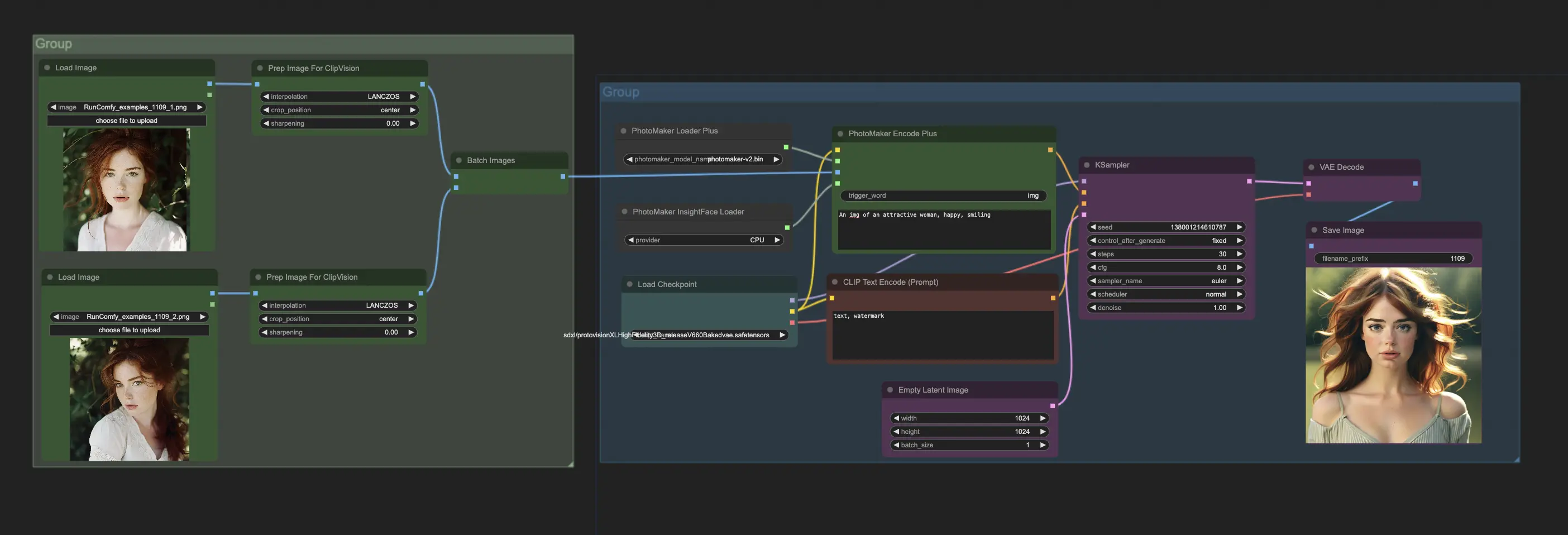
To use PhotoMakerV2 in ComfyUI, primarily interact with the PhotoMakerEncodePlus node. A typical workflow involves:
- Load PhotoMakerV2 model using "PhotoMaker Loader Plus" node.
- Load one or more identity images using "Prepare Images For CLIP Vision" node.
- Load InsightFace model required by PhotoMakerV2 using "PhotoMaker InsightFace Loader" node.
- Connect outputs of these nodes to corresponding inputs of "PhotoMaker Encode Plus" node.
- In the "PhotoMaker Encode Plus" node, specify the prompt describing the desired image. Use the special trigger word in the prompt where the identity should appear.
- Connect output conditioning from "PhotoMaker Encode Plus" to a "KSampler" node to generate the image.
For more information, please visit PhotoMaker Hugging Face and ComfyUI-PhotoMaker-Plus. All credit goes to their contributions.