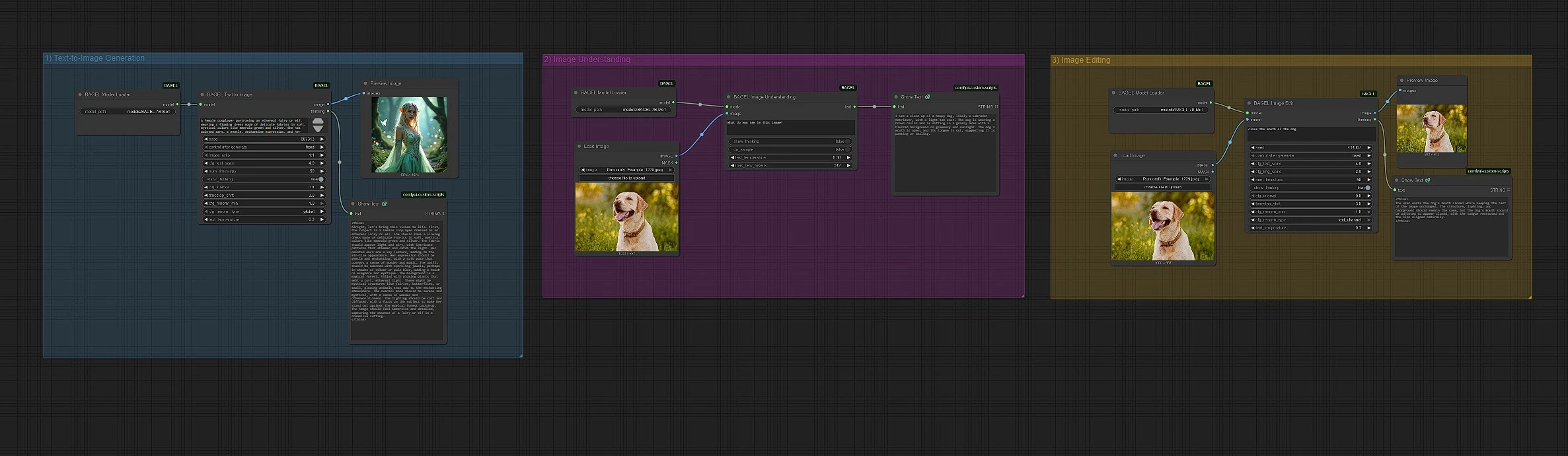





BAGEL AI: Multimodal Foundation Model for ComfyUI#
BAGEL (BAndwidth-efficient Generalist Expert Learner) AI is a powerful multimodal foundation model designed for both image generation and vision-language understanding. Based on a 14B parameter Mixture-of-Transformer-Experts (MoT) architecture—with 7B active at inference—BAGEL AI delivers state-of-the-art performance across text-to-image generation, image editing, and image understanding tasks.
Integrated directly into ComfyUI, BAGEL AI allows creators to generate detailed images from natural language prompts, edit visuals with textual instructions, and perform multimodal tasks like visual Q&A, captioning, and step-by-step reasoning. BAGEL AI combines the quality of diffusion models (like Stable Diffusion 3) with the analytical power of leading VLMs (outperforming models like Qwen2.5-VL and InternVL-2.5).
Why Use BAGEL AI?#
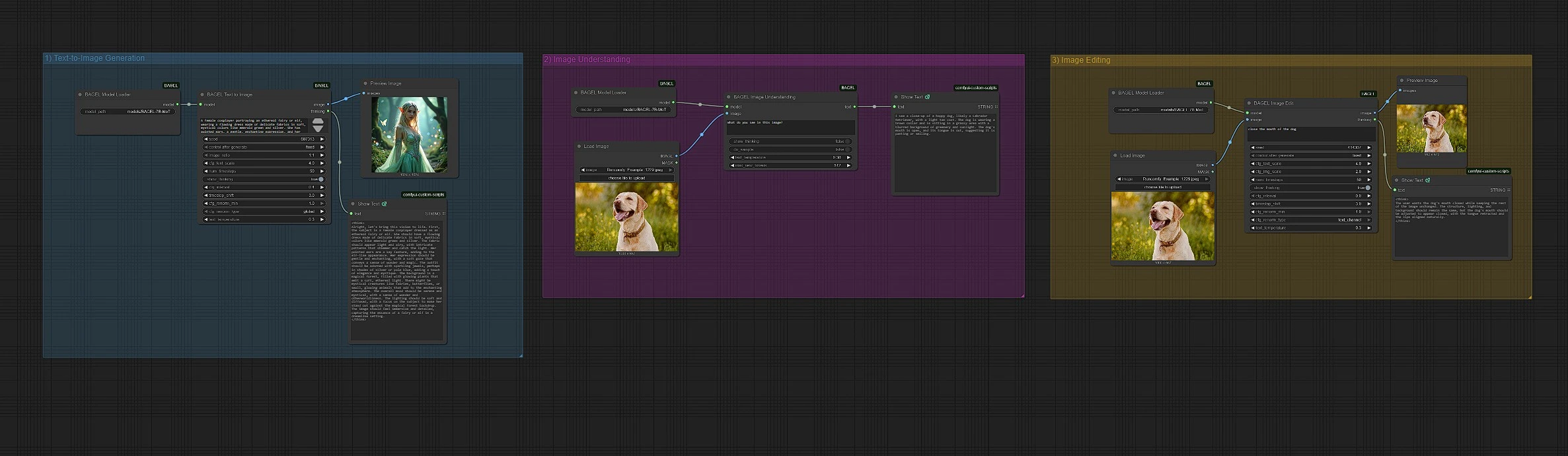
The BAGEL AI workflow offers:
- Text-to-Image Generation: Create high-quality images from natural language prompts using BAGEL AI
- Image Editing via Text: Modify existing images using descriptive instructions with BAGEL AI
- Image Understanding: Perform image captioning, Q&A, and visual analysis tasks in BAGEL AI
- Multimodal Reasoning: Enable step-by-step explanation or analysis of visual inputs through BAGEL AI
- All-in-One Foundation Model: Use a single 14B MoT-based architecture for diverse multimodal tasks within BAGEL AI
With BAGEL AI, artists, researchers, and developers can explore both the generative and analytical capabilities of multimodal AI using a unified and extensible ComfyUI interface powered by BAGEL AI technology.
1 - Text-to-Image Generation with BAGEL AI#
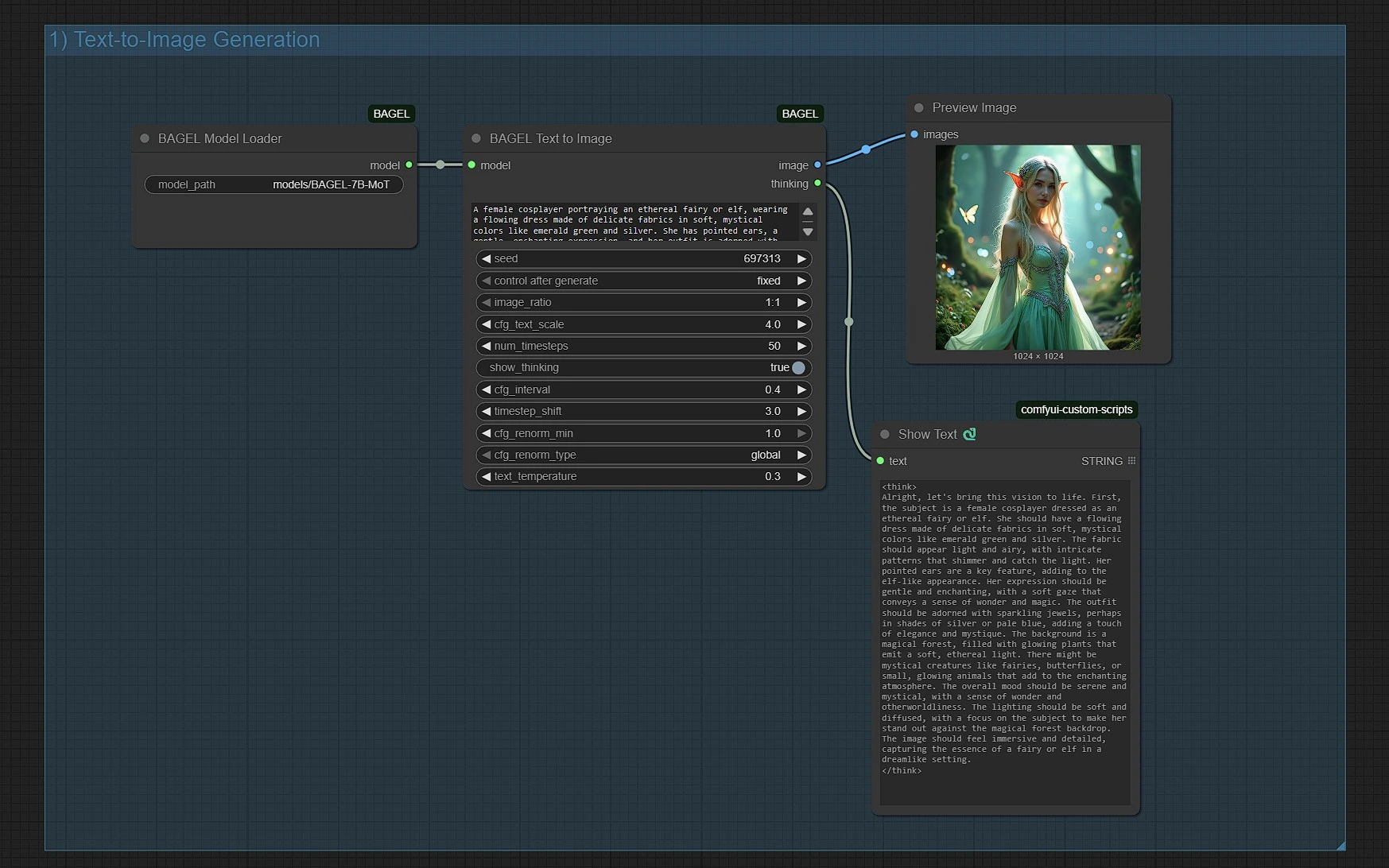
Generate Images Using Natural Language Prompts#
BAGEL AI allows you to create high-quality images directly from text inputs. To get started with BAGEL AI:
- Enter a detailed text prompt into the
Promptinput node in BAGEL AI. - Optionally configure parameters like seed, aspect ratio, or decoding steps within BAGEL AI.
- Run the BAGEL AI workflow to generate a new image from the BAGEL model.
This BAGEL AI function is ideal for concept art, visual ideation, storytelling, or rapid prototyping using purely natural language descriptions.
2 - Image Understanding and Visual Q&A with BAGEL AI#
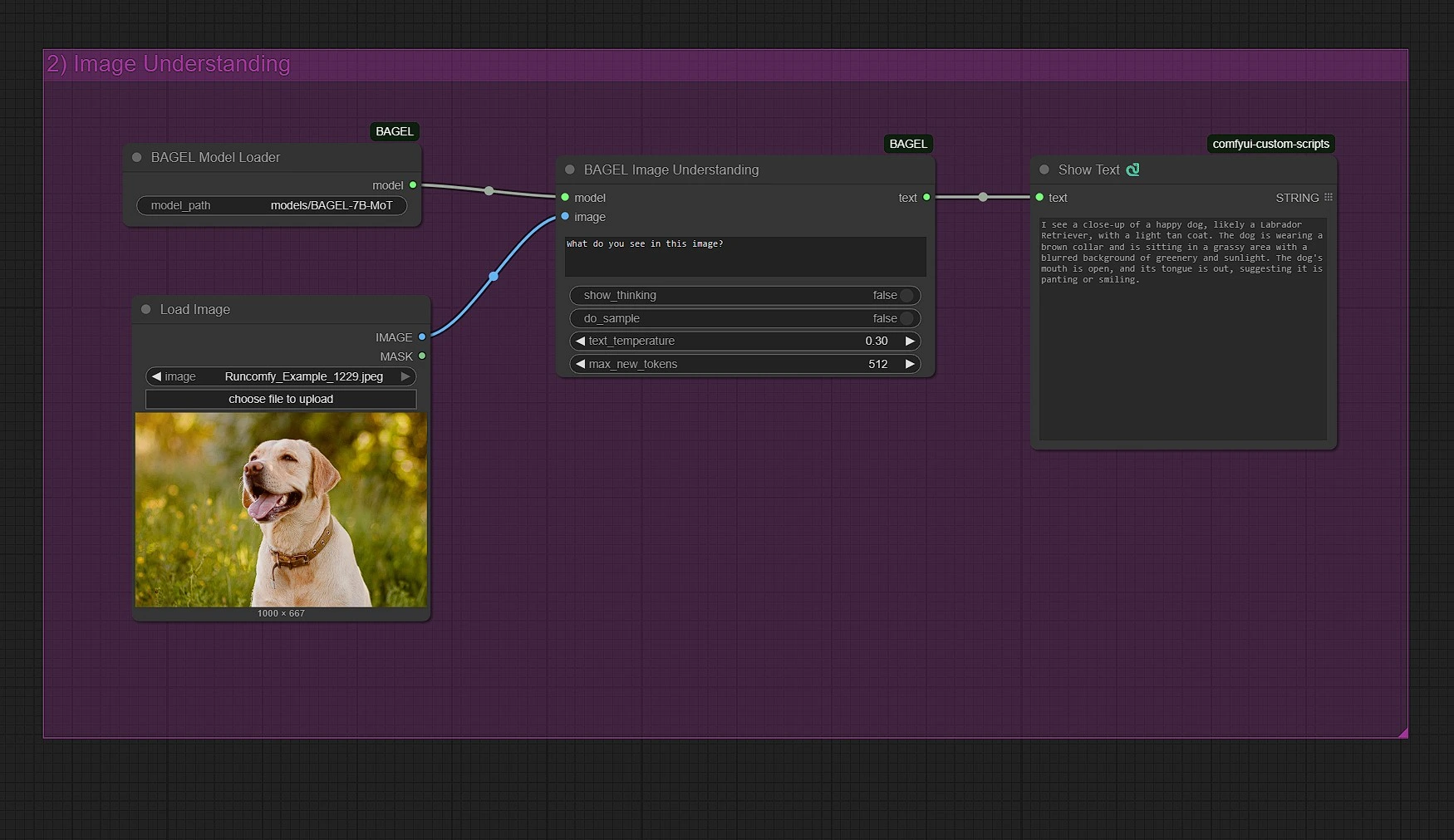
Analyze and Understand Images Using Language#
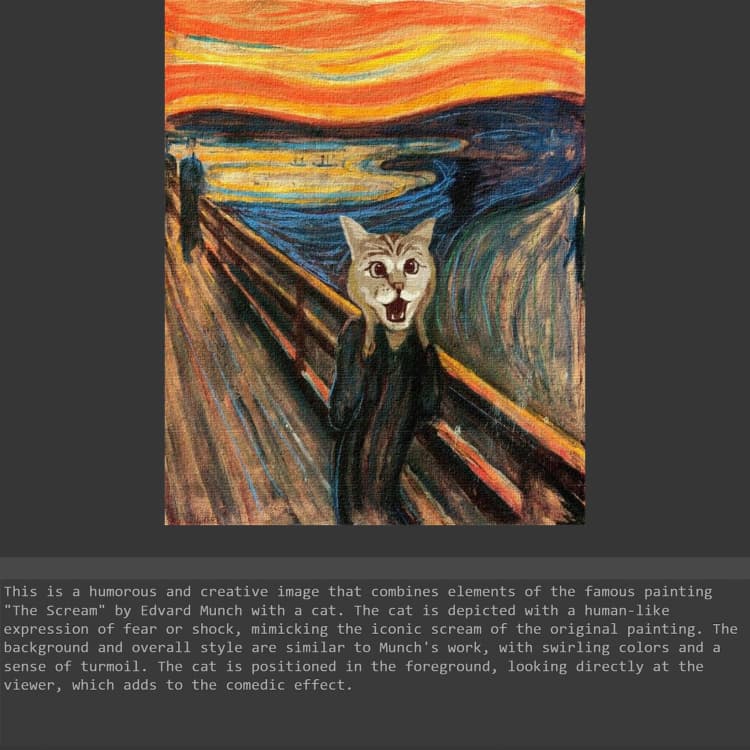
BAGEL AI includes advanced multimodal reasoning and comprehension features, making BAGEL AI ideal for image captioning, analysis, and Q&A:
- Upload an image to analyze in BAGEL AI.
- Type a question or prompt about the image in BAGEL AI (e.g., "What is the man holding?", "Describe this scene.").
- The BAGEL AI system returns a visual answer or reasoning trace based on the image content.
This BAGEL AI feature is particularly useful for education, content tagging, accessibility workflows, or AI agents needing visual grounding through BAGEL AI capabilities.
3 - Image Editing with Textual Instructions in BAGEL AI#
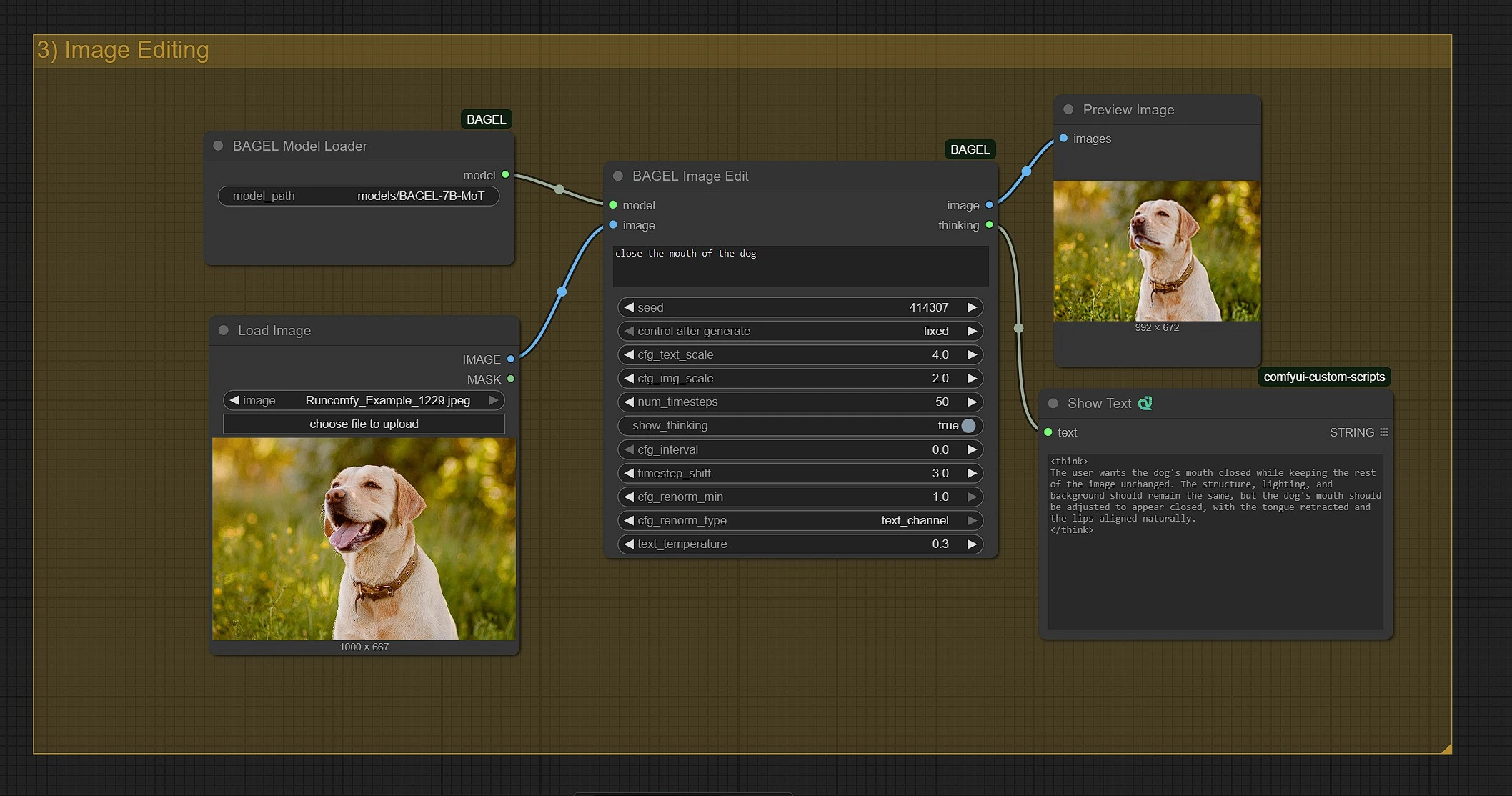
Modify Existing Images via Prompt-Based Editing#
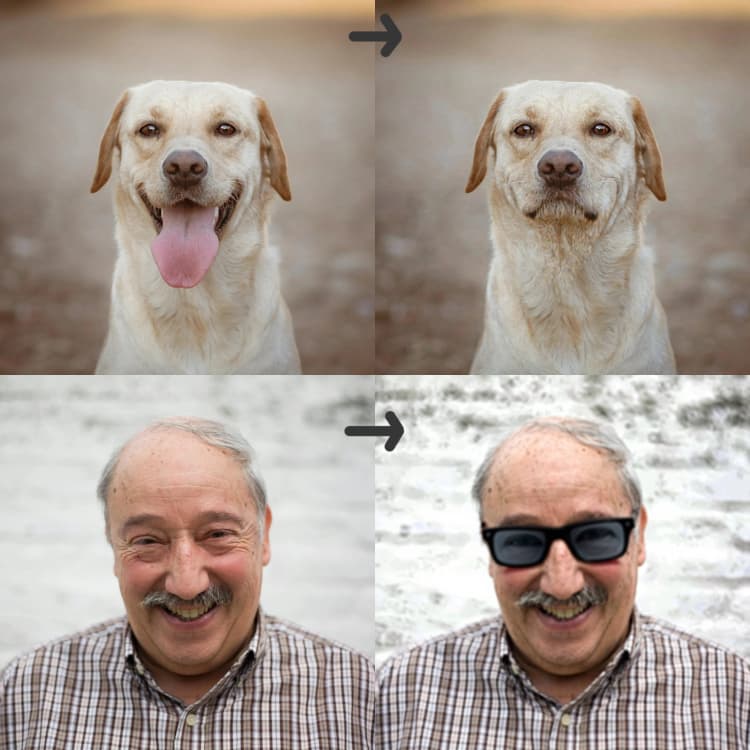
BAGEL AI also supports prompt-based image editing through its advanced BAGEL AI interface. Here's how to use BAGEL AI:
- Upload your original image in the BAGEL AI input node.
- Provide a text instruction describing the modification you want in BAGEL AI (e.g., "add a sunset background", "make it snow", etc.).
- Run the node group to apply your desired edits using BAGEL AI processing.
This allows artists and designers to non-destructively transform images through simple text without needing manual photo editing, all powered by BAGEL AI technology.
Acknowledgement#
The BAGEL AI workflow for ComfyUI is based on the open-source BAGEL-7B-MoT model by ByteDance Seed. ComfyUI integration and BAGEL AI workflow setup were developed by neverbiasu, providing seamless access to image generation, editing, and understanding capabilities within a single unified BAGEL AI interface.
GitHub Repository: https://github.com/neverbiasu/ComfyUI-BAGEL
BAGEL AI Model Information#
- Model Name: ComfyUI BAGEL-7B-MoT
- Architecture: Mixture-of-Transformer-Experts (MoT) optimized for BAGEL AI
- Total Parameters: 14B (7B Active) in BAGEL AI
- ComfyUI Path:
models/bagel/ComfyUI-BAGEL-7B-MoT/ - Automatic Download: Enabled for BAGEL AI
- Manual Download: https://huggingface.co/ByteDance-Seed/BAGEL-7B-MoT