logo
RunComfy
  • ComfyUI
  • Trainer
  • Models
  • MCPNew
  • Pricing
  • Seedance 2.5Hot
  • Seedream 5.5New

Workflows by Model

HotMiniMax H3Video with audio from text, images or referencesHotQwen Image 2.1Create images and edit photos with referencesWanVideo from text or images, motion transferFLUXImage generation, editing and character variationsLTXVideo with synced audio from text or imagesQwen Image EditPhoto editing with text and image referencesKrea 2Image creation, style transfer and reference editsZ-ImageFast portraits and concepts from text

Popular & New Workflows

NewMiniMax H3 Character Swap V1.5Swap video characters, keep the original audioNewP-H3-Image Reference EditEdit a photo guided by a reference imageHotMiniMax H3 Image-to-VideoOne image to cinematic video with synced audioHotLTX 2.5 Image-to-VideoOne frame to sharp video with synced audioHotMiniMax H3 Character Swap (SAM3)Swap video characters while following the motionQwen Image 2.1 Multi-Image EditingPrecise scenes from up to 10 reference imagesFLUX Klein Face SwapNatural, lifelike face swapsSeedVR2 Video UpscalerSharp, smooth video upscaling
View More Workflows

Train a Model

NewMOSS-Image BaseImage generation, newly supportedNewFLUX.3 KleinImage generation, newly supportedHotKrea 2The most-trained image modelHotKrea 2 TurboFew-step image generationHotQwen Image 2.1Image generation and editingZ-Image TurboFast portraits and concept imagesMiniMax H3Video with synchronized audio

Train & Deploy

Getting StartedYour first training job with Ostris AI ToolkitDatasetsUpload and manage training datasetsInferenceRun your trained models in a playground or via APIDeploymentsServe your trained models as dedicated endpoints
Train More Models

Image Models

NewGPT Image 2.65% OFF · Detailed text to image, GIF and SVG, up to 4KNewSeedream 5.510% OFF · Text to image up to 2K, with transparent PNGsNewMiniMax H3 Image10% OFF · Text or references to a still up to 4KNewFLUX 3 Image Klein10% OFF · Text or references to a still from 768 to 4KHotSeedream 5.0 Pro20% OFF · Reference edits with multilingual textHotSeedream 4.520% OFF · Photoreal edits with brand consistencyHotWan 2.6 ImageInstruction-based image editingNano Banana Pro77% OFF · Precise 2K to 4K visuals from sketches

Video Models

NewSeedance 2.5 Flash34% OFF · Text, image, or reference to videoNewKling 4.09% OFF · Animate a still into a 3 to 30s clipHotWan 3.0 Prime13% OFF · Fast clips from reference videosHotSeedance 2.535% OFF · Longer, more consistent cinematic videoHotWan 3.0Clips from image, video and audio referencesHotMiniMax H3Animate a first frame into a 5 to 15s clipWan 2.510% OFF · Fluid motion with native audioFLUX 3 MaxClips from text, a still, or keyframes
View More Models

API

Serverless (ComfyUI)Deploy ComfyUI workflows as serverless endpoints.Serverless (LoRA)Deploy LoRAs as serverless endpoints.Model APIRun hosted models on-demand with no deployment.Trainer APITrain, manage, and retrieve LoRAs via API.CLIRun RunComfy models from your terminal.
MODELS
Explore
All Models
LIBRARY
Generations
MODEL APIS
API Docs
API Keys
ACCOUNT
Usage

Infinite Talk: Audio-to-Video Generation with Fast Version

community/infinite-talk/fast

Generate lifelike talking videos from voice recordings with precise lip-sync, stable long-duration motion, and multilingual support for immersive, scalable audio-to-video storytelling.

0:00
0:00
The duration of this audio should be less than 10 minutes.
Idle
The rate is $0.017 per second, rounded up to the next whole second, with a 3-second minimum.

Introduction to Infinite Talk Voice Synchronization

Infinite Talk defines a new level in audio-driven content creation. As an audio-to-video generation tool, Infinite Talk synchronizes your voice recordings with a static image or existing footage, producing realistic talking videos that maintain identity, expression, and style. Unlike older lip-sync systems, this release introduces a sparse-frame dubbing approach for sharper accuracy and unmatched stability over long durations. With multi-speaker support, multilingual capability, and unlimited-length generation, you can transform podcasts, interviews, or educational content into seamless, lifelike visuals that scale effortlessly across platforms.

Infinite Talk audio-to-video lets you turn any voice into powerful visual stories. Ideal for content creators, educators, marketers, and localization teams, Infinite Talk generates expressive, consistent, and high-quality videos that align perfectly with your audio. You speak; Infinite Talk moves the world to your words.

What makes Infinite Talk stand out#

Infinite Talk is a high-fidelity audio-to-video model that turns a single portrait into a convincing talking head aligned to a voice track. Built for structure preservation, it maintains facial identity, head geometry, and gaze while mapping phonemes to visemes with precision. Infinite Talk emphasizes stable long-duration motion, reducing jitter, mouth clipping, and texture breathing. With multilingual, multi-speaker conditioning, Infinite Talk adapts to varied accents and timbres while keeping visual coherence. The fast variant of Infinite Talk favors responsive iteration and predictable outputs for production teams.


Key capabilities:

  • Infinite Talk delivers precise lip-sync via phoneme-viseme alignment.
  • Structure-preserving animation keeps identity, pose, and background stable.
  • Temporal consistency across long takes with minimal jitter.
  • Multilingual conditioning tracks accents, pacing, and prosody.
  • Infinite Talk enables quick iteration while preserving coherence.

Pricing#


The rate is $0.017 per second.


Prompting guide for Infinite Talk#

Provide one frontal image (jpg, jpeg, png, bmp, or webp) and one voice clip (wav or mp3). Keep audio under 20 seconds and below 15 MB. Ensure the image is between 400 and 7000 pixels on each side. Infinite Talk maps the audio to visemes while preserving identity from the image; no text prompt is required. For reproducibility, set seed between 10000 and 99999. Infinite Talk works best with clean speech and even lighting. For multilingual work, Infinite Talk follows the accent and pacing in the recording.


Examples:

  • Single input with Infinite Talk: portrait image, 12s clean audio, neutral newsroom delivery.
  • Emotion-driven clip: keep gaze forward, allow subtle head and brow motion.
  • Off-angle source: crop to near-frontal, include shoulders, avoid occlusions.
  • Multilingual case: Spanish audio on English subject; preserve background and identity.
  • Batch run with Infinite Talk: fix seed for consistency, keep audio segments under 20s.

Pro tips:

  • State what to preserve and what may move.
  • Use clean, dry audio; avoid background music.
  • Crop to center the face; keep eyes and mouth unobstructed.
  • Iterate with short clips, then lock the seed.
  • Infinite Talk follows audio timing; align pauses and breaths.

Related Models

minimax-h3-open/reference-to-video

Open-weights reference-to-video from image, video, and audio cues.

seedance-2.0-mini/text-to-video

Fast, low-cost multi-shot AI video model with native audio and references.

hailuo-2-3/standard/text-to-video

Create expressive AI videos from prompts with smooth motion and vivid detail.

veo-3-1/fast/extend-video

Streamline video refinements with seamless scene continuity for creators.

hailuo-2-3/fast/pro/image-to-video

Enhanced 1080p image motion conversion for expressive, fluid video creation

ltx-2-19b/text-to-video/lora

Create synchronized prompt-based motion clips with precise audio and LoRA style control.

Frequently Asked Questions

What is Infinite Talk and how does it work with audio-to-video generation?

Infinite Talk is an AI-powered audio-to-video generation model that converts spoken audio into realistic talking videos. It synchronizes lip movements, facial expressions, and body gestures to match the sound, producing natural and identity-preserving video output.

Who can benefit the most from using Infinite Talk for audio-to-video creations?

Infinite Talk is ideal for educators, marketers, content creators, and podcasters who want to transform their audio into engaging video content. Its audio-to-video capabilities are especially useful for creating explainers, lectures, social media clips, and multilingual dubbing projects.

Is Infinite Talk free to use, or does it require payment or credits for audio-to-video processing?

Infinite Talk offers a free trial with complimentary credits for first-time users. After the trial period, further audio-to-video generation tasks require the use of credits, which can be purchased or earned depending on your usage plan.

How is Infinite Talk different from other audio-to-video tools or older versions like MultiTalk?

Infinite Talk introduces a more stable sparse-frame generation method that ensures superior lip-sync accuracy and identity preservation. Compared to previous models, its audio-to-video output is smoother, supports longer durations, and maintains consistent backgrounds and facial style.

What kind of input files can Infinite Talk handle for audio-to-video creation?

Infinite Talk accepts both image and video inputs to pair with your chosen audio. This means users can either animate a photo into a talking head using audio-to-video generation or dub over an existing clip with new audio while keeping visual fidelity.

What makes Infinite Talk’s audio-to-video results look natural and lifelike?

Infinite Talk uses a combination of key-frame prediction and multi-context motion modeling, enabling it to generate authentic lips, head, and body motion. The result is a fluid, expressive audio-to-video output that feels realistic and maintains visual consistency.

Can I use Infinite Talk on mobile devices for quick audio-to-video creation?

Yes, Infinite Talk is accessible through the RunComfy AI playground website, which works smoothly on mobile browsers. You can upload your audio and image or video files directly to generate audio-to-video content anywhere with an internet connection.

What limitations should I know about when using Infinite Talk for audio-to-video projects?

While Infinite Talk can handle long videos and multi-speaker content, performance may depend on hardware capacity and input quality. Clear audio and well-lit images usually help produce more accurate audio-to-video synchronization and lifelike expressions.

How do Infinite Talk credits work when generating audio-to-video content?

Each Infinite Talk audio-to-video generation consumes a certain amount of credits based on duration and resolution. Credits can be monitored and managed from your RunComfy account, and you can buy more if you plan to make longer or multiple projects.

Follow us
  • LinkedIn
  • Facebook
  • Instagram
  • Twitter
Support
  • Discord
  • Email
  • System Status
  • Affiliate
Video Models
  • Seedance 2.5 Flash Text To Video
  • Seedance 2.5 Flash
  • Seedance 2.5 Flash Reference to Video
  • Wan 3.0
  • MiniMax H3 Fast
  • Wan 2.5
  • View All Models →
Image Models
  • Seedream 5.5
  • Seedream 5.5 Edit
  • Seedream 5.5 Layer Decomposition
  • Wan 2.6 Image to Image
  • Nano Banana Pro
  • Seedream 5.0 Pro
  • View All Models →
Legal
  • Terms of Service
  • Privacy Policy
  • Cookie Policy
RunComfy
Copyright 2026 RunComfy. All Rights Reserved.

RunComfy is the premier ComfyUI platform, offering ComfyUI online environment and services, along with ComfyUI workflows featuring stunning visuals. RunComfy also provides AI Models, enabling artists to harness the latest AI tools to create incredible art.

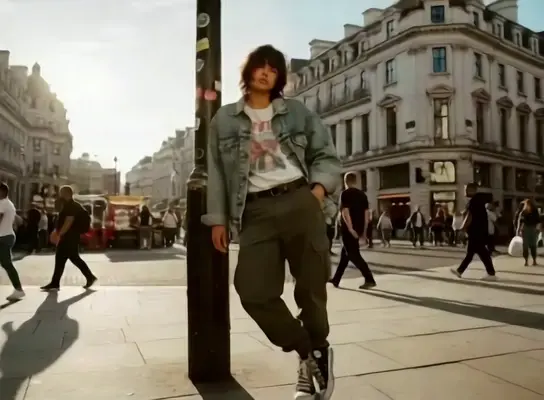
Examples of Infinite Talk in Action

Video thumbnail
Loading...
Video thumbnail
Loading...
Video thumbnail
Loading...
Video thumbnail
Loading...
Video thumbnail
Loading...
Video thumbnail
Loading...