The ComfyUI-CogVideoXWrapper nodes and its associated workflow are fully developed by Kijai. We give all due credit to Kijai for this innovative work. On the RunComfy platform, we are simply presenting Kijai’s contributions to the community. It is important to note that there is currently no formal connection or partnership between RunComfy and Kijai. We deeply appreciate Kijai’s work!
CogVideoX Fun#
CogVideoX Fun is a cutting-edge pipeline for creating AI-generated images and videos with unmatched flexibility. Powered by Diffusion Transformer technology, it allows users to produce stunning visuals and achieve unique style transformations, making it an essential tool for creative innovation.
1.1 How to Use CogVideoX Fun Workflow?#
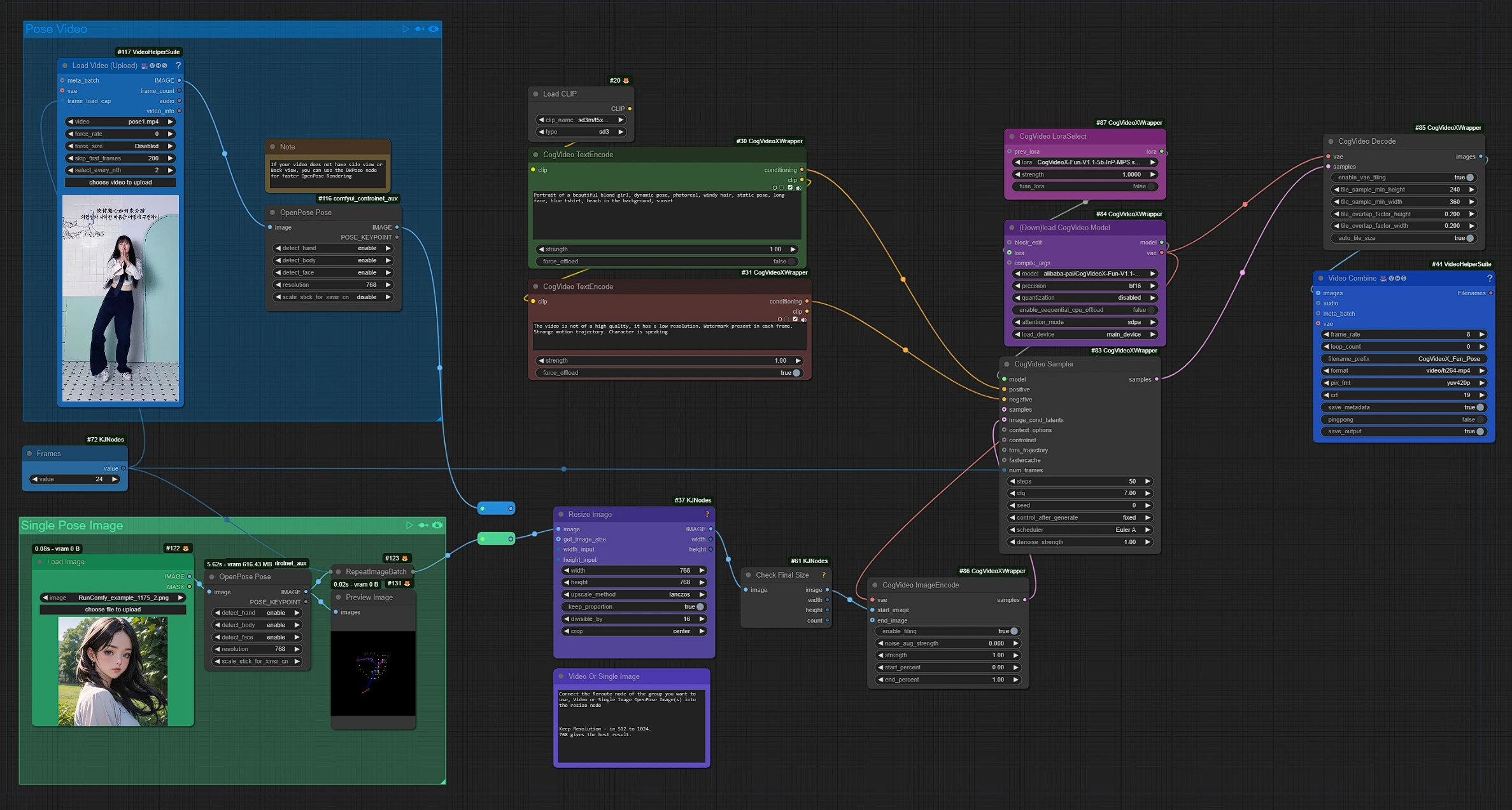
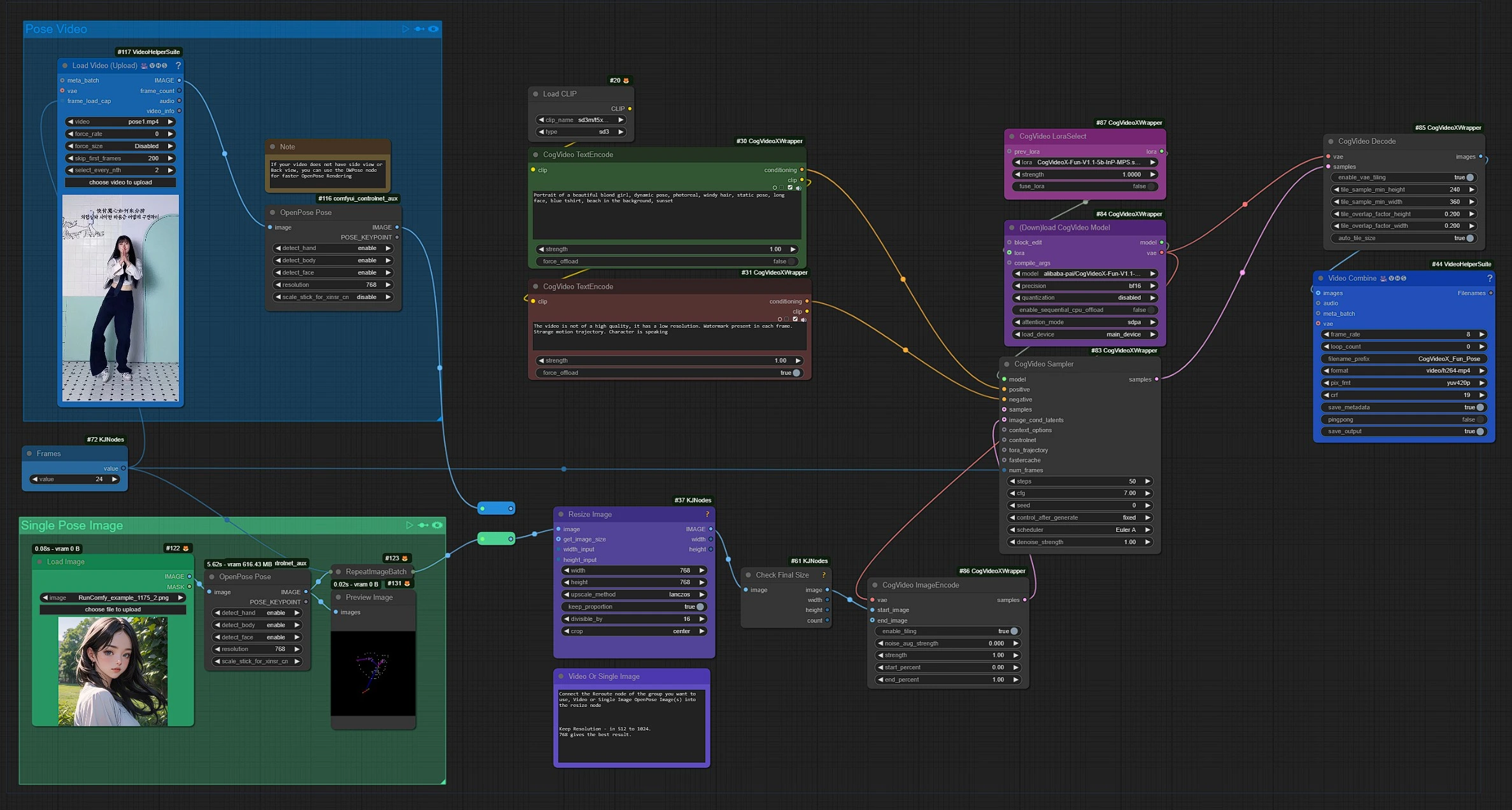
This is the CogVideoX Fun workflow, Left Side nodes are inputs for Pose Video or Single Pose, Middle are processing CogVideoX Fun nodes, and Blue right is the outputs node.
- Drag and drop your Video or Image in the input nodes.
- Write your video generation prompts and set resolution and frames.
- Click Render !!!
1.2 Pose Video Input Group#
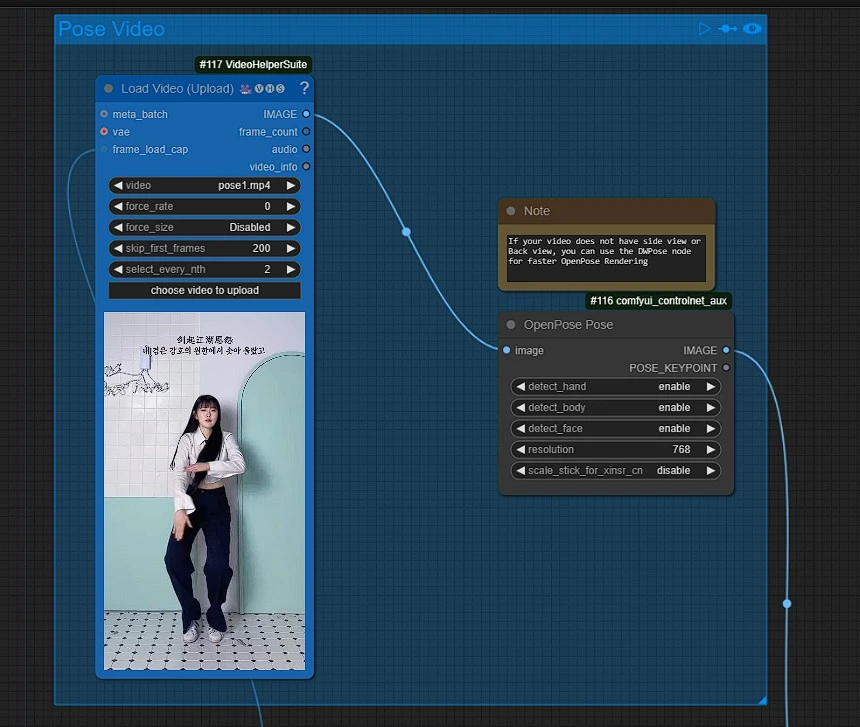
- Click and Upload your Pose Reference Video.
Make sure to connect the reroute to when using this group.
1.3 Single Pose Image Input Group#
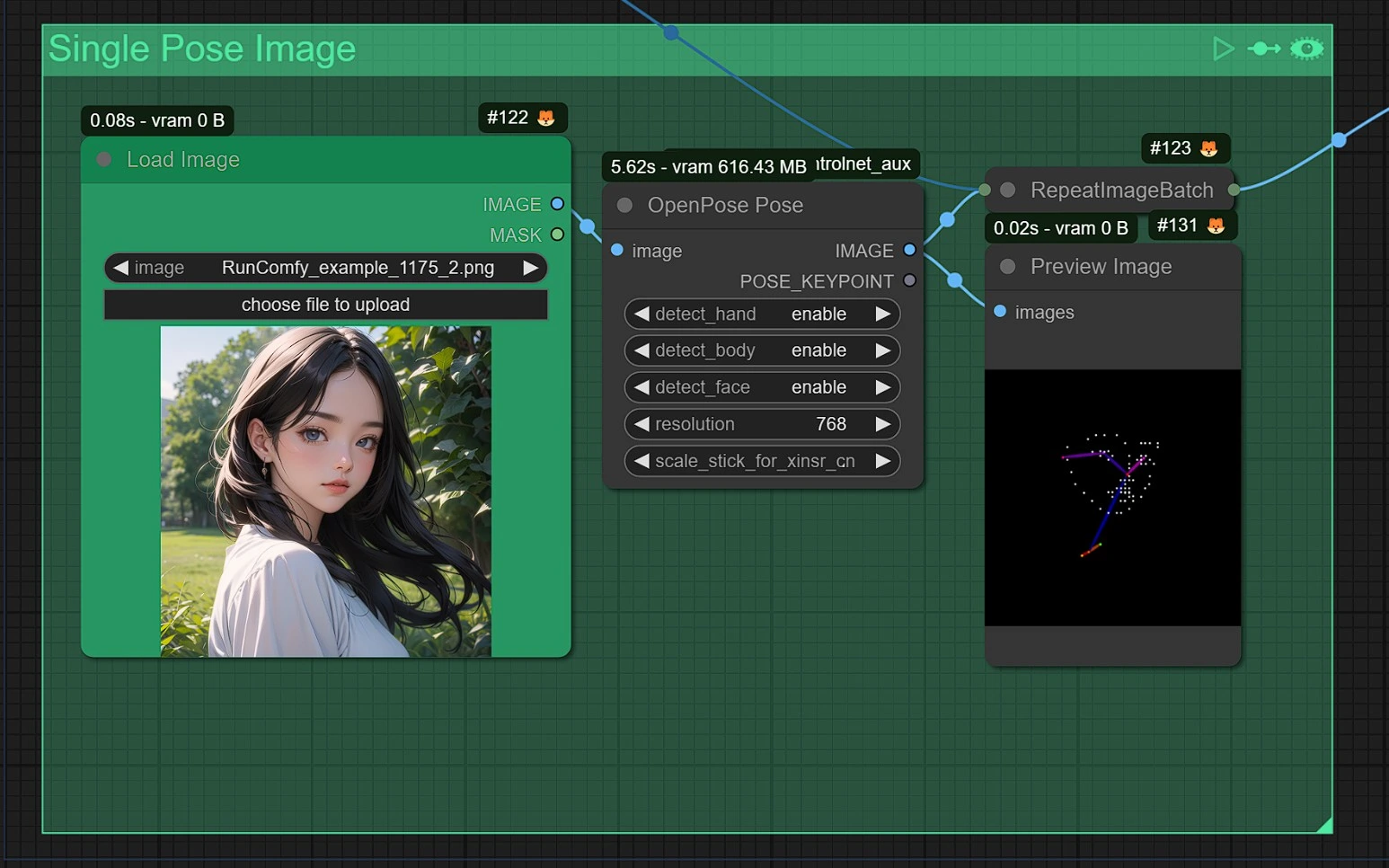
- Upload, Drag and drop or Copy and Paste (Ctrl+V) your image in the load image node
Make sure to connect the reroute to when using this group.
1.4 Resizing and Frames#
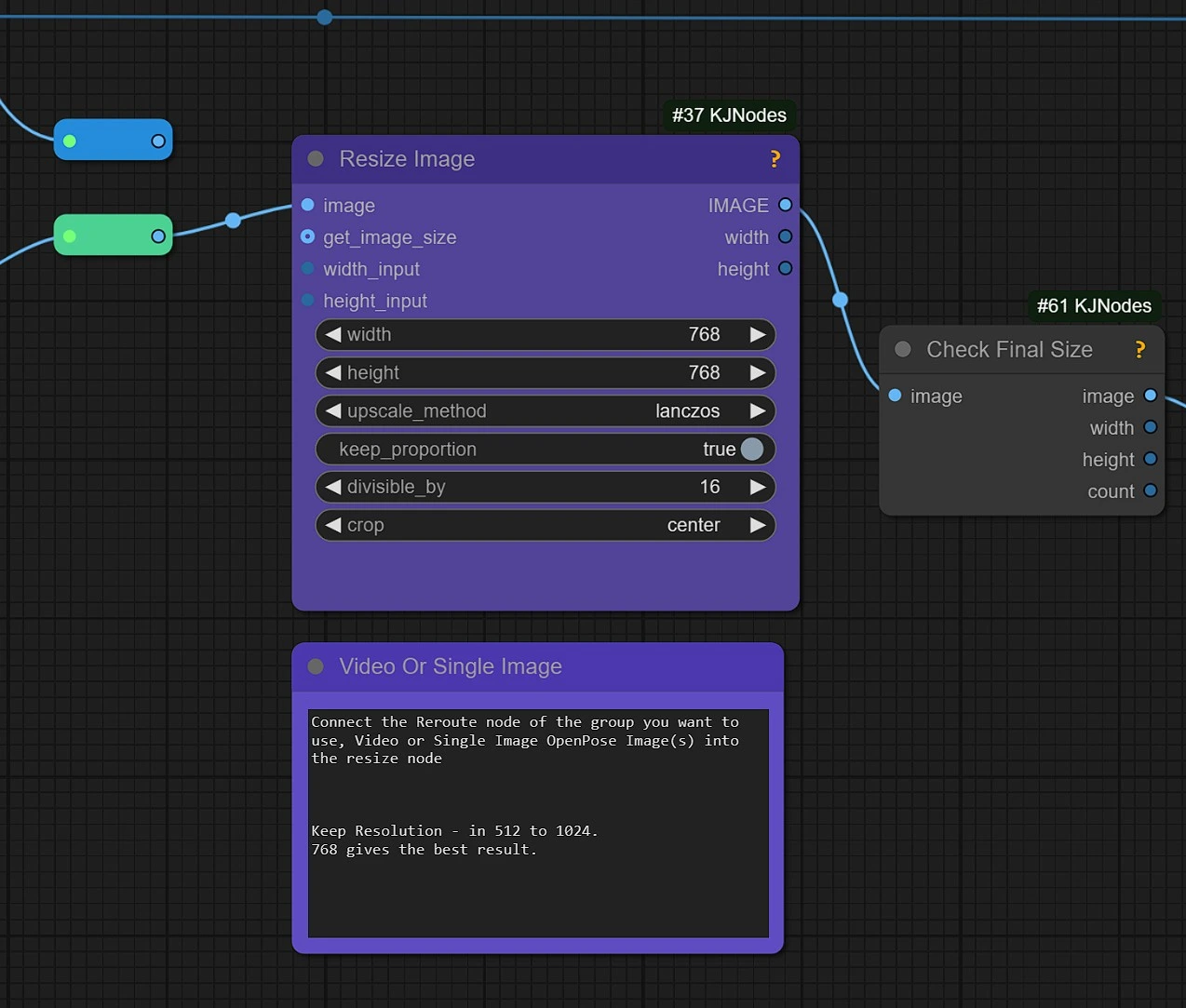
- Connect the Reroute node of the group you want to use, Video or Single Image OpenPose Image(s) into the resize node
- Keep Resolution between 512 and 1024, Best results are seen in 768.
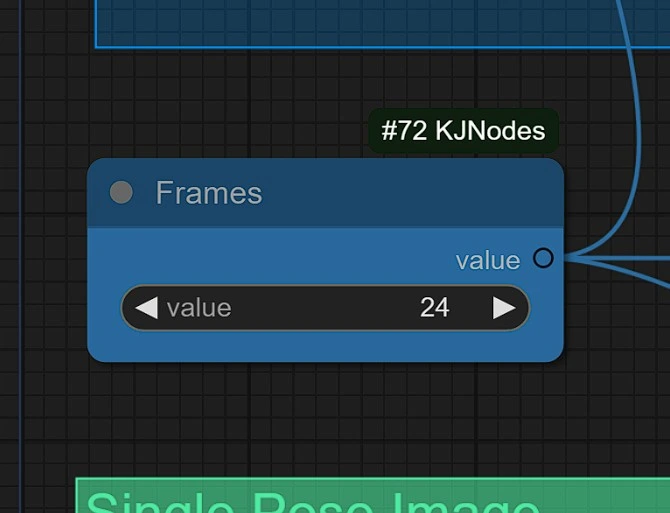
This Set the number of frames for rendering the video.
- Use between 10 - 100. On higher value will require more vram also can give distorted results.
1.5 CogVideoX Models#
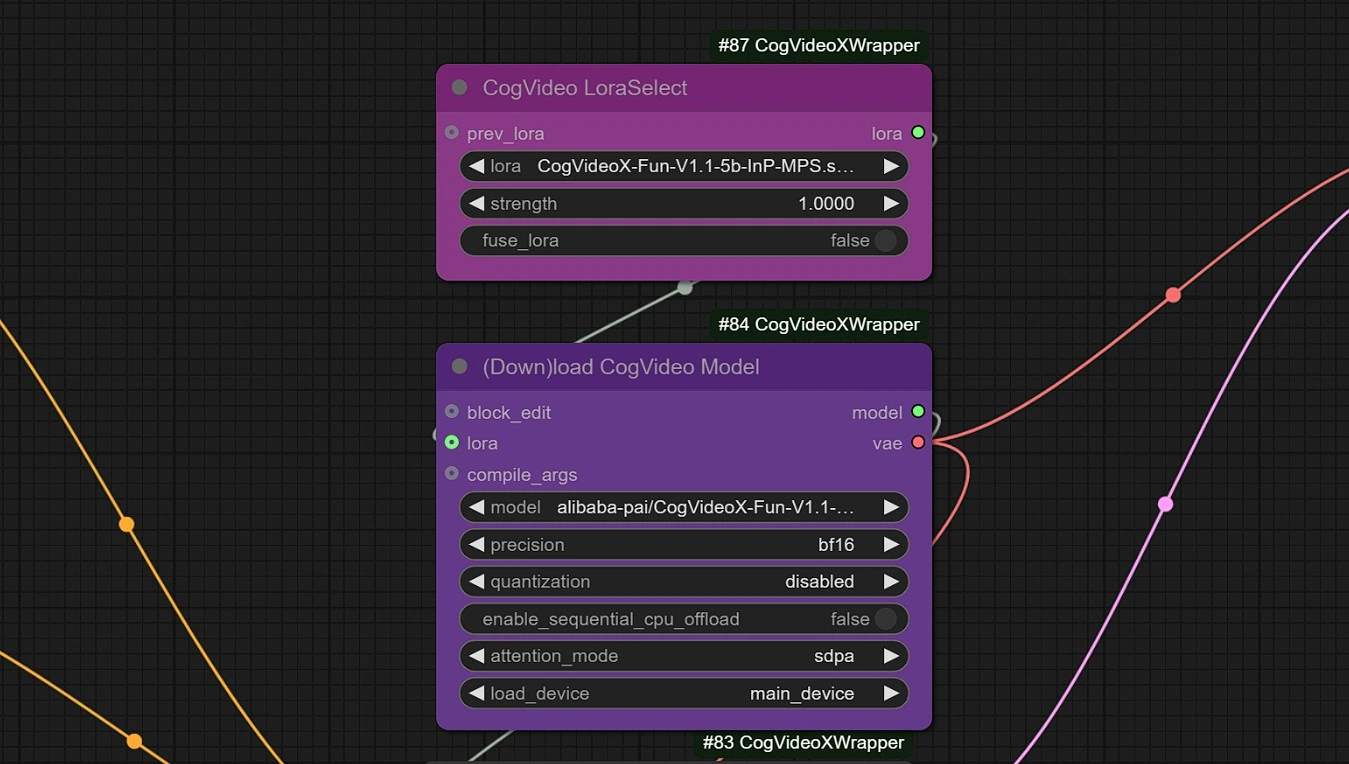
These are the model downloader nodes, it will automatically download models in your comfyui in 2-3 mins.
- CogVideoX Fun : https://github.com/aigc-apps/CogVideoX-Fun
- Reward Lora : https://huggingface.co/alibaba-pai/CogVideoX-Fun-V1.1-Reward-LoRAs/tree/main
1.6 Prompts#
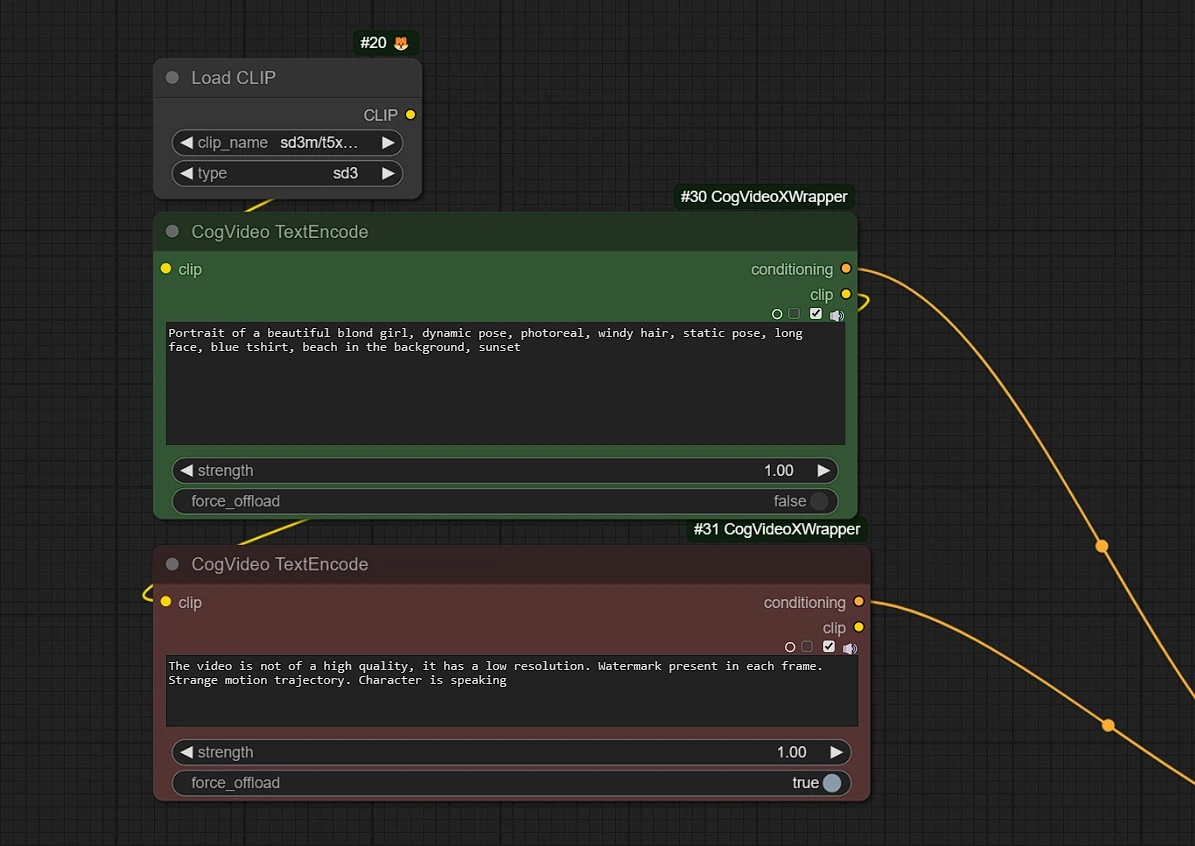
Positive: Enter the video generation prompts for the character.Negative: Enter what you don't want to happen (Distorted hands, blurry...etc)
CogVideoX Fun is more than a tool—it’s a gateway to limitless creativity. With its advanced capabilities in video generation and custom model training, it enables users to push the boundaries of AI-powered artistry. The platform’s blend of innovation, flexibility, and precision ensures that every project stands out. From style transformations to seamless animation, CogVideoX Fun brings your creative ideas to life with unparalleled ease.