logo
RunComfy
  • ComfyUI
  • Trainer
  • Models
  • MCPNew
  • Pricing
  • Seedance 2.5Hot
  • Seedream 5.5New

Workflows by Model

HotMiniMax H3Video with audio from text, images or referencesHotQwen Image 2.1Create images and edit photos with referencesWanVideo from text or images, motion transferFLUXImage generation, editing and character variationsLTXVideo with synced audio from text or imagesQwen Image EditPhoto editing with text and image referencesKrea 2Image creation, style transfer and reference editsZ-ImageFast portraits and concepts from text

Popular & New Workflows

NewMiniMax H3 Character Swap V1.5Swap video characters, keep the original audioNewP-H3-Image Reference EditEdit a photo guided by a reference imageHotMiniMax H3 Image-to-VideoOne image to cinematic video with synced audioHotLTX 2.5 Image-to-VideoOne frame to sharp video with synced audioHotMiniMax H3 Character Swap (SAM3)Swap video characters while following the motionQwen Image 2.1 Multi-Image EditingPrecise scenes from up to 10 reference imagesFLUX Klein Face SwapNatural, lifelike face swapsSeedVR2 Video UpscalerSharp, smooth video upscaling
View More Workflows

Train a Model

NewMOSS-Image BaseImage generation, newly supportedNewFLUX.3 KleinImage generation, newly supportedHotKrea 2The most-trained image modelHotKrea 2 TurboFew-step image generationHotQwen Image 2.1Image generation and editingZ-Image TurboFast portraits and concept imagesMiniMax H3Video with synchronized audio

Train & Deploy

Getting StartedYour first training job with Ostris AI ToolkitDatasetsUpload and manage training datasetsInferenceRun your trained models in a playground or via APIDeploymentsServe your trained models as dedicated endpoints
Train More Models

Image Models

NewGPT Image 2.65% OFF · Detailed text to image, GIF and SVG, up to 4KNewSeedream 5.510% OFF · Text to image up to 2K, with transparent PNGsNewMiniMax H3 Image10% OFF · Text or references to a still up to 4KNewFLUX 3 Image Klein10% OFF · Text or references to a still from 768 to 4KHotSeedream 5.0 Pro41% OFF · Reference edits with multilingual textHotSeedream 4.520% OFF · Photoreal edits with brand consistencyHotWan 2.6 ImageInstruction-based image editingNano Banana Pro77% OFF · Precise 2K to 4K visuals from sketches

Video Models

NewSeedance 2.5 Flash34% OFF · Text, image, or reference to videoNewKling 4.010% OFF · Animate a still into a 3 to 30s clipHotWan 3.0 Prime13% OFF · Fast clips from reference videosHotSeedance 2.536% OFF · Longer, more consistent cinematic videoHotWan 3.0Clips from image, video and audio referencesHotMiniMax H3Animate a first frame into a 5 to 15s clipWan 2.510% OFF · Fluid motion with native audioFLUX 3 MaxClips from text, a still, or keyframes
View More Models

API

Serverless (ComfyUI)Deploy ComfyUI workflows as serverless endpoints.Serverless (LoRA)Deploy LoRAs as serverless endpoints.Model APIRun hosted models on-demand with no deployment.Trainer APITrain, manage, and retrieve LoRAs via API.CLIRun RunComfy models from your terminal.
MODELS
Explore
All Models
LIBRARY
Generations
MODEL APIS
API Docs
API Keys
ACCOUNT
Usage

LTX 2.5 Fast Audio To Video: Track-Synced 1080p Clips on Models and API | RunComfy

lightricks/ltx-2.5/audio-to-video/fast

LTX 2.5 Fast Audio To Video turns a short audio bed—plus optional image and prompt—into 1080p video timed to the track.

0:00
0:00
URL of the audio file to drive the video. Duration must be between 2 and 20 seconds.
Optional first-frame image. If omitted, prompt is required.
Describe how the video should look and move with the audio. Required if no image is provided.
How closely the video follows the prompt. Higher values stick more tightly to the text.
Output aspect ratio. auto follows the input image, or defaults toward 16:9 without an image.
Idle
The rate is $0.14 per second of input audio at 1080p. Native audio is included.

Introduction To LTX 2.5 Fast Audio To Video

LTX 2.5 Fast Audio To Video generates 1080p video timed to a 2–20 second audio clip, with an optional start image and prompt, in a speed-optimized mode. Use it for music-led shorts, dialogue teasers, and ads keyed to a track when picture must follow sound. For developers, LTX 2.5 Fast Audio To Video on RunComfy runs in the browser and via an HTTP API, so you don't need to host or scale the model yourself.

Why Choose LTX 2.5 Fast Audio To Video#


LTX 2.5 Fast Audio To Video builds a clip whose picture timing follows a supplied audio bed—dialogue, music, or SFX—in a speed-optimized mode. Upload audio (2–20 seconds), optionally add a start image and a prompt, and generate 1080p video aligned to the track. Use the text-to-video or image-to-video Fast pages when you are not driving the cut from audio.


AdvantageWhat it means for you
Audio-led timingPicture length and phrasing follow the uploaded clip—useful for music spots, VO shorts, and track-locked ads.
Optional visual anchorAdd a start image to lock identity or product look; omit it and rely on the prompt alone.
Fast previewsSpeed-focused mode for iterating cut ideas before a heavier final render elsewhere.
Simple delivery controlsAspect ratio auto / 16:9 / 9:16, plus guidance scale to tighten prompt adherence.

Best Use Cases#


  • Music-driven shorts: Visualize a hook or chorus for social and campaign cuts with LTX 2.5 Fast Audio To Video.
  • Dialogue and VO spots: Keep lip and gesture timing close to a spoken take.
  • Ad beds: Key picture changes to a licensed track or sonic logo.
  • Podcast / interview teasers: Pair a host still with a short audio excerpt.

How It Works#


  1. Upload audio: Provide a 2–20 second publicly reachable clip (MP3, WAV, M4A, AAC, or OGG).
  2. Optional image + prompt: Add a first frame and/or describe how the scene should move with the sound.
  3. Set framing and guidance: Choose aspect ratio and guidance scale, then generate and refine.

Parameters#


Controls on this LTX 2.5 Fast Audio To Video page:


ParameterRequiredTypeDefaultRange / OptionsHow to choose
audio_url*Yes (*)Audio URLExample clipMP3, OGG, WAV, M4A, AAC; 2–20 secondsUse a clean bed; output length follows this clip.
image_urlNoImage URL—JPG, JPEG, PNG, WEBP, GIF, AVIFAnchor identity or product; leave empty for prompt-only look.
promptConditionalStringExample promptUp to 5,000 charactersRequired when no image is provided; describe motion timed to the audio.
guidance_scaleNoNumber51–50Higher values follow the prompt more tightly (defaults near 9 when an image is present on the provider side).
aspect_ratioNoStringautoauto, 16:9, 9:16auto follows the image when present; otherwise defaults toward 16:9.

  • Required field. Duration and resolution are not exposed here: length follows the audio; generation is billed at 1080p.

Pricing#


LTX 2.5 Fast Audio To Video is billed per second of input audio at 1080p:


Input audioPrice at $0.14/s
5s$0.70
10s$1.40
15s$2.10
20s$2.80

For batches, total ≈ audio_seconds × $0.14 × output count.


Prompting Tips & Examples#


Tips for LTX 2.5 Fast Audio To Video:


  • Match the audio: Name gestures, cuts, or camera moves on downbeats or phrase ends.
  • Keep the subject singular: One performer or product reads more cleanly against a dense track.
  • Use an image for identity: Faces, logos, and packaging stay steadier with a start frame.
  • Tune guidance gradually: Raise guidance_scale only if the prompt is being ignored.

Improved prompt example


> A vocalist in a black turtleneck sings into a vintage ribbon microphone in a dim booth, headphones on. Soft side key light, slow push-in matching the vocal phrasing. Clean studio realism, no text, no watermark.


More LTX 2.5 Pages to Try#


  • LTX 2.5 Fast Image-to-Video: Animate a still when you do not have a driving audio bed.
  • LTX 2.5 Fast Text-to-Video: Prompt-only AV drafts for concept passes.
  • LTX 2 Fast Image-to-Video: Prior-generation Fast still animation for older LTX 2 pipelines.

Related Models

ltx-2.5/image-to-video/fast

LTX 2.5: animate stills to 4K video with synced audio

pixverse/v5.5/transition

Generate cinematic clips from stills with sound, morph control, and stylistic flexibility.

wan-2-6/image-to-video

Turn still visuals into motion-synced, high-detail video content with flexible control.

kling-1-6/pro/image-to-video

Precise prompts, lifelike motion, vivid video quality.

minimax-h3/text-to-video

MiniMax H3: 768p/2K text-to-video with native stereo audio

veo-3-1/extend-video

Seamlessly lengthen shots with frame-consistent context control and audio blending for refined video creation.

Frequently Asked Questions

What is LTX 2.5 Fast Audio To Video used for?

LTX 2.5 Fast Audio To Video generates video timed to a supplied audio clip. It fits music-driven shorts, dialogue teasers, VO spots, and ads keyed to a track when picture must follow sound.

What inputs does LTX 2.5 Fast Audio To Video require?

An audio URL is required (2–20 seconds; MP3, WAV, M4A, AAC, or OGG). An optional start image can lock identity, and a prompt describes motion; the prompt is required if you do not provide an image.

What resolution and duration does LTX 2.5 Fast Audio To Video use?

Generation is billed and delivered at 1080p on this page. Clip length follows the input audio duration rather than a separate duration control. Aspect ratio can be auto, 16:9, or 9:16.

How does guidance_scale affect LTX 2.5 Fast Audio To Video?

Guidance scale (1–50, default 5) controls how tightly the result follows the prompt. Raise it gradually if the text is being ignored; very high values can look over-constrained.

Can LTX 2.5 Fast Audio To Video start from a still image?

Yes. Add an optional image_url as the first frame to stabilize face, product, or packaging identity while the audio drives timing. Without an image, rely on a clear prompt.

Can developers use LTX 2.5 Fast Audio To Video through the RunComfy API?

Yes. Configure a run in the RunComfy Web UI, then call the same LTX 2.5 Fast Audio To Video model via the HTTP API with identical parameters for automation.

How much does LTX 2.5 Fast Audio To Video cost on RunComfy?

At 1080p, billing is $0.14 per second of input audio. For example, 10 seconds of audio costs $1.40 per output. Generations consume USD/credits; new users typically receive a free trial amount.

When should I pick LTX 2.5 Fast Audio To Video instead of text-to-video?

Pick LTX 2.5 Fast Audio To Video when a finished music bed, VO, or dialogue take must set the cut timing. Use text-to-video Fast when you are still inventing sound and picture together from a prompt.

Follow us
  • LinkedIn
  • Facebook
  • Instagram
  • Twitter
Support
  • Discord
  • Email
  • System Status
  • Affiliate
Video Models
  • Seedance 2.5 Flash Text To Video
  • Seedance 2.5 Flash
  • Seedance 2.5 Flash Reference to Video
  • Wan 3.0
  • MiniMax H3 Fast
  • Wan 2.5
  • View All Models →
Image Models
  • Seedream 5.5
  • Seedream 5.5 Edit
  • Seedream 5.5 Layer Decomposition
  • Wan 2.6 Image to Image
  • Nano Banana Pro
  • Seedream 5.0 Pro
  • View All Models →
Legal
  • Terms of Service
  • Privacy Policy
  • Cookie Policy
RunComfy
Copyright 2026 RunComfy. All Rights Reserved.

RunComfy is the premier ComfyUI platform, offering ComfyUI online environment and services, along with ComfyUI workflows featuring stunning visuals. RunComfy also provides AI Models, enabling artists to harness the latest AI tools to create incredible art.
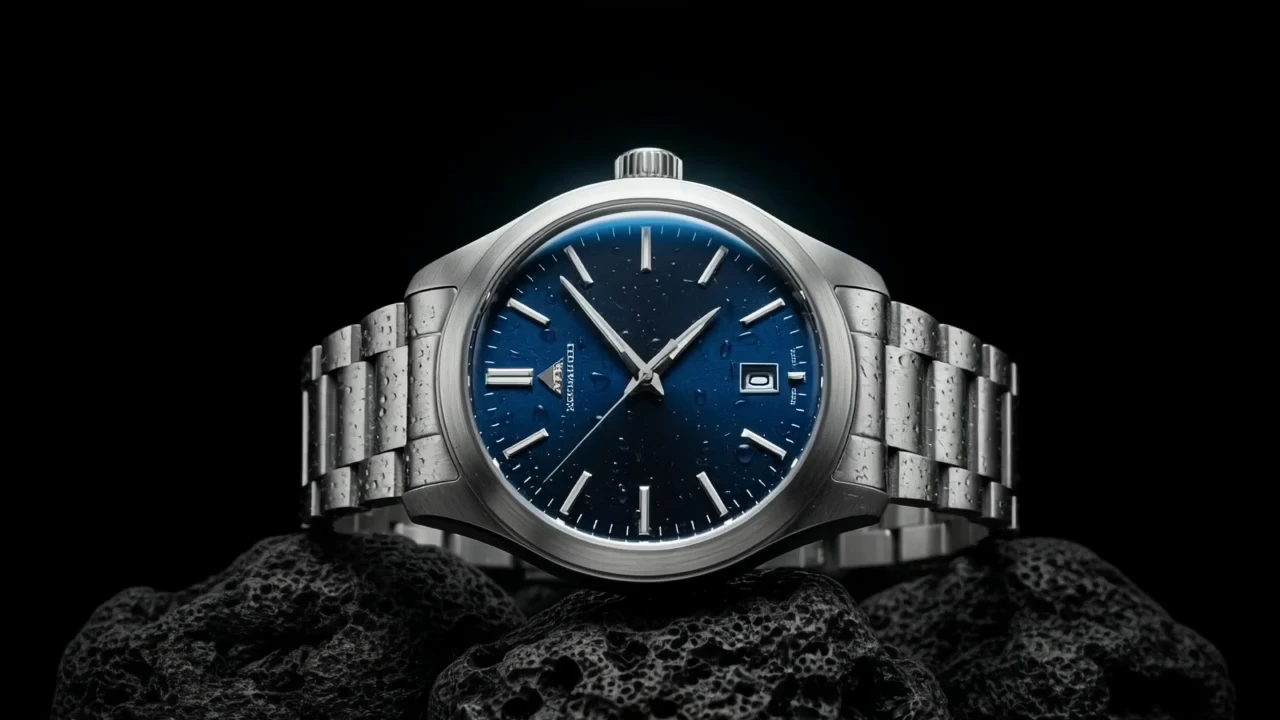

Examples Of LTX 2.5 Fast Audio To Video

Video thumbnail
Loading...
Video thumbnail
Loading...
Video thumbnail
Loading...
Video thumbnail
Loading...
Video thumbnail
Loading...
Video thumbnail
Loading...