logo
RunComfy
  • ComfyUI
  • Trainer
  • Models
  • MCPNew
  • Pricing
  • Seedance 2.5Hot
  • Seedream 5.5New

Workflows by Model

HotMiniMax H3Video with audio from text, images or referencesHotQwen Image 2.1Create images and edit photos with referencesWanVideo from text or images, motion transferFLUXImage generation, editing and character variationsLTXVideo with synced audio from text or imagesQwen Image EditPhoto editing with text and image referencesKrea 2Image creation, style transfer and reference editsZ-ImageFast portraits and concepts from text

Popular & New Workflows

NewMiniMax H3 Character Swap V1.5Swap video characters, keep the original audioNewP-H3-Image Reference EditEdit a photo guided by a reference imageHotMiniMax H3 Image-to-VideoOne image to cinematic video with synced audioHotLTX 2.5 Image-to-VideoOne frame to sharp video with synced audioHotMiniMax H3 Character Swap (SAM3)Swap video characters while following the motionQwen Image 2.1 Multi-Image EditingPrecise scenes from up to 10 reference imagesFLUX Klein Face SwapNatural, lifelike face swapsSeedVR2 Video UpscalerSharp, smooth video upscaling
View More Workflows

Train a Model

NewMOSS-Image BaseImage generation, newly supportedNewFLUX.3 KleinImage generation, newly supportedHotKrea 2The most-trained image modelHotKrea 2 TurboFew-step image generationHotQwen Image 2.1Image generation and editingZ-Image TurboFast portraits and concept imagesMiniMax H3Video with synchronized audio

Train & Deploy

Getting StartedYour first training job with Ostris AI ToolkitDatasetsUpload and manage training datasetsInferenceRun your trained models in a playground or via APIDeploymentsServe your trained models as dedicated endpoints
Train More Models

Image Models

NewGPT Image 2.65% OFF · Detailed text to image, GIF and SVG, up to 4KNewSeedream 5.510% OFF · Text to image up to 2K, with transparent PNGsNewMiniMax H3 Image10% OFF · Text or references to a still up to 4KNewFLUX 3 Image Klein10% OFF · Text or references to a still from 768 to 4KHotSeedream 5.0 Pro20% OFF · Reference edits with multilingual textHotSeedream 4.520% OFF · Photoreal edits with brand consistencyHotWan 2.6 ImageInstruction-based image editingNano Banana Pro77% OFF · Precise 2K to 4K visuals from sketches

Video Models

NewSeedance 2.5 Flash34% OFF · Text, image, or reference to videoNewKling 4.09% OFF · Animate a still into a 3 to 30s clipHotWan 3.0 Prime13% OFF · Fast clips from reference videosHotSeedance 2.535% OFF · Longer, more consistent cinematic videoHotWan 3.0Clips from image, video and audio referencesHotMiniMax H3Animate a first frame into a 5 to 15s clipWan 2.510% OFF · Fluid motion with native audioFLUX 3 MaxClips from text, a still, or keyframes
View More Models

API

Serverless (ComfyUI)Deploy ComfyUI workflows as serverless endpoints.Serverless (LoRA)Deploy LoRAs as serverless endpoints.Model APIRun hosted models on-demand with no deployment.Trainer APITrain, manage, and retrieve LoRAs via API.CLIRun RunComfy models from your terminal.
MODELS
Explore
All Models
LIBRARY
Generations
MODEL APIS
API Docs
API Keys
ACCOUNT
Usage

FLUX 3 Image Klein: Edit up to Ten References on Models and API | RunComfy

blackforestlabs/flux-3-image-klein/edit

FLUX 3 Image Klein revises one to ten pictures from a written instruction, at sizes up to 4K.

Image 1
One to ten source images, in the order the instruction names them.
What should change, and what should stay. Refer to uploads as image 1 and image 2.
Output frame. auto follows the first image.
Size tier. This is the only setting that changes the price. 1K is the default.
File type of the returned still. png skips extra JPEG compression.
Sampling steps, from 1 to 16. Fewer steps return sooner. The price does not change.
Content filter strictness. 0 is the strictest and 4 is the loosest.
Leave empty for a new result. The same seed and settings repeat a result.
Idle
The rate is $0.007 per 768 image, $0.008 per 1K image, $0.009 per 1.5K image, $0.013 per 2K image, and $0.035 per 4K image.

Introduction To FLUX 3 Image Klein

Black Forest Labs' FLUX 3 Image Klein revises one to ten pictures at 768, 1K, 1.5K, 2K, or 4K, at the same rate as a new still.

Trading a mask upload for a written instruction, FLUX 3 Image Klein helps product, catalog, and campaign teams change a photo without rebuilding it.

For developers, FLUX 3 Image Klein on RunComfy can be used both in the browser and via an HTTP API, so you don't need to host or scale the model yourself.

Ideal for: Product Photo Edits | Style Transfers | Region Notes

Why Choose FLUX 3 Image Klein#


Black Forest Labs built FLUX 3 Image Klein as the open-weight still model in the FLUX 3 family, at 5.6 billion parameters. One instruction plus one to ten pictures becomes a single image. Five size tiers are on this page: 768, 1K, 1.5K, 2K, and 4K. A new still and an edit share those rates.


This page starts from pictures. Leave the aspect on auto and FLUX 3 Image Klein follows the first upload. Pick another ratio when the frame should change. A short box list can sit at the end of the prompt when one region should move or stay. There is no mask file.


The text page is the other door. Open it when FLUX 3 Image Klein should invent the frame from words alone. Stay here when the job already has photographs, product shots, or a style reference.


Best Use Cases#


  • One change: Use FLUX 3 Image Klein when the room should remain and one object should not.
  • A style pass: Name the first upload as the subject and the second as the look. The list order is how FLUX 3 Image Klein numbers them.
  • A product swap: Hold the object, then replace the table, the season, or the light. FLUX 3 Image Klein reads that split from the instruction.
  • A region note: Add a box list at the end of the prompt when a region has to move or be left alone.
  • A large file: 2K is about 4 megapixels and 4K is about 16. FLUX 3 Image Klein bills only the tier you pick.

How It Works#


  1. Open FLUX 3 Image Klein on RunComfy. Use the text page when you have no source picture.
  2. Upload one to ten images. The first upload is image 1.
  3. Write what changes and what stays. Refer to the uploads by their order on FLUX 3 Image Klein.
  4. Leave the aspect on auto to follow the first image, or pick another ratio when the frame should change.
  5. Choose a size on FLUX 3 Image Klein. 1K is the default. 768 is the smaller file. 4K is the largest and the slowest.
  6. Leave steps at 16 while you search. Seed, steps, and file type do not change the price.
  7. Run it. FLUX 3 Image Klein returns one image per request.
  8. Send the same images, instruction, and settings through the HTTP API.

Parameters#


These controls belong to the edit page. The text page drops the image list and defaults the aspect to 1:1.


ParameterRequiredTypeDefaultRange / OptionsDescription
images*Yes (*)arrayExample still1-10 image URLsSource pictures, in the order the instruction names them.
prompt*Yes (*)stringExample lineTextWhat should change, and what should stay.
aspect_ratioNostringautoauto plus the listed ratios, including 9:21Output frame. auto follows the first image.
resolutionNostring1k768sq, 1k, 1.5k, 2k, 4kSize tier. This is the only setting that changes the price.
output_formatNostringjpegjpeg, pngFile type of the returned still.
stepsNointeger161-16Sampling steps. The price does not change.
safety_toleranceNointeger20-40 is the strictest filter.
seedNointegerEmpty0-4294967295Repeat a result when the other settings stay the same.

Pricing#


FLUX 3 Image Klein bills one output image. Reference pictures, aspect ratio, steps, seed, file type, and safety tolerance add no separate fee. The text page uses the same table.


ResolutionPrice per image
768$0.007
1K$0.008
1.5K$0.009
2K$0.013
4K$0.035

A 1K edit is the usual first charge on FLUX 3 Image Klein.


Prompting & Reference Tips#


  • Name the order: Call the uploads image 1 and image 2. FLUX 3 Image Klein uses the list order, not the file name.
  • One change: Say what moves and what stays. A second change belongs in a later sentence on FLUX 3 Image Klein.
  • Skip the negative field: There is no separate negative prompt. Describe the frame you want.
  • Box only when needed: A region note helps when one object should move. FLUX 3 Image Klein does not take a mask upload.
  • Match the end frame: If you leave auto, the first picture sets the shape. Set a ratio only when FLUX 3 Image Klein should change that shape.
  • Draft, then enlarge: Confirm the edit at 1K, then rerun the same instruction at 2K or 4K for the file you will keep.

How FLUX 3 Image Klein Compares#


Based on publicly available information. These notes describe inputs, not a scored ranking.


ModelInputsSizeStandout
FLUX 3 Image KleinOne to ten pictures on this page, or text alone on the text page768, 1K, 1.5K, 2K, 4KSame rate for a new still and an edit, optional region note in the prompt
FLUX 3 ImageText, or an edit with up to ten references on its own pages1K, 2K, 4KThe larger commercial still model, without the 768 and 1.5K tiers
Earlier FLUX still modelsA shorter prompt and fewer size choicesSmaller published framesUseful when a workflow is already built on them

Stay on this page when the source is a picture. Open the text page when FLUX 3 Image Klein should start from words.


Related Models

wan-2.7/edit

WAN 2.7 image edit: text-guided edits with 1–4 reference images, optional prompt expansion, bilingual instructions, and preset output sizes.

wan-2.7/pro/edit

WAN 2.7 Pro image edit: high-fidelity prompt-driven edits with 1–4 references, prompt expansion, and the same controls as the standard edit endpoint.

flux-3/image-edit

Edit up to ten images from a written instruction at 1K, 2K, or 4K.

Frequently Asked Questions

What is FLUX 3 Image Klein used for when the job starts from a picture?

FLUX 3 Image Klein revises one to ten pictures from a written instruction. Typical work is a product photo edit, a style transfer, or a small region change that should leave the rest of the frame alone.

How many reference images does FLUX 3 Image Klein accept?

FLUX 3 Image Klein accepts one to ten image URLs on this page. The first upload is image 1. Refer to them in that order inside the instruction. Each request still returns one image.

Does FLUX 3 Image Klein support a mask?

No. FLUX 3 Image Klein does not take a mask file. When a region matters, describe it in the instruction, or add a box note on the 0 to 1000 grid inside the same prompt.

Which sizes and aspect ratios does FLUX 3 Image Klein edit support?

The edit uses 768, 1K, 1.5K, 2K, and 4K. auto follows the first image. The other choices match the text page, including wide and tall ratios through 9:21. The returned pixel size depends on the ratio you pick.

Will FLUX 3 Image Klein keep the subject if I only ask for a new background?

Say what must stay and what must change. FLUX 3 Image Klein follows that split more reliably when the instruction names the uploads in order and keeps the request to one change.

Do extra reference images change the FLUX 3 Image Klein price?

No. FLUX 3 Image Klein bills the output tier only. One reference or ten costs the same. Steps, seed, aspect ratio, and file type also leave the price unchanged.

Can developers call the same FLUX 3 Image Klein edit from the RunComfy API?

Yes. Try the edit in the RunComfy model UI, then send the same images, instruction, and settings to the HTTP API. The API uses those parameters. It does not promise a fixed speed.

How much does one FLUX 3 Image Klein edit cost?

An edit costs the same as a new still: $0.007 at 768, $0.008 at 1K, $0.009 at 1.5K, $0.013 at 2K, and $0.035 at 4K. Runs spend usd or credits from the account balance.

Follow us
  • LinkedIn
  • Facebook
  • Instagram
  • Twitter
Support
  • Discord
  • Email
  • System Status
  • Affiliate
Video Models
  • Seedance 2.5 Flash Text To Video
  • Seedance 2.5 Flash
  • Seedance 2.5 Flash Reference to Video
  • Wan 3.0
  • MiniMax H3 Fast
  • Wan 2.5
  • View All Models →
Image Models
  • Seedream 5.5
  • Seedream 5.5 Edit
  • Seedream 5.5 Layer Decomposition
  • Wan 2.6 Image to Image
  • Nano Banana Pro
  • Seedream 5.0 Pro
  • View All Models →
Legal
  • Terms of Service
  • Privacy Policy
  • Cookie Policy
RunComfy
Copyright 2026 RunComfy. All Rights Reserved.

RunComfy is the premier ComfyUI platform, offering ComfyUI online environment and services, along with ComfyUI workflows featuring stunning visuals. RunComfy also provides AI Models, enabling artists to harness the latest AI tools to create incredible art.


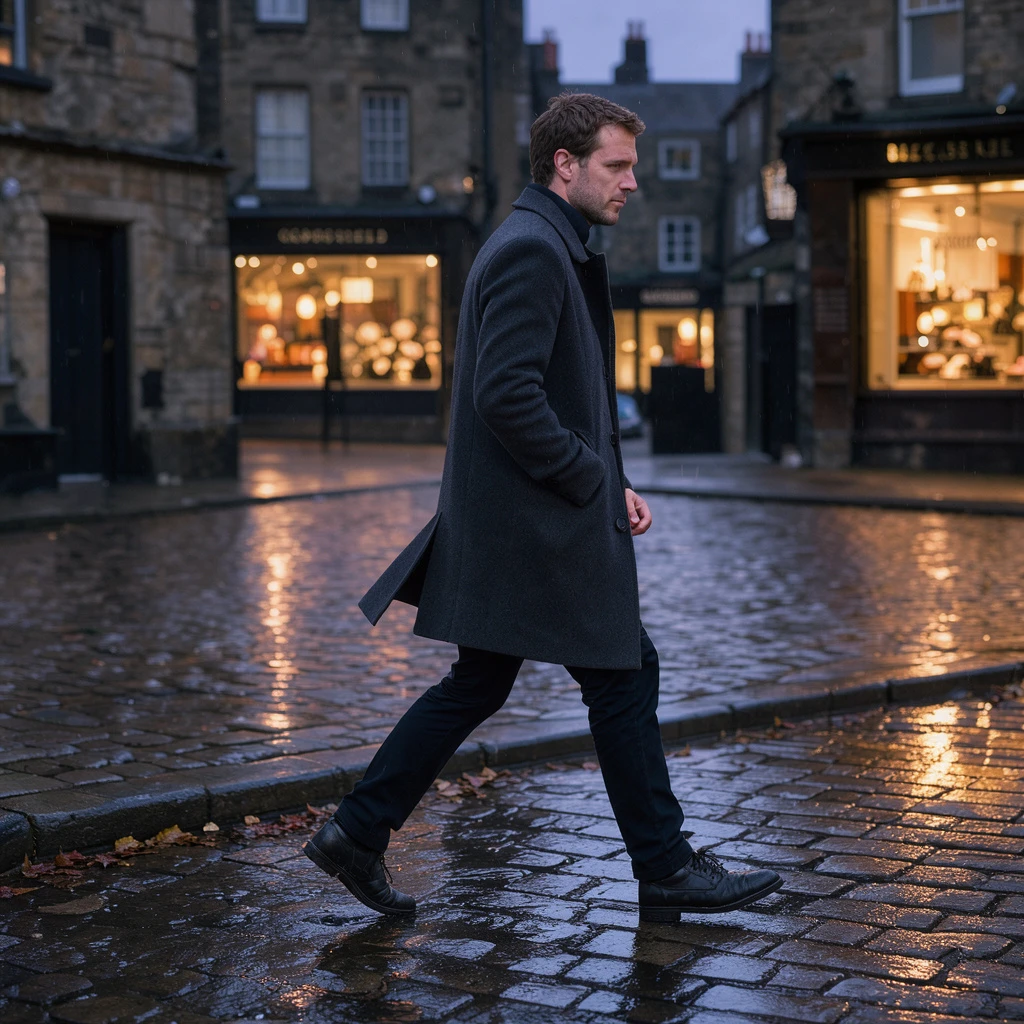
Examples Of FLUX 3 Image Klein