
logo
RunComfy
  • ComfyUI
  • Trainer
  • Models
  • MCPNew
  • Pricing
  • Seedance 2.5Hot
  • Seedream 5.5New

Workflows by Model

HotMiniMax H3Video with audio from text, images or referencesHotQwen Image 2.1Create images and edit photos with referencesWanVideo from text or images, motion transferFLUXImage generation, editing and character variationsLTXVideo with synced audio from text or imagesQwen Image EditPhoto editing with text and image referencesKrea 2Image creation, style transfer and reference editsZ-ImageFast portraits and concepts from text

Popular & New Workflows

NewMiniMax H3 Character Swap V1.5Swap video characters, keep the original audioNewP-H3-Image Reference EditEdit a photo guided by a reference imageHotMiniMax H3 Image-to-VideoOne image to cinematic video with synced audioHotLTX 2.5 Image-to-VideoOne frame to sharp video with synced audioHotMiniMax H3 Character Swap (SAM3)Swap video characters while following the motionQwen Image 2.1 Multi-Image EditingPrecise scenes from up to 10 reference imagesFLUX Klein Face SwapNatural, lifelike face swapsSeedVR2 Video UpscalerSharp, smooth video upscaling
View More Workflows

Train a Model

NewMOSS-Image BaseImage generation, newly supportedNewFLUX.3 KleinImage generation, newly supportedHotKrea 2The most-trained image modelHotKrea 2 TurboFew-step image generationHotQwen Image 2.1Image generation and editingZ-Image TurboFast portraits and concept imagesMiniMax H3Video with synchronized audio

Train & Deploy

Getting StartedYour first training job with Ostris AI ToolkitDatasetsUpload and manage training datasetsInferenceRun your trained models in a playground or via APIDeploymentsServe your trained models as dedicated endpoints
Train More Models

Image Models

NewGPT Image 2.65% OFF · Detailed text to image, GIF and SVG, up to 4KNewSeedream 5.510% OFF · Text to image up to 2K, with transparent PNGsNewMiniMax H3 Image10% OFF · Text or references to a still up to 4KNewFLUX 3 Image Klein10% OFF · Text or references to a still from 768 to 4KHotSeedream 5.0 Pro20% OFF · Reference edits with multilingual textHotSeedream 4.520% OFF · Photoreal edits with brand consistencyHotWan 2.6 ImageInstruction-based image editingNano Banana Pro77% OFF · Precise 2K to 4K visuals from sketches

Video Models

NewSeedance 2.5 Flash34% OFF · Text, image, or reference to videoNewKling 4.09% OFF · Animate a still into a 3 to 30s clipHotWan 3.0 Prime13% OFF · Fast clips from reference videosHotSeedance 2.535% OFF · Longer, more consistent cinematic videoHotWan 3.0Clips from image, video and audio referencesHotMiniMax H3Animate a first frame into a 5 to 15s clipWan 2.510% OFF · Fluid motion with native audioFLUX 3 MaxClips from text, a still, or keyframes
View More Models

API

Serverless (ComfyUI)Deploy ComfyUI workflows as serverless endpoints.Serverless (LoRA)Deploy LoRAs as serverless endpoints.Model APIRun hosted models on-demand with no deployment.Trainer APITrain, manage, and retrieve LoRAs via API.CLIRun RunComfy models from your terminal.
MODELS
Explore
All Models
LIBRARY
Generations
MODEL APIS
API Docs
API Keys
ACCOUNT
Usage

Wan 3.0 Prime: Fast Image-to-Video with Audio on Models and API | RunComfy

wan-ai/wan-3.0-prime/image-to-video

Wan 3.0 Prime animates a first-frame image into a coherent video with optional last-frame control, flexible duration, aspect ratio, and audio—on a faster inference tier than standard Wan 3.0.

Describe the motion, action, camera movement, lighting, and style you want the first frame to animate into.
First-frame image the model animates into video. Use a clear, high-quality image for better subject preservation.
Optional last-frame image used to guide the ending pose, composition, or scene of the video.
Output resolution tier. Use 480p for quick drafts and 1080p for higher-quality output.
Output aspect ratio of the generated video.
Length of the generated video in seconds. Range is 2-30. Start short to iterate, then increase once the motion looks right.
When on, the model may rewrite your prompt for richer scene detail before generation. Turn off for faster turnaround if your prompt is already precise.
When on, the output video includes a synchronized audio track. Turn off for a silent clip.
Random seed for reproducible results. Range is 0 to 2147483647.
Idle
The rate is $0.0624 per second for 480p, $0.124 per second for 720p, and $0.249 per second for 1080p.

Introduction To Wan 3.0 Prime

Wan 3.0 Video Prime delivers the full Wan 3.0 video stack—text-to-video, image-to-video, and reference-to-video—with faster turnaround on the same visual tier; this page is image-to-video, animating a first frame into 2–30 second clips with optional last-frame guidance and synchronized audio. Trading long queue times for rapid iteration, Wan 3.0 Prime suits ad teams, social editors, and creators who need Wan 3.0 quality on a tighter timeline. For developers, Wan 3.0 Prime on RunComfy can be used both in the browser and via an HTTP API, so you don't need to host or scale the model yourself.

Ideal for: Fast Product Iteration | Portrait & Lifestyle Clips | Deadline-Driven Social Content

Wan-AI / Wan 3.0 Video Prime#


Wan 3.0 Video Prime is the fast-turnaround tier of the Wan 3.0 video family. It supports text-to-video, image-to-video, and reference-to-video under one model—with shorter queue times so you can iterate on the same Wan 3.0 look without waiting on the standard tier.


Highlights#


  • Faster turnaround: Wan 3.0 Prime prioritizes inference speed, reducing typical wait versus the standard Wan 3.0 tier while targeting the same visual output profile.
  • Image-to-video on this page: Animate a first frame (optionally guided by a last frame) into 2–30 second clips with optional synchronized audio.
  • One family, three tasks: Text-to-video and reference-to-video sibling tools share the Prime tier for consistent results across workflows.
  • Production controls: Resolution, aspect ratio, duration, audio, seed, and optional prompt expansion map directly to the API.

Parameters#


ParameterRequiredTypeDefaultRange / OptionsDescription
prompt*Yes (*)stringExample promptUp to 20,000 charactersMotion, camera, lighting, and style for the clip.
image_url*Yes (*)stringExample imageImage URL or Base64First frame the model animates from.
end_image_urlNostringemptyImage URL or Base64Optional last frame for ending pose or composition.
resolutionNostring720p480p, 720p, 1080pOutput resolution tier.
aspect_ratioNostringadaptiveadaptive, 16:9, 9:16, 1:1, 4:3, 3:4Output aspect ratio.
durationNointeger52-30Output length in seconds.
prompt_extendNobooleantruetrue / falseAuto-expand prompt before generation; off can shorten wait.
enable_audioNobooleantruetrue / falseInclude synchronized audio.
seedNointegerrandom0-2147483647Seed for reproducible results.

  • Required field.

Pricing#


Wan 3.0 Prime pricing depends on resolution and generated duration. Audio on or off does not change the rate.


ResolutionPrice per second5s10s30s
480p$0.0624$0.312$0.624$1.872
720p$0.124$0.62$1.24$3.72
1080p$0.249$1.245$2.49$7.47

For batches of 1–4 outputs, total cost is duration × per-second rate × output count.

Related Models

kling-video-o3/standard/reference-to-video

Reference-driven 3-15s video generation at $0.084 per second.

hailuo-02/pro/image-to-video

Animate an image into a smooth 6s video with Hailuo 02 Pro.

wan-2-6/image-to-video

Turn still visuals into motion-synced, high-detail video content with flexible control.

hunyuan/text-to-video

Turn text prompts into high quality videos with Tencent Hunyuan Video.

wan-2-1/text-to-video

Generate cinematic videos from text prompts with Wan 2.1.

wan-2-2/lora/image-to-video

Transform stills into cinematic motion with open-source precision tools.

Frequently Asked Questions

What is Wan 3.0 Prime used for in image-to-video workflows?

Wan 3.0 Prime image-to-video animates a first-frame image into a short clip based on your text prompt, on a faster inference tier than standard Wan 3.0. It fits product shots, portraits, lifestyle photos, and concept art when you need quicker turnaround without changing the Wan 3.0 visual tier.

How is Wan 3.0 Prime different from standard Wan 3.0 image-to-video?

Wan 3.0 Prime targets the same Wan 3.0 output profile but prioritizes faster inference, so queue and wait times are typically shorter. The API shape matches standard Wan 3.0; the model name uses the Prime tier (wan3.0-video-prime).

What does prompt expansion do in Wan 3.0 Prime?

When prompt expansion is on, Wan 3.0 Prime may rewrite your prompt for richer scene detail before generation—similar to Wan 2.x behavior. Turning it off can shorten wait time if your prompt is already precise, though results may vary.

What resolutions, durations, and aspect ratios does Wan 3.0 Prime support?

Wan 3.0 Prime supports 480p, 720p, and 1080p output. Duration runs from 2 to 30 seconds, and aspect ratio can be adaptive, widescreen, vertical, square, or classic. Check the RunComfy parameter panel for current limits.

Can Wan 3.0 Prime generate audio with the video?

Yes. Wan 3.0 Prime can include a synchronized audio track, or you can export a silent clip. Toggling audio does not change the generation cost.

Can developers use Wan 3.0 Prime through the RunComfy API?

Yes. Prototype Wan 3.0 Prime in the RunComfy model UI, then call the same model through the RunComfy HTTP API with identical parameters for production pipelines.

How much does it cost to generate with Wan 3.0 Prime on RunComfy?

Generations consume usd or credits by resolution and duration: $0.0624 per second at 480p, $0.124 per second at 720p, and $0.249 per second at 1080p. New users typically receive a free trial amount to test Wan 3.0 Prime before larger runs.

Follow us
  • LinkedIn
  • Facebook
  • Instagram
  • Twitter
Support
  • Discord
  • Email
  • System Status
  • Affiliate
Video Models
  • Seedance 2.5 Flash Text To Video
  • Seedance 2.5 Flash
  • Seedance 2.5 Flash Reference to Video
  • Wan 3.0
  • MiniMax H3 Fast
  • Wan 2.5
  • View All Models →
Image Models
  • Seedream 5.5
  • Seedream 5.5 Edit
  • Seedream 5.5 Layer Decomposition
  • Wan 2.6 Image to Image
  • Nano Banana Pro
  • Seedream 5.0 Pro
  • View All Models →
Legal
  • Terms of Service
  • Privacy Policy
  • Cookie Policy
RunComfy
Copyright 2026 RunComfy. All Rights Reserved.

RunComfy is the premier ComfyUI platform, offering ComfyUI online environment and services, along with ComfyUI workflows featuring stunning visuals. RunComfy also provides AI Models, enabling artists to harness the latest AI tools to create incredible art.

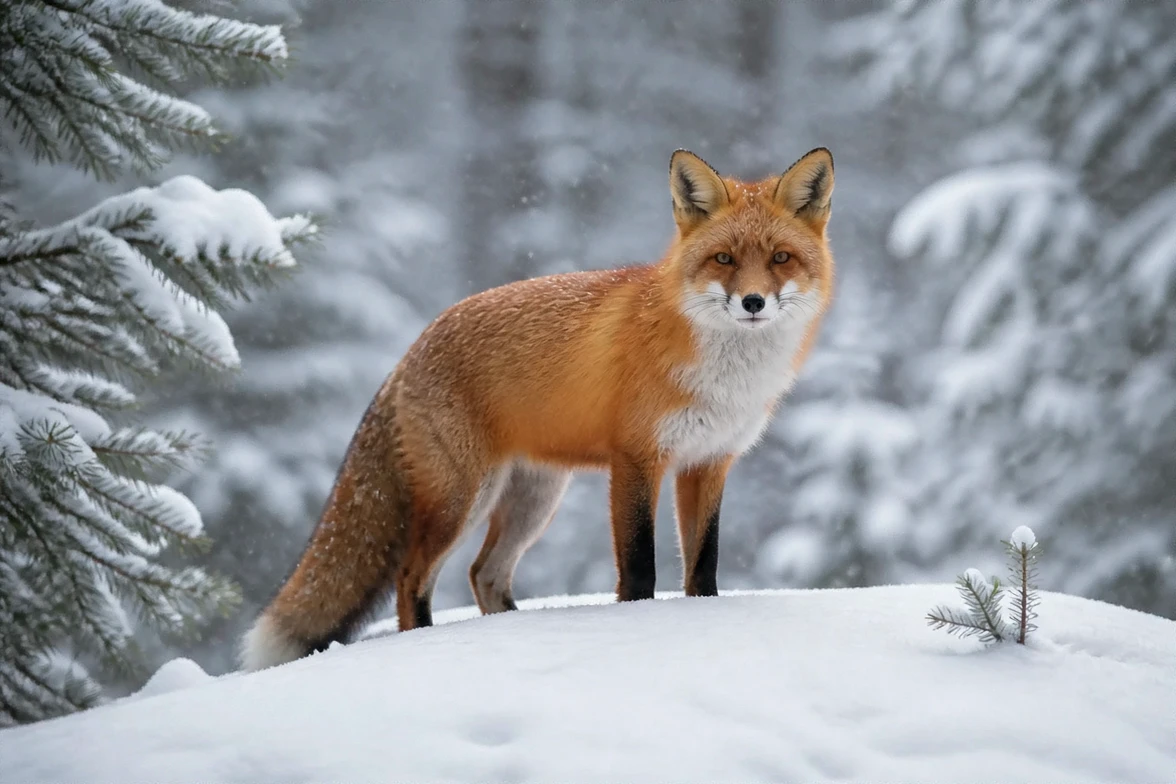
Examples Of Wan 3.0 Prime

Video thumbnail
Loading...
Video thumbnail
Loading...
Video thumbnail
Loading...
Video thumbnail
Loading...
Video thumbnail
Loading...
Video thumbnail
Loading...