Flux 2 Dev Free: Multi-Image Text-to-Image Generation & Editing

blackforestlabs/flux-2/dev/text-to-image

🔥 [Limited Time] API & Playground: 100% FREE NOW for FLUX.2 Dev. Flux 2 dev generate and refine high-fidelity images from text or multiple references with precise color control, photo-realistic detail, and consistent typography for professional design and branding tasks.

The number of inference steps to perform.
The size of the image to generate. For custom size, specify width and height between 512 and 2048 pixels.
Idle
Limited-time Offer: The rate is $0.012 → $0 per image

Introduction to Flux 2 Dev Image Generator

Black Forest Labs's Flux.2 Dev turns text into high-fidelity images totally free ($0 per image), outputting up to ~4MP resolution with long-context prompt understanding and native multi-reference consistency. Trading manual masking and hours in Photoshop for layout-aware generation with readable on-image text, Flux 2 Dev streamlines production by eliminating brittle prompt hacks and rework, built for agencies, marketing teams, and product designers. For developers, Flux 2 Dev on RunComfy can be used both in the browser and via an HTTP API, so you don’t need to host or scale the model yourself.
Ideal for: Campaign-Ready Product Imagery | Cross-Scene Character and Brand Consistency | Layout-Accurate UI Mockups and On-Image Typography

Examples Created with Flux 2 Dev

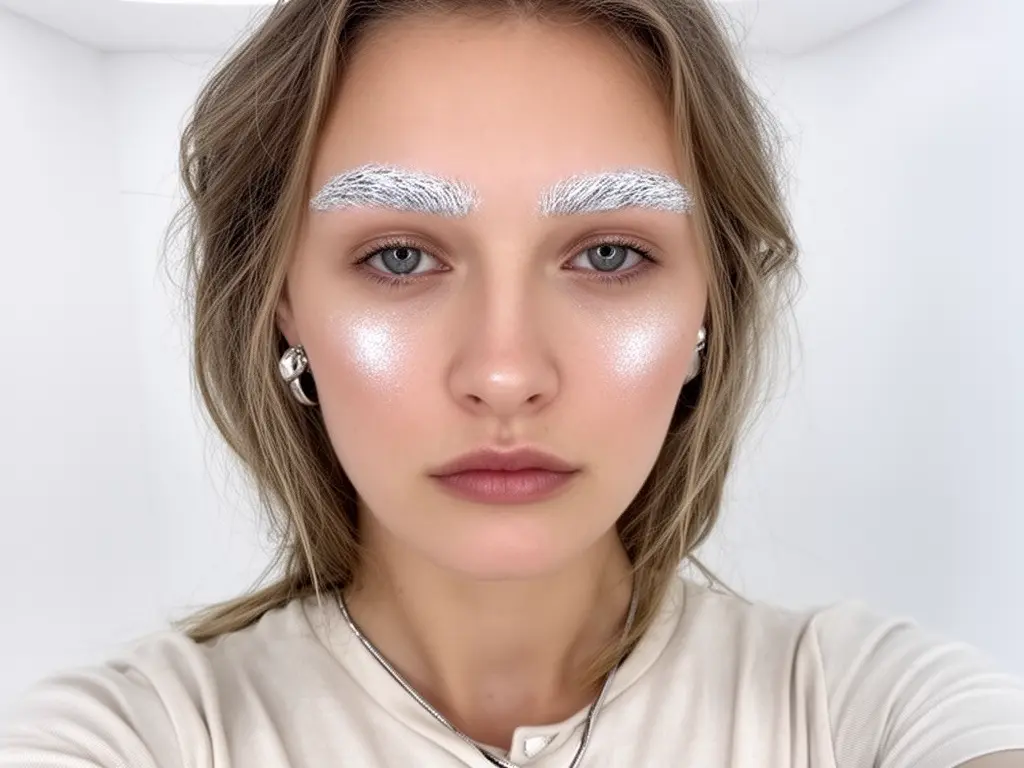
Avant-garde portrait featuring a woman with white eyebrows and glowing skin, captured in a minimalistic style using Flux 2 Dev.
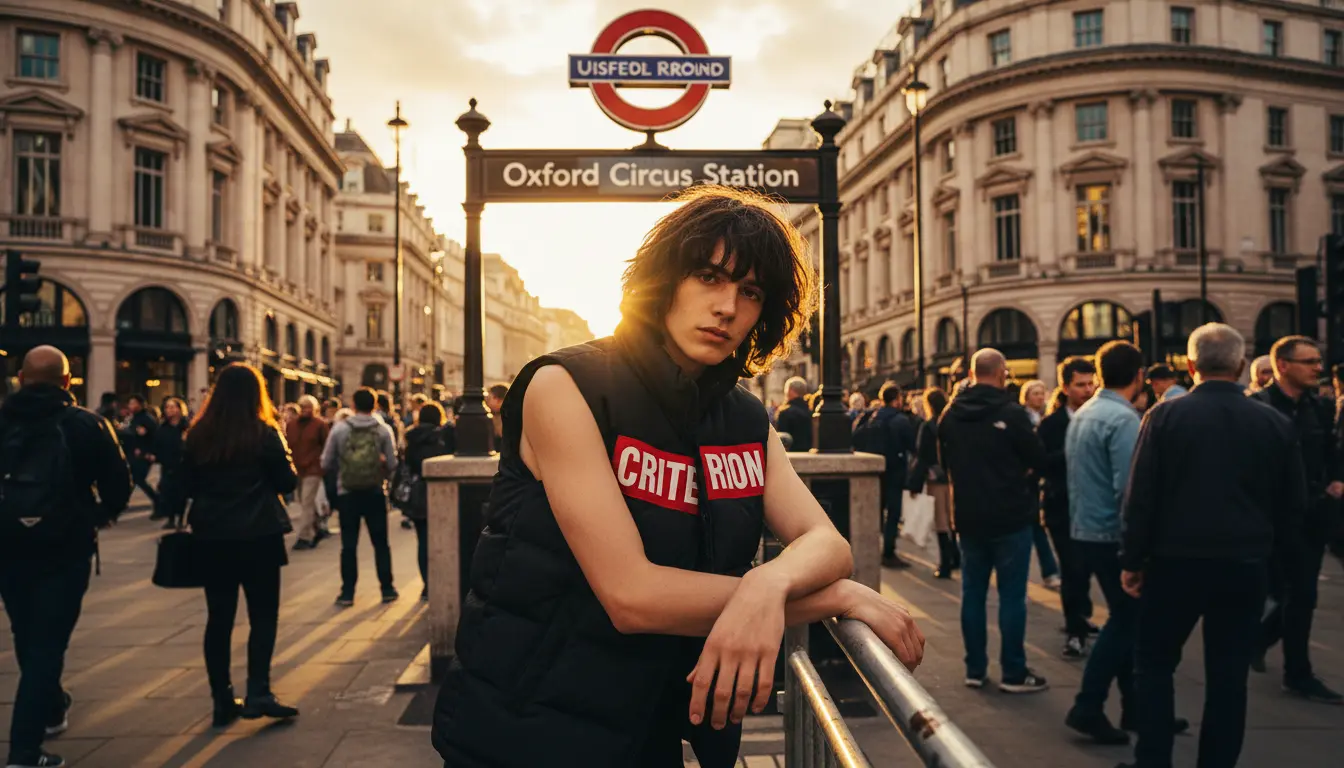
A fashion-forward man in a sleeveless vest at Oxford Circus Station, captured with cinematic depth using Flux 2 Dev.
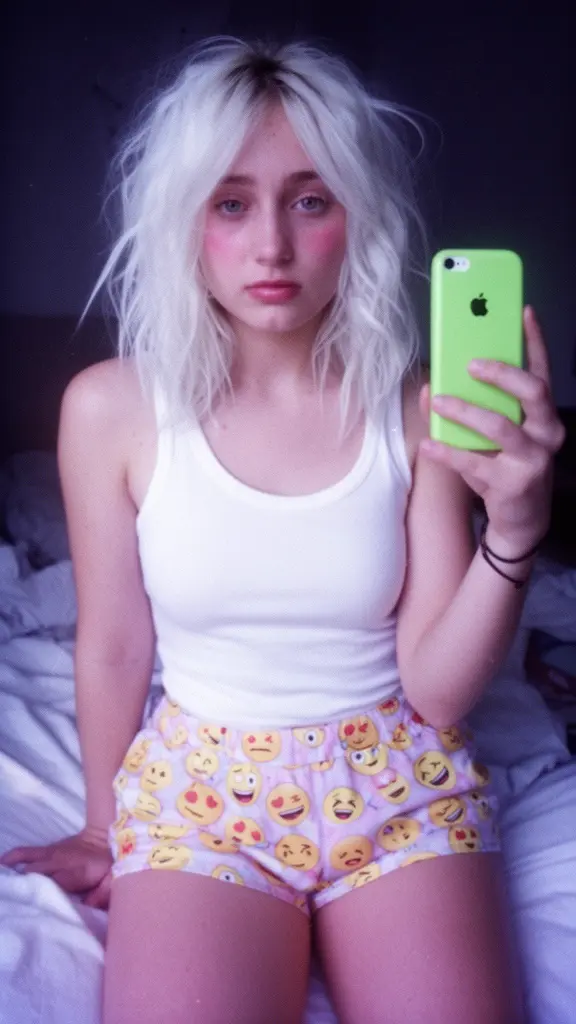
Young woman wearing emoji-print shorts and a white tank top takes a mirror selfie with a green phone using Flux 2 Dev.
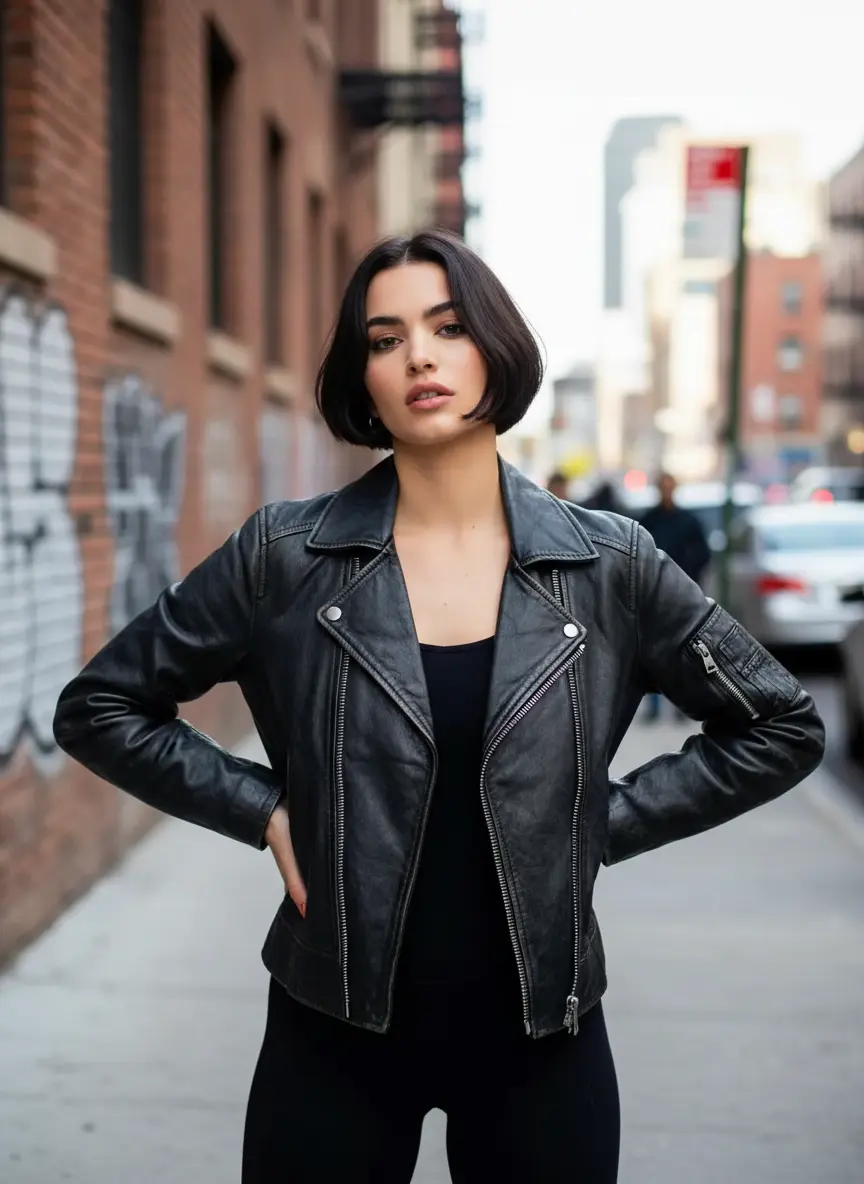
Woman in black leather jacket posing confidently on a city street, created using Flux 2 Dev
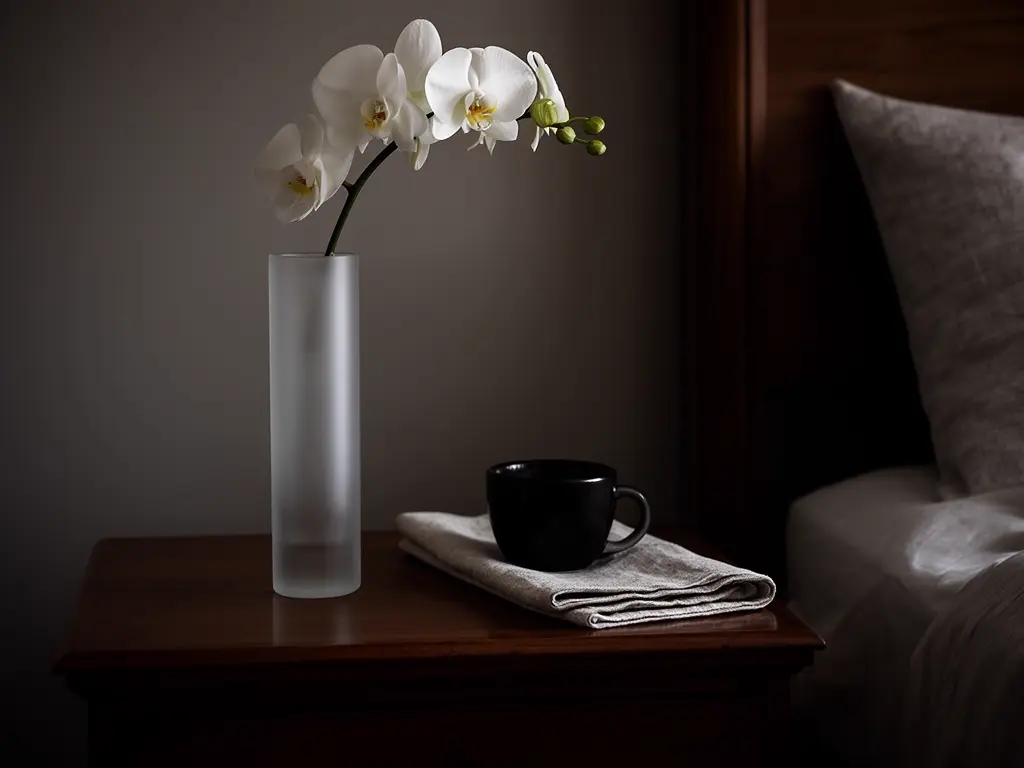
Minimalist bedroom scene featuring white orchids in a frosted vase and a black cup on a folded napkin, created using Flux 2 Dev.
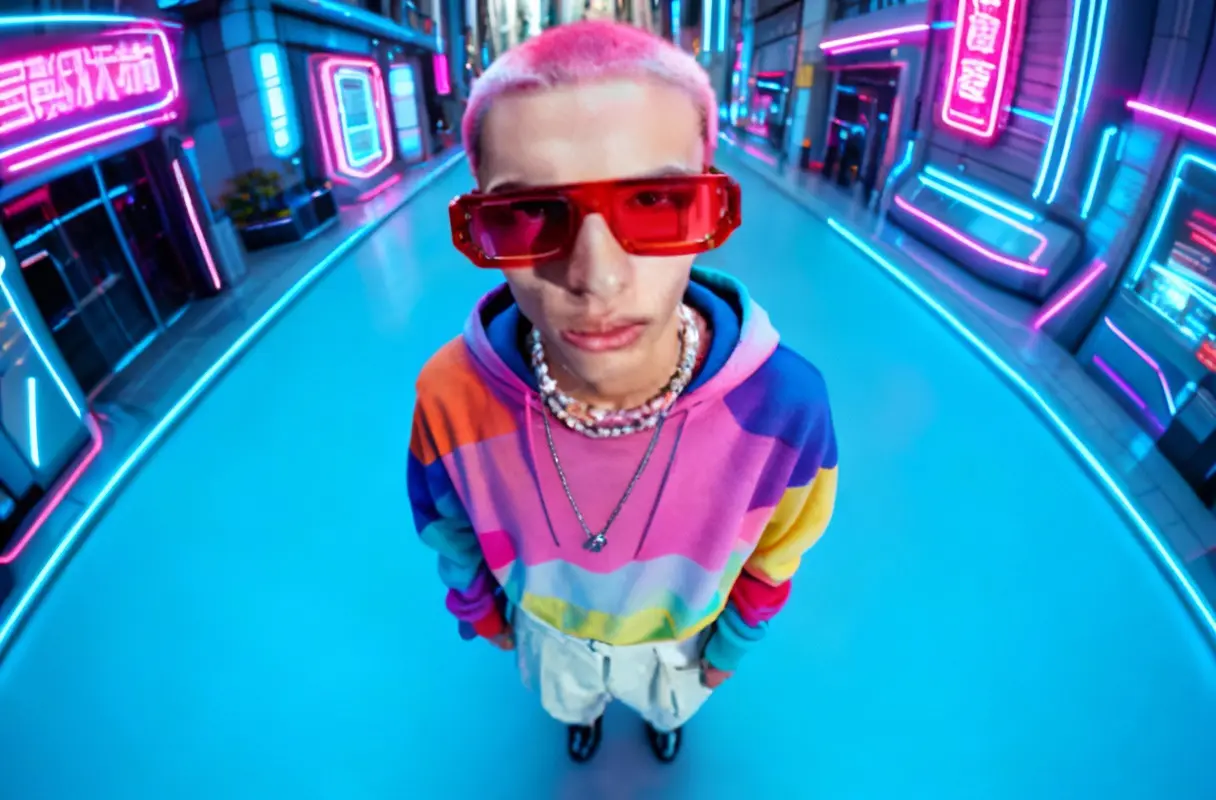
Cyberpunk street portrait of person in rainbow hoodie and neon glasses, styled with bold colors and futuristic lighting using Flux 2 Dev.

Flux 2 Dev on X: Updates and Insights

Model Overview


  • Provider: Black Forest Labs
  • Task: text-to-image
  • Max Resolution/Duration: Up to ~4 MP (up to 2048 px per side via presets or custom)
  • Summary: Flux 2 Dev generates high-quality 4MP images from text with multi-reference consistency, readable on-image text, and layout-aware control. It is built for technical artists who need prompt adherence at scale, strong subject/style consistency, and efficient iteration. Flux 2 Dev supports long prompts and multi-part instructions, making it reliable for product, marketing, and UI visualization workflows.

Key Capabilities


Multi-reference consistency across 2–10 images

  • Flux 2 Dev can mix multiple reference images in a single pass to lock character identity, branding, or style.
  • Outputs maintain coherent details across references, enabling consistent campaigns, character sheets, and product shots.

Layout-aware prompting with readable text

  • Flux 2 Dev follows complex spatial instructions, supports HEX colors, and respects long-form prompts (≈32K tokens).
  • Typography is markedly improved; on-image text is readable, enabling UI mockups, infographics, and packaging visuals directly from prompts.

High-resolution generation with efficient inference

  • Flux 2 Dev delivers ~4MP images with improved lighting, faces, and hands while preserving prompt fidelity.
  • Guidance distillation enables fewer steps for previews and faster iteration, with production-ready results at moderate step counts.

Input Parameters


Core Prompts


ParameterTypeDefault/RangeDescription
promptstringDefault: ""The textual description of the desired image. Use natural language with details on subject, style, lighting, and layout.
enable_prompt_expansionbooleanDefault: falseIf true, expands the prompt automatically for potentially richer results.
guidance_scalefloatDefault: 2.5Controls adherence to the prompt. Higher values follow the prompt more closely but may reduce visual quality.

Dimensions & Sampling


ParameterTypeDefault/RangeDescription
image_sizestringDefault: landscape_4_3; Choices: square_hd, square, portrait_4_3, portrait_16_9, landscape_4_3, landscape_16_9, CustomChoose a preset aspect ratio or select Custom to specify width/height (512–2048 px each side).
num_inference_stepsintegerDefault: 28Number of denoising steps. Higher values generally improve quality but increase latency.
num_imagesintegerDefault: 1Number of images to generate in one request.
accelerationstringDefault: regular; Choices: none, regular, highSelect acceleration level for generation based on your performance/quality needs.
seedintegerDefault: 0Random seed for reproducibility. Use the same seed to repeat results.

Advanced & I/O


ParameterTypeDefault/RangeDescription
output_formatstringDefault: png; Choices: jpeg, png, webpOutput image file format. Use PNG/WebP for transparency or lossless needs; JPEG for smaller size.

How Flux 2 Dev compares to other models


  • Vs FLUX.1 Generation: Compared to FLUX.1, Flux 2 Dev delivers higher resolution (~4MP), stronger prompt adherence, better lighting and anatomy, and significantly improved on-image text readability. Ideal use case: upgrading legacy FLUX.1 pipelines to achieve higher fidelity and layout-aware outputs.
  • Vs Flux 2 Pro/Flex variants: Compared to Pro/Flex, Flux 2 Dev offers open weights and flexible deployment (including quantized options) at some trade-off in ultimate fidelity and speed. Ideal use case: teams needing open-weight access for local/edge experiments, internal tools, or customization. Try Flux 2 Pro here and Flux 2 Flex here
  • Vs Nano Banana Pro: Compared to Nano Banana Pro, Flux 2 Dev emphasizes open-weight availability, multi-reference consistency, and developer-friendly deployment across local and cloud stacks. Ideal use case: projects prioritizing edge deployment and consistent typography without reliance on proprietary ecosystems.
  • Vs Seedream 4.5: Compared to Seedream 4.5, Flux 2 Dev focuses on long-context prompting, robust layout following, and readable text for production assets. Ideal use case: marketing/UI work where precise layout and readable text are mandatory.
  • Vs Z-Image-Turbo: Compared to lightweight turbo models, Flux 2 Dev delivers higher realism, stronger text fidelity, and better multi-reference consistency, with slightly higher latency. Ideal use case: when quality, consistency, and layout control outweigh raw speed.

API Integration


Developers can integrate Flux 2 Dev via the RunComfy API using standard HTTP requests. The interface mirrors common T2I pipelines, so you can pass prompts, sizes, and sampling settings with minimal setup. Integration is designed for rapid prototyping and production rollouts alike.


Note: API Endpoint for Flux 2 Dev


Official resources and licensing


  • Official Website/Paper: https://flux-2.dev/
  • License: Open-weight, non-commercial (or self-serving commercial) license for Flux 2 Dev. Commercial use may require a separate agreement with Black Forest Labs.

Related Playgrounds

Frequently Asked Questions

What is Flux 2 Dev and what does its text-to-image capability do?

Flux 2 Dev is an open-weight generative model created by Black Forest Labs that specializes in advanced text-to-image generation and image editing. It allows users to create new images directly from text prompts or modify existing ones while maintaining realism and stylistic consistency.

How does Flux 2 Dev improve on earlier versions for text-to-image generation?

Compared to older models like FLUX.1 Dev, Flux 2 Dev offers major improvements in text-to-image realism, better handling of multiple image references, sharper detail, and more accurate text rendering. It also supports up to 10 reference images and outputs up to about 4 megapixels.

Is Flux 2 Dev free, and how does its credit system work for text-to-image generation?

Flux 2 Dev offers free trial credits for new users via the Runcomfy AI playground. After that, additional text-to-image generations require credits, which can be purchased or earned depending on the platform’s credit policy.

Who can benefit most from using Flux 2 Dev for text-to-image tasks?

Flux 2 Dev is ideal for artists, designers, marketers, and studios needing consistent visual branding, realistic mockups, or creative image generation. Its text-to-image capability is especially valuable for those in design, advertising, and digital art who require control over color, layout, and references.

What kind of image quality can I expect from Flux 2 Dev’s text-to-image outputs?

Users can expect highly photorealistic results from Flux 2 Dev’s text-to-image engine, characterized by precise lighting, textures, and readable text. The model’s 32-billion-parameter architecture ensures fidelity and quality across a wide range of creative scenarios.

Does Flux 2 Dev support both text-to-image and image editing workflows?

Yes, Flux 2 Dev supports dual workflows—text-to-image generation from detailed prompts and direct image editing where you can modify existing images with precise control while preserving key elements.

Where can I access Flux 2 Dev for text-to-image generation?

Flux 2 Dev can be accessed through the Runcomfy AI playground via web or mobile browsers. After logging in, users can use their credits to generate text-to-image results or perform image editing tasks directly online.

Are there any limitations to Flux 2 Dev’s text-to-image tool?

While Flux 2 Dev delivers strong performance, it currently supports images up to around 4 megapixels, and commercial usage may require a separate license. Additionally, text-to-image rendering quality depends on prompt clarity and available compute credits.

Can I use Flux 2 Dev locally for my own text-to-image experiments?

Yes, because Flux 2 Dev is an open-weight model, it can be used locally for research or non-commercial text-to-image experimentation. Developers and researchers can integrate it into custom workflows or applications.

RunComfy
Copyright 2025 RunComfy. All Rights Reserved.

RunComfy is the premier ComfyUI platform, offering ComfyUI online environment and services, along with ComfyUI workflows featuring stunning visuals. RunComfy also provides AI Models, enabling artists to harness the latest AI tools to create incredible art.