logo
RunComfy
  • ComfyUI
  • TrainerNew
  • Models
  • API
  • Pricing
discord logo
MODELS
Explore
All Models
LIBRARY
Generations
MODEL APIS
API Docs
API Keys
ACCOUNT
Usage

Runway Aleph 2: In-Context Video-to-Video Editing on Models and API | RunComfy

runwayml/runway-aleph-2/video-to-video

Runway Aleph 2 applies a text edit to a 2–30 second clip while keeping motion and framing, with optional timestamped keyframes.

Source video to edit. Must be 2-30 seconds and under 16 MB. Output length follows this clip.
Natural-language instruction describing the edit. Keep under 1000 characters.
Optional guidance images, up to 5. Each item needs an image URL and a timestamp in seconds from the start of the source clip.
Optional expand/outpaint ratio. Leave unset to keep the source frame.
Optional seed for more repeatable retries. Leave unset for a random draw.
Idle
The rate is $0.369 per second of source video duration.

Introduction To Runway Aleph 2

Runway's Runway Aleph 2 Video To Video edits a source clip from a written instruction, covering 2–30 second inputs up to 1080p at $0.369 per second. Trading shot-by-shot masking and timeline retouches for prompt-and-keyframe control, Runway Aleph 2 helps filmmakers, ad teams, and post artists restyle footage without a reshoot. For developers, Runway Aleph 2 on RunComfy can be used both in the browser and via an HTTP API, so you don't need to host or scale the model yourself.
Ideal for: Product Swaps | Multi-Shot Campaign Edits | Scene Restyling

Runway / Runway Aleph 2 Video To Video#


This page is the video-to-video editor in Runway's in-context line. You upload a clip, describe the change, and the model applies that request while the rest of the shot stays put. On RunComfy, Runway Aleph 2 starts from a source video plus a short instruction, then optionally pins stills to timestamps so a product, wardrobe, or look holds at those moments.


Output format: Video / 2–30 second source / up to 1080p / frame shape follows the input unless you set an expand ratio


Highlights#


  • Prompt-only edits: Write the change you want in Runway Aleph 2; surrounding motion, lighting, and camera path stay in place.

  • Multi-shot carry: When the source has cuts, Runway Aleph 2 can land the same request across relevant shots instead of a clip-by-clip pass.

  • Timestamped stills: Attach up to five images, each with a seconds mark, so a pack shot or costume look is explicit at those frames.

  • Expand framing: Leave the ratio unset to match the source, or pick a target aspect ratio on Runway Aleph 2 to letterbox and outpaint.

  • Repeatable trials: Set a seed when you compare prompt wording or keyframe stills on the same Runway Aleph 2 clip.

  • Real or generated footage: Use filmed campaign assets or earlier AI clips; Runway Aleph 2 accepts both.

Parameters#


Use these fields on the RunComfy model UI. Names match the Input schema for Runway Aleph 2.


ParameterRequiredTypeDefaultRange / OptionsDescription
video_url*Yes (*)string (video)Example clip2–30s, under 16 MBSource video to edit. Output length follows this clip.
prompt*Yes (*)stringExample editMax 1000 charactersNatural-language instruction describing the change.
keyframesNoarrayNone0–5 itemsGuidance images. Each item needs image_url plus seconds (0–30).
seedNointegerRandom0–4294967295Optional seed for more repeatable retries.
target_aspect_ratioNostringFollow source16:9, 4:3, 3:2, 1:1, 2:3, 3:4, 9:16, 21:9Expand/outpaint target. Omit to keep the source frame.

Pricing#


Billing on RunComfy follows the source video duration.


Billing unitRate
Per second of source video$0.369

Estimated cost examples for Runway Aleph 2


Source lengthApprox. cost
2s (minimum)~$0.74
5s~$1.85
10s~$3.69
30s (maximum)~$11.07

Charges use the measured clip length, rounded up to a whole second and clamped between 2 and 30 seconds.


How to Use#


  • Open the model UI and upload a 2–30 second source video under 16 MB for Runway Aleph 2.

  • Write a focused prompt for Runway Aleph 2 that names only the change (product, wardrobe, weather, time of day, or style).

  • Optionally add keyframes on Runway Aleph 2: each still needs an image URL and a timestamp in seconds from the start of the clip.

  • Leave target_aspect_ratio empty to keep the source frame, or choose a ratio when you need expand/outpaint.

  • Set a seed if you plan to compare wording or stills on Runway Aleph 2; otherwise leave it unset for a random draw.

  • Submit and review Runway Aleph 2. Adjust the prompt or one keyframe rather than rewriting the whole brief.

  • For API use, send the same Runway Aleph 2 Input fields over HTTP; you do not host or scale the model yourself.

  • Keep source clips inside the duration and size limits so the request is not rejected before generation starts.

Prompt & Reference Tips#


  • Name one change per Runway Aleph 2 run. “Make the bottle matte black” lands more cleanly than a list of unrelated restyles.

  • Keep the Runway Aleph 2 prompt under 1000 characters. Extra adjectives that contradict the stills usually hurt more than they help.

  • Pair every keyframe image with seconds on Runway Aleph 2. A still without a timestamp cannot be placed.

  • Use early timestamps for opening looks and later seconds for end-card or product-hold frames on Runway Aleph 2.

  • When the clip has cuts, describe the object or look once so the edit can carry across shots.

  • For expand/outpaint on Runway Aleph 2, pick target_aspect_ratio only if you need a new frame; otherwise the source ratio is safer.

  • Reuse the same seed when you swap a still or tweak a phrase so you can see what actually changed.

  • If a file is rejected, check duration (2–30s) and size (under 16 MB) before rewriting the prompt.

How Runway Aleph 2 Video To Video compares to other models#


  • Versus the original Runway Aleph: Runway Aleph 2 accepts longer clips, works across cuts, and takes up to five timestamped stills instead of a single image reference, based on publicly available information.

  • Versus generic video restyle tools: Runway Aleph 2 is aimed at localized edits—swap a SKU, shift wardrobe, change weather—while the camera move and blocking stay close to the source.

  • Versus first-and-last-frame generators: those invent motion between two stills. This editor changes footage you already have, which fits post and campaign variation better.

  • Ideal Use Case: Choose Runway Aleph 2 when you need a prompt-guided change on an existing 2–30 second clip, with optional stills pinned to exact seconds.

On RunComfy, teams iterate on Runway Aleph 2 without rebuilding the source timeline.


Official Resources#


  • Product page: https://runway.com/product/aleph-2

Related Models

minimax-h3-max/image-to-video

MiniMax H3 Max: text or image to video with native audio at 480p/768p

kling-video-o3/standard/text-to-video

Generate cinematic 3-15s videos from text with optional sound.

kling-video-o1/video-to-video/edit

Unified AI model for refined scene editing, style match, and smooth video refits

pika-2-2/image-to-video

AI effects for engaging social & entertainment clips.

kling-video-o1/video-to-video/reference

Transform reference clips with cinematic fidelity, refined motion, and seamless style control for creative professionals.

kling-video-o3/pro/image-to-video

Pro-tier image animation: 3-15s cinematic clips from $0.111 per second.

Frequently Asked Questions

What is Runway Aleph 2 used for in video-to-video workflows?

Runway Aleph 2 is an in-context video-to-video editor. You provide a 2–30 second source clip and a written instruction, and it applies that change while leaving the rest of the shot in place. Typical jobs include product swaps, wardrobe or lighting changes, weather shifts, and style restyles on footage you already have.

How does Runway Aleph 2 differ from the original Runway Aleph editor?

Runway Aleph 2 accepts longer sources (2–30 seconds, up to 1080p) and can carry one edit across multiple cuts in the same clip. It also takes up to five timestamped keyframe images instead of a single image reference. The original Aleph identifier is retired on the current Runway API.

Can I guide specific moments in a Runway Aleph 2 edit with images?

Yes. Runway Aleph 2 accepts up to five optional keyframes. Each keyframe needs an image URL and a timestamp in seconds from the start of the source clip (0–30). Use early seconds for an opening look and later seconds for an end-card or product hold.

What input limits should I know before using Runway Aleph 2?

The source video for Runway Aleph 2 must be 2–30 seconds and under 16 MB. The prompt is limited to 1000 characters. Keyframes are optional and capped at five. Output aspect follows the source unless you set target_aspect_ratio for expand/outpaint.

Does Runway Aleph 2 keep the original camera move and scene layout?

That is the design intent of Runway Aleph 2: change what you named in the prompt and keep motion, blocking, and lighting that you did not mention. Results still vary with prompt clarity and source quality, so review the output before you lock a take.

Can developers use Runway Aleph 2 through the RunComfy API?

Yes. Prototype Runway Aleph 2 in the RunComfy Playground Web UI, then call the same model through the RunComfy API with the same parameters. You do not host or scale the model yourself. Generations consume usd / credits on your RunComfy account.

How much does it cost to generate with Runway Aleph 2 on RunComfy?

Runway Aleph 2 is billed at $0.369 per second of source video duration. A 2 second clip is about $0.74, 5 seconds about $1.85, and 30 seconds about $11.07. Measured length is rounded up to a whole second and clamped between 2 and 30 seconds.

When should a team pick Runway Aleph 2 instead of generating a new clip from scratch?

Pick Runway Aleph 2 when you already have a usable take and need a controlled rewrite—SKU swap, campaign colorway, time-of-day shift—without a reshoot. If you need new motion between two stills, a first-and-last-frame generator is a better fit than this video-to-video editor.

Follow us
  • LinkedIn
  • Facebook
  • Instagram
  • Twitter
Support
  • Discord
  • Email
  • System Status
  • Affiliate
Video Models
  • Wan 2.6 Flash
  • Wan 3.0
  • MiniMax H3 Max
  • Wan 3.0 Prime
  • Wan 2.7 Image to Video
  • MiniMax H3 Max Reference to video
  • View All Models →
Image Models
  • GPT Image 2.5 Flare
  • GPT Image 2.5 Sunburst
  • Seedream 4.5
  • Nano Banana Pro
  • Seedream 5.0 Pro
  • Nano Banana 2 Edit
  • View All Models →
Legal
  • Terms of Service
  • Privacy Policy
  • Cookie Policy
RunComfy
Copyright 2026 RunComfy. All Rights Reserved.

RunComfy is the premier ComfyUI platform, offering ComfyUI online environment and services, along with ComfyUI workflows featuring stunning visuals. RunComfy also provides AI Models, enabling artists to harness the latest AI tools to create incredible art.

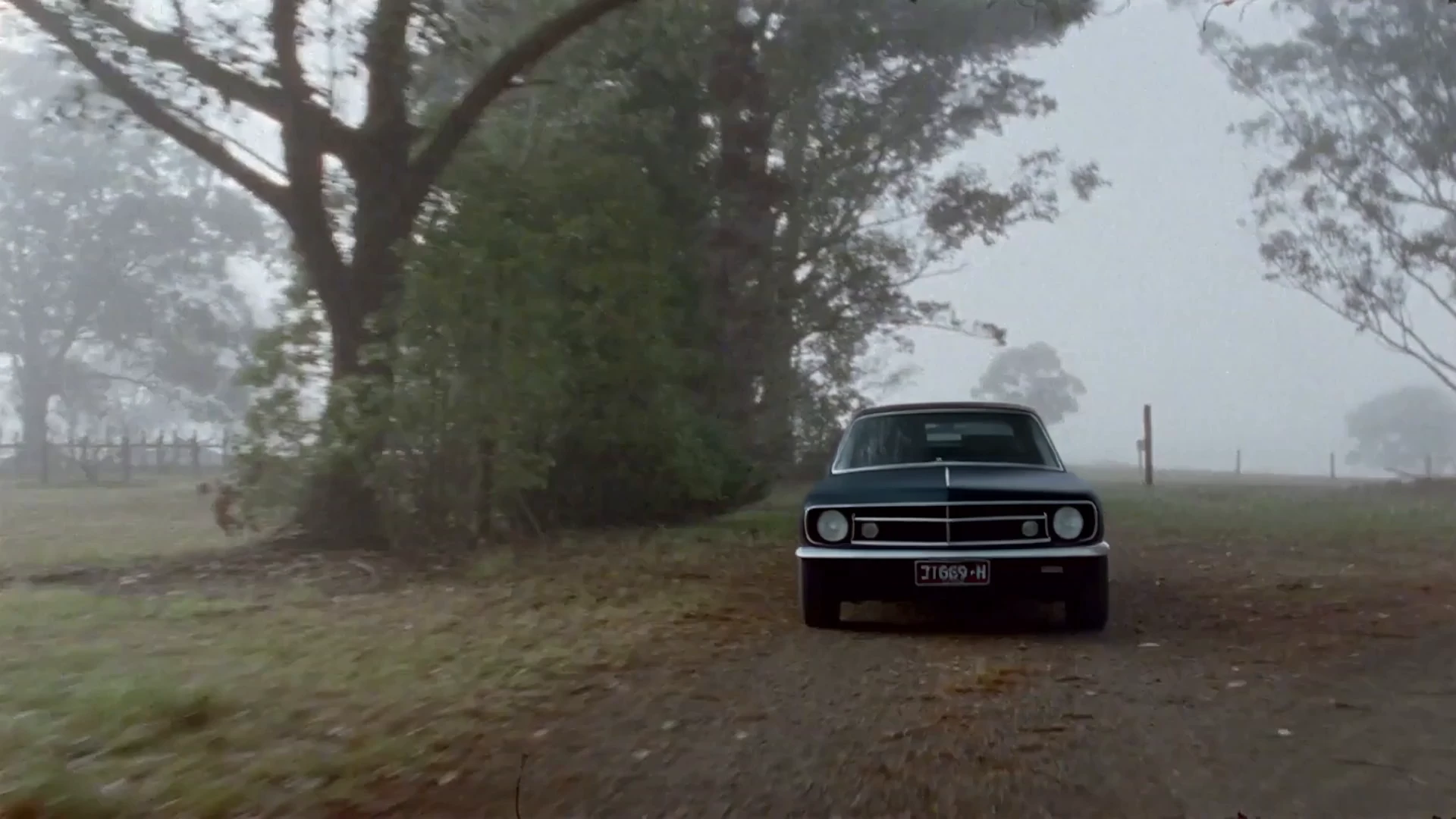
Examples Of Runway Aleph 2

Video thumbnail
Loading...
Video thumbnail
Loading...
Video thumbnail
Loading...
Video thumbnail
Loading...
Video thumbnail
Loading...
Video thumbnail
Loading...