logo
RunComfy
  • Models
  • ComfyUI
  • TrainerNew
  • API
  • Pricing
discord logo
MODELS
Explore
All Models
LIBRARY
Generations
MODEL APIS
API Docs
API Keys
ACCOUNT
Usage

Dreamina 3.0 text-to-video: Create Cinematic AI Videos Fast

bytedance/dreamina-3-0/pro/text-to-video

Create cinematic videos from text with precise aesthetics, adjustable aspect ratios, frame counts, and seed control for consistent output.

The prompt should be less than 800 characters.
Total frames of the video. Supported values: 121 (≈5s) and 241 (≈10s).
Idle
The rate is $0.15 per second, 1 second equals 24 frames.

Introduction to Dreamina 3.0 Text-To-Video

Dreamina 3.0, developed by ByteDance’s Seed team and officially launched in April 2025, marks a major leap in AI-driven creativity. As a bilingual foundational model, it extends its text-to-video capabilities from the powerful Seedream 3.0 image generation framework, supporting both Chinese and English prompts with native 2K resolution fidelity. Dreamina 3.0’s performance gains come from advanced hybrid training, flow matching loss, and alignment strategies that deliver faster render times, richer aesthetics, and finely tuned scenes. Its ability to retain visual realism and complex layout integrity makes it an essential creative tool in the evolving AI ecosystem.
Dreamina 3.0 text-to-video empowers you to turn written ideas into cinematic visuals with precision and speed. Designed for creators, designers, and marketers, it generates consistent, high-quality video scenes that preserve detail, lighting, and emotion—helping you craft compelling stories from text prompts effortlessly.

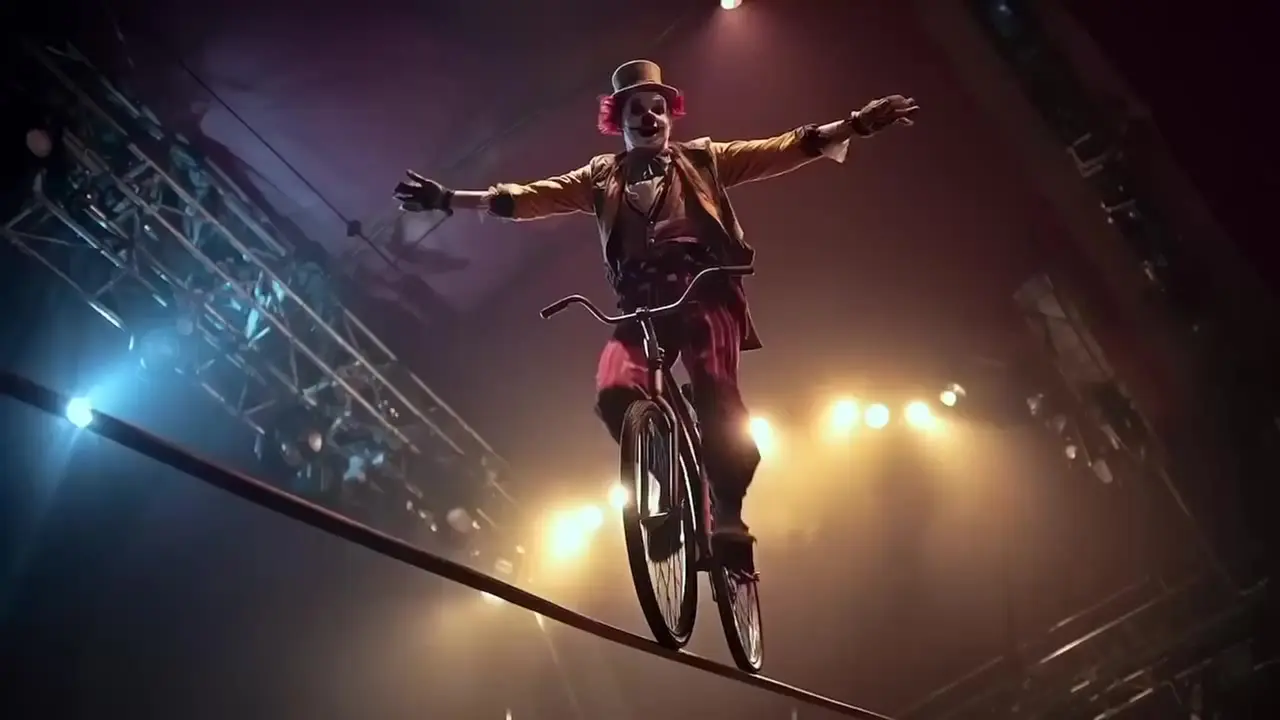
Example Videos Made With Dreamina 3.0

Video thumbnail
Loading...
Video thumbnail
Loading...
Video thumbnail
Loading...
Video thumbnail
Loading...
Video thumbnail
Loading...
Video thumbnail
Loading...

Dreamina 3.0 on X: AI Video Conversations

Dreamina 3.0's YouTube Videos: Demos and Reviews

YouTube preview
YouTube preview
YouTube preview

Related Playgrounds

one-to-all-animation/14b

Transforms static characters into smooth motion clips for flexible creative workflows

kling-2-6/motion-control-standard

AI-driven motion conversion tool enabling precise, stable animation creation

wan-2-5/text-to-video

Generate videos from text prompts with audio using Wan 2.5 Preview.

pika-2-2/image-to-video

AI effects for engaging social & entertainment clips.

veo-3-1/first-last-frame-to-video

Create structured cinematic clips with audio, scene links, and prompt accuracy

ltx-2/fast/text-to-video

Next-gen tool turning prompts into cinematic 4K video clips with audio

Frequently Asked Questions

What is Dreamina 3.0 and what can it do with text-to-video?

Dreamina 3.0 is ByteDance’s advanced generative AI model designed primarily for text-to-image creation, while also offering early-stage text-to-video capabilities for creative and commercial use.

Who can benefit most from using Dreamina 3.0’s text-to-video feature?

Dreamina 3.0 is ideal for digital artists, marketers, designers, and media producers who need AI-generated visuals or short text-to-video clips to speed up content production.

How does Dreamina 3.0 improve performance compared to previous versions?

Dreamina 3.0 offers faster generation times, higher 2K image resolution, and better visual accuracy, with improved texture and realism for both still images and its text-to-video outputs.

Is Dreamina 3.0 free to use or do I need to buy credits?

Dreamina 3.0 access is available through Runcomfy’s AI playground, where users can try it out with some free credits before purchasing additional credits for extended text-to-video generation.

What kind of outputs can Dreamina 3.0 produce besides text-to-video?

Beyond text-to-video, Dreamina 3.0 can produce 2K resolution still images in various visual styles such as photorealistic, cinematic, and illustrative formats.

Does Dreamina 3.0 support bilingual prompts for its text-to-video mode?

Yes, Dreamina 3.0 supports both English and Chinese prompts, making it a versatile text-to-video tool for global creators working with multilingual projects.

How realistic are the visuals generated by Dreamina 3.0’s text-to-video feature?

Dreamina 3.0 produces visually rich and structured results, achieving high realism in visuals while also maintaining smooth transitions in short text-to-video clips.

Where can I access Dreamina 3.0 and its text-to-video generator?

You can access Dreamina 3.0 through Runcomfy’s AI playground at runcomfy.com/playground, which works seamlessly across desktop and mobile browsers.

Are there any technical limits or caveats with Dreamina 3.0’s text-to-video generation?

At present, Dreamina 3.0’s text-to-video feature focuses on short, loop-style sequences, and may not yet support long-form video production.

Follow us
  • LinkedIn
  • Facebook
  • Instagram
  • Twitter
Support
  • Discord
  • Email
  • System Status
  • Affiliate
Video Models/Tools
  • Wan 2.6
  • Wan 2.6 Text to Video
  • Veo 3.1 Fast Video Extend
  • Seedance Lite
  • Wan 2.2
  • Seedance 1.0 Pro Fast
  • View All Models →
Image Models
  • GPT Image 1.5 Image to Image
  • Flux 2 Max Edit
  • GPT Image 1.5 Text To Image
  • Gemini 3 Pro
  • seedream 4.0
  • Nano Banana Pro
  • View All Models →
Legal
  • Terms of Service
  • Privacy Policy
  • Cookie Policy
RunComfy
Copyright 2025 RunComfy. All Rights Reserved.

RunComfy is the premier ComfyUI platform, offering ComfyUI online environment and services, along with ComfyUI workflows featuring stunning visuals. RunComfy also provides AI Models, enabling artists to harness the latest AI tools to create incredible art.