
logo
RunComfy
  • ComfyUI
  • TrainerNew
  • Models
  • API
  • Pricing
discord logo
ComfyUI>Workflows>Stable Diffusion 3.5 vs FLUX.1

Stable Diffusion 3.5 vs FLUX.1

Workflow Name: RunComfy/SD3.5-vs-Flux
Workflow ID: 0000...1138
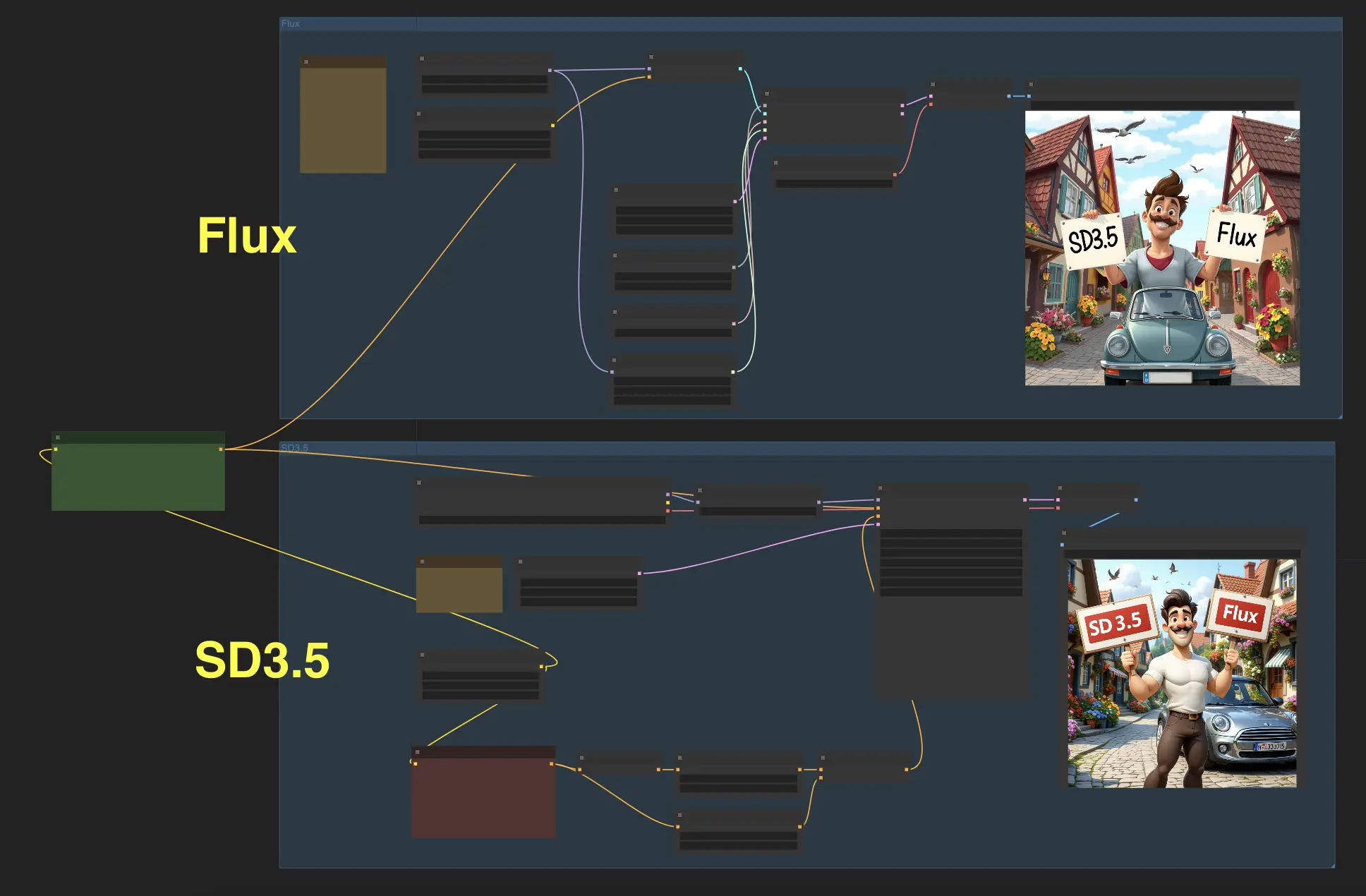
Experience the incredible capabilities of Stable Diffusion 3.5 (SD3.5) and FLUX.1, two cutting-edge AI models for image generation. With this ComfyUI workflow, you can input a text prompt and generate images simultaneously using both models, allowing you to compare the results and choose the one that best suits your needs.

Stable Diffusion 3.5 VS FLUX.1

Get ready to witness the awe-inspiring capabilities of two cutting-edge models: Stable Diffusion 3.5 (SD3.5) and FLUX.1? With this ComfyUI workflow, you can now input a text prompt and generate images with these two models simultaneously, allowing you to compare the results and choose the one you like best.

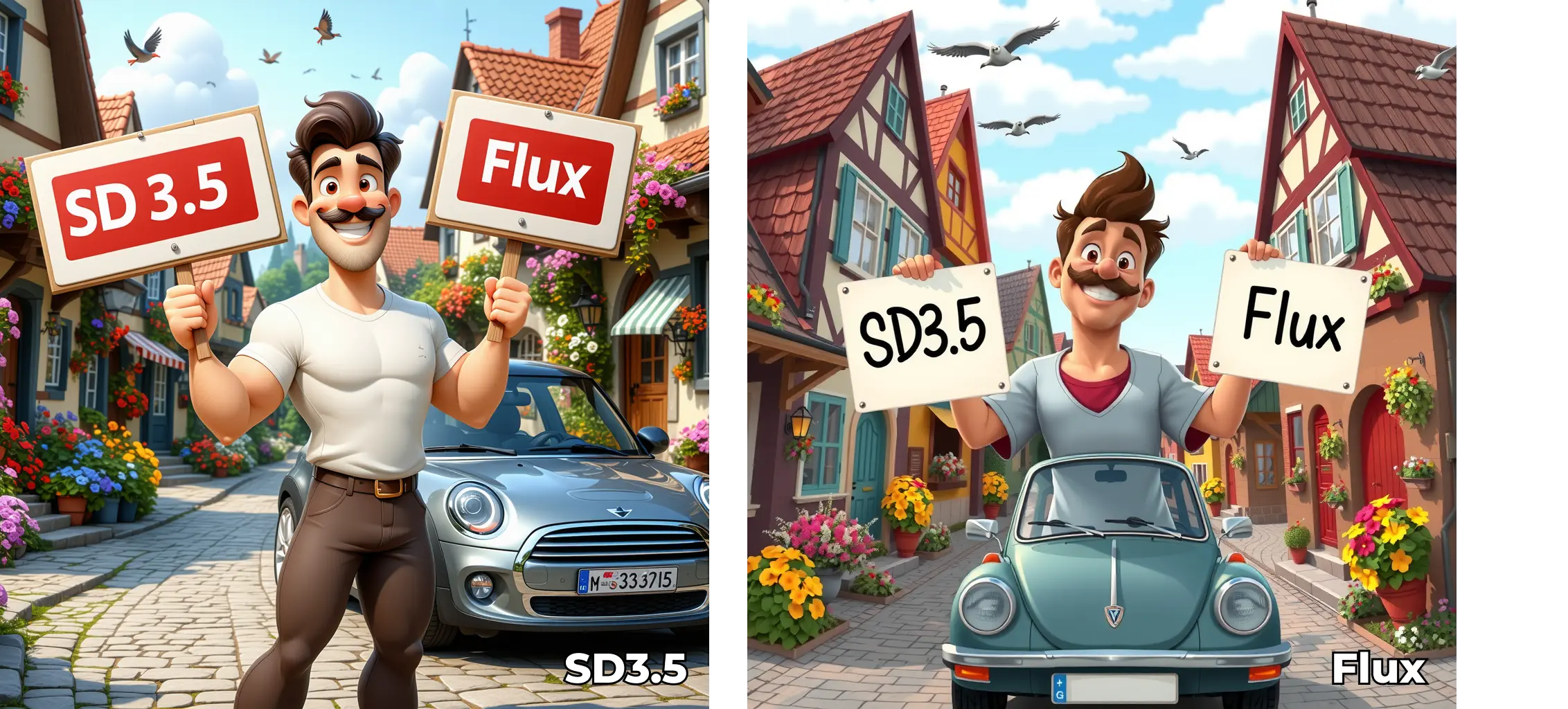
We have tested some cases using SD3.5-large and Flux.1-schnell, and the results reveal that Stable Diffusion 3.5 (SD3.5) and FLUX.1 each excel in different areas. While FLUX.1 has an advantage in producing photorealistic images, SD3.5 demonstrates greater proficiency in generating anime-style artwork without requiring additional fine-tuning or modifications.

Don't just take our word for it – experience the magic for yourself!
Stable Diffusion 3.5 VS FLUX.1

Want More ComfyUI Workflows?

SAM 3D ComfyUI | Object & Body Animation

Create realistic 3D motion and animation from static images instantly.

Blender + ComfyUI | AI Rendering 3D Animations

Use Blender to set up 3D scenes and generate image sequences, then use ComfyUI for AI rendering.

MMAudio | Video-to-Audio

MMAudio: Advanced video-to-audio model for high-quality audio generation.

ReActor | Fast Face Swap

With ComfyUI ReActor, you can easily swap the faces of one or more characters in images or videos.

IPAdapter Plus (V2) Attention Mask | Image to Video

Leverage the IPAdapter Plus Attention Mask for precise control of the image generation process.

Qwen Image LoRA Inference | AI Toolkit ComfyUI

Keep AI Toolkit-trained Qwen Image LoRA inference in ComfyUI preview-aligned using a single RCQwenImage custom node.

Fantasy Portrait | Expressive Photo Animation

Photo → expressive cinematic face animation, fast and identity-accurate.

AnimateDiff + ControlNet | Marble Sculpture Style

Transform your videos into timeless marble sculptures, capturing the essence of classic art.

Follow us
  • LinkedIn
  • Facebook
  • Instagram
  • Twitter
Support
  • Discord
  • Email
  • System Status
  • Affiliate
Resources
  • Free ComfyUI Online
  • ComfyUI Guides
  • RunComfy API
  • ComfyUI Tutorials
  • ComfyUI Nodes
  • Learn More
Legal
  • Terms of Service
  • Privacy Policy
  • Cookie Policy
RunComfy
Copyright 2026 RunComfy. All Rights Reserved.

RunComfy is the premier ComfyUI platform, offering ComfyUI online environment and services, along with ComfyUI workflows featuring stunning visuals. RunComfy also provides AI Models, enabling artists to harness the latest AI tools to create incredible art.