ACE++ Face Swap Workflow#
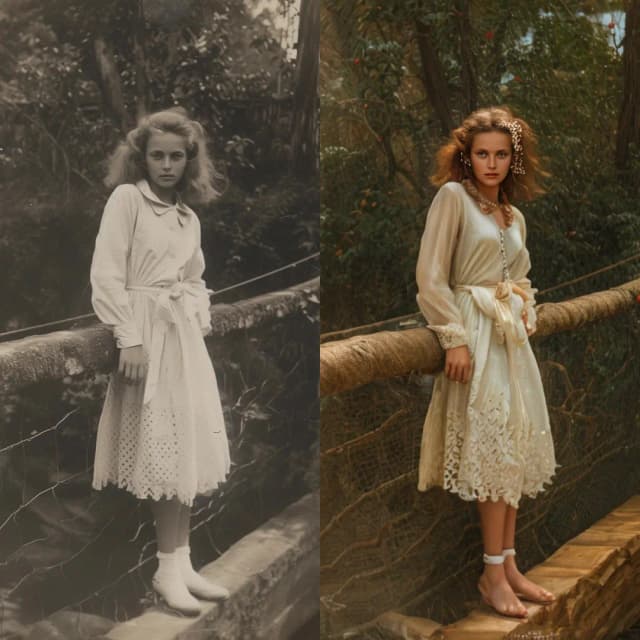
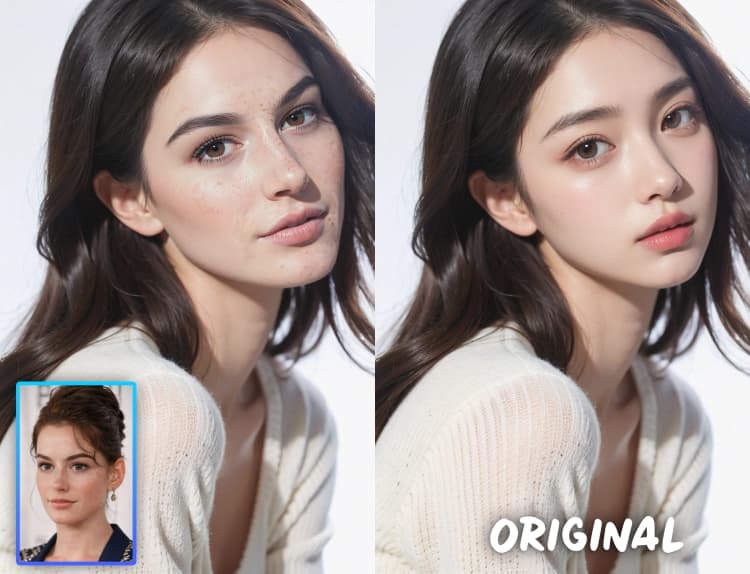
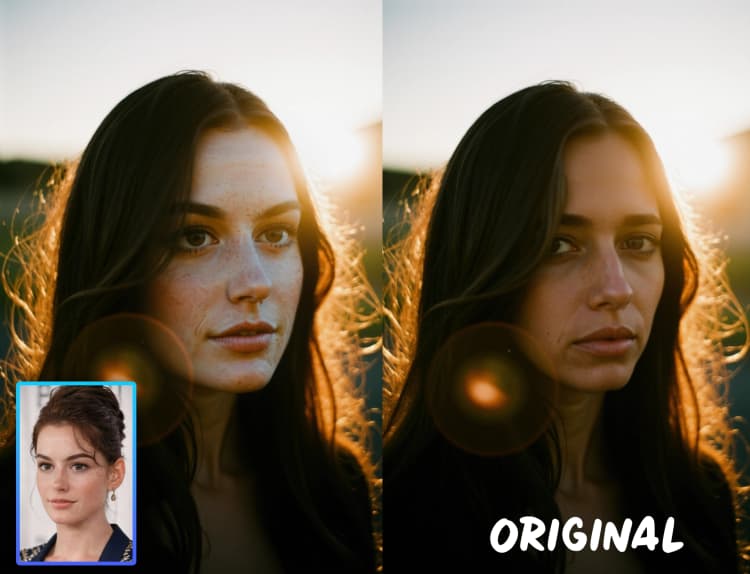
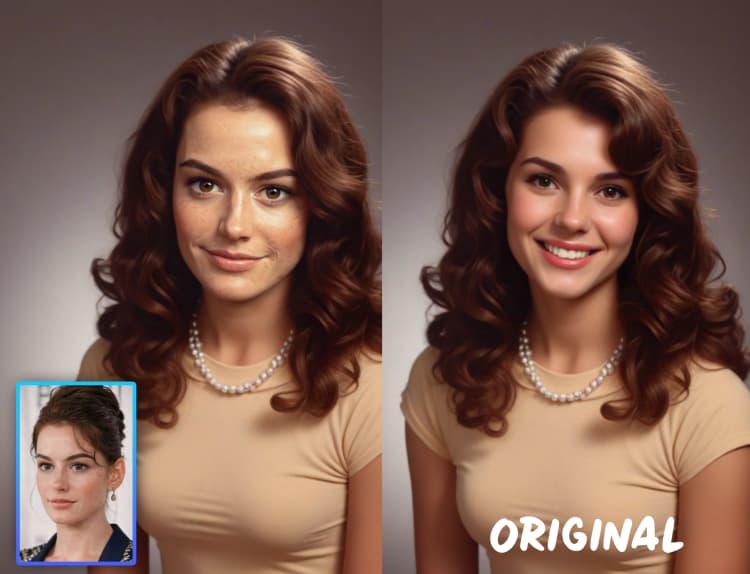
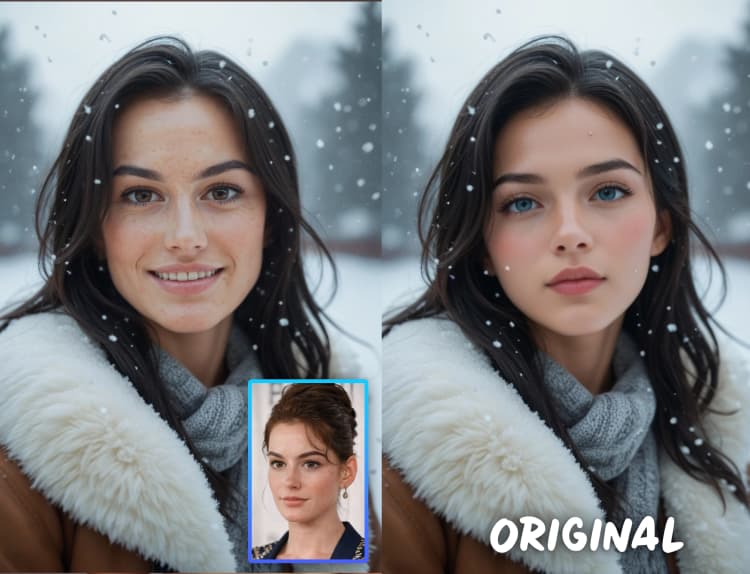
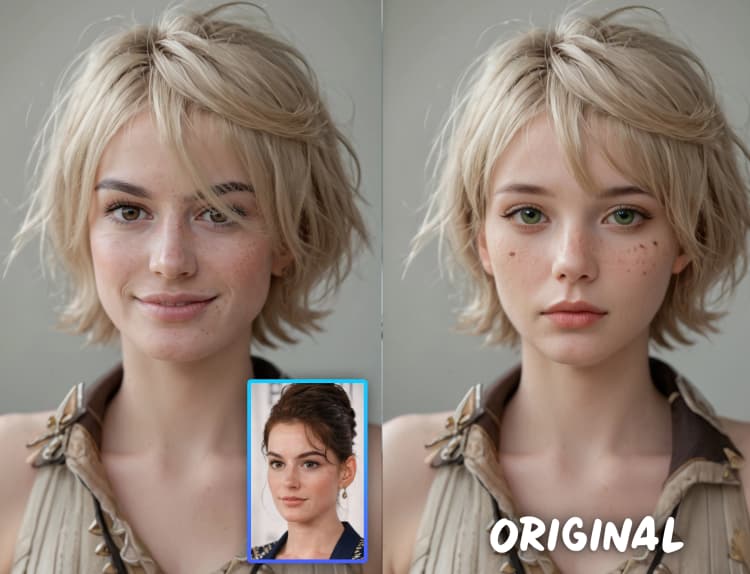
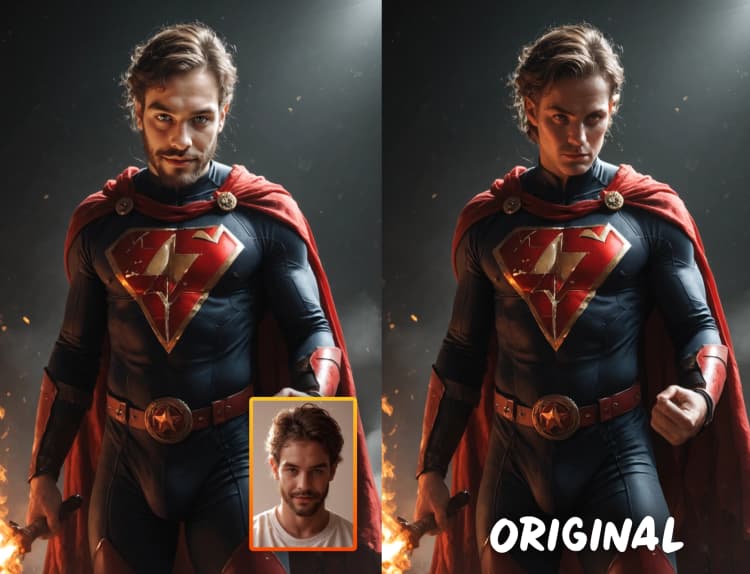
The ACE++ Face Swap workflow for ComfyUI allows you to seamlessly replace faces in images using natural language instructions, eliminating the need for manual editing or complex training. Built on instruction-based image creation and context-aware content filling, ACE++ Face Swap ensures that swapped faces blend naturally while maintaining the original style and details. Whether for AI art, digital storytelling, or creative experimentation, ACE++ Face Swap provides a powerful and flexible face-swapping solution.
Originally developed by Sebastian Kamph, ACE++ Face Swap Workflow utilizes advanced AI techniques to achieve high-quality results. While this ComfyUI workflow is available for easy use, full credit goes to Sebastian Kamph for developing this innovative approach.
For more details, visit: ACE++ Official Page
How to Use ACE++ Face Swap?#
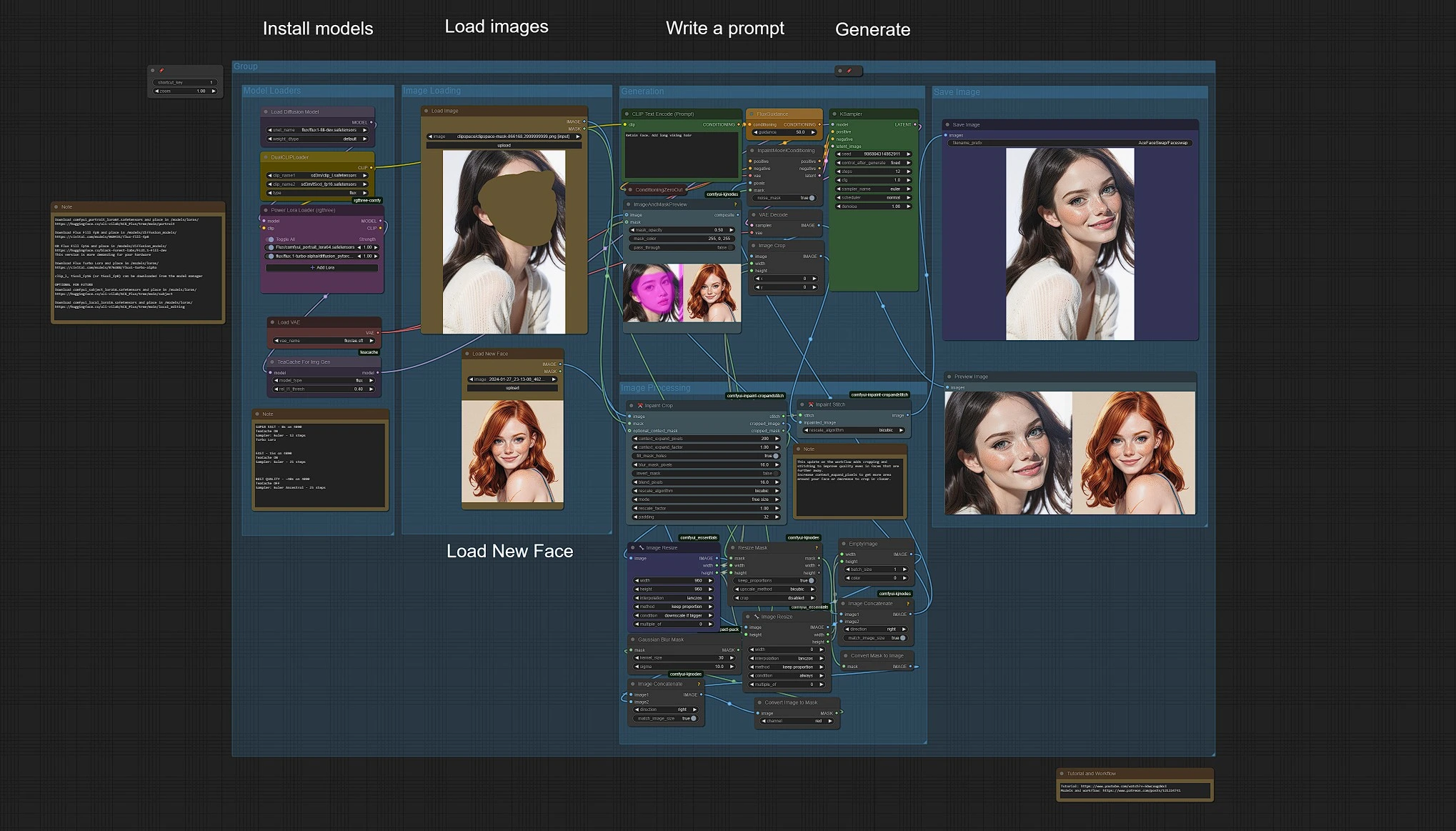
Basic steps to use ACE++ Face Swap:
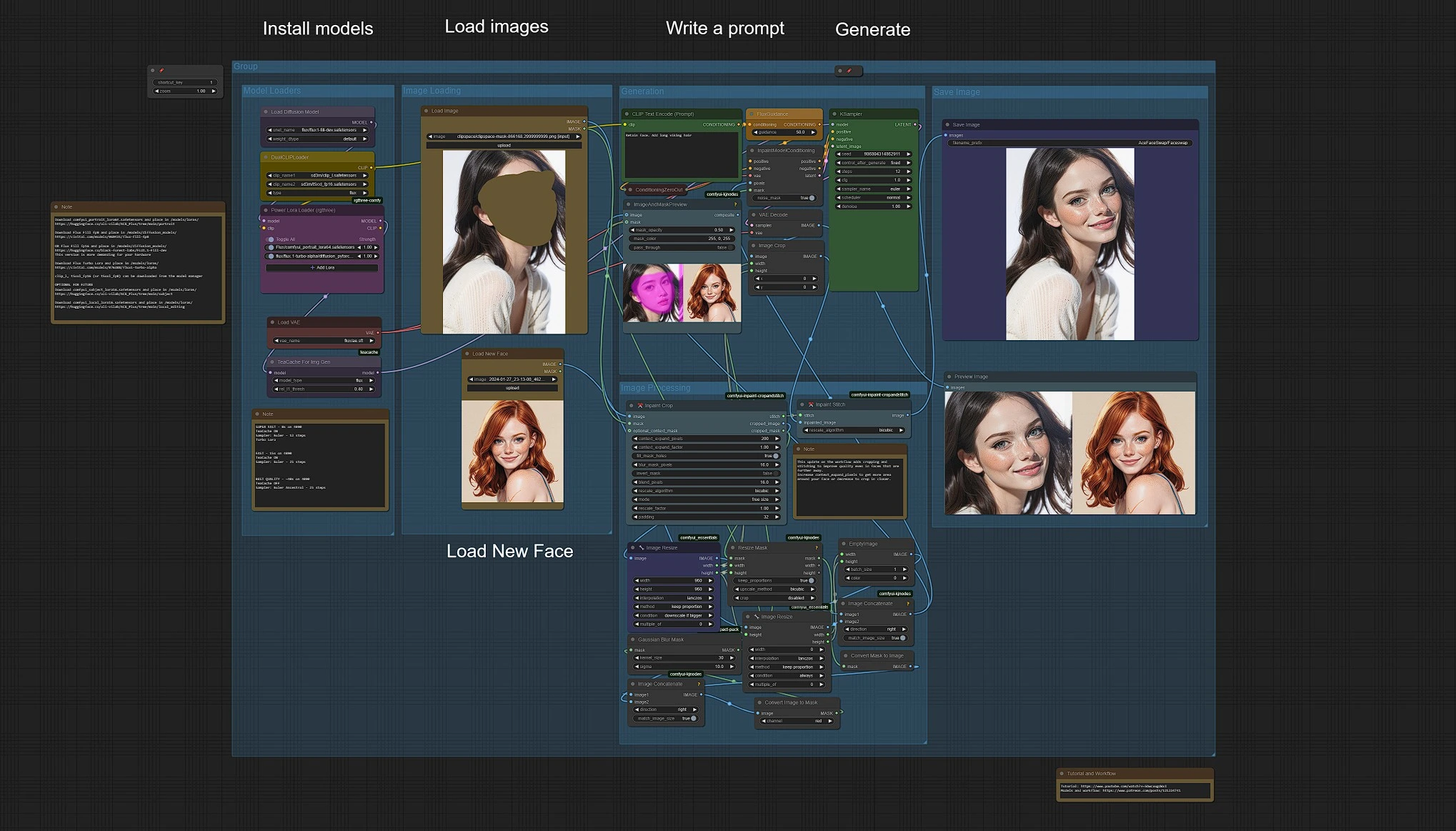
- Upload your Face Swapping and Character images in the Load Image Group.
- Enter prompts to customize your output.
- Click Queue Prompt to generate.
Your generation results will be saved in Output > AceFaceSwap folder.
Image Uploading#
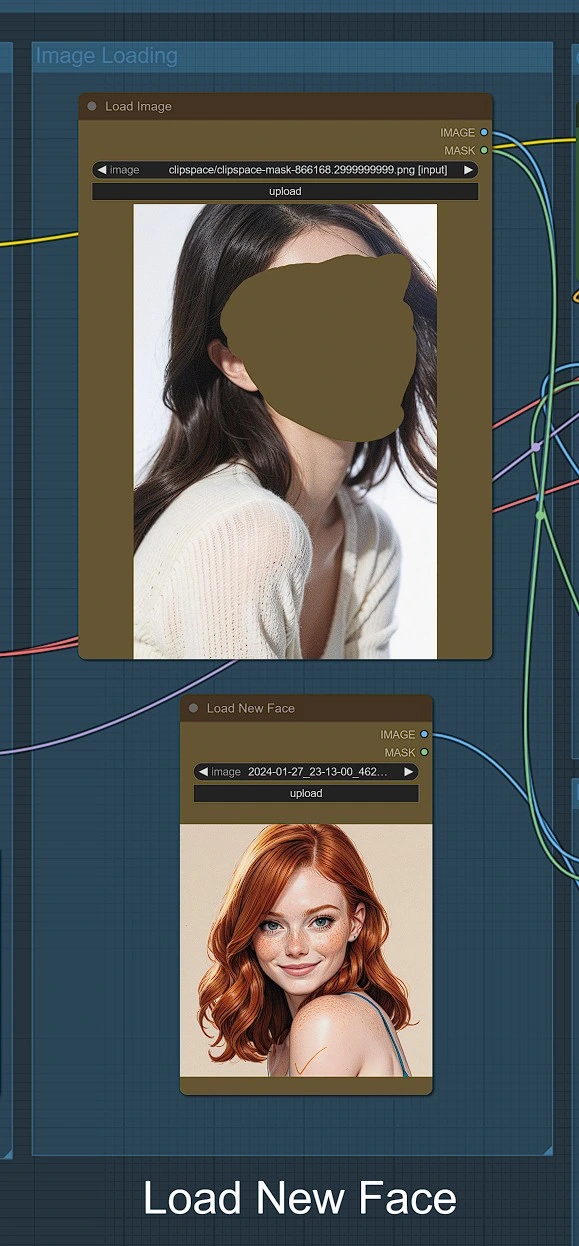
- Upload the image where you want to swap a new face. <p align="center"> <img src="https://cdn.runcomfy.net/workflow_assets/1195/readme03.webp" alt="ACE++ Face Swap" width="450"/> </p>
- Right-click on the image, select Open in Mask Editor, draw a mask around the face and the area to be edited, then save the mask.
- In the second Load Image node, upload the face you want to use as the replacement.
Image Generation#
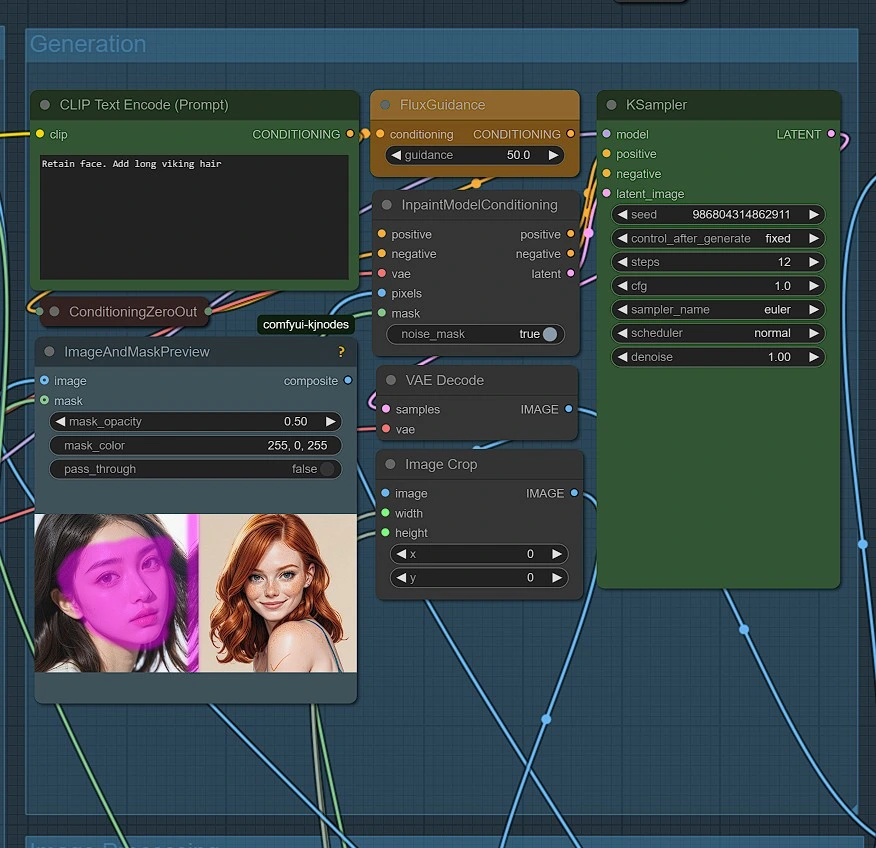
- Write your prompt
- Flux guidance should be set high, with the default set to 50
- Use Euler with 10-12 steps and CFG set to 1
- Feel free to experiment with settings to find improvements
- While you can force other styles using prompts or Loras, this may degrade image quality
Image Processing#
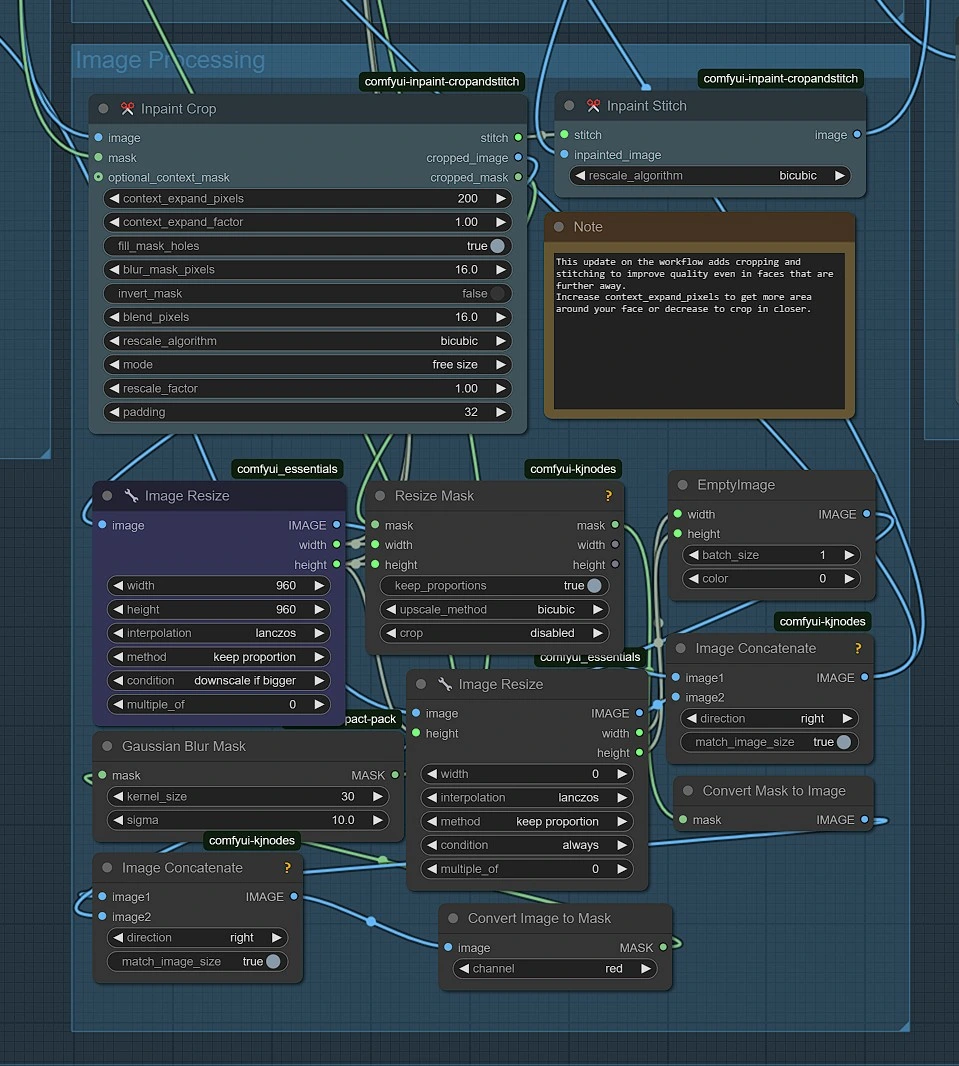
A Crop and Stitch Group to restore your face image onto the original image.
Models in ACE++ Face Swap#
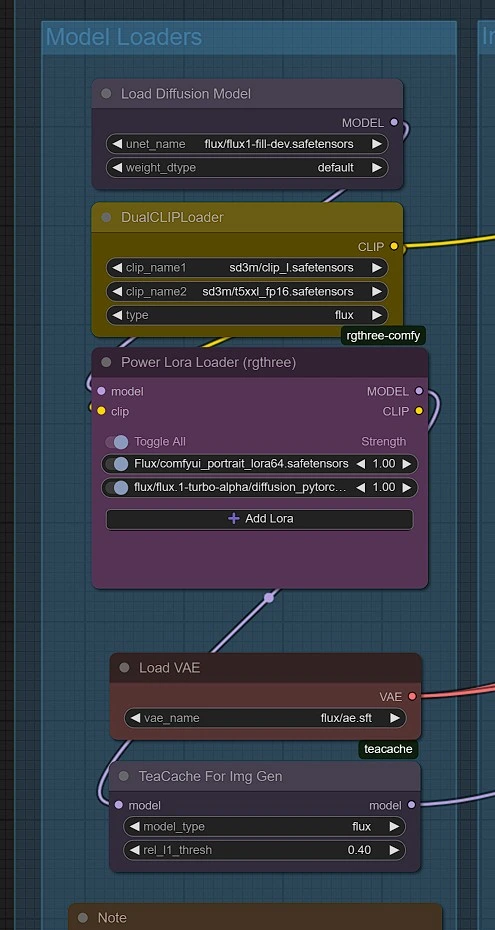
Models will download automatically when running ACE++ Face Swap Workflow for the first time. Please wait 2-3 minutes for setup on your RunComfy machine.
- Portrait LoRA Model
- Download: comfyui_portrait_lora64.safetensors
- Place in:
/models/loras/
- Flux Fill FP8 Model
- Download: Flux Fill FP8
- Place in:
/models/diffusion_models/
- Flux Turbo LoRA
- Download: Flux Turbo Alpha
- Place in:
/models/loras/
Saving Results#
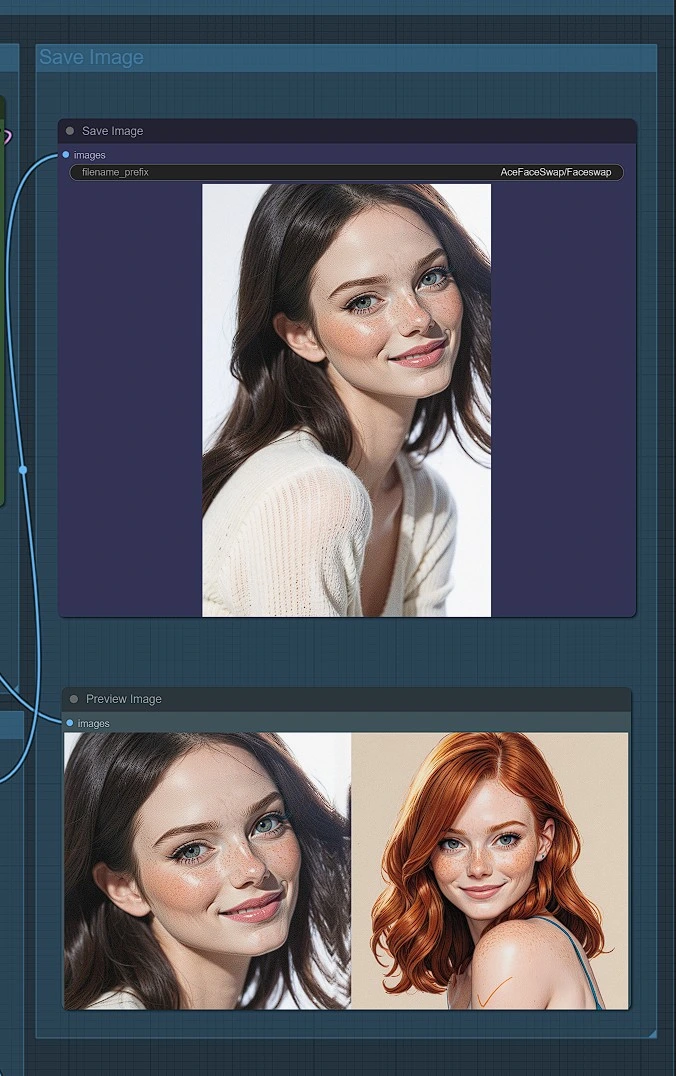
- Rendered images will be saved in:
ComfyUI > Output > AceFaceSwap
Why ACE++ Face Swap?#
With ACE++ Face Swap, you can seamlessly swap faces in images with precision and ease. Whether you're editing portraits, enhancing AI art, or experimenting with creative transformations, ACE++ Face Swap enables high-quality results without complex editing.
Try ACE++ Face Swap today and bring your creative face-swapping ideas to life effortlessly! 🚀