
ACE++ Character Consistency Workflow#
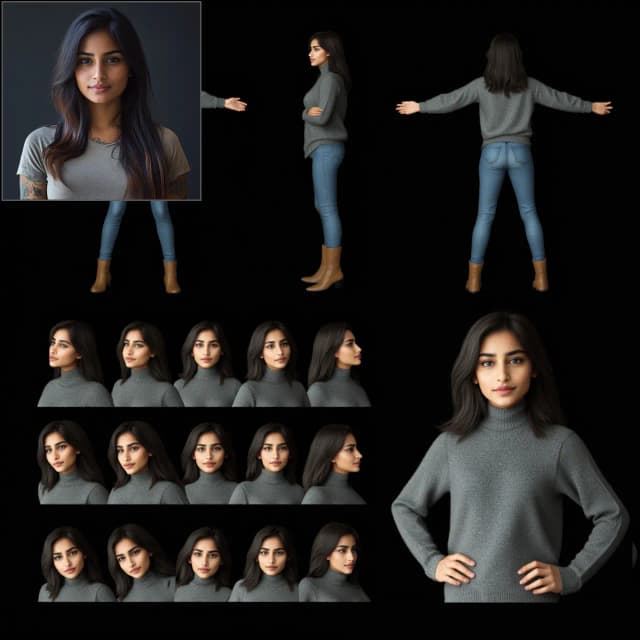
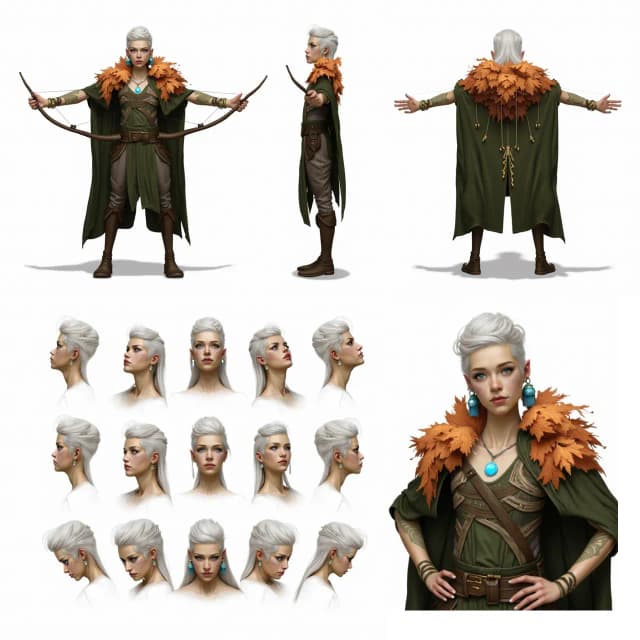
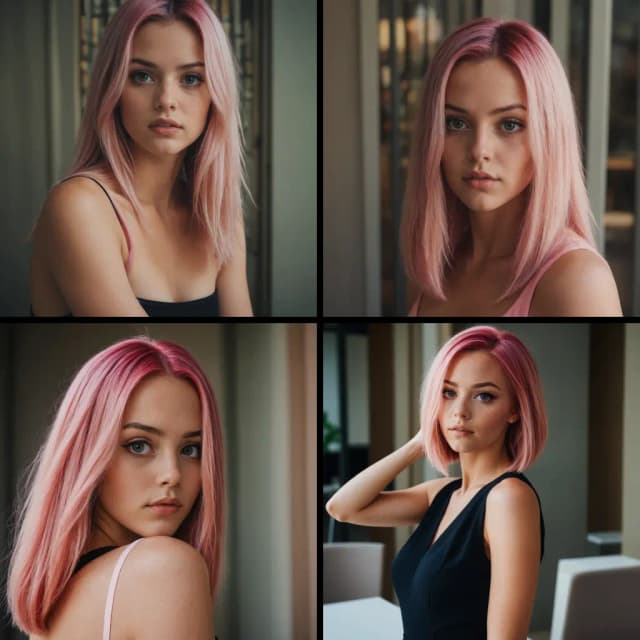
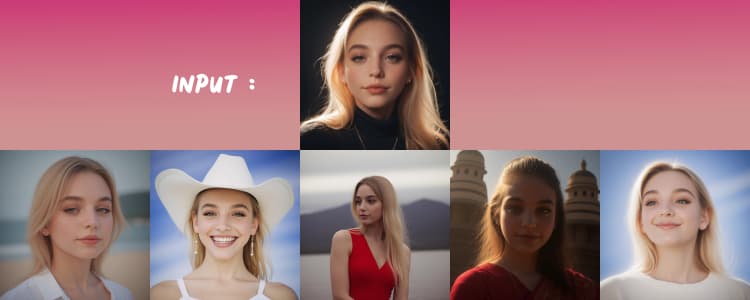
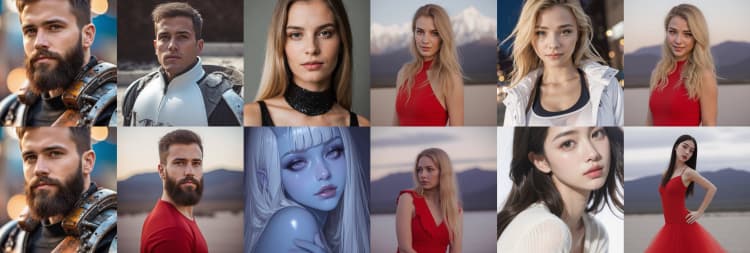
The ACE++ Character Consistency workflow is a powerful tool that enables you to generate consistent characters from a single reference image—no training required. Using ACE++, you can maintain a uniform appearance across multiple angles and poses, making it ideal for animations, comics, illustrated stories, and AI-driven content. This workflow seamlessly integrates with Flux Fill to enhance consistency, ensuring that your character retains the original style throughout different renderings.
Why Choose ACE++?#
- No Training Required: Generate consistent character images instantly.
- Highly Reliable Character Retention: Works with multiple angles and poses while keeping character features intact.
- Perfect for Creative Applications: Ideal for AI-generated animations, comics, and digital storytelling.
- Customizable Output: Fine-tune style with prompts or Loras, though optimal results align with the original image style.
Originally developed by Sebastian Kamph, ACE++ Character Consistency leverages instruction-based image creation and editing via context-aware content filling. While this workflow is easily accessible, full credit goes to Sebastian Kamph for his innovative approach. Learn more through his tutorial to master ACE++!
For further details, visit: ACE++ Official Page
How to Use ACE++ Character Consistency Workflow?#
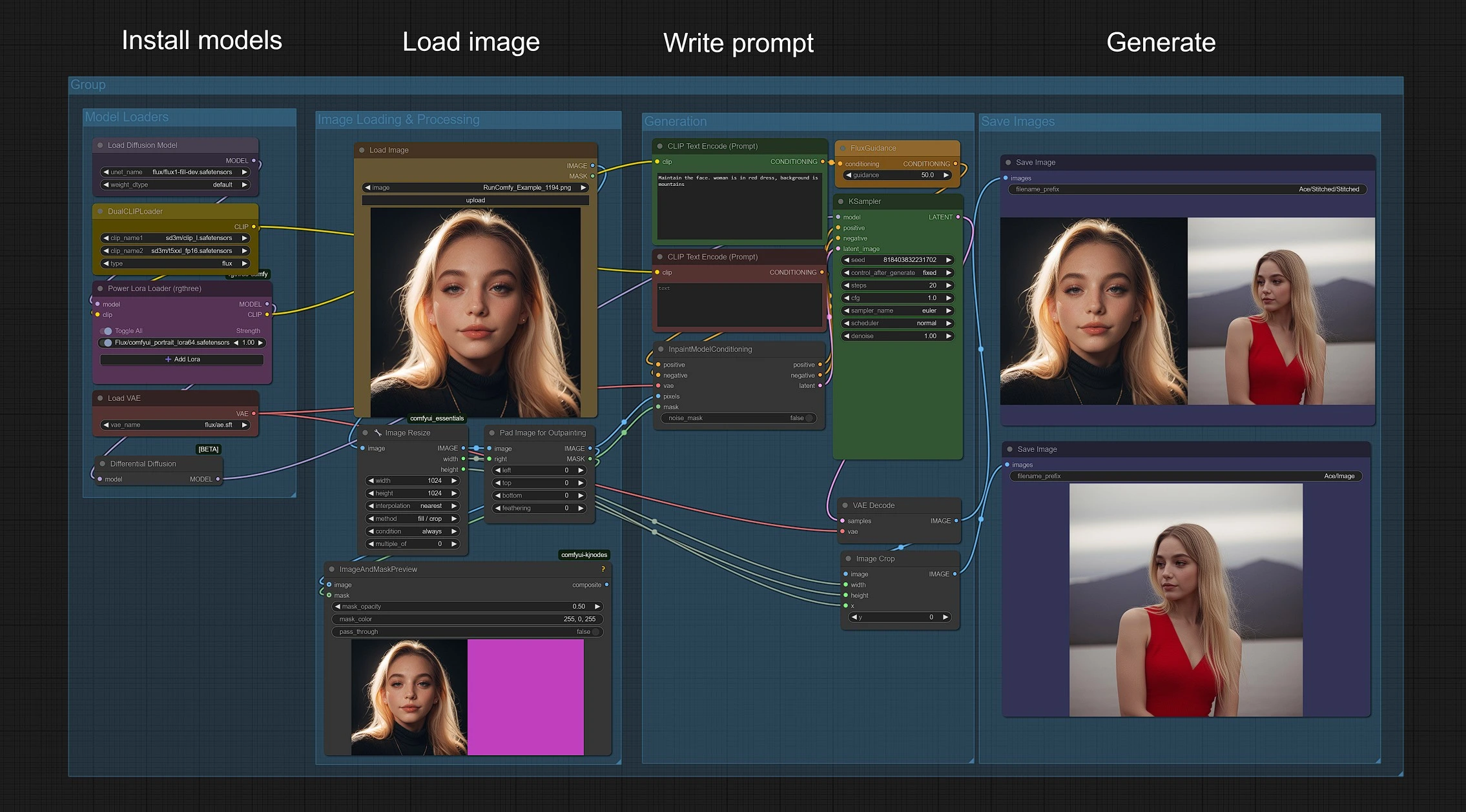
Steps to Generate Consistent Character Images with ACE++:#
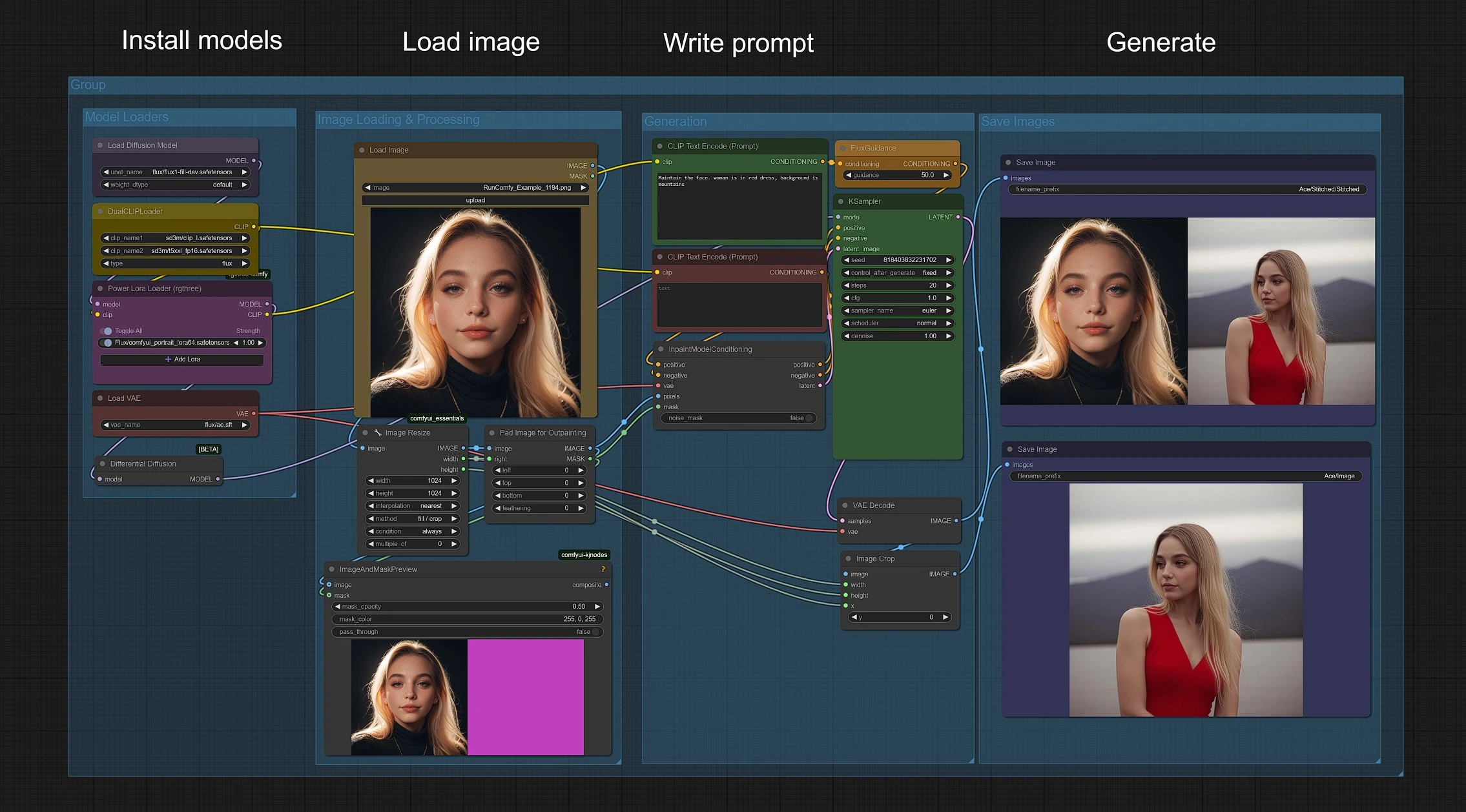
- Upload Your Character Image in Load Image Group.
- Enter Your Prompts to customize the output.
- Click Queue Prompt to render the image.
Your generated character images will be saved in the Outputs > ACE folder.
Image Loading and Processing#
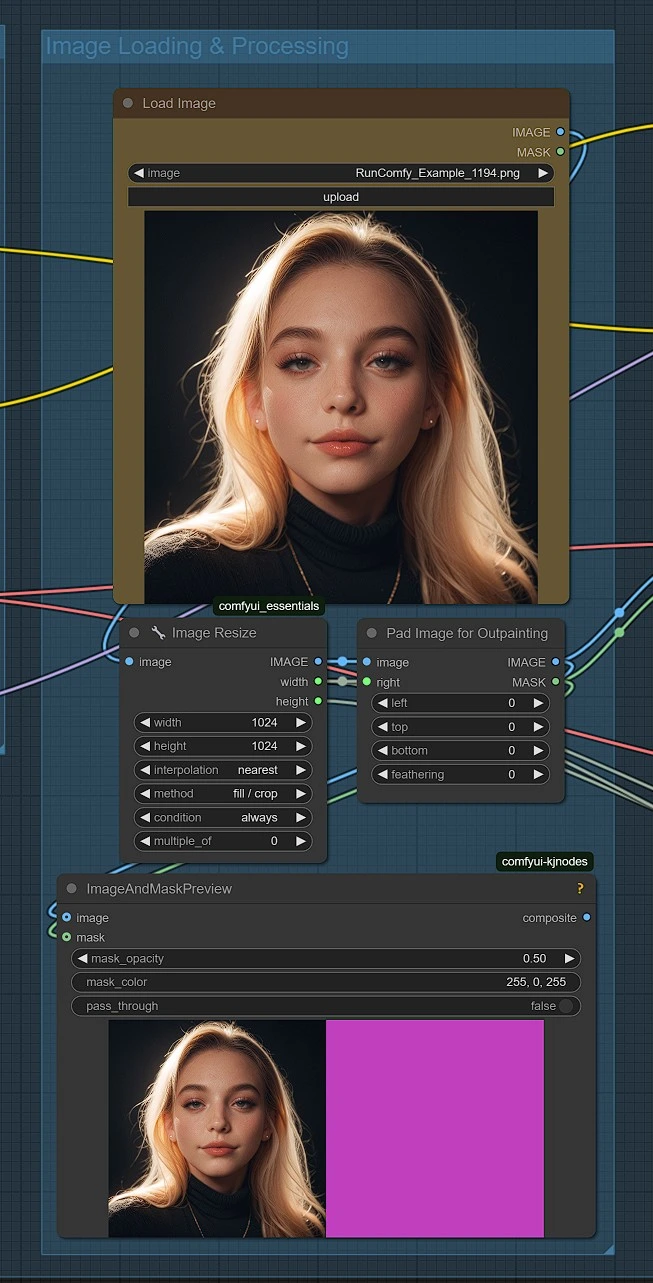
- Upload a face image, which will be automatically resized to 1024x1024.
- While other sizes are possible, 1024x1024 ensures optimal results.
- This resolution maintains image manageability and ensures proper padding alignment.
- Fully compatible with Flux generation size standards for the best performance.
Image Generation with ACE++#
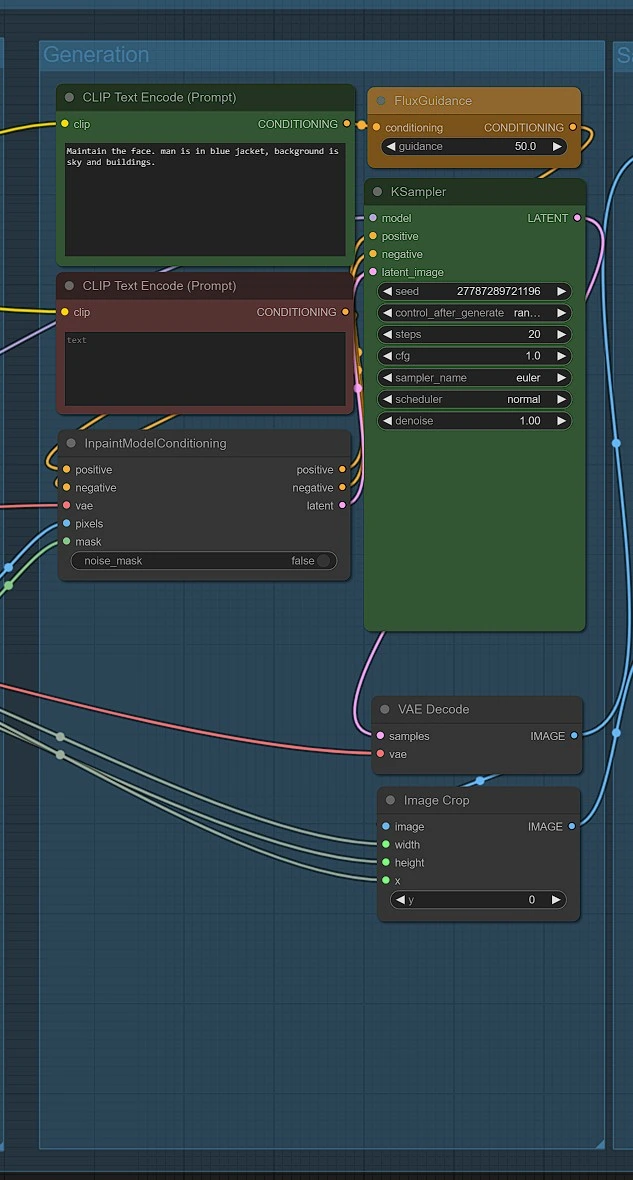
- Write a descriptive prompt and generate your image.
- Flux guidance should be set high, with a default value of 50.
- Use Euler with 20 steps and CFG set to 1.
- Experiment with settings to find the best results.
- The uploaded image dictates the output style.
- Using additional prompts or Loras can modify the style, but may affect image quality.
Saving Images#
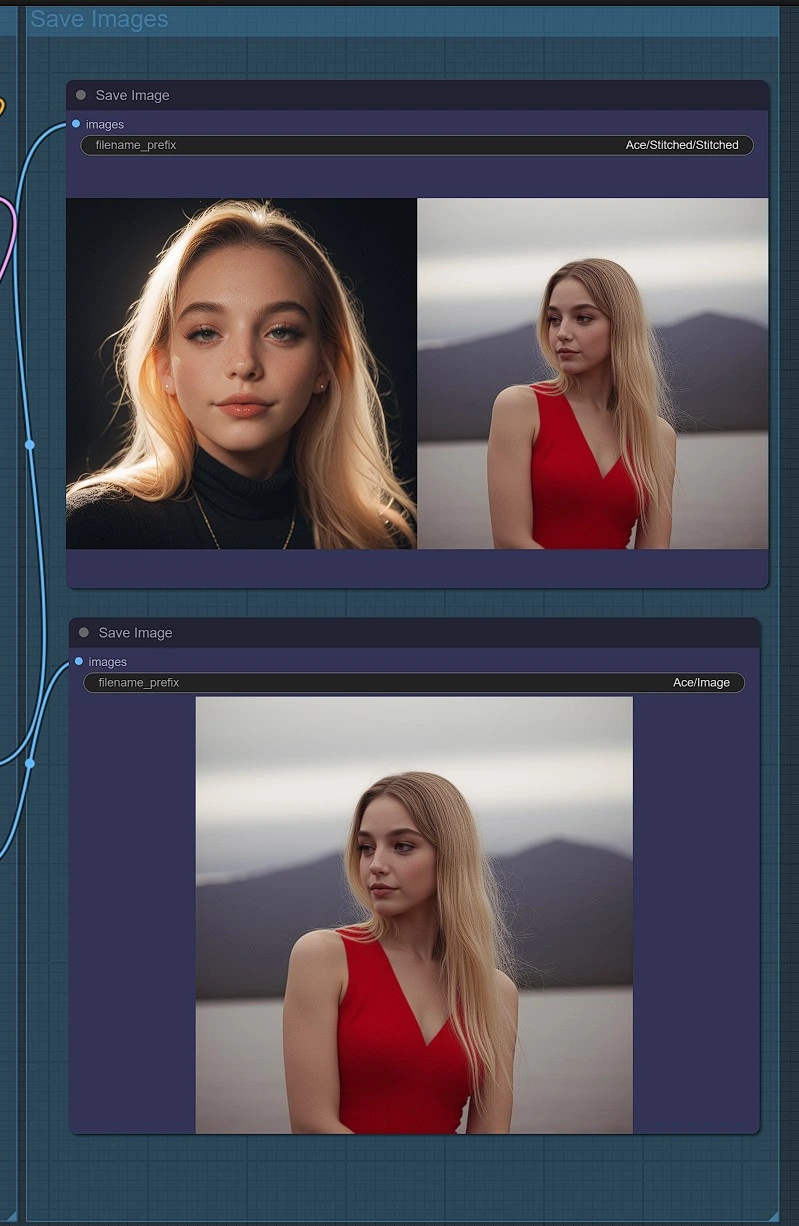
Your generated images will be saved in ComfyUI > Outputs folder.
ACE++ Models and Setup#
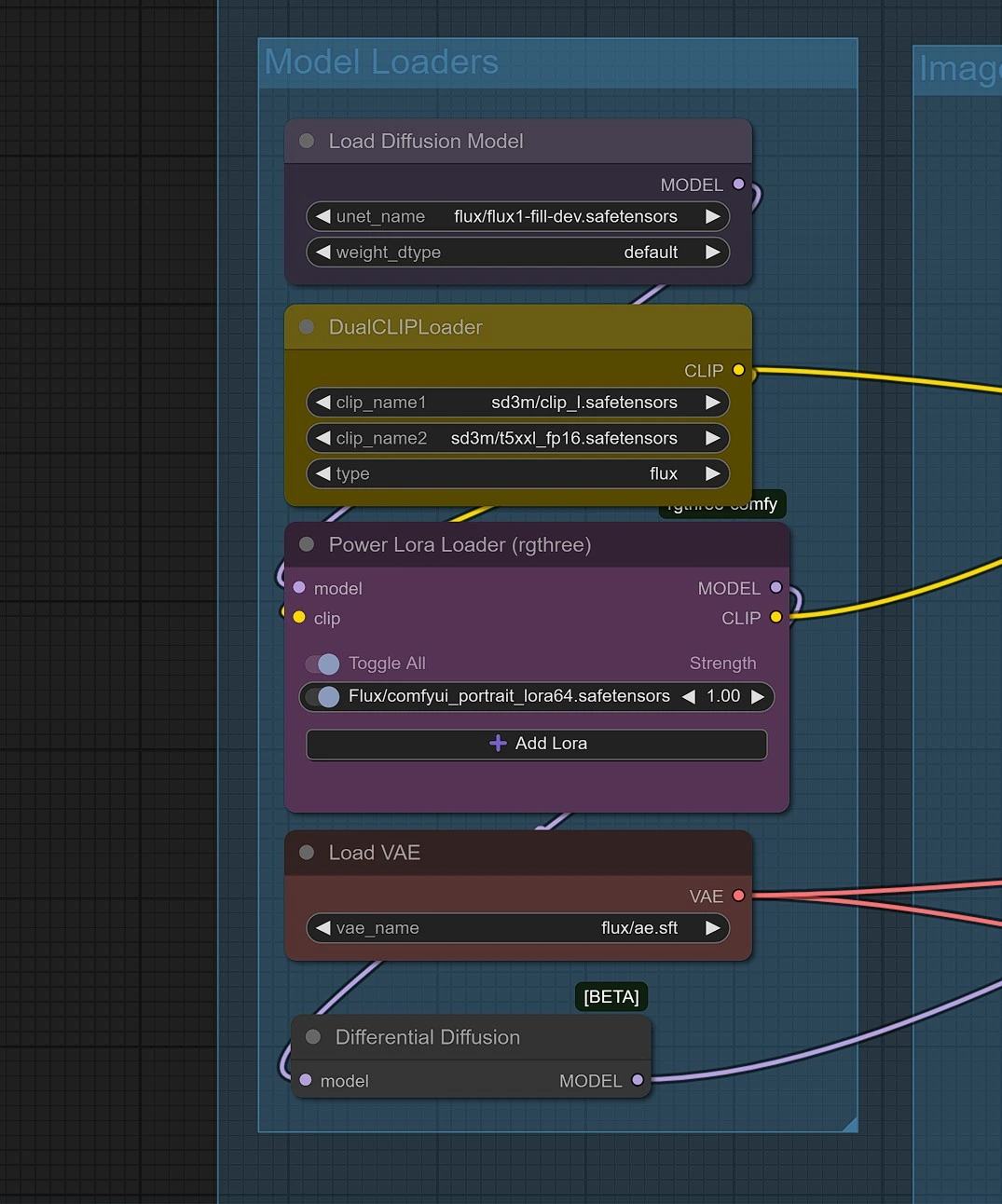
When running ACE++ Character Consistency for the first time, necessary models will be downloaded automatically. Please allow 2-3 minutes for the setup on your RunComfy machine.
Required Model Downloads:#
- Portrait Lora Model
- Download: comfyui_portrait_lora64.safetensors
- Place in:
/models/loras/
- Flux Fill FP8 Model
- Download: Flux Fill FP8
- Place in:
/models/diffusion_models/
Conclusion#
With ACE++ Character Consistency, you can effortlessly generate high-quality, consistent characters for animations, illustrations, and AI-powered content creation. This workflow eliminates the need for training, streamlining character generation with precision and ease.
Unlock the full potential of ACE++ and bring your characters to life with unmatched consistency!