

LongCat Avatar in ComfyUI: single image to talking avatar video#
LongCat Avatar in ComfyUI turns a single reference image into an identity‑stable, audio‑driven avatar video. Built on kijai’s WanVideo wrapper, it focuses on facial coherence, smooth motion continuity, and natural lip sync without any per‑character fine‑tuning. You provide one character image and an audio track; the workflow renders a temporally consistent performance, suitable for talking‑head clips, stylized character performances, and quick avatar motion tests.
Creators who want fast iteration will find LongCat Avatar in ComfyUI pragmatic and reliable. The workflow uses LongCat’s identity‑preserving model and a windowed generation scheme to extend sequences while keeping expressions stable. Outputs are assembled to video with the source audio for straightforward review or publishing.
Note: On 2XL or higher machines, please set the attention backend to "sdpa" in the WanVideo Model Loader node. The default segeattn backend may cause compatibility issues on high-end GPUs.
Key models in Comfyui LongCat Avatar in ComfyUI workflow#
- LongCat‑Avatar model for WanVideo. Identity‑focused image‑to‑video generation adapted for ComfyUI, providing strong character preservation across frames. See the WanVideo Comfy releases by kijai on Hugging Face for checkpoints and notes. Hugging Face: Kijai/WanVideo_comfy
- LongCat distill LoRA. A distilled LoRA that reinforces facial structure and identity features during sampling, improving stability under motion. Available with WanVideo Comfy assets. Hugging Face: Kijai/WanVideo_comfy
- Wan 2.1 VAE. Video VAE used to encode the reference frame(s) into latents and decode generated samples back to images. Hugging Face: Kijai/WanVideo_comfy
- UM‑T5 text encoder. Used by WanVideo to interpret text prompts that steer scene description and style while keeping identity intact. Hugging Face: google/umt5‑xxl
- Wav2Vec 2.0 speech representations. Supplies robust speech features that drive lip and jaw motion via MultiTalk embeddings. Background paper: wav2vec 2.0. arXiv and a compatible model variant: Hugging Face: TencentGameMate/chinese‑wav2vec2‑base
- MelBandRoFormer vocal separator. Optional vocal‑music separation so the lipsync module receives a cleaner speech signal. Hugging Face: Kijai/MelBandRoFormer_comfy
How to use Comfyui LongCat Avatar in ComfyUI workflow#
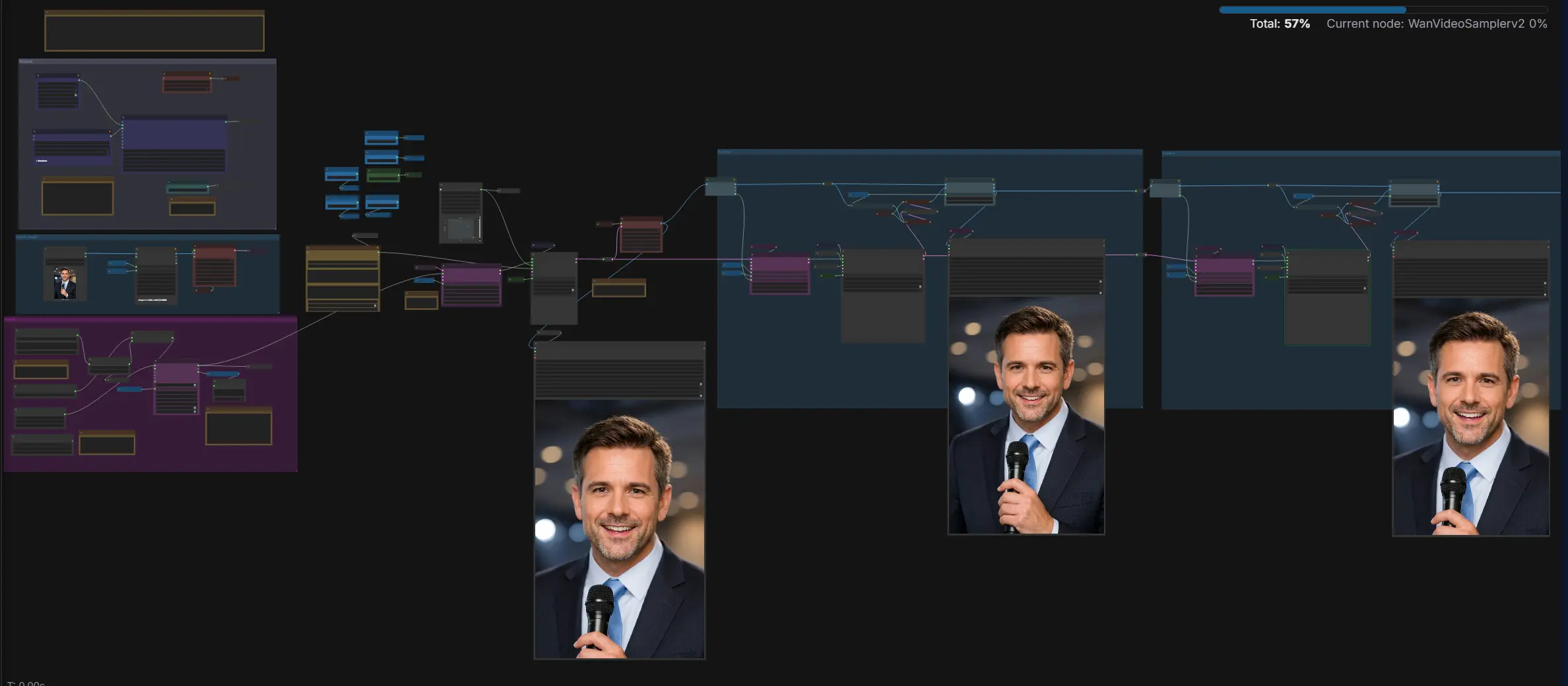
The workflow has three main phases: models and settings, audio to motion cues, and reference image to video with windowed extension. It renders at a fixed rate designed for audio‑driven motion, then stitches windows to a seamless clip.
- Models
- The
WanVideoModelLoader(#122) loads the LongCat‑Avatar checkpoint and the LongCat distill LoRA, whileWanVideoVAELoader(#129) provides the video VAE. TheWanVideoSchedulerv2(#325) prepares the sampler schedule used during diffusion. These components define fidelity, identity retention, and the general look. Once set, they act as the backbone for all subsequent sampling steps.
- The
- Audio
- Load a voice track with
LoadAudio(#125), optionally trim withTrimAudioDuration(#317), and separate vocals withMelBandRoFormerSampler(#302) to reduce background bleed.MultiTalkWav2VecEmbeds(#194) converts the cleaned speech into embeddings that drive mouth motion and subtle head dynamics. The effective frame count is derived from audio duration, so longer audio leads to longer sequences. The audio stream is later multiplexed with images in the video combine stage.
- Load a voice track with
- Input image
- Add your character image with
LoadImage(#284).ImageResizeKJv2(#281) sizes it for the model, andWanVideoEncode(#312) turns it into aref_latentthat anchors identity across all frames. This latent is the fixed reference that the LongCat Avatar in ComfyUI pipeline reuses while injecting time‑varying motion from audio and prompts.
- Add your character image with
- Extend window 1
WanVideoLongCatAvatarExtendEmbeds(#345) fuses theref_latentwith audio embeddings to create image embeddings for the first window.WanVideoSamplerv2(#324) then denoises latents into a short clip.WanVideoDecode(#313) turns these into images for preview and the first video export withVHS_VideoCombine(#320). Window size and overlap are tracked internally so the next window can align without visible seams.
- Extend window 2
- The second extend group repeats the same idea to continue the sequence.
WanVideoLongCatAvatarExtendEmbeds(#346, #461) computes embeddings conditioned on the previous latents, framed by the current overlap.WanVideoSamplerv2(#327, #456) generates the next chunk, which is decoded and merged withImageBatchExtendWithOverlap(#341, #460) to maintain continuity. Additional window steps can be repeated for longer results, and each stage can be exported withVHS_VideoCombine(#386, #453).
- The second extend group repeats the same idea to continue the sequence.
Key nodes in Comfyui LongCat Avatar in ComfyUI workflow#
WanVideoModelLoader(#122)- Loads the LongCat‑Avatar checkpoint and attaches the LongCat distill LoRA, defining identity fidelity and motion behavior. If you run larger instances, switch the attention implementation for better throughput as recommended in the WanVideo wrapper. Repository for reference: github.com/kijai/ComfyUI‑WanVideoWrapper.
MultiTalkWav2VecEmbeds(#194)- Produces audio‑driven embeddings from speech that guide lips, jaw, and subtle head motion. For stronger articulation, increase the speech influence and consider an additional pass for tighter sync when your audio is very clear. Background model info: arXiv: wav2vec 2.0.
WanVideoLongCatAvatarExtendEmbeds(#346)- Core to LongCat Avatar in ComfyUI, this node extends image embeddings over time while staying anchored to the reference latent. Tune the window length and overlap to balance smoothness, runtime, and stability on longer clips.
WanVideoSamplerv2(#327)- Runs the diffusion process using the model, scheduler, text guidance, and image embeddings. Adjust guidance strength to trade off prompt adherence against variation; small changes can have visible effects on identity rigidity and motion.
VHS_VideoCombine(#320)- Muxes rendered frames with the original audio into an mp4 for easy viewing. Use the built‑in trimming option when you want the visuals to end exactly with the audio or to export only the latest window.
Optional extras#
- Ensure the audio duration covers all planned extension windows to avoid running out of speech mid‑sequence.
- For long clips, increase the window size moderately and keep some overlap so transitions remain smooth; too little overlap can introduce pops, too much can slow down rendering.
- The pipeline operates at a fixed frame rate tied to the speech‑driven stride, which keeps lipsync aligned during export.
- If you use a large machine type, set the attention implementation in the model loader to a memory‑efficient option for better speed.
- Do not mix incompatible model formats; keep the main model and any speech components in matching families as provided in the WanVideo Comfy releases. Helpful model hubs: Kijai/WanVideo_comfy and GGUF variants like city96/Wan2.1‑I2V‑14B‑480P‑gguf.
Acknowledgements#
This workflow implements and builds upon the following works and resources. We gratefully acknowledge Kijai for ComfyUI-WanVideoWrapper (LongCatAvatar workflow) and @Benji’s AI Playground the creator of the referenced YouTube video for their contributions and maintenance. For authoritative details, please refer to the original documentation and repositories linked below.
Resources#
- YouTube/Video tutorial
- Docs / Release Notes: Benji’s AI Playground YouTube video
- Kijai/ComfyUI-WanVideoWrapper (LongCatAvatar_testing_wip.json)
- GitHub: kijai/ComfyUI-WanVideoWrapper
- Docs / Release Notes: LongCatAvatar_testing_wip.json (branch longcat_avatar)
Note: Use of the referenced models, datasets, and code is subject to the respective licenses and terms provided by their authors and maintainers.