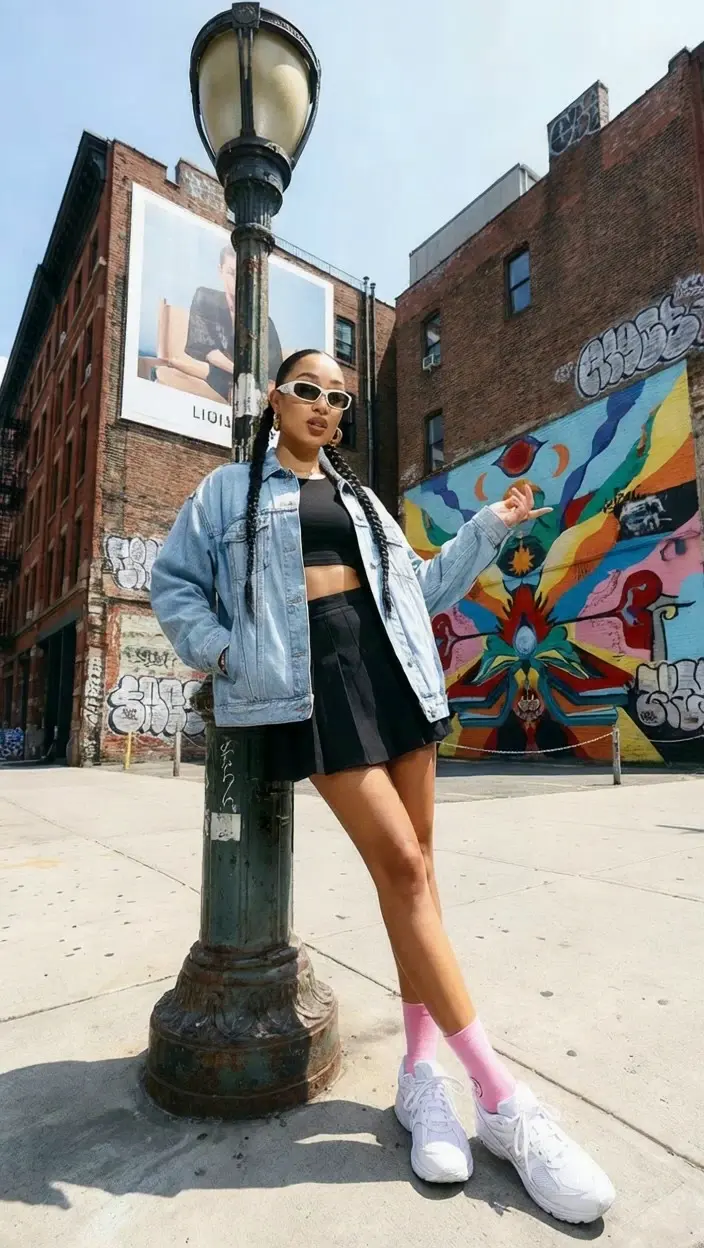
Lucy Edit: Instruction-Guided Video-to-Video Transformation

decart/lucy-edit/fast

Transform videos with text-based prompts for seamless outfit, background, or style changes while preserving motion and identity stability, enabling fast, realistic, and intuitive video editing.

Text description of the desired video content.
URL of the video to edit.
Idle
The rate is $0.04 per second.

Introduction to Lucy Edit Video-to-Video

Lucy Edit video-to-video, developed by Decart AI, is an advanced AI-powered editing model that brings next-level customization and intelligence to video editing workflows. Designed to perform instruction-guided video transformations entirely through natural language prompts, Lucy Edit eliminates the need for manual masking or technical expertise. Its open-weight Dev version empowers creators to experiment freely, while the Pro platform enables professional-quality results through an API. Built on the Wan2.2 5B architecture, Lucy Edit excels at maintaining motion, composition, and identity stability across frames, setting a new standard for seamless video-to-video generation and precise, context-aware edits.
Lucy Edit video-to-video lets you transform your footage with text-based instructions, instantly changing outfits, backgrounds, or styles while keeping character identity and motion intact. Ideal for content creators, VFX artists, and marketers, Lucy Edit delivers fast, realistic, and creatively controlled video outputs that help you produce polished stories without technical barriers.

Examples of Lucy Edit in Action

Video thumbnail
Loading...
Video thumbnail
Loading...
Video thumbnail
Loading...
Video thumbnail
Loading...
Video thumbnail
Loading...
Video thumbnail
Loading...

What makes Lucy Edit stand out

Lucy Edit is a high-fidelity video-to-video editor optimized for fast, text-driven transformations that preserve subject identity, motion continuity, and scene geometry. By targeting edits rather than regenerating every frame, Lucy Edit maintains stable structure, believable lighting, and consistent materials across time. It interprets concise prompts to restyle outfits, replace backgrounds, or apply aesthetic grades while keeping camera movement and pose intact. Built for production reliability, Lucy Edit delivers realistic results with minimal flicker and strong adherence to requested scope. With lightweight inputs and predictable behavior, Lucy Edit adapts cleanly to diverse footage and editorial pipelines.

Key capabilities:

  • Temporal stability: Lucy Edit keeps identity and textures consistent across frames.
  • Structure preservation: maintains pose, layout, depth, and material response.
  • Background control: replaces or cleans plates while respecting occlusion and parallax.
  • Wardrobe restyling: Lucy Edit swaps outfits while retaining body silhouette and motion.
  • Scoped changes: honors constraints like background only or keep face unchanged.

Prompting guide for Lucy Edit

Provide a video_url for the source clip and a prompt that states the exact change. Lucy Edit responds best to concrete, scoped instructions that name what to edit and what to preserve. To avoid drift, tell Lucy Edit to keep identity, camera motion, and composition intact. For broad looks, ask for a global grade or background swap; for precise fixes, narrow the area. Lucy Edit iterates quickly, so refine in short passes and review results. When in doubt, guide Lucy Edit with spatial terms and priorities.

Examples:

  • Background-only swap: "replace office background with a sunny beach, keep subject and motion" - Lucy Edit changes only the environment.
  • Wardrobe restyle: "turn the jacket into red leather, preserve pose" - Lucy Edit retains identity.
  • Localized cleanup: "remove floor cables, do not alter shadows or reflections" - respects lighting and depth.
  • Global grade: "apply cinematic teal-orange, keep skin tones natural."

Pro tips:

  • State constraints clearly: keep subject, keep pose, change background.
  • Use precise spatial terms: left, right, background only, face only.
  • Limit adjectives; favor 2-3 strong descriptors for style.
  • Supply clean, steady footage and crop irrelevant regions.
  • Iterate with short updates; check temporal continuity.

Related Playgrounds

Frequently Asked Questions

What is Lucy Edit video-to-video and how does it work?

Lucy Edit video-to-video is an AI-powered tool that lets users transform existing videos with simple text instructions. It maintains motion, composition, and identity consistency while applying edits like changing clothing, replacing backgrounds, or adding objects.

Who can benefit most from using Lucy Edit video-to-video?

Lucy Edit video-to-video is ideal for content creators, social media influencers, VFX artists, marketers, and anyone who needs to quickly modify or stylize videos while keeping the original motion and identity intact.

How much does Lucy Edit video-to-video cost to use?

Lucy Edit video-to-video offers both free trial credits and paid access via the Runcomfy AI playground. Users begin with complimentary credits and then can purchase more depending on how many generations they need to produce.

What makes Lucy Edit video-to-video different from other AI video editors?

Unlike many traditional editing tools, Lucy Edit video-to-video doesn’t need manual masking or rotoscoping. It uses natural language prompts to interpret desired changes and preserves temporal consistency across frames for realistic results.

How can I access the Lucy Edit video-to-video tool?

You can use Lucy Edit video-to-video on Runcomfy’s AI playground through any web or mobile browser. After logging in and activating your credits, simply upload your video and type an edit instruction to generate results.

What kinds of edits can I make with Lucy Edit video-to-video?

With Lucy Edit video-to-video, you can modify clothing, scenes, character appearances, backgrounds, and even artistic styles. Its text prompt system makes it easy to perform complex changes without advanced technical skill.

Does Lucy Edit video-to-video support long videos or is it limited to short clips?

Lucy Edit video-to-video currently works best with short to medium-length clips, supporting up to around 81 frames per generation for optimal motion and identity consistency.

Is Lucy Edit video-to-video available as open source?

Yes, Lucy Edit video-to-video includes a freely accessible Dev version with open weights, ideal for developers and researchers, along with a Pro version for commercial-grade results and API integrations.

What are the system requirements for running Lucy Edit video-to-video?

Lucy Edit video-to-video runs directly in your browser via Runcomfy’s site, so you don’t need to install software. It’s optimized for modern web browsers and mobile compatibility, though faster devices yield smoother performance.

Are there any limitations to using Lucy Edit video-to-video right now?

Lucy Edit video-to-video is powerful, but it may not yet handle very long clips or highly complex visual transitions perfectly. However, regular updates and user feedback are helping improve its output quality.

RunComfy
Copyright 2025 RunComfy. All Rights Reserved.

RunComfy is the premier ComfyUI platform, offering ComfyUI online environment and services, along with ComfyUI workflows featuring stunning visuals. RunComfy also provides AI Models, enabling artists to harness the latest AI tools to create incredible art.