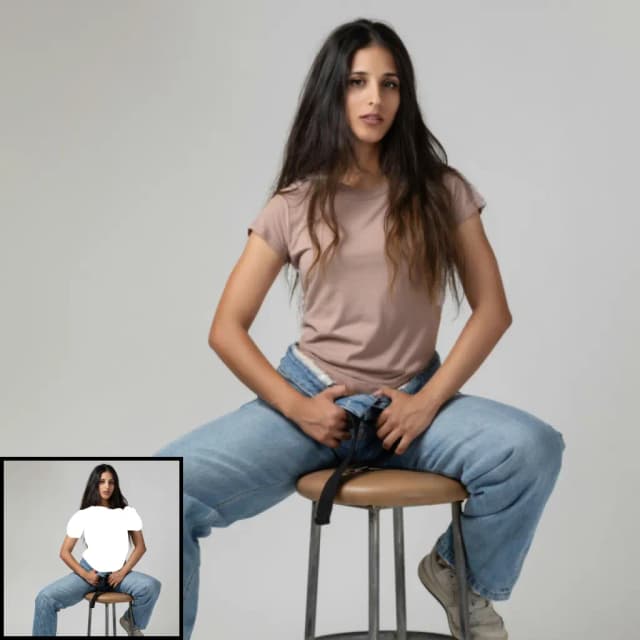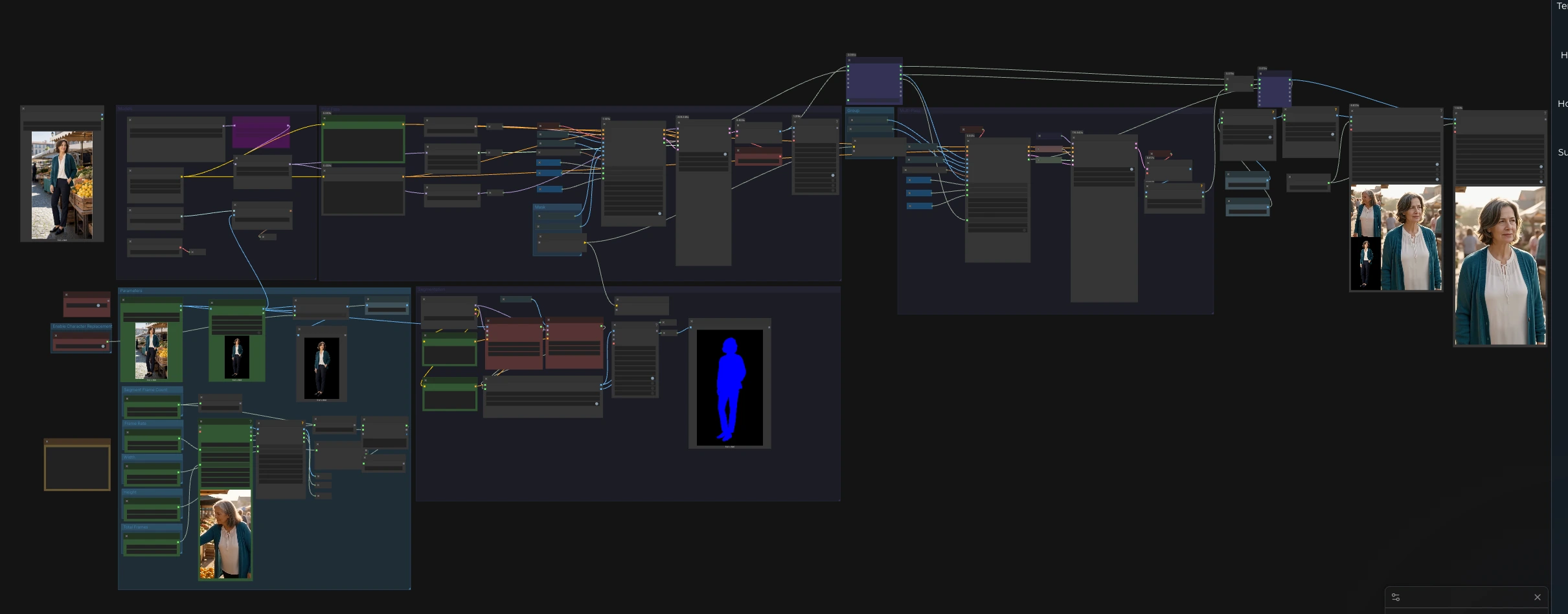
SCAIL-2 character motion transfer: reference image to long video workflow#
This ComfyUI pipeline turns a single reference image into a long, identity-faithful character performance by borrowing motion from a driving video. Built on the SCAIL-2 Wan 2.1 14B path with CLIP Vision conditioning, SAM-based person masking, and LightX2V acceleration, it is optimized for stability over long sequences and easy side-by-side inspection. It is a practical SCAIL-2 character motion transfer reference image to long video workflow for creators who need consistent identity, wardrobe, and style across hundreds of frames.
Use it to generate catalog-style motion tests, reference-image-to-video demonstrations, and Western editorial market example videos. The workflow supports optional relight guidance so the subject can be harmonized to the driving scene while keeping facial and outfit details aligned with your reference image.
Key models in ComfyUI SCAIL-2 character motion transfer reference image to long video workflow#
- SCAIL-2 on Wan 2.1 14B. Core identity-aware video diffusion used for motion transfer. The workflow loads the 14B SCAIL-2 weights packaged for ComfyUI and pairs them with a Wan VAE for reconstruction. See the model collection in Comfy-Org/SCAIL-2 and the method overview in zai-org/SCAIL.
- OpenCLIP ViT-H/14 for CLIP Vision. Extracts robust identity and appearance embeddings from the reference image to condition generation, improving character fidelity across frames. Reference model family: laion/CLIP-ViT-H-14-laion2B-s32B-b79K.
- Segment Anything (SAM) family. Provides person masks and per-frame tracks that localize the subject in both the driving video and the reference image, enabling targeted conditioning. Project reference: facebookresearch/segment-anything.
- LightX2V LoRA and WanAnimate Relight LoRA. Optional adapters the workflow loads to accelerate frame-to-frame inference and offer relight guidance so the transferred character matches the lighting of the driving clip.
How to use ComfyUI SCAIL-2 character motion transfer reference image to long video workflow#
At a high level, you supply one reference image and one driving video. The Segmentation group finds and masks the person in both sources, CLIP Vision encodes the reference identity, a First Pass generates an initial segment, and a Multi-Pass loop rolls that segmenting logic across the full timeline to deliver a long, coherent video. Side-by-side preview panels make it easy to inspect identity and pose alignment.
Models#
This group initializes the backbone models and optional adapters. The UNet loads the SCAIL-2 Wan 2.1 14B checkpoint, and the VAE handles latent decoding for video frames. The workflow also loads CLIP Vision for identity embeddings and two LoRA adapters: LightX2V for speed and WanAnimate Relight for lighting guidance. Text prompts are encoded by the Wan text stack to nudge scene and tone, which is convenient when crafting a Western editorial market example.
Parameters#
Use the Parameters group to set project-wide controls. Resolution is exposed so you can pick a fast baseline or a sharper setting that suits your GPU budget. Frame rate governs how the driving video is sampled and how the output is encoded for playback. Segment length defines how many frames each inference chunk contains, which keeps memory predictable on long timelines. A final frames cap is available to limit processing during look‑development before running the full clip.
Segmentation#
The Segmentation group prepares clean, targeted guidance for motion transfer. VHS_LoadVideo (#33) imports the driving video, and the frames are resized to your chosen resolution so they match the SCAIL-2 path. Two trackers, SAM3_VideoTrack (#85) for the pose video and SAM3_VideoTrack (#91) for the reference, run person detection guided by simple “person” text conditioning to increase recall. SCAIL2ColoredMask (#104) merges the tracks into two consistent masks, one for the pose video and one for the reference image, which the generation nodes consume to keep edits focused on the subject.
First Pass#
The First Pass bootstraps the sequence and establishes identity lock. CLIPVisionEncode (#76) extracts embeddings from the reference image, then WanSCAILToVideo (#114) combines those embeddings with the pose video and the two masks to produce a latent sequence for the first segment. A simple sampler stack SamplerCustom (#19) with BasicScheduler (#18) renders this latent into images, decoded by VAEDecode (#6). This pass also exposes a frame offset that the Multi-Pass stage uses to align subsequent chunks.
Multi-Pass#
The Multi-Pass group scales the run to long videos without losing consistency. A for-loop pair, easy forLoopStart (#233) and easy forLoopEnd (#234), iterates over the entire timeline in fixed-size segments while passing the decoded frames forward as temporal context. WanSCAILToVideo (#115) consumes that context via its previous_frames input, improving continuity of face, hair, and wardrobe across segment boundaries. The sampling stack SamplerCustom (#63) is driven by your chosen sampler and sigma schedule so you can balance speed and adherence, and VAEDecode (#66) returns each chunk as images. The workflow then stitches the ranges together and prepares them for export.
Mask#
The Mask group routes the person masks computed in Segmentation so that both the First Pass and Multi-Pass nodes receive the correct subject regions. Get_pose_video_mask (#122) and Get_reference_image_mask (#120) ensure that style transfer and identity preservation are applied precisely where needed, reducing background drift and protecting scene details outside the subject.
Enable Character Replacement#
This group lets you switch between identity transfer that respects the original background and full foreground replacement. easy imageRemBg (#204) removes the background from the reference image, and ImpactConditionalBranch (#270) toggles whether the cleaned foreground is used downstream. Enable it when you want a strict character swap, which is useful for catalog-like tests or a Western editorial market example where a subject must match a standardized look.
Preview and export#
The workflow offers side-by-side visualization and final renders. ImageConcatMulti (#153) composes a quick panel showing the driving pose frames and the reference image for sanity checks. Another ImageConcatMulti (#72) can display model output next to inputs for shot-by-shot QA. Final videos are written by VHS_VideoCombine (#71) and VHS_VideoCombine (#236), which can include audio from the source if desired so reviews remain faithful to timing.
Key nodes in ComfyUI SCAIL-2 character motion transfer reference image to long video workflow#
WanSCAILToVideo (#114)#
Generates the initial latent segment by fusing pose frames, subject masks, and CLIP Vision identity embeddings from the reference image. Adjust pose_strength to trade off between copying exact motion and allowing subtle style adaptation. Use length to match your segment size so the sampler processes a predictable chunk each pass. If you are strictly replacing the on-screen person, set replacement_mode to favor identity over background styling. Backed by SCAIL-2 on Wan 2.1 14B as packaged in Comfy-Org/SCAIL-2 with method context from zai-org/SCAIL.
WanSCAILToVideo (#115)#
Runs during the loop to cover the remainder of the timeline with improved temporal stability. Provide previous_frames from the prior segment to help the model keep clothing details and facial identity steady across boundaries. video_frame_offset and previous_frame_count keep segments in sync with the driving clip. When relight guidance is enabled via the LoRA, push style matching slightly stronger in this pass to harmonize global lighting.
SAM3_VideoTrack (#85, #91)#
Detects and tracks the person in both the pose video and the reference image. The “person” text conditioning improves robustness when multiple objects are present. If the tracker drifts, raise detection confidence or limit max_objects so the same subject is selected throughout. The tracking concept follows the Segment Anything family, see facebookresearch/segment-anything for background.
CLIPVisionEncode (#76)#
Produces the reference identity embedding that conditions every frame. For head-and-shoulders references, keep crop at a neutral choice so the encoder sees the entire silhouette and outfit. If the subject is small in frame, prepare a tighter reference image instead of over-cropping in-node. This node relies on OpenCLIP ViT-H/14 style vision features as in laion/CLIP-ViT-H-14-laion2B-s32B-b79K.
VHS_LoadVideo (#33)#
Imports and optionally resamples the driving video for consistent timing. Match force_rate to the desired output cadence, then keep it fixed during look‑development to get comparable results across iterations. Use the optional frame cap while testing to speed up turnarounds, then lift it for final renders.
Optional extras#
- For quick iterations choose a portrait-friendly resolution, then step up when approving finals. The workflow is tuned for typical 9:16 settings, with a higher option available when GPU memory allows.
- Write prompts that describe wardrobe, age, and setting in plain language to align with Western editorial market example norms, for instance “a middle-aged person in a blue sweater in a bright kitchen.”
- If the subject’s outfit must be exact, lower artistic prompts and raise mask reliance so the system prioritizes garments and color over background mood.
- Use Character Replacement when you want a strict swap of the on-screen person. Leave it off when you want the model to gently harmonize the character with the scene.
- Avoid heavy occlusions or fast cuts in the driving video. Moderate camera motion and clean, front-facing motion produce the most stable identity transfer.
- When adding relight guidance, start conservatively so skin tones and materials remain natural while still matching scene light direction.
Acknowledgements#
This workflow implements and builds upon the following works and resources. We gratefully acknowledge zai-org and teal024 for SCAIL/SCAIL-2, Comfy-Org for the SCAIL-2 model files and the Wan 2.1 14B FP8 checkpoint, and the RunningHub and RunComfy teams for workflow references and cloud-save workflow for their contributions and maintenance. For authoritative details, please refer to the original documentation and repositories linked below.
Resources#
- RunningHub/Workflow Reference
- Docs / Release Notes: RunningHub workflow reference
- zai-org/SCAIL-2 Project
- GitHub: zai-org/SCAIL
- teal024/SCAIL Project Page
- Docs / Release Notes: SCAIL project page
- zai-org/SCAIL-2
- Hugging Face: zai-org/SCAIL-2
- Comfy-Org/SCAIL-2
- Hugging Face: Comfy-Org/SCAIL-2
- Comfy-Org/SCAIL-2 Wan 2.1 14B FP8 checkpoint
- Hugging Face: wan2.1_14B_SCAIL_2_fp8_scaled.safetensors
- RunComfy/Cloud Save Workflow
- Docs / Release Notes: RunComfy Cloud Save workflow
Note: Use of the referenced models, datasets, and code is subject to the respective licenses and terms provided by their authors and maintainers.