

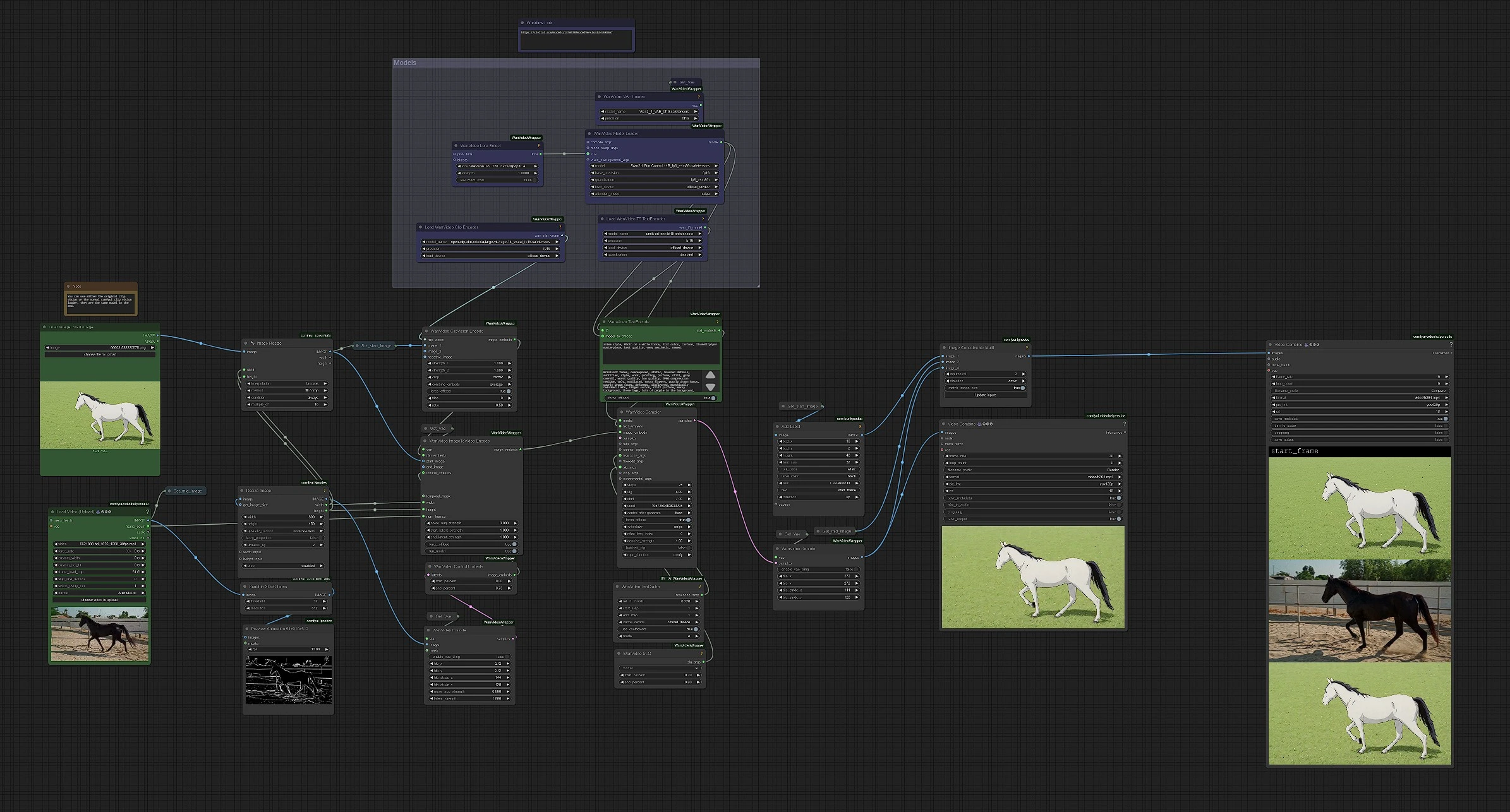
Wan 2.1 Video Restyle: Restyled First Frame for Consistent Stylization#
Wan 2.1 Restyled First Frame enables seamless video-to-video stylization by applying the aesthetic of a stylized first frame to an entire video. Instead of relying solely on text prompts or frame-by-frame editing, this wan 2.1 video restyle workflow ensures that the look and feel of the first frame are consistently maintained throughout the sequence.
Designed specifically for Wan 2.1 models, this method offers an efficient and creative solution for stylizing animations, cinematic clips, or artistic transformations while preserving visual coherence.
How to Use the Wan 2.1 Video Restyle Workflow?#
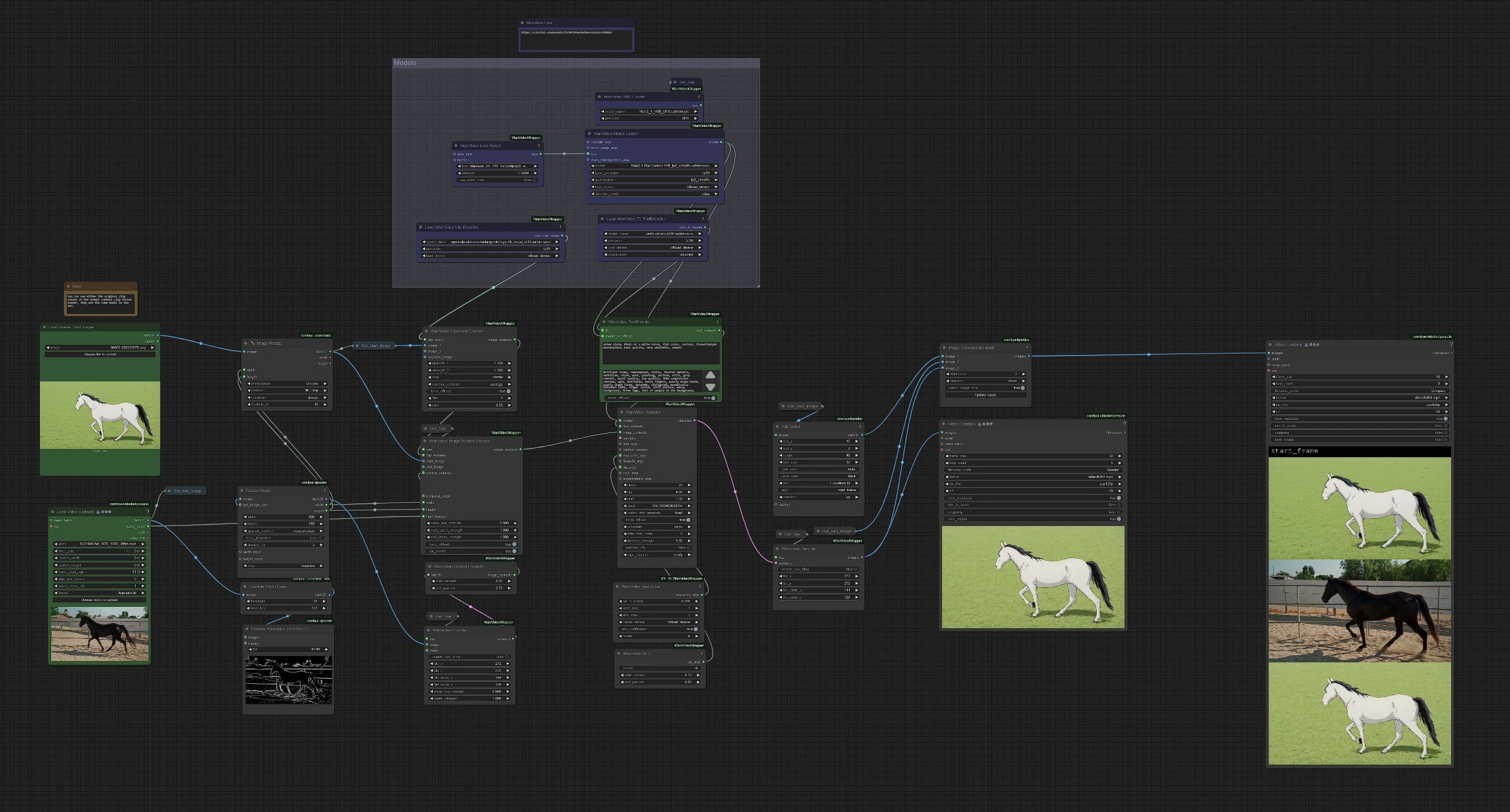
Color-Coded Workflow Overview#
- Green: User Inputs – Stylized First Frame, Video, Positive Prompt
- Purple: Models and LoRA used
Steps:
- Upload your original video and its restyled first frame.
- Enter a positive prompt to guide stylization effects.
- Optionally adjust settings like duration or resolution.
- Final output will be saved automatically in your ComfyUI
Outputsfolder.
1 - Inputs: Video & Stylized First Frame#
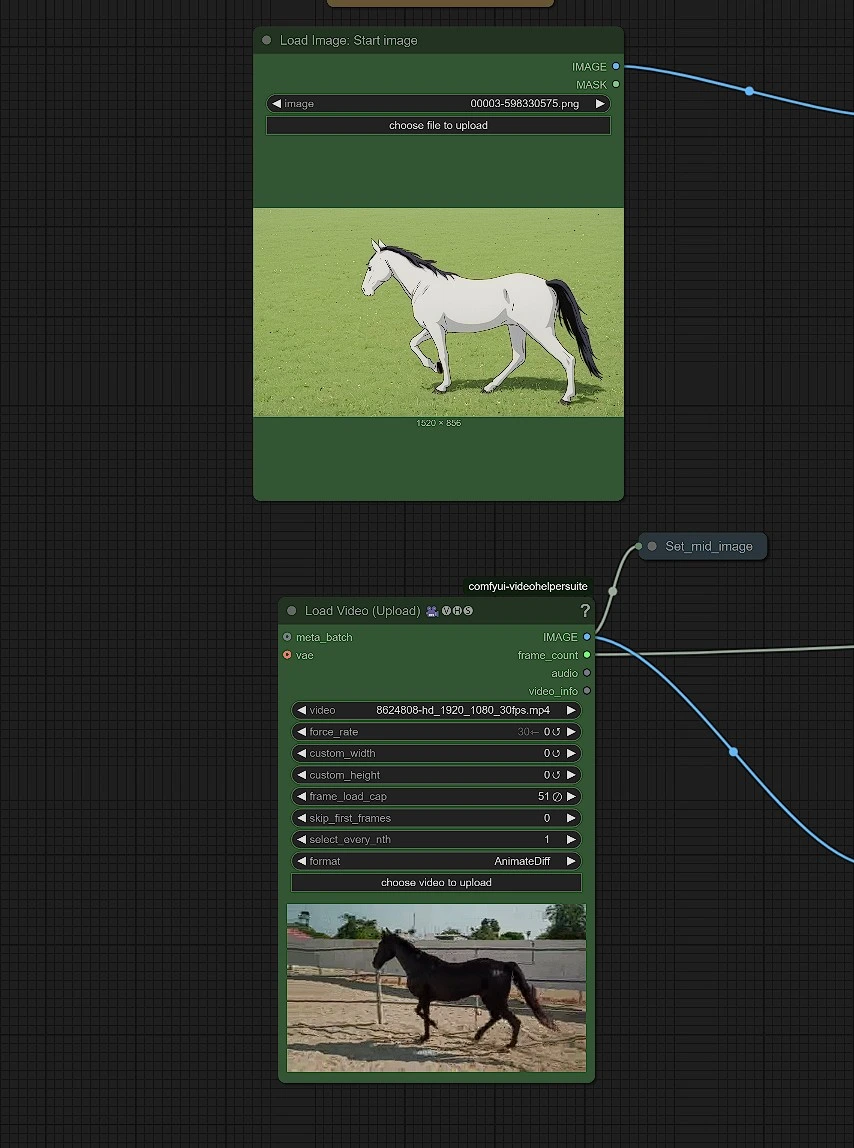
To begin your wan 2.1 video restyle, you need two primary inputs:
- Upload Video: This is your source content. For optimal results, use videos under 1K resolution.
- Restyled First Frame: Capture the first frame and stylize it using tools like Stable Diffusion or ComfyUI. This becomes the reference image for the full video stylization.
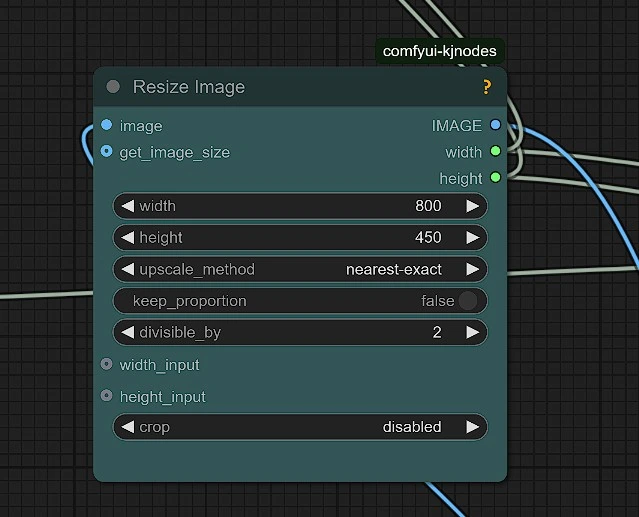
Make sure to resize your video appropriately using a resolution that’s compatible with Wan 2.1.
2 - Input: Positive Prompt#
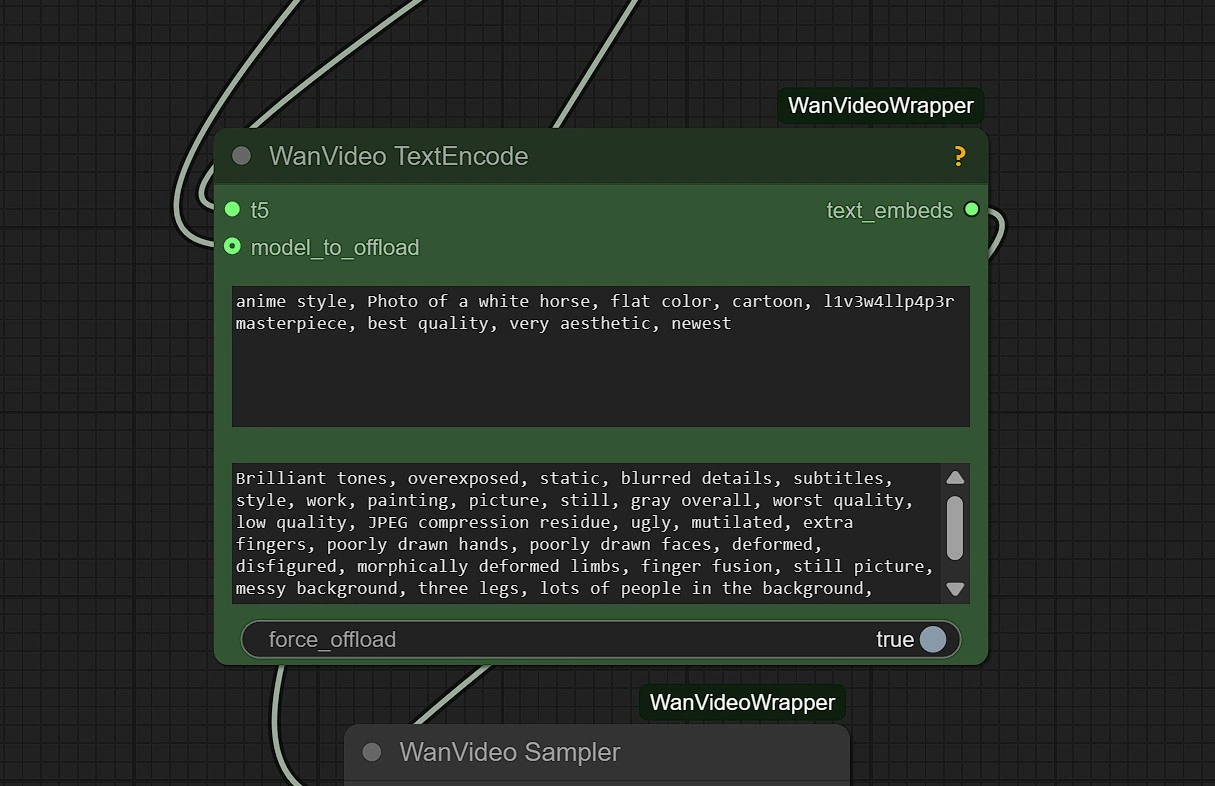
The positive prompt drives the motion, detailing, and depth of your video restyle. Use descriptive and artistic language to enhance your final output.
Required Model Downloads#
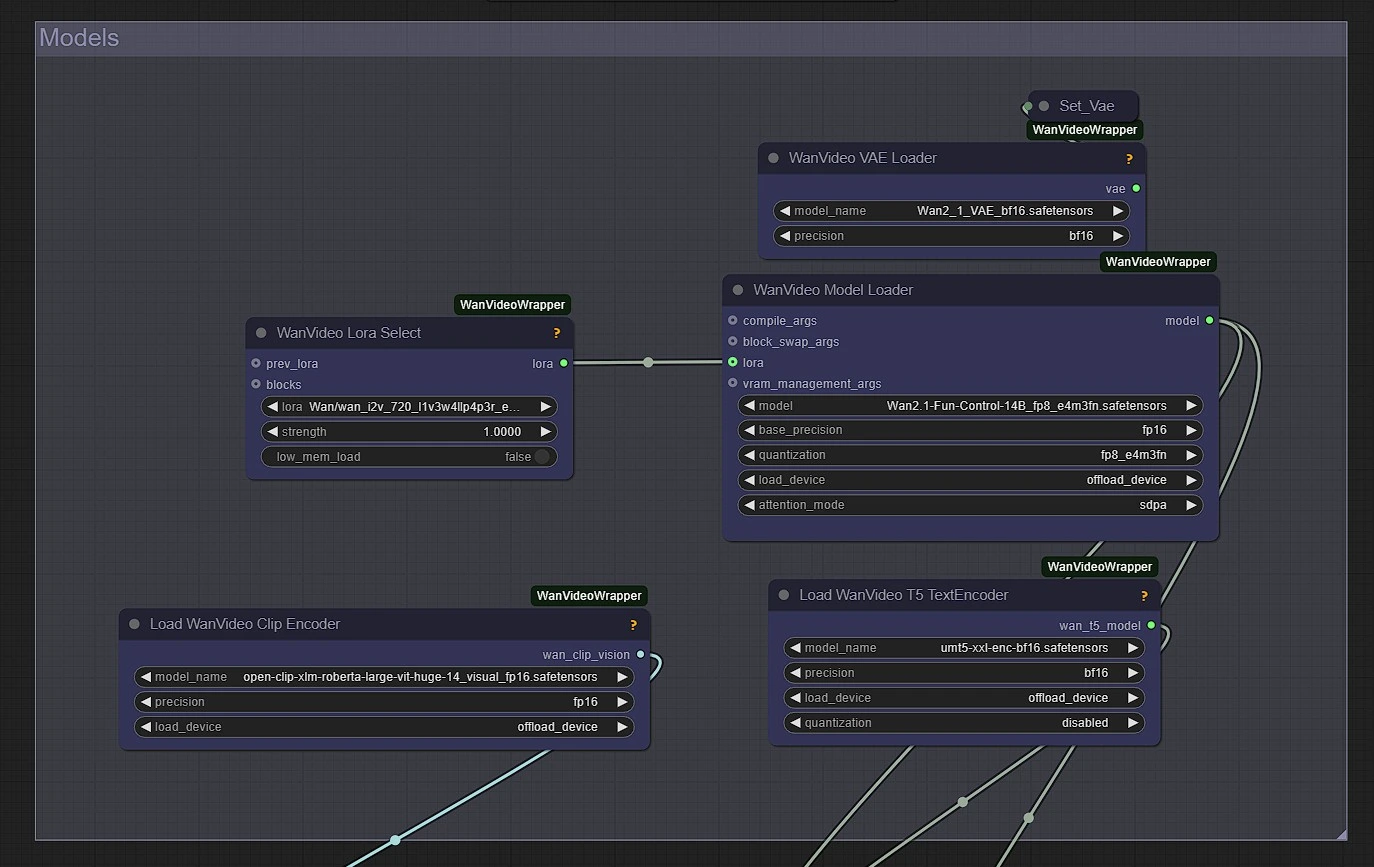
Allow 3–5 minutes for automatic downloads. These are saved temporarily on your machine.
Output Preview#
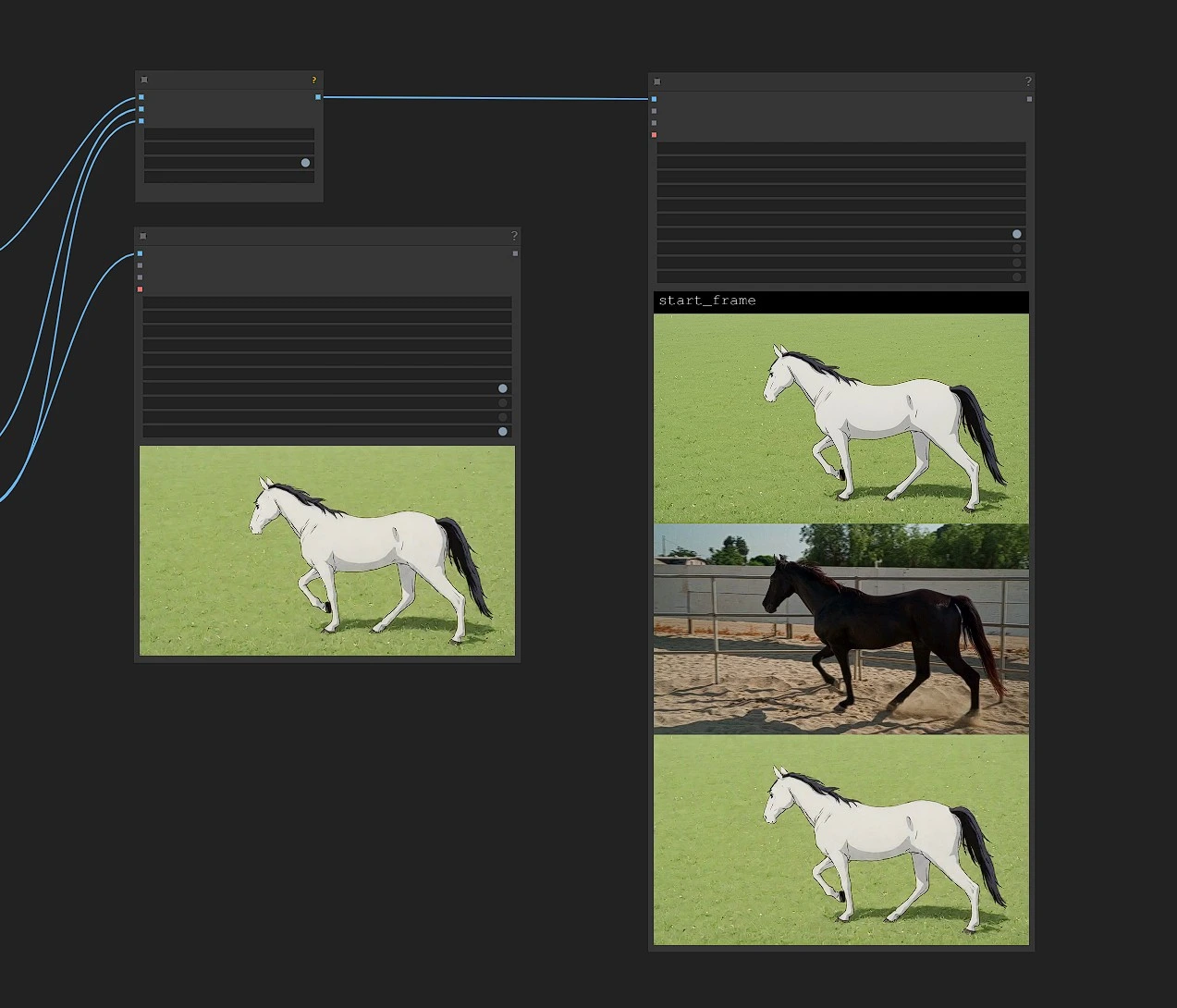
Once rendering is complete, the stylized video and its side-by-side comparison will be saved in the output folder in ComfyUI.
Why Use Wan 2.1 Video Restyle?#
The Wan 2.1 Restyled First Frame workflow provides:
- Consistent visual style throughout the video
- No need for tedious frame-by-frame editing
- Full creative control with minimal setup
- Fast rendering and efficient performance
- Ideal for AI animations, film-grade effects, and stylized storytelling
Whether you're creating narrative films, stylized shorts, or experimental art, this wan 2.1 video restyle approach helps you maintain cohesion from frame one to the final cut.
Acknowledgement#
The Wan 2.1 Restyled First Frame workflow was developed by hakoniwa, who contributed to advancing video-to-video stylization techniques using the Wan 2.1 model. This implementation builds on the power of AI-generated references to maintain visual coherence across frames. We extend our appreciation to hakoniwa for enabling accessible and high-quality video transformations within the ComfyUI community.