Krea 2 Turbo inpainting ComfyUI workflow (LanPaint + Differential Diffusion)#
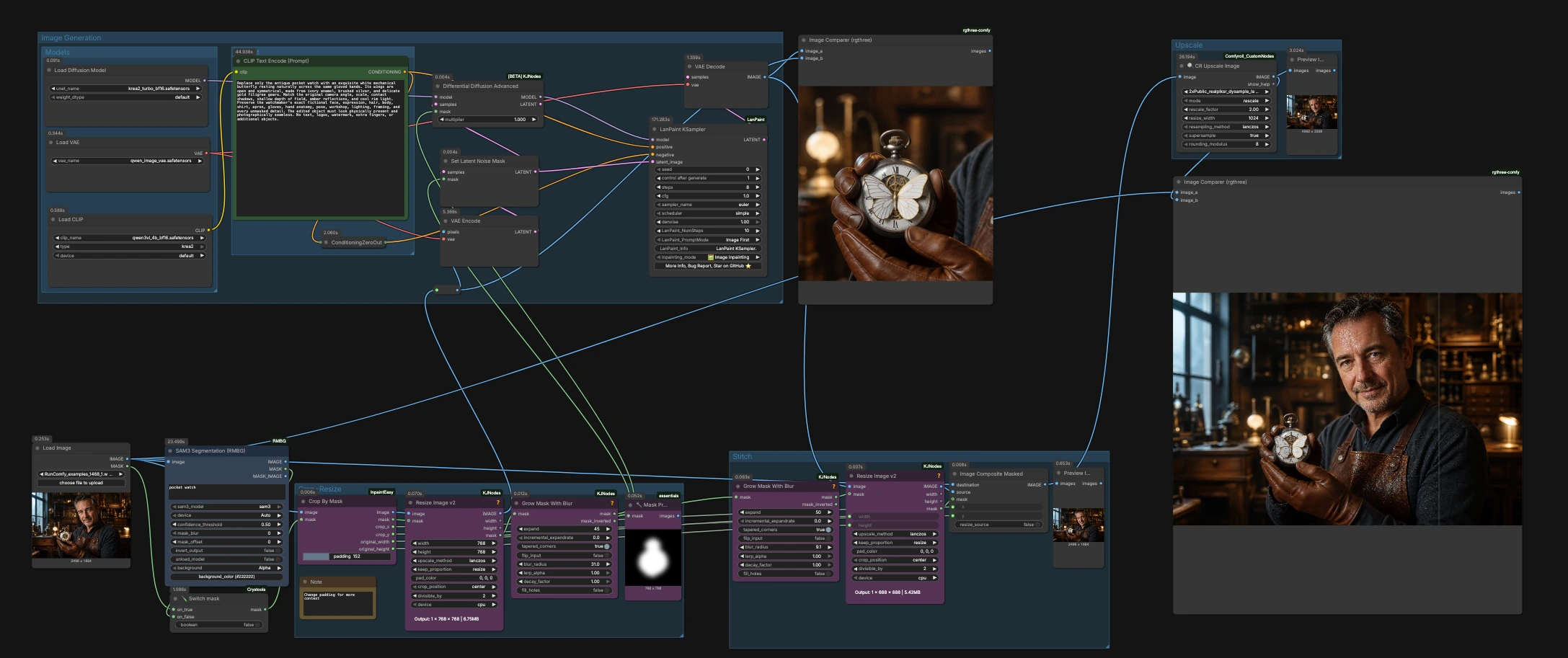
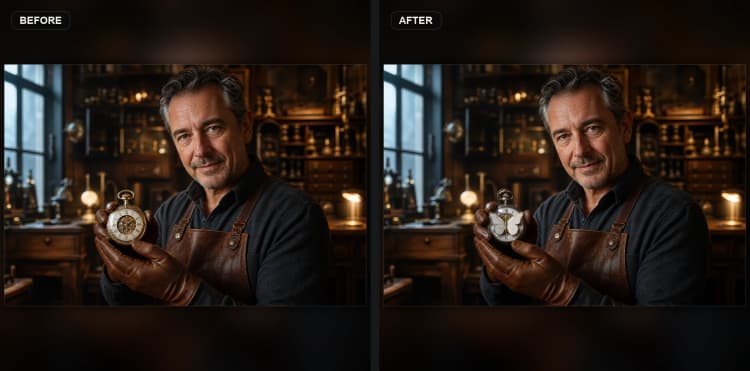
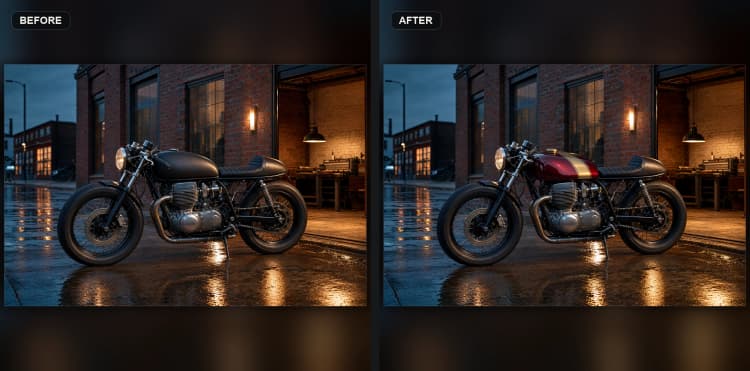
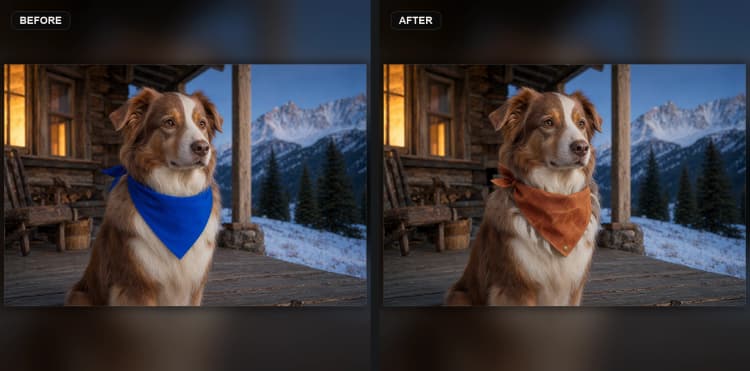
This Krea 2 Turbo inpainting ComfyUI workflow turns Krea‑2 Turbo into a precise local editor for object replacement and targeted fixes. It pairs LanPaint’s training‑free sampler with masked noise injection, Differential Diffusion, automatic SAM‑based masking, and crop‑and‑stitch compositing to regenerate only what you select while preserving everything else. The 27‑node, RunComfy‑ready graph has been validated end to end; in testing it cleanly replaced a watch face with a white mechanical‑butterfly while leaving the case, hands, and lighting intact.
Built for artists, product photographers, and retouchers who need reliable local edits, the workflow accepts either a hand‑painted mask or an automatic mask, runs a focused generation pass on the cropped region, then stitches the result back with seamless edges. The result is fast, controllable, and visually consistent with the original photo.
Key models in Krea 2 Turbo inpainting ComfyUI workflow#
- Krea‑2 Turbo. The diffusion backbone that actually synthesizes the new content inside the masked region. Official model card: Krea‑2 Turbo on Hugging Face. Project repo: krea‑ai/krea‑2.
- Qwen Image VAE. The autoencoder used to move between pixel space and the latent space where masked sampling happens. Distributed with the Krea‑2 assets: Comfy‑Org/Krea‑2.
- Qwen‑VL text encoder. The language encoder that turns your prompt into conditioning for Krea‑2 Turbo; shipped with the Krea‑2 stack. Reference implementation: QwenLM/Qwen2‑VL.
How to use Krea 2 Turbo inpainting ComfyUI workflow#
At a high level, you provide an input image and a mask. The graph crops the region of interest with a bit of context, prepares latents so only the masked area is noised, then runs one LanPaint sampling pass to regenerate the target. Finally, it resizes and stitches the patch back to the original canvas and offers an optional upscale and side‑by‑side comparison.
Models#
This group loads the diffusion backbone, VAE, and text encoder. UNETLoader (#412) brings in Krea‑2 Turbo, VAELoader (#435) provides the Qwen Image VAE, and CLIPLoader (#413) sets up the prompt encoder shipped with Krea‑2. You usually do not need to change anything here unless you want to swap model variants.
Prompt#
CLIPTextEncode (#411) is where you write what to generate inside the mask. Keep the edit instruction specific to the object and styling you want, and explicitly tell the model to preserve unmasked content. ConditioningZeroOut (#414) provides a clean negative path so the sampler stays focused on your positive instruction.
Crop+Resize#
Feed your source image into LoadImage (#200). Provide a mask either by painting directly on the input or by using SAM3Segment (#454) to auto‑propose a mask from the image content. Switch mask [Crystools] (#453) lets you pick manual vs automatic. CropByMask (#449) isolates the selected region, capturing crop coordinates for later stitching. ImageResizeKJv2 (#448) aligns the crop to a generator‑friendly resolution, and GrowMaskWithBlur (#452) softly expands and feathers the mask so edges blend naturally after the edit.
Image Generation#
VAEEncode (#436) converts the cropped image to latents. SetLatentNoiseMask (#430) injects noise only inside the mask so the unmasked latents remain anchored to the original. DifferentialDiffusionAdvanced (#447) further restricts updates to the mask, reducing drift in surrounding pixels. LanPaint_KSampler (#440) performs the training‑free masked sampling guided by your prompt, producing a regenerated latent patch. VAEDecode (#439) brings the result back to pixels for inspection and downstream steps.
Stitch#
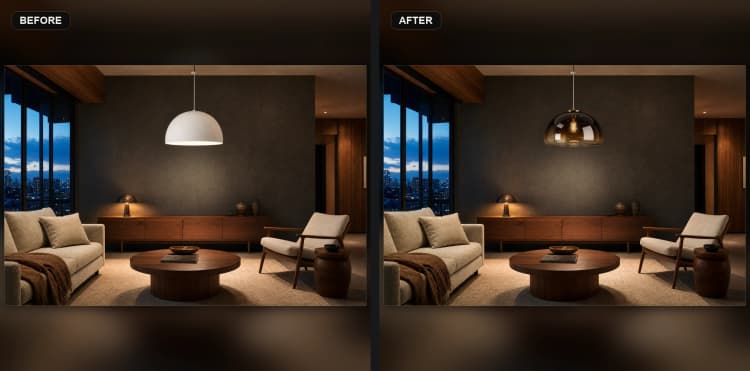
After decoding, ImageResizeKJv2 (#488) matches the edited patch to the original image’s dimensions using the saved width/height, and a second GrowMaskWithBlur (#491) prepares an edge‑friendly compositing mask. ImageCompositeMasked (#487) stitches the patch back at the exact x/y crop location from earlier, preserving global composition, lighting, and color. Use the included Image Comparer (rgthree) (#456) to slide between before/after for quality control.
Upscale (optional)#
If the result looks great and you want higher detail, send the composited output to CR Upscale Image (#485). This upscales the final image without re‑diffusing, which is faster and keeps your composition stable. A second comparer (#480) is provided to check sharpness gains.
Key nodes in Krea 2 Turbo inpainting ComfyUI workflow#
LanPaint_KSampler(#440). The core training‑free inpainting step that repurposes a text‑to‑image model for localized edits without fine‑tuning. It samples only where the mask allows, guided by your positive conditioning. For stronger adherence to your instruction, increase the sampling effort; for tighter realism with the photo, bias toward conservative denoising. Implementation: scraed/LanPaint, paper: LanPaint (arXiv).SetLatentNoiseMask(#430). Ensures noise is applied only inside the mask in latent space so the background latents remain locked to the original image. If you see unintended changes outside the target, revisit this step and confirm your mask covers only what should change.DifferentialDiffusionAdvanced(#447). Constrains the update step so the unmasked region resists drift. When small halos or tonal shifts appear near edges, dial this toward stronger preservation so the context stays faithful while the masked area evolves.GrowMaskWithBlur(#452). Expands and feathers the mask to capture contact shadows and interreflections around the object. If seams are visible, grow slightly more and add a touch of blur; if edits spill too far, reduce the growth.CropByMask(#449). Crops the region of interest and records the crop origin. This keeps generation fast and focused, and it drives exact placement later. If the edit lacks enough context, add a bit more padding so the model can see adjacent surfaces and lighting cues.ImageCompositeMasked(#487). Rebuilds the full canvas by placing the edited patch back at its original position using the saved coordinates. If you notice edge softness or misalignment, confirm the crop origin and that the stitching mask matches the grown mask from the generation phase.SAM3Segment(#454). Produces an automatic segmentation mask from the input image. It is handy for fast starts; refine with a brush if needed to tighten selection around tricky boundaries like hair, spokes, or filigree.
Optional extras#
- Craft prompts that anchor the scene. Describe the replacement object precisely, then explicitly tell the model to preserve all unmasked details and the original lighting, camera angle, and scale.
- Start with a slightly larger mask than the object to capture contact shadows and reflections; then fine‑tune growth and blur for seamless edges.
- If the patch looks “too new” or out of place, reduce aggressiveness in the sampler or strengthen Differential Diffusion so more of the original microtexture is retained.
- Use the included before/after comparers during iteration and only upscale once you are satisfied with composition and realism.
- For best repeatability across runs, keep the same seed while you refine mask borders, prompt wording, and crop padding.
References and acknowledgments: Krea‑2 Turbo model card Hugging Face, project repo krea‑ai/krea‑2; LanPaint implementation GitHub and paper arXiv.
Acknowledgements#
This workflow implements and builds upon the following works and resources. We gratefully acknowledge Krea AI for the Krea 2 project and Krea 2 Turbo model, scraed for the LanPaint ComfyUI extension, and the LanPaint authors for the LanPaint paper for their contributions and maintenance. For authoritative details, please refer to the original documentation and repositories linked below.
Resources#
- Altruistic_Tax1317/Krea2 inpainting workflow
- Docs / Release Notes: Reddit thread
- Krea AI/Krea 2
- GitHub: krea-ai/krea-2
- Hugging Face: krea/Krea-2-Raw, krea/Krea-2-Turbo
- Krea/Krea-2-Turbo
- GitHub: krea-ai/krea-2
- Hugging Face: krea/Krea-2-Turbo
- scraed/LanPaint
- GitHub: scraed/LanPaint
- arXiv: arXiv:2502.03491
- LanPaint authors/LanPaint (paper)
- arXiv: arXiv:2502.03491
Note: Use of the referenced models, datasets, and code is subject to the respective licenses and terms provided by their authors and maintainers.