






ComfyUI Flux-TTP-Upscale | Advanced Face Restore & 4K Image Enhancement#
1. What is the ComfyUI Flux-TTP-Upscale Face Restore Workflow?#
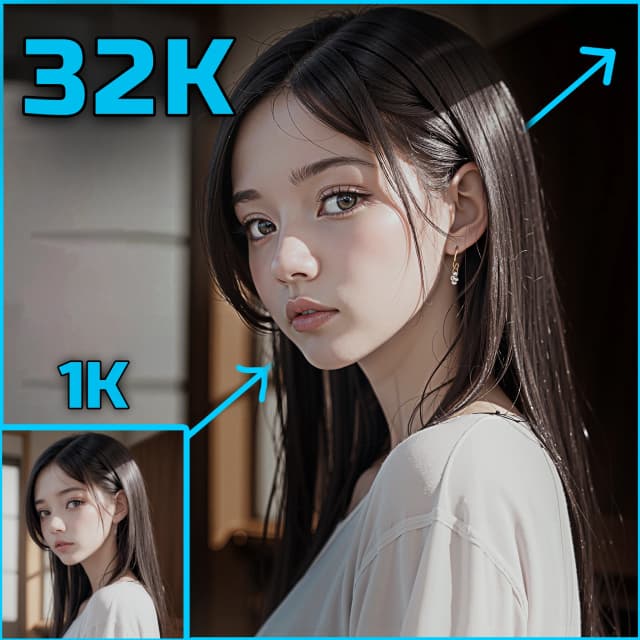
The Flux-TTP-Upscale workflow offers an advanced Face Restore pipeline within the ComfyUI environment. It integrates Flux's face restoration technology with TTP (Tile-to-Patch) enhancement to fix distorted or low-quality faces in AI-generated images. This is especially effective for group portraits, profile shots, or any visuals with facial artifacts.
By combining FluxGuidance, tile-aware image enhancement, and LoRA-based identity control, Flux-TTP-Upscale Face Restore delivers reliable Face Restore performance while upscaling to crisp 4K resolution.
2. Key Face Restore Features of ComfyUI Flux-TTP-Upscale#
- High-Precision Face Restore: Detects and restores small or distorted faces without harming overall image composition.
- 4K Image Upscaling: Enhances resolution through TTP tile workflows and super-resolution models.
- Tile-Based Patch Enhancement: Splits the image into tiles to reduce artifacting, ensuring local Face Restore improvements blend seamlessly.
- LoRA Switching for Identity Preservation: Select the right LoRA models for Asian or non-Asian faces to improve Face Restore accuracy across different ethnicities.
3. Getting Started with the Face Restore Workflow#
IMPORTANT NOTE: This Face Restore workflow handles both image enhancement and face repair simultaneously. Proper input and model selection ensure optimal results.
Quick Start Guide:
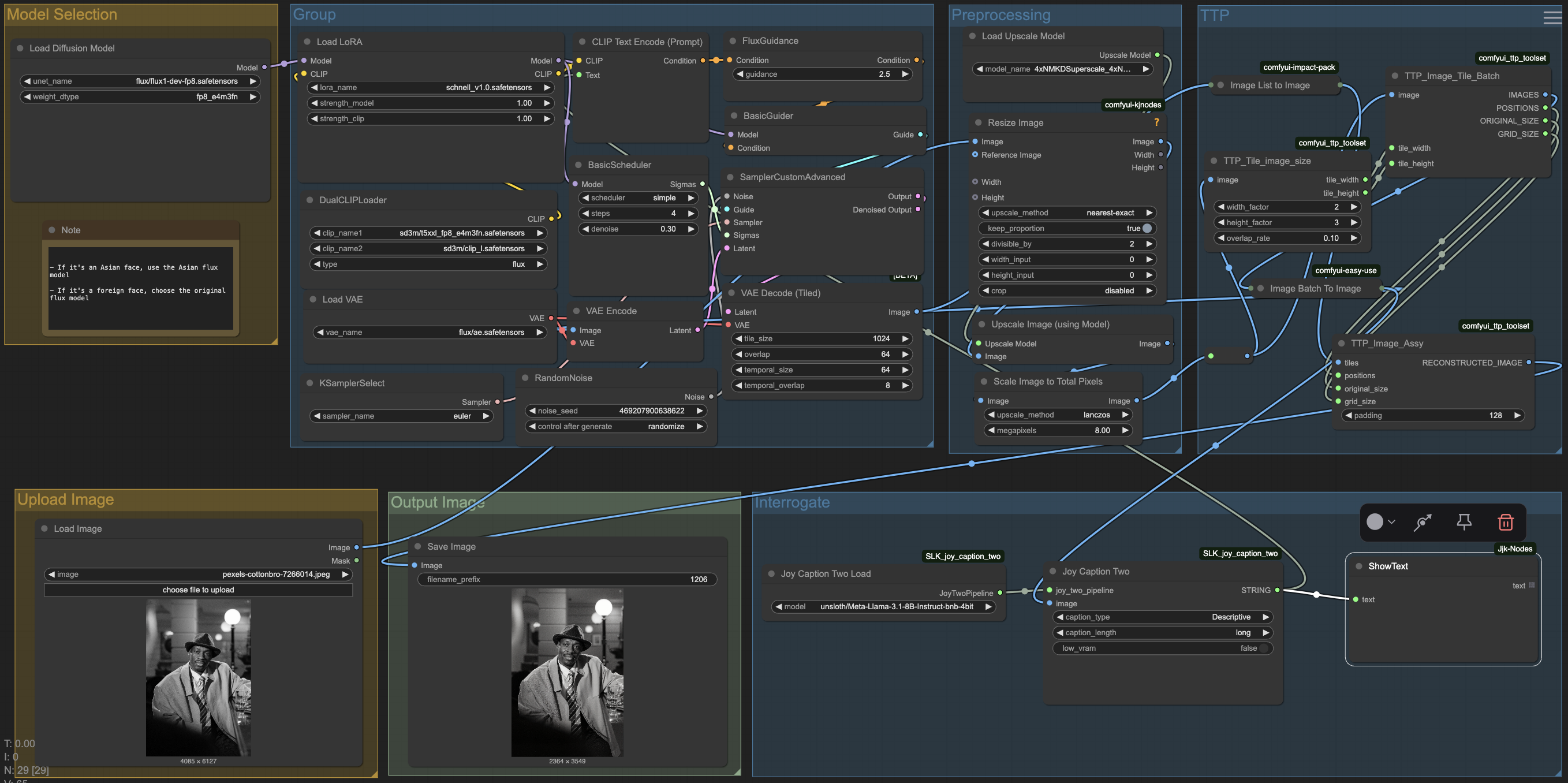
- Upload Image for Face Restore: Use the
Load Imagenode to input a low-resolution portrait, group photo, or any AI-generated image needing facial repair. - Choose the Correct LoRA Model:
- Use flux1-dev-fp8 for restoring Asian faces.
- Use original flux for general or non-Asian faces.
- Preprocessing Settings (Optional): Images are automatically resized to 1024x1024 and scaled to an 8MP target for better Face Restore quality.
- Run the Face Restore Pipeline: Click
Queue Promptto initiate the restoration and upscale process. - Save Your Output: Restored images are saved via the
Save Imagenode.
4. Node Reference & Parameters for Face Restore#
Guidance and Denoising#
FluxGuidance: Drives facial restoration accuracy during generation.BasicGuider: Adds global image consistency around the restored face.SamplerCustomAdvanced: Useseulersampler with fine-tuned denoise strength (denoise = 0.3).
Preprocessing for Better Face Restore#
Resize Image: Sets up correct image dimensions for effective tile repair.Upscale Model: Uses4xNMKD-Superscaleto refine face patches.Scale to Total Pixels: Ensures final resolution is high enough for detailed Face Restore.
Tile-to-Patch (TTP) Enhancements#
TTP_Image_Tile_Batch: Breaks down the image into tiles for localized Face Restore.TTP_Image_Assy: Rebuilds a seamless image after tile-level repair, using 128px padding.
Interrogate#
Joy Caption Two: Automatically describes restored images to help validate Face Restore results.

More About This Face Restore Workflow#
Based on the original technique by Xing Jiu, this workflow demonstrates how tile-based processing and identity-aware modeling can significantly improve Face Restore results on difficult image inputs. Original article Liblib Model Page
Acknowledgements#
This ComfyUI-based Face Restore workflow is adapted from the Flux TTP Tile Upscale method shared by Xing Jiu, and built using community tools like comfyui-ttp-toolset, ky-nodes, and easy-use. The combination of tile patching, FluxGuidance, and LoRA integration enables professional-grade Face Restore results even on challenging inputs.