

Gemma 4 Text Generation ComfyUI workflow: multimodal text with image, video, and audio context#
This Gemma 4 Text Generation ComfyUI workflow is a compact, RunComfy-ready template that generates high quality text while understanding images and audio, with a video example included. It is designed for fast iteration on multimodal prompts, product‑review summarization, content analysis, and lightweight assistant prototypes inside ComfyUI.
The graph uses ComfyUI’s native TextGenerate and CLIPLoader to run Gemma 4 E4B with optional image, audio, and video inputs. You can keep it simple for pure text generation or attach media to guide the model’s reasoning and produce richer outputs.
Key models in Comfyui Gemma 4 Text Generation ComfyUI workflow#
- Gemma 4 E4B Instruct multimodal model. Provides text generation with visual and audio understanding for concise answers, summaries, and analyses. Model assets for ComfyUI are organized under the community pack Comfy-Org/gemma-4.
- Gemma 4 E4B text encoder (FP8 scaled). The workflow loads the packaged encoder weights
gemma4_e4b_it_fp8_scaled.safetensorsthat back theTextGeneratenode’s language and multimodal inputs. Direct file link for local users: `text_encoders/gemma4_e4b_it_fp8_scaled.safetensors`.
How to use Comfyui Gemma 4 Text Generation ComfyUI workflow#
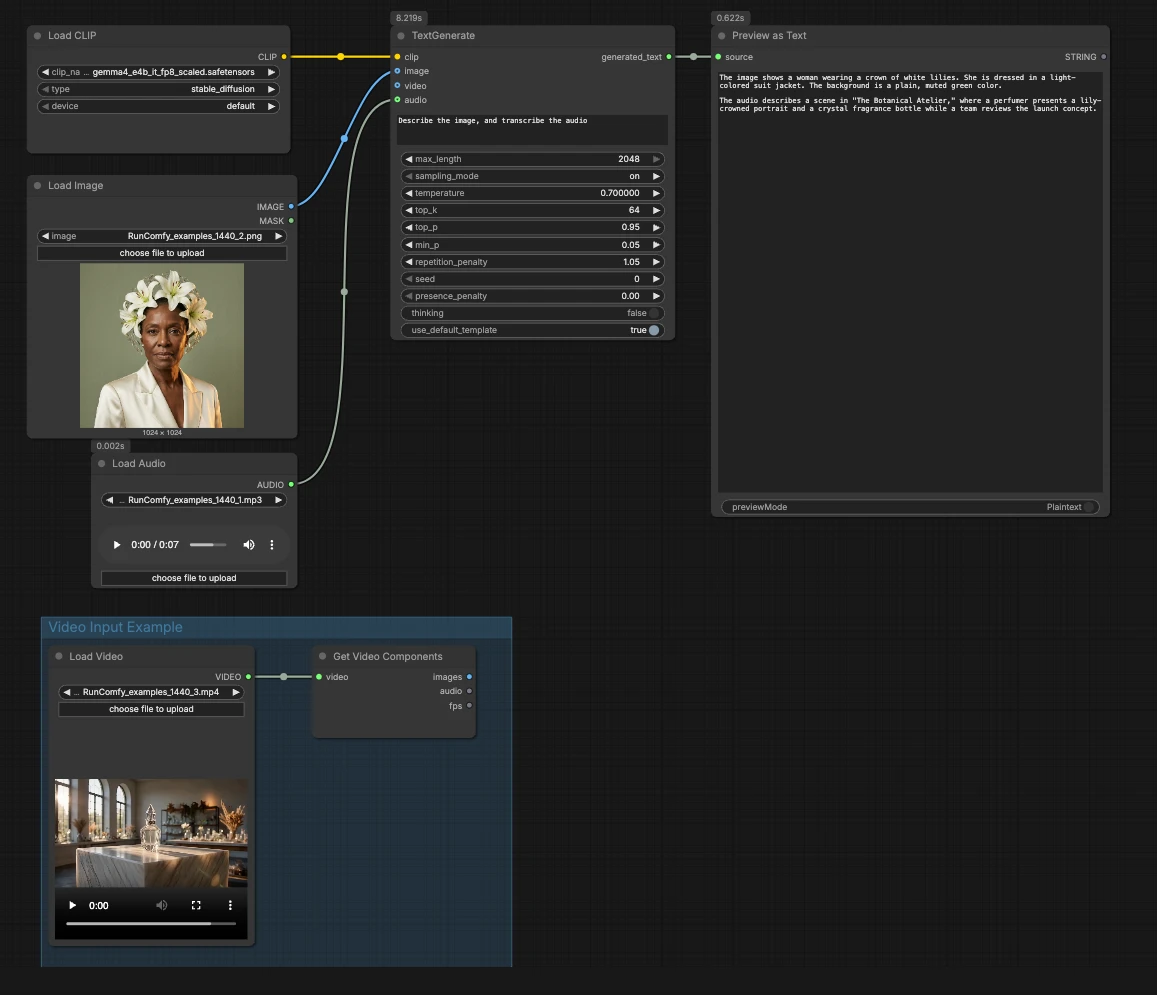
Overall logic: the workflow loads the Gemma 4 encoder, accepts optional media, then uses TextGenerate to produce a response that is rendered in a preview. You can run it as text‑only, plug in an image and audio, or extend it to video by connecting the example group.
CLIPLoader(#3) Loads the Gemma 4 E4B text encoder required by the generator. When running locally, selectgemma4_e4b_it_fp8_scaled.safetensorsso the language model has the correct tokenizer and multimodal encoder. On managed environments the correct file is typically preselected. You do not need to adjust anything here once the chosen weights are visible.- Image input with
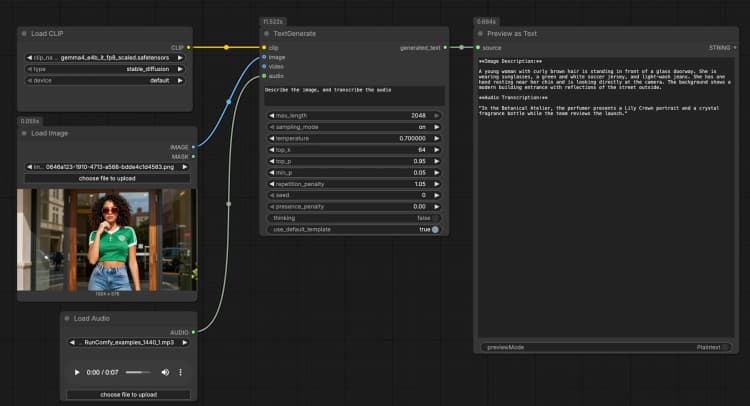
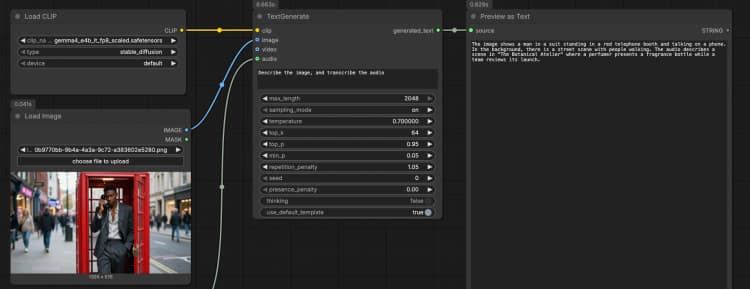
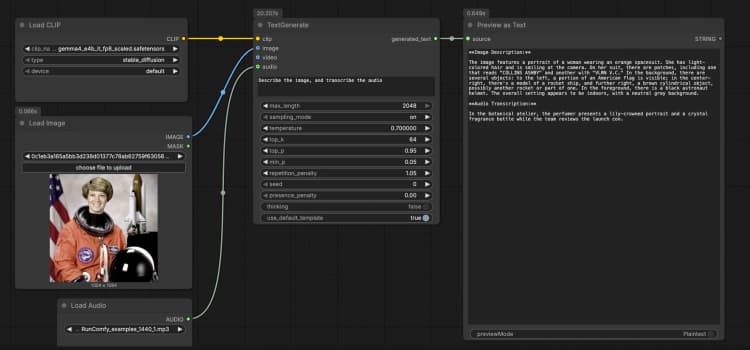
LoadImage(#2) Supplies a single reference image that the model can describe, OCR, or analyze as part of the prompt. Swap the example file for your own screenshot, chart, document, or product photo. The image is passed directly toTextGenerate, which conditions the response on the visual content. If you want text‑only behavior, leave this node disconnected. - Audio input with
LoadAudio(#5) Adds an audio clip for transcription or audio‑aware reasoning. Replace the sample file with a voice note, meeting excerpt, or review recording. The audio stream is fed toTextGenerateso you can ask the model to transcribe or summarize it alongside the image. For text‑only tasks, keep this input empty. - Video Input Example group The “Video Input Example” group shows how to bring video into the same flow using
LoadVideo(#6) andGetVideoComponents(#7).GetVideoComponentsexposes representative frames and the soundtrack so you can analyze scenes, slides, or on‑screen text. To enable video understanding, connect theimagesoutput to theimageinput ofTextGenerateand theaudiooutput to itsaudioinput. This lets the Gemma 4 Text Generation ComfyUI workflow reason over both frames and speech from a clip. - Text generation with
TextGenerate(#1) This is the core node that accepts your instruction plus any attached media and returns the generated text. Provide a clear prompt such as “Describe the image and transcribe the audio, then write a 2‑sentence summary.” The node fuses visual and audio context automatically, so you write natural instructions without placeholders. You can keep prompts conversational or task‑oriented depending on your use case. - Result viewing with
PreviewAny(#4) Displays the generated text so you can copy it into your notes or downstream tools. Rerun after editing the prompt or swapping media to compare outputs quickly. Use this preview to validate how much each modality influences the answer.
Key nodes in Comfyui Gemma 4 Text Generation ComfyUI workflow#
TextGenerate(#1) Drives the final output and is where most tuning lives. Adjust how long the response can be and how exploratory it should feel by changing the maximum tokens and sampling temperature. Enable the optional reasoning mode if you want more step‑by‑step thinking before the answer. For implementation details, see the ComfyUI text generation node source code here.CLIPLoader(#3) Selects and loads the Gemma 4 E4B encoder package needed for text and multimodal understanding. If you maintain models locally, place the file under: ComfyUI/models/text_encoders/gemma4_e4b_it_fp8_scaled.safetensors After selection, you rarely need to revisit this node unless you switch model variants.GetVideoComponents(#7) Useful when you want the model to consider video. It exposes frames and audio so you can conditionTextGenerateon both. If your clip is long, choose a smaller set of frames for faster turnaround; if you need finer detail, increase the frame sampling at the cost of speed.
Optional extras#
- Start with explicit instructions like “Consider the attached image and audio” to make multimodal grounding obvious.
- For product reviews, ask for pros, cons, and one‑sentence verdicts to keep outputs structured.
- If your task is purely textual, disconnect image and audio for faster runs.
- To batch experiments, duplicate the
TextGeneratenode with different prompts and compare previews side by side. - Model files and variants for Gemma 4 are organized in the community pack; explore available assets here: Comfy-Org/gemma-4.
Acknowledgements#
This workflow implements and builds upon the following works and resources. We gratefully acknowledge Comfy-Org for the Gemma 4 ComfyUI model package and E4B text encoder, Comfy-Org (ComfyUI maintainers) for the built-in TextGenerate node, and Comfy.org for the official Gemma 4 tutorial and release blog for their contributions and maintenance. For authoritative details, please refer to the original documentation and repositories linked below.
Resources#
- ComfyUI Docs/Gemma 4 ComfyUI workflow example
- GitHub: Comfy-Org/ComfyUI
- Hugging Face: Comfy-Org/gemma-4
- Docs / Release Notes: Gemma 4 ComfyUI workflow example
- ComfyUI Blog/New Open-Source Models Now in ComfyUI: VOID, BiRefNet & Gemma 4
- GitHub: Comfy-Org/workflow_templates
- Hugging Face: Comfy-Org/gemma-4
- Docs / Release Notes: New Open-Source Models Now in ComfyUI: VOID, BiRefNet & Gemma 4
- Comfy-Org/gemma-4
- Hugging Face: Comfy-Org/gemma-4
- Comfy-Org/gemma-4 E4B text encoder
- Hugging Face: Comfy-Org/gemma-4: gemma4_e4b_it_fp8_scaled.safetensors
- Comfy-Org/ComfyUI TextGenerate node
Note: Use of the referenced models, datasets, and code is subject to the respective licenses and terms provided by their authors and maintainers.