logo
RunComfy
  • Models
  • ComfyUI
  • TrainerNew
  • API
  • Pricing
discord logo
MODELS
Explore
All Models
LIBRARY
Generations
MODEL APIS
API Docs
API Keys
ACCOUNT
Usage

Grok AI Image Generator Free: Realistic Text-to-Image & Visual Creation on playground and API | RunComfy

x-ai/grok-2/image

Generate photorealistic images, illustrations, and short clips from text or image prompts with fast rendering, API access, and creative style control for campaigns, product visuals, and social media content.

Prompt length should be less than 1024 characters, or it may cause errors.
Number of images to be generated.
Idle
The rate is $0.07 per image.

Introduction to Grok AI Image Generator

Developed by xAI, the Grok AI Image Generator is a next-generation text-to-image and multimodal visual generation model powered by Aurora, capable of producing photorealistic renders, illustrations, and animated clips from text or image inputs. It costs $0.07 per image, generating up to 10 images outputs simultaneously. Designed for creative agencies, e-commerce marketers, and digital content teams, Grok AI Image Generator replaces time-consuming manual design work with fast, high-resolution outputs that scale across campaigns and platforms. For developers, Grok AI Image Generator on RunComfy can be used both in the browser and via an HTTP API, so you don’t need to host or scale the model yourself.

Ideal for: Campaign Visuals | Product Mockups | Social Media Video Reels

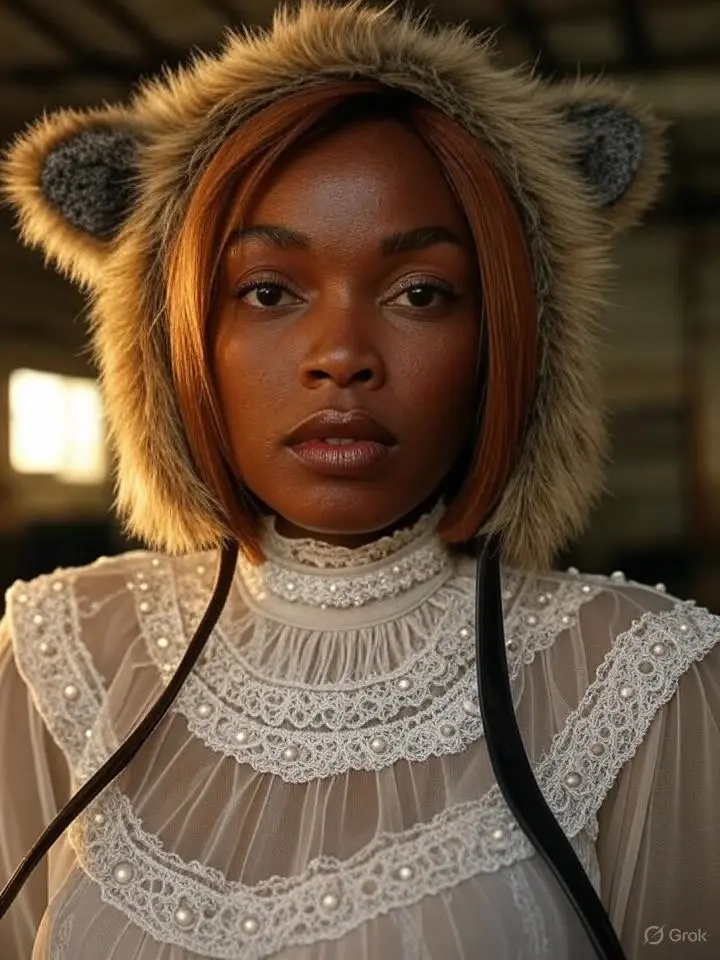
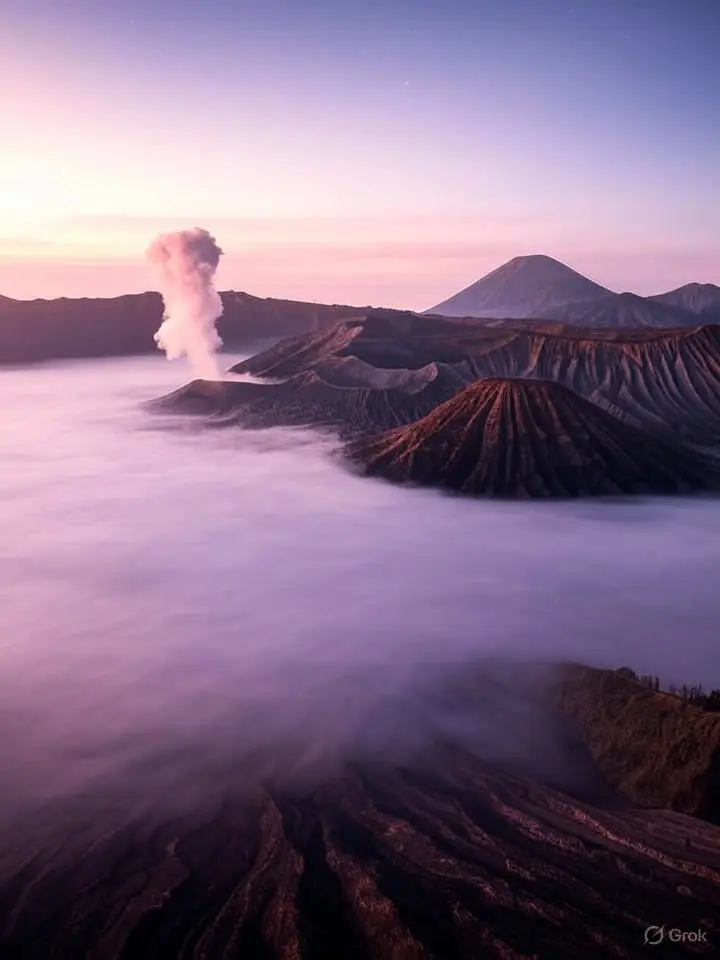
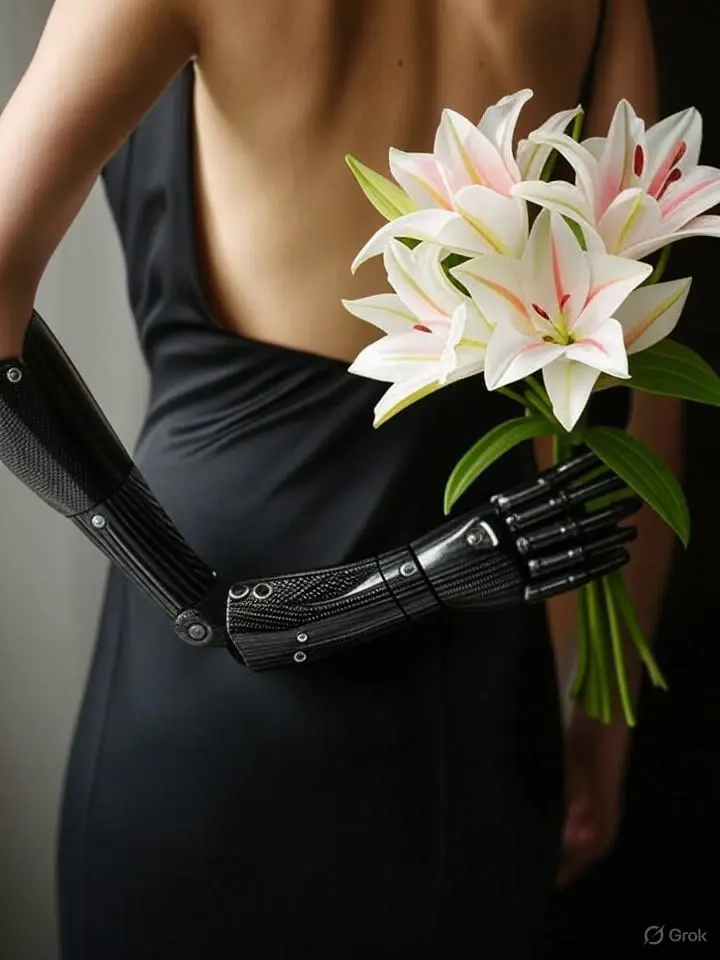
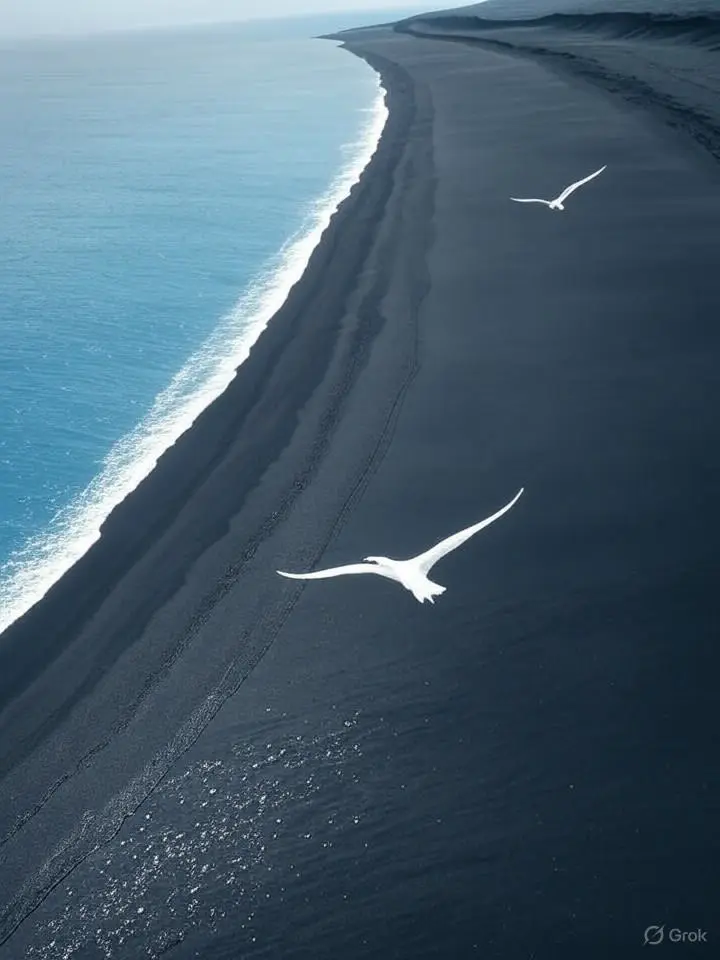
Examples Created with Grok AI Image Generator

Model Overview


  • Provider: xAI
  • Task: text-to-image
  • Model Type: Text-to-Image
  • Max Resolution/Duration: Not specified
  • Summary: Grok AI Image Generator converts natural language into high-fidelity visuals with fast rendering and precise style control. It supports both photorealistic images and illustrations, making it suitable for campaigns, product visuals, and social media content. Designed for API-first workflows, Grok AI Image Generator prioritizes speed, consistency, and prompt adherence.

Key Capabilities


Fast, production-grade rendering

  • Grok AI Image Generator delivers low-latency image synthesis for interactive workflows and quick iteration cycles. This speed enables real-time creative exploration and rapid A/B testing for marketing and product teams.

Photorealistic and illustrative output fidelity

  • Grok AI Image Generator targets both lifelike renderings and stylized illustrations from the same prompt space. It reliably follows descriptive prompts to produce clean compositions and consistent product visuals.

Creative style control and flexible prompting

  • Grok AI Image Generator supports detailed prompt engineering and image-initialized creation, enabling tight control over brand style and look. This helps maintain visual consistency across campaigns and channels.

Technical Specifications


Core Prompts


ParameterTypeDefault/RangeDescription
promptstringdefault: ""Required text description of the desired image. Use clear nouns, attributes, and context for best results.

Generation Settings


ParameterTypeDefault/RangeDescription
num_imagesinteger1 (range: 1–10)Number of images to generate per request. Use higher values for exploration; lower for latency-sensitive use.

How Grok AI Image Generator compares to other models


Vs Nano Banana Pro:

  • Architecture & Output Quality: Grok AI Image Generator (powered by Flux architecture) utilizes a significantly larger parameter space compared to the lightweight Nano Banana Pro. This results in Grok delivering superior photorealism, more accurate lighting, and higher fidelity textures, whereas Nano Banana Pro is optimized for speed and efficiency but often lacks the fine-detail coherence of Grok.
  • Input Handling (Prompts): Grok excels at understanding complex, conversational natural language inputs and nuanced descriptions. In contrast, Nano Banana Pro typically requires more rigid, keyword-heavy prompting (tags) to achieve stable results and may struggle with long-context instructions.
  • Text Rendering: A major advantage of Grok is its ability to render legible text within images, a capability where smaller efficiency-focused models like Nano Banana Pro often fail or produce artifacts.
  • Key Improvements (practical impact): Grok provides better adherence to complex spatial prompts and higher visual consistency for professional use, while Nano Banana Pro offers lower latency for rapid drafting.

Vs Seedream 4.5:

  • Architecture & Output Quality: Grok AI Image Generator excels in de novo creation with high dynamic range and artistic versatility, powered by the Flux architecture’s massive parameter count. In comparison, Seedream 4.5 is heavily specialized for "unified generation and editing." While Seedream offers superior consistency for character portraits and subject retention across multiple outputs, Grok generally produces more creative, highly detailed backgrounds and complex spatial compositions from scratch.
  • Input Handling (Prompts): Grok is designed for reasoning-heavy prompts and can interpret abstract concepts or long, descriptive narratives effectively. Seedream 4.5, conversely, shines in "context-aware" inputs, supporting multi-image referencing and instruction-based editing rather than just pure text-to-image synthesis.
  • Text Rendering: Both models are strong contenders in text rendering. However, Grok tends to integrate text more naturally into complex 3D scenes (like neon signs or etched textures), whereas Seedream 4.5 is optimized for "design-grade" clarity, particularly excelling at rendering small, legible fonts for posters or layout designs.
  • Key Improvements (practical impact): Grok is the better choice for initial brainstorming and generating unique, high-fidelity art scenes. Seedream 4.5 is preferable for production workflows that require consistent character identity (ID retention) or precise editing of existing images without destroying the original composition.

Vs Z-Image-Turbo:

  • Architecture & Output Quality: Grok utilizes a heavy-duty architecture prioritizing maximum visual fidelity and coherence. Z-Image-Turbo utilizes a distilled architecture designed for extreme efficiency (often requiring significantly fewer steps). Consequently, Grok delivers significantly richer textures and better shadow/lighting physics, while Z-Image-Turbo trades some fine detail for "good enough" photorealism at lightning speeds.
  • Input Handling (Prompts): Grok demonstrates superior semantic understanding for complicated logical instructions. Z-Image-Turbo is an unopinionated model that works best with direct, descriptive prompts but has a unique advantage in native bilingual proficiency, understanding complex Chinese and English prompts equally well, whereas Grok is primarily optimized for English nuances.
  • Text Rendering: Grok is highly reliable for integrating text into artistic styles. Z-Image-Turbo is surprisingly capable at text for its size, especially bilingual text, but may struggle with text consistency in complex perspectives compared to Grok's deeper spatial understanding.
  • Key Improvements (practical impact): Grok is the clear winner for professional, final-quality assets where detail is paramount. Z-Image-Turbo is the superior tool for real-time applications, rapid prototyping, and high-volume generation where sub-second latency is more valuable than perfect pixel fidelity.
  • Ideal Use Case: Choose Grok AI Image Generator when you need fast, API-driven generation of photorealistic or illustrative assets with tight style control and minimal setup.

API Integration


Developers can integrate Grok AI Image Generator through the RunComfy API using standard HTTP requests. Authentication, JSON payloads, and paged responses fit typical CI/CD and serverless workflows. The minimal parameter surface (prompt, num_images) makes Grok AI Image Generator easy to prototype and scale in production.


Note: API Endpoint for Grok AI Image Generator


Official Resources and Licensing


  • Official Documentation: xAI API Docs
  • Release News: xAI Grok Image Release
  • License: Proprietary (Access via API). Commercial usage is subject to xAI's terms of service and API usage agreements.

Related Playgrounds

z-image/turbo/image-to-image/lora

8-step Turbo model enabling rapid, high-quality visual edits for creators

flux-2/lora/edit

Refine images with adaptive style control, LoRA merging, and high-res rendering for consistent design output.

flux-2/turbo/edit

Delivers refined image remastering and brand-consistent visual edits with scalable control.

q2/reference-to-image

High-speed model for consistent visual creation and precise design control

flux-2/flash/edit

Accelerate visual editing with dynamic precision and open-weight adaptability for brand-consistent designs.

z-image/turbo/inpainting/lora

Fast, photorealistic image repair and refinements for product visuals.

Frequently Asked Questions

Can I use Grok AI Image Generator outputs from the text-to-image feature for commercial purposes?

Yes, Grok AI Image Generator allows commercial use of its text-to-image outputs if you have an appropriate paid license. However, using the model through RunComfy does not override xAI’s model license terms. Always review the original license (such as OpenRAIL or similar) to ensure compliance with xAI’s stated commercial usage rights.

What licensing terms apply when using Grok AI Image Generator via RunComfy?

When you generate text-to-image content using Grok AI Image Generator on RunComfy, you must still adhere to the original model creator’s licensing—typically a custom or Open RAIL-style license provided by xAI. RunComfy merely offers a managed interface and GPU service, but it does not transfer any new rights or waive existing license restrictions.

What are the technical limitations of Grok AI Image Generator when using the text-to-image mode?

For text-to-image generation, Grok AI Image Generator supports resolutions up to 4K (depending on subscription) with common aspect ratios like 1:1, 16:9, and 9:16. Prompt tokens are limited to around 400–500 characters, and multimodal inputs allow up to two reference images for feature-guided generation (e.g., via ControlNet/IP-Adapter).

How can developers move from trying Grok AI Image Generator in the RunComfy Playground to full API integration?

Developers can start with the RunComfy Playground to test text-to-image features of Grok AI Image Generator, then switch to the RunComfy Production API for automation. The API uses similar parameters (prompt, style, resolution) and accepts user authentication tokens for production workloads. Documentation and endpoint examples are available from RunComfy’s developer portal.

What makes Grok AI Image Generator better than previous versions or similar tools?

Grok AI Image Generator, powered by the Aurora model, outperforms earlier Grok image versions with more accurate text-to-image rendering, improved photorealism, and better prompt fidelity. Its autoregressive mixture-of-experts design produces clean facial details and brand elements where earlier or competing models often struggle.

What kind of latency or throughput can I expect when using Grok AI Image Generator’s text-to-image function through RunComfy?

Most text-to-image generations complete within 6-8 seconds. High concurrency scenarios may queue briefly, but cloud orchestration keeps throughput consistent even during peak hours.

Does Grok AI Image Generator provide a free trial for its text-to-image functionality on RunComfy?

Yes, new RunComfy users receive complimentary USD credits to try Grok AI Image Generator and its text-to-image feature. After the trial credits expire, additional usage requires purchasing credits through the RunComfy billing panel.

Who should I contact for technical or licensing questions about Grok AI Image Generator?

For technical issues related to the RunComfy platform or API integration of Grok AI Image Generator’s text-to-image features, you can reach RunComfy support at hi@runcomfy.com. For licensing or commercial use clarification, it’s best to review xAI’s official documentation or licensing page.

Follow us
  • LinkedIn
  • Facebook
  • Instagram
  • Twitter
Support
  • Discord
  • Email
  • System Status
  • Affiliate
Video Models/Tools
  • Wan 2.6
  • Wan 2.6 Text to Video
  • Veo 3.1 Fast Video Extend
  • Seedance Lite
  • Wan 2.2
  • Seedance 1.0 Pro Fast
  • View All Models →
Image Models
  • GPT Image 1.5 Image to Image
  • Flux 2 Max Edit
  • GPT Image 1.5 Text To Image
  • Gemini 3 Pro
  • seedream 4.0
  • Nano Banana Pro
  • View All Models →
Legal
  • Terms of Service
  • Privacy Policy
  • Cookie Policy
RunComfy
Copyright 2025 RunComfy. All Rights Reserved.

RunComfy is the premier ComfyUI platform, offering ComfyUI online environment and services, along with ComfyUI workflows featuring stunning visuals. RunComfy also provides AI Models, enabling artists to harness the latest AI tools to create incredible art.