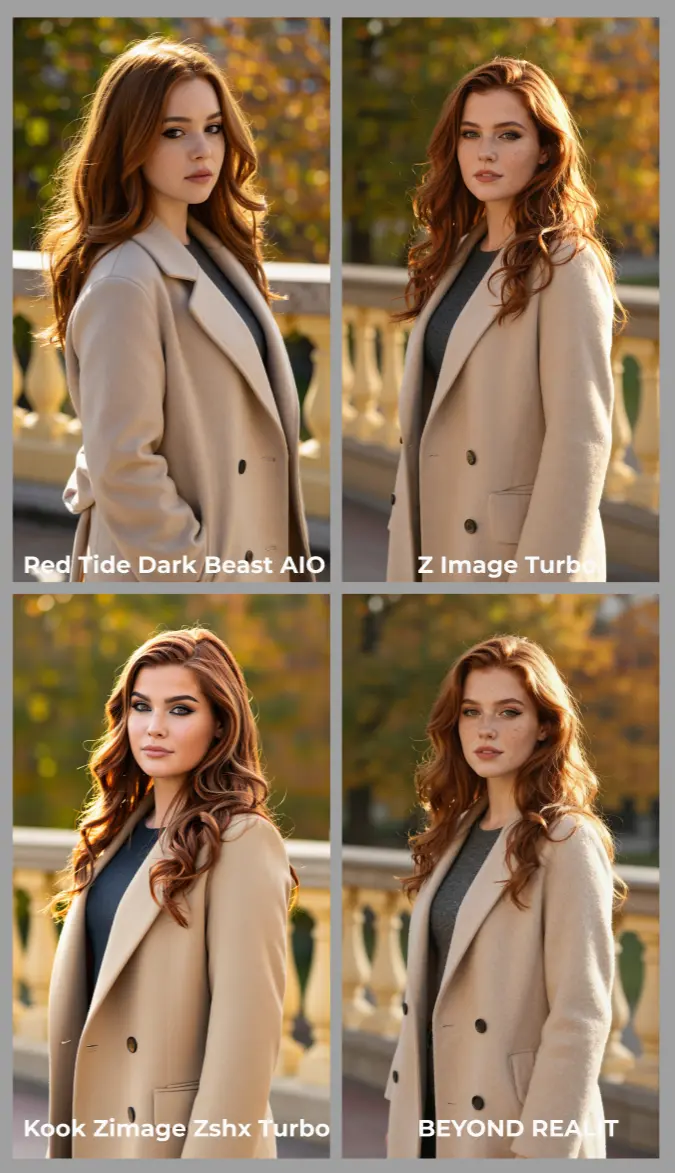
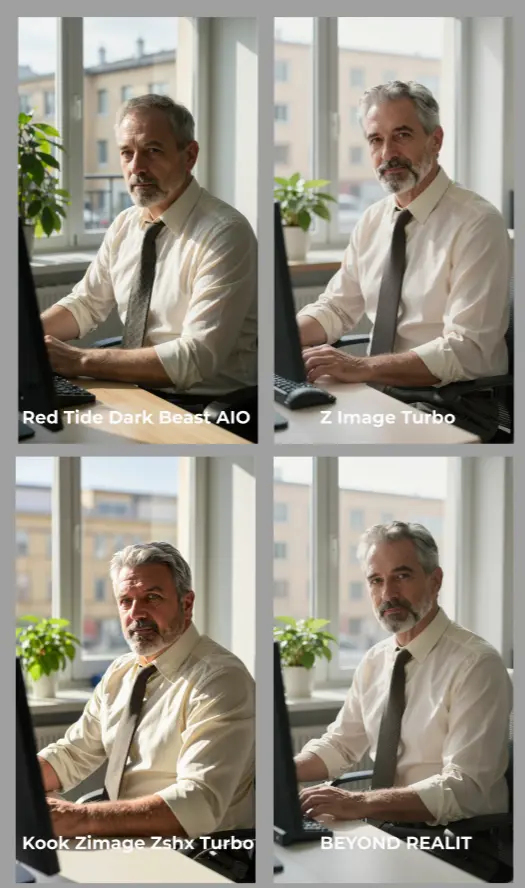
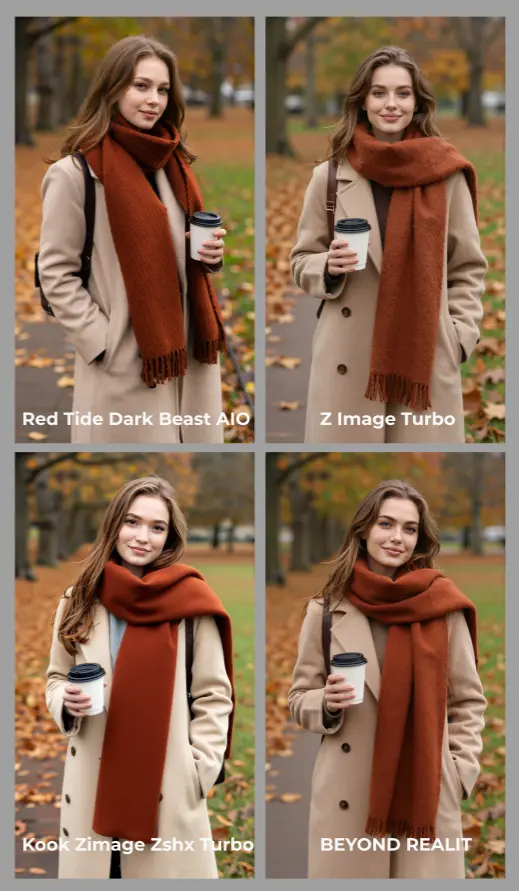
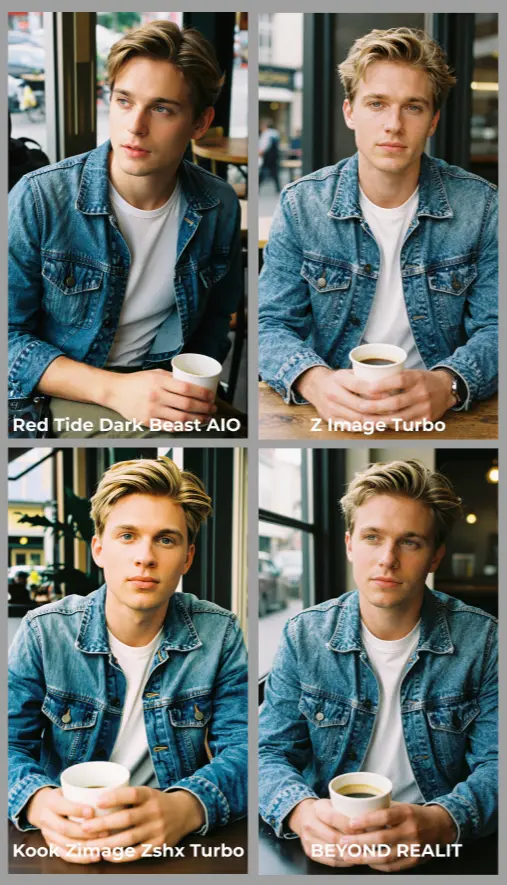
Z-Image Finetuned Models: multi‑style, high‑quality image generation in ComfyUI#
This workflow assembles Z-Image-Turbo and a rotating set of Z-Image finetuned models into a single, production‑ready ComfyUI graph. It is designed to compare styles side by side, keep prompt behavior consistent, and produce sharp, coherent results with minimal steps. Under the hood it combines optimized UNet loading, CFG normalization, AuraFlow‑compatible sampling, and optional LoRA injection so you can explore realism, cinematic portraiture, dark fantasy and anime‑inspired looks without re‑wiring your canvas.
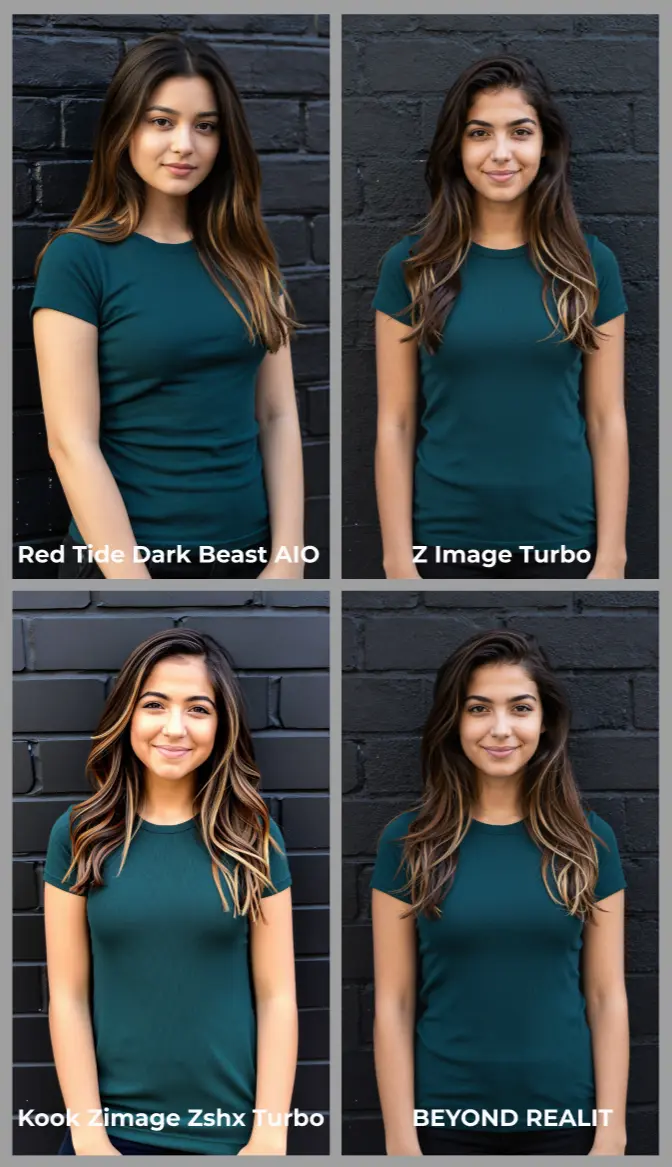
Z-Image Finetuned Models is ideal for artists, prompt engineers, and model explorers who want a fast way to evaluate multiple checkpoints and LoRAs while staying within one consistent pipeline. Enter one prompt, render four variations from different Z-Image finetunes, and quickly lock in the style that best matches your brief.
Key models in Comfyui Z-Image Finetuned Models workflow#
- Tongyi‑MAI Z‑Image‑Turbo. A 6B‑parameter Single‑Stream Diffusion Transformer distilled for few‑step, photoreal text‑to‑image with strong instruction adherence and bilingual text rendering. Official weights and usage notes are on the model card, with the tech report and distillation methods detailed on arXiv and in the project repo. Model • Paper • Decoupled‑DMD • DMDR • GitHub • Diffusers pipeline
- BEYOND REALITY Z‑Image (community finetune). A photorealistic‑leaning Z‑Image checkpoint that emphasizes glossy textures, crisp edges, and stylized finishing, suitable for portraits and product‑like compositions. Model
- Z‑Image‑Turbo‑Realism LoRA (example LoRA used in this workflow’s LoRA lane). A lightweight adapter that pushes ultra‑realistic rendering while preserving base Z‑Image‑Turbo prompt alignment; loadable without replacing your base model. Model
- AuraFlow family (sampling‑compatible reference). The workflow uses AuraFlow‑style sampling hooks for stable few‑step generations; see the pipeline reference for background on AuraFlow schedulers and their design goals. Docs
How to use Comfyui Z-Image Finetuned Models workflow#
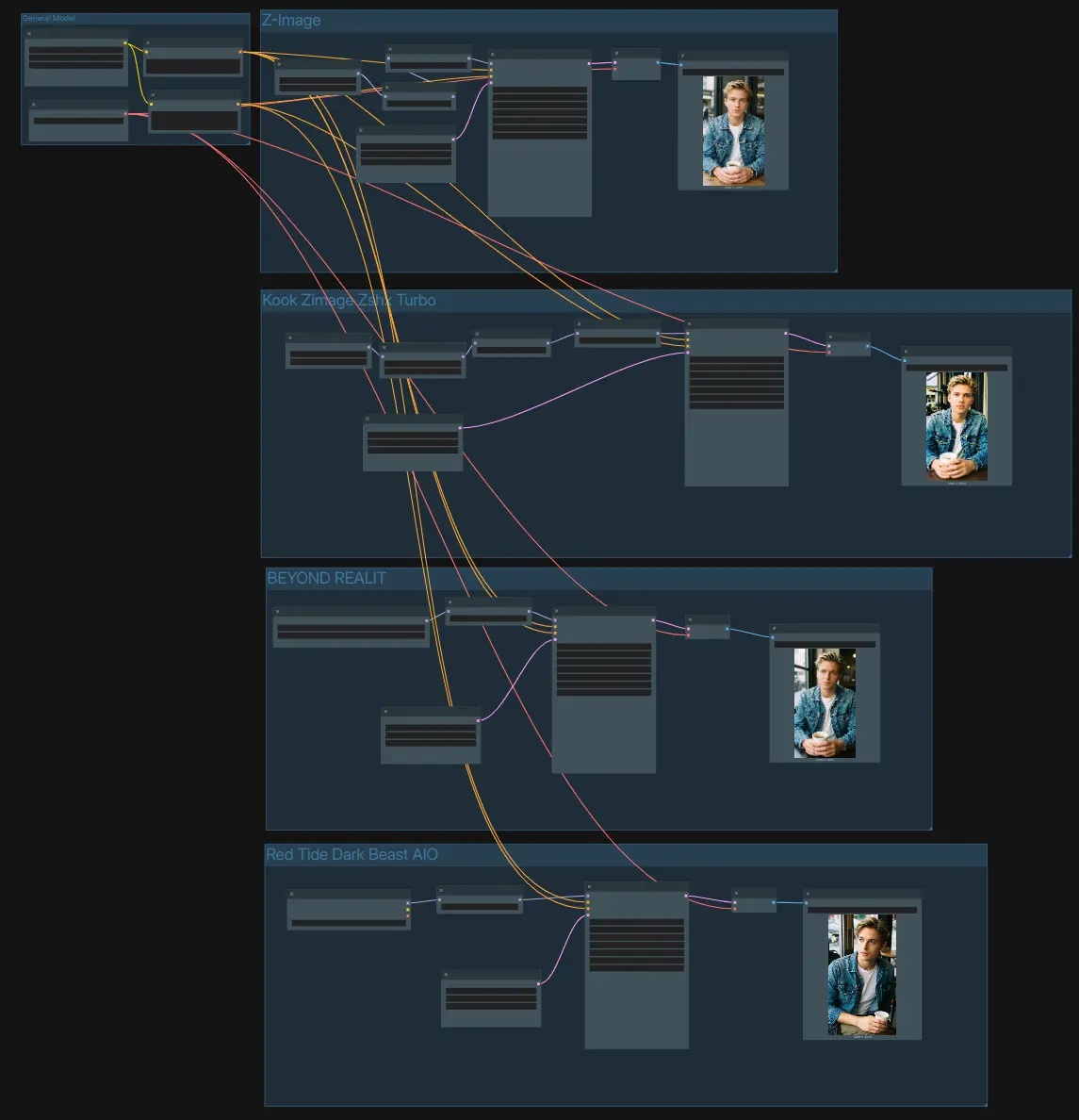
The graph is organized into four independent generation lanes that share a common text encoder and VAE. Use one prompt to drive all lanes, then compare results saved from each branch.
- General Model
- The shared setup loads the text encoder and VAE. Enter your description in the positive
CLIPTextEncode(#75) and add optional constraints to the negativeCLIPTextEncode(#74). This keeps conditioning identical across branches so you can fairly judge how each finetune behaves. TheVAELoader(#21) provides the decoder used by all lanes to turn latents back into images.
- The shared setup loads the text encoder and VAE. Enter your description in the positive
- Z‑Image (Base Turbo)
- This lane runs the official Z‑Image‑Turbo UNet via
UNETLoader(#100) and patches it withModelSamplingAuraFlow(#76) for few‑step stability.CFGNorm(#67) standardizes classifier‑free guidance behavior so the sampler’s contrast and detail stay predictable across prompts. AnEmptyLatentImage(#19) defines the canvas size, thenKSampler(#78) generates latents which are decoded byVAEDecode(#79) and written bySaveImage(#102). Use this branch as your baseline when evaluating other Z-Image Finetuned Models.
- This lane runs the official Z‑Image‑Turbo UNet via
- Z‑Image‑Turbo + Realism LoRA
- This lane injects a style adapter with
LoraLoaderModelOnly(#106) on top of the baseUNETLoader(#82).ModelSamplingAuraFlow(#84) andCFGNorm(#64) keep outputs crisp while the LoRA pushes realism without overwhelming subject matter. Define resolution withEmptyLatentImage(#71), generate withKSampler(#85), decode viaVAEDecode(#86), and save usingSaveImage(#103). If a LoRA feels too strong, reduce its weight here rather than over‑editing your prompt.
- This lane injects a style adapter with
- BEYOND REALITY finetune
- This path swaps in a community checkpoint with
UNETLoader(#88) to deliver a stylized, high‑contrast look.CFGNorm(#66) tames guidance so the visual signature stays clean when you change samplers or steps. Set your target size inEmptyLatentImage(#72), render withKSampler(#89), decodeVAEDecode(#90), and save viaSaveImage(#104). Use the same prompt as the base lane to see how this finetune interprets composition and lighting.
- This path swaps in a community checkpoint with
- Red Tide Dark Beast AIO finetune
- A dark‑fantasy oriented checkpoint is loaded with
CheckpointLoaderSimple(#92), then normalized byCFGNorm(#65). This lane leans into moody color palettes and heavier micro‑contrast while maintaining good prompt compliance. Choose your frame inEmptyLatentImage(#73), generate withKSampler(#93), decode withVAEDecode(#94), and export fromSaveImage(#105). It is a practical way to test grittier aesthetics within the same Z-Image Finetuned Models setup.
- A dark‑fantasy oriented checkpoint is loaded with
Key nodes in Comfyui Z-Image Finetuned Models workflow#
ModelSamplingAuraFlow(#76, #84)- Purpose: patches the model to use an AuraFlow‑compatible sampling path that is stable at very low step counts. The
shiftcontrol subtly adjusts sampling trajectories; treat it as a finesse dial that interacts with your sampler choice and step budget. For best comparability across lanes, keep the same sampler and adjust only one variable (e.g.,shiftor LoRA weight) per test. Reference: AuraFlow pipeline background and scheduling notes. Docs
- Purpose: patches the model to use an AuraFlow‑compatible sampling path that is stable at very low step counts. The
CFGNorm(#64, #65, #66, #67)- Purpose: normalizes classifier‑free guidance so contrast and detail do not swing wildly when you change models, steps, or schedulers. Increase its
strengthif highlights wash out or textures feel inconsistent between lanes; reduce it if images start to look overly compressed. Keep it similar across branches when you want a clean A/B of Z-Image Finetuned Models.
- Purpose: normalizes classifier‑free guidance so contrast and detail do not swing wildly when you change models, steps, or schedulers. Increase its
LoraLoaderModelOnly(#106)- Purpose: injects a LoRA adapter directly into the loaded UNet without altering the base checkpoint. The
strengthparameter controls stylistic impact; lower values preserve base realism while higher values impose the LoRA’s look. If a LoRA overpowers faces or typography, reduce its weight first, then fine‑tune prompt phrasing.
- Purpose: injects a LoRA adapter directly into the loaded UNet without altering the base checkpoint. The
KSampler(#78, #85, #89, #93)- Purpose: runs the actual diffusion loop. Choose a sampler and scheduler that pair well with few‑step distillations; many users prefer Euler‑style samplers with uniform or multistep schedulers for Turbo‑class models. Keep seeds fixed when comparing lanes, and change only one variable at a time to understand how each finetune behaves.
Optional extras#
- Start with one descriptive paragraph‑style prompt and reuse it across all lanes to judge differences among Z-Image Finetuned Models; iterate style words only after you pick a favorite branch.
- For Turbo‑class models, very low or even zero CFG often yields the cleanest results; use the negative prompt only when you must exclude specific elements.
- Maintain the same resolution, sampler, and seed when doing A/B tests; change LoRA weight or
shiftin small increments to isolate cause and effect. - Each branch writes its own output; the four
SaveImagenodes are labeled uniquely so you can compare and curate quickly.
Links for further reading:
- Z‑Image‑Turbo model card: Tongyi-MAI/Z-Image-Turbo
- Technical report and methods: Z‑Image • Decoupled‑DMD • DMDR
- Project repository: Tongyi‑MAI/Z‑Image
- Example finetune: Nurburgring/BEYOND_REALITY_Z_IMAGE
- Example LoRA: Z‑Image‑Turbo‑Realism‑LoRA
Acknowledgements#
This workflow implements and builds upon the following works and resources. We gratefully acknowledge HuggingFace models for the article for their contributions and maintenance. For authoritative details, please refer to the original documentation and repositories linked below.
Resources#
- HuggingFace models:
Note: Use of the referenced models, datasets, and code is subject to the respective licenses and terms provided by their authors and maintainers.