


Qwen Image Edit 2511 for ComfyUI: instruction‑based single image edit and multi‑image reference#
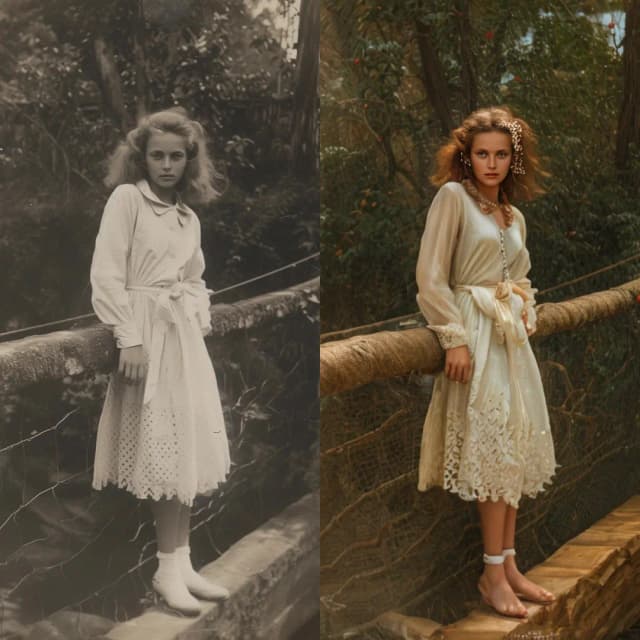
This workflow brings Qwen Image Edit 2511 to ComfyUI for precise, instruction-based editing that preserves the structure and identity of your source images. It supports both single image edit and multi‑image reference use cases, enabling style transfer, material or object replacement, attribute changes, and clean visual enhancement with natural, coherent results.
Built on a vision‑language encoder plus a diffusion transformer, the graph converts plain English instructions into consistent image editing. An optional Lightning LoRA makes Qwen Image Edit 2511 generations fast without sacrificing alignment, so artists and product teams can iterate quickly on creative image editing, character restyling, and professional content refinement.
Want a simpler, node-free experience? Try the Playground version to explore Qwen Image Edit 2511 Playground without using ComfyUI nodes—just upload an image and edit with text instructions.
Key models in ComfyUI Qwen Image Edit 2511 workflow#
- Qwen‑Image‑Edit‑2511. The core diffusion transformer for editing with improved consistency over 2509, designed to follow instructions while keeping identity and geometry stable. Hugging Face: Qwen/Qwen-Image-Edit-2511
- Qwen2.5‑VL‑7B‑Instruct. The vision‑language encoder used as the text/image understanding backbone; it aligns your instructions with visual context for instruction‑based editing. Hugging Face: Qwen/Qwen2.5-VL-7B-Instruct
- Qwen Image VAE. The matching variational autoencoder that maps between pixel space and the model’s latent space for faithful reconstruction. (Files provided via the Comfy‑Org package.) Hugging Face: Comfy-Org/Qwen-Image_ComfyUI
- Qwen‑Image‑Edit‑2511‑Lightning (optional). A 4‑step acceleration LoRA that significantly speeds up the sampler while keeping edits on‑brief; enable when you want rapid previews or near‑realtime single image edit. Hugging Face: lightx2v/Qwen-Image-Edit-2511-Lightning
How to use ComfyUI Qwen Image Edit 2511 workflow#
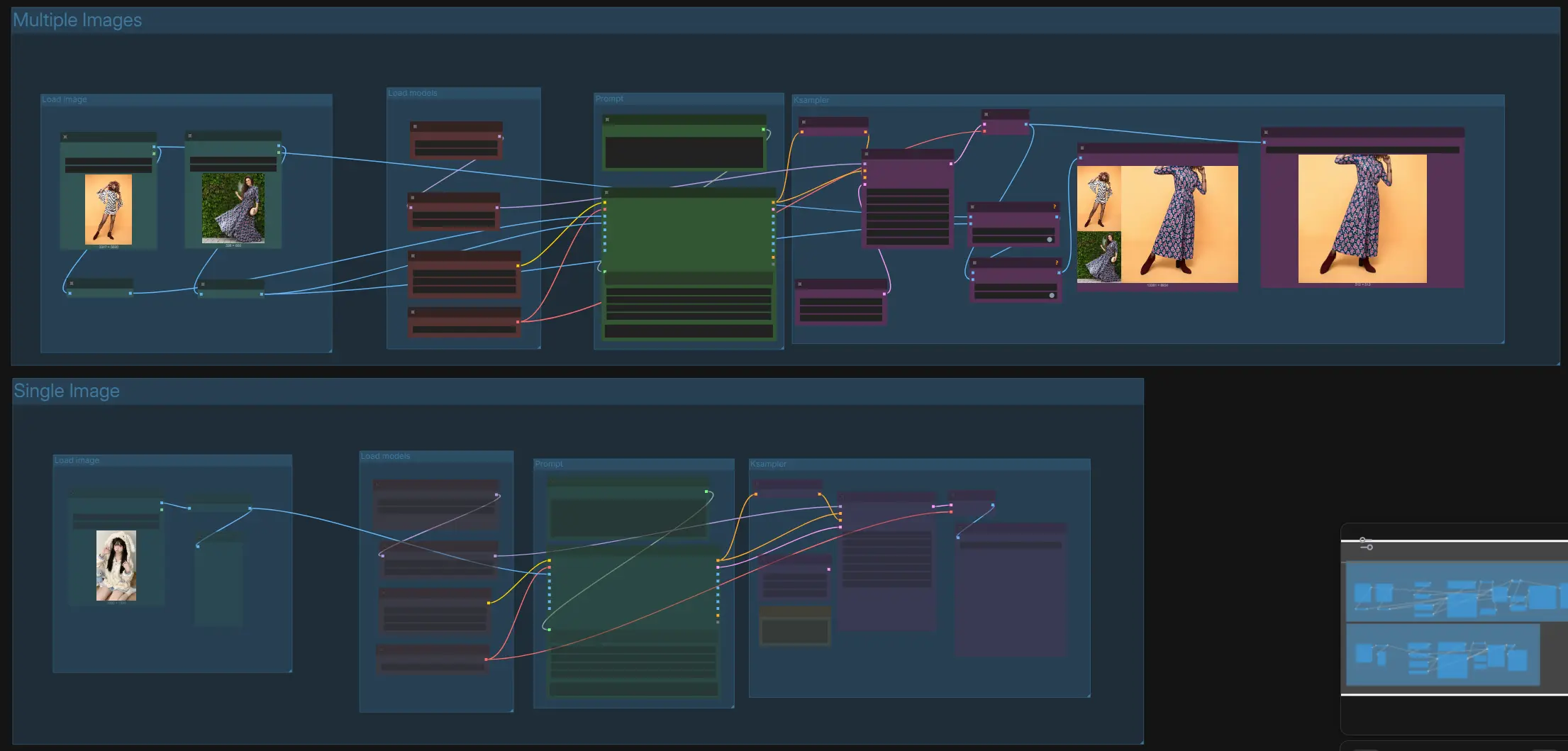
This graph contains two parallel tracks: “Multiple Images” for cross‑image attribute/material transfer and “Single Image” for direct instruction‑based editing. Both tracks share the same model loaders and sampler logic, and both end with preview and save nodes. Choose the track that matches your task, write a clear instruction, and queue the run.
Multiple Images › Load image#
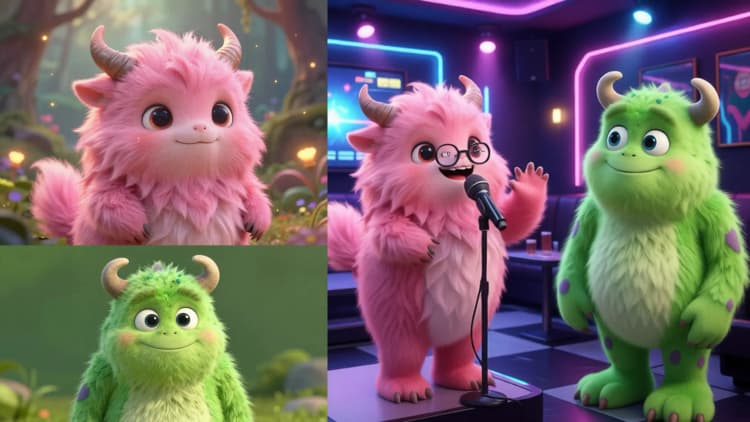
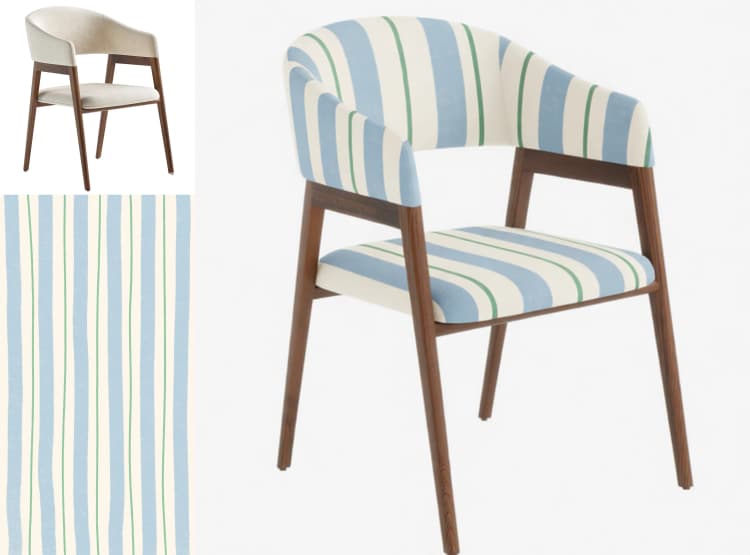
Use this group to load two reference images: the first is your base to edit and the second provides the look, material, or attributes to transfer. Images are auto‑resized to balanced working sizes to preserve layout and avoid artifacts during diffusion. If possible, pick references with similar framing or viewpoint to improve alignment. This path supports tasks like “replace the chair’s material in the left image with the one from the right image” while keeping shape and structure.
Multiple Images › Prompt#
Compose a short, explicit instruction that describes the edit goal and how the second image should influence the first. For example: “Replace the chair material from Figure 1 with the leather from Figure 2, keep the frame unchanged, match lighting.” The instruction is fed to a Qwen2.5‑VL encoder that grounds text in the loaded visuals for reliable image editing. Avoid conflicting objectives; specify what must remain unchanged for identity‑safe results.
Multiple Images › Load models#
This group loads the Qwen Image Edit 2511 diffusion model, the Qwen2.5‑VL encoder, and the Qwen Image VAE. You can optionally enable the Lightning LoRA to accelerate the edit while keeping instruction following robust. Leave model choices as provided by the template unless you have a reason to swap variants.
Multiple Images › KSampler and output#
The sampler performs controlled diffusion to realize the requested edit, using the positive conditioning from the instruction and a zeroed negative conditioning to reduce unintended changes. The result is decoded by the VAE and automatically concatenated with the references for a side‑by‑side preview, making it easy to verify that the single image edit followed your instruction. Save the composite or just the edited image as needed.
Single Image › Load image#
Drop one source image to edit. A scaling stage preps it to the target working size so composition stays stable and small details remain sharp. This is the cleanest path for instruction‑based editing when you do not need a style or material donor image.
Single Image › Prompt#
Write a direct instruction that names the subject and the exact change. Good patterns include “keep X, change Y,” “enhance Z,” or “restyle to [style] with the same composition.” The instruction is fused with visual context by the encoder so the diffusion model can apply a precise single image edit while preserving identity and geometry.
Single Image › Load models#
The model loaders initialize Qwen Image Edit 2511, Qwen2.5‑VL, and the VAE. Optionally enable the Lightning LoRA for faster previews and quick iteration. If you disable the LoRA, the base model will prioritize maximum fidelity and consistency.
Single Image › KSampler and output#
The sampler executes your edit with conditioning derived from the encoder and then decodes to an image. Use the preview to evaluate whether the edit satisfied the instruction without drifting from the original look. Save the final image when you are satisfied.
Key nodes in ComfyUI Qwen Image Edit 2511 workflow#
TextEncodeQwenImageEditPlusAdvance_lrzjason (#13, #64)
- Role: Packs your instruction with one or more reference images into the conditioning that guides Qwen Image Edit 2511. For multi‑image tasks, explicitly refer to the first and second images in the instruction to control what gets transferred. If you see over‑editing, make the instruction more constrained (for example, “do not change pose or lighting”) and keep the description anchored to actual objects in the image.
KSampler (#48, #72)
- Role: Drives the diffusion process that turns conditioning into the final edit. With the Lightning LoRA enabled, use very few steps with low guidance for speed; without it, increase steps for maximum fidelity. If results drift, lower guidance; if the change is too subtle, add a little more guidance or steps.
LoraLoaderModelOnly (#49, #68)
- Role: Injects the Qwen‑Image‑Edit‑2511‑Lightning LoRA for 4‑step acceleration. Keep the weight around its default for faithful results, and toggle it off when you want to compare against the base model’s quality or refine a tricky edit.
FluxKontextImageScale (#5, #6, #62)
- Role: Resizes inputs to stable working sizes so the encoder and sampler see consistent spatial context. Leave it on for most cases; if you must preserve original resolution exactly, adjust here first and then refine with the sampler.
Optional extras#
- Write instructions that name the subject and scope: “change jacket color to navy, keep fabric texture and lighting” yields more reliable image editing than vague style prompts.
- For multi‑image transfer, pick donors with similar viewpoint and lighting to the base image; this improves material and style matching.
- When enabling Lightning for rapid previews, confirm the final with a standard run if you need the absolute highest fidelity.
- If an edit touches too much of the frame, add constraints like “keep background unchanged” or “preserve facial features” to tighten the single image edit behavior.
References
- Qwen‑Image‑Edit‑2511 model card: Hugging Face
- Qwen2.5‑VL‑7B‑Instruct: Hugging Face
- Qwen Image VAE and packaged files for ComfyUI: Hugging Face
- Qwen‑Image‑Edit‑2511‑Lightning LoRA: Hugging Face
- Qwen‑Image technical report: arXiv
Acknowledgements#
This workflow implements and builds upon the following works and resources. We gratefully acknowledge Qwen for the Qwen-Image-Edit-2511 model for their contributions and maintenance. For authoritative details, please refer to the original documentation and repositories linked below.
Resources#
- Qwen/Qwen-Image-Edit-2511
- GitHub: QwenLM/Qwen-Image
- Hugging Face: Qwen/Qwen-Image-Edit-2511
- arXiv: 2508.02324
Note: Use of the referenced models, datasets, and code is subject to the respective licenses and terms provided by their authors and maintainers.