



Qwen Image 2.1 Turbo Text to Image for ComfyUI#
This workflow turns short prompts into polished visuals fast. Built around the official INT8 Turbo checkpoint and an eight-step sampling schedule, it is ideal for illustrations, cinematic scenes, clean product imagery with readable labels, and architectural studies. Optional Qwen 3.5 prompt enhancement can expand sparse briefs into richer descriptions; it is available in the graph and disabled by default so you stay in control.
Use this ComfyUI Qwen Image 2.1 Turbo Text to Image graph when you want speed without losing structure, consistent typography rendering, and native 2K output. The workflow exposes only the few inputs that matter, caches models for smooth iteration, and saves directly to PNG for predictable color and transparency handling.
Key models in Comfyui Qwen Image 2.1 Turbo Text to Image workflow#
- Qwen Image 2.1 Turbo (INT8). The distilled image generator at the heart of the workflow, tuned to reach convergence in only eight denoising steps while preserving composition and detail. Model card: Qwen Image 2.1 Turbo on Hugging Face.
- Qwen3-VL 8B INT8 text encoder. Translates your prompt into conditioning that the image model understands; shipped as an INT8 conv-rot checkpoint to cut VRAM while keeping prompt fidelity. Files are provided under Comfy-Org/Qwen-Image-2.1.
- Qwen Image 2.1 VAE (bf16). Decodes latents to RGB(A) images with stable color and tone; also used for any optional latent/image interplay. Available in the same Comfy-Org/Qwen-Image-2.1 repository.
- Qwen 3.5 Prompt Enhancer 9B INT8 (optional). A compact reasoning-capable model that rewrites your brief into a single, well-structured paragraph before image generation. Packaged for ComfyUI inside Comfy-Org/Qwen-Image-2.1.
How to use Comfyui Qwen Image 2.1 Turbo Text to Image workflow#
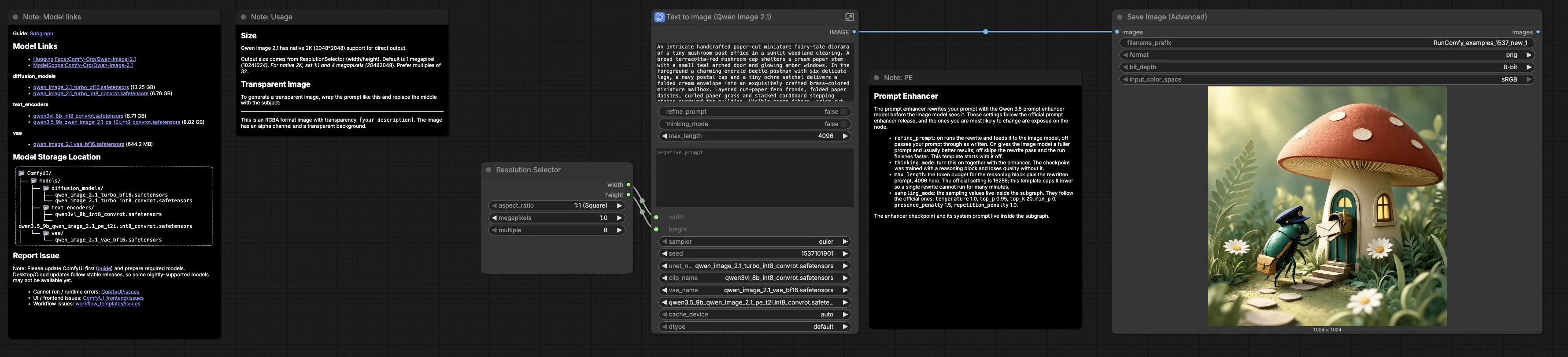
The graph runs in one pass: your prompt optionally flows through a Qwen 3.5 enhancer, is encoded by the Qwen3-VL text tower, and then drives an eight-step Turbo sampler that decodes to PNG. The groups below mirror the structure inside the subgraph; work top to bottom and tweak only where needed.
Prompt Enhancer#
This optional stage lets Qwen 3.5 expand or tidy your instruction before it reaches the image model. Flip refine_prompt in Text to Image (Qwen Image 2.1) (#459) to route through TextGenerate (#471); keep thinking_mode paired with the enhancer to preserve its intended behavior. The system prompt inside the graph standardizes output to one paragraph so prompts remain renderer-friendly. A live PreviewAny (#472) panel shows exactly what the image model will receive.
Models#
The UNETLoader (#451), CLIPLoader (#453), and VAELoader (#454) bring the Turbo UNet, Qwen3-VL text encoder, and VAE online. QwenImage21Cache (#490) pins model weights to your chosen device and dtype for snappy retries as you iterate. Because the checkpoints are INT8 where possible, the ComfyUI Qwen Image 2.1 Turbo Text to Image workflow balances speed, memory footprint, and quality.
Image Size#
Pick your aspect ratio and megapixels in ResolutionSelector (#13); those values flow to EmptyLatentImage (#456) and set the working canvas. Qwen Image 2.1 supports native 2K output, so you can move between square covers, widescreen frames, and tall banners without changing anything else. If you need product shots with packaging text or UI frames, start with square or common presentation ratios for predictable type and layout.
Conditioning#
TextEncodeQwenImage21 (#452) converts the final prompt into positive and negative conditioning. The graph is wired for the official Qwen path where cfg is kept minimal for clean adherence to text and layout, but a negative prompt input remains available for advanced use. This makes the ComfyUI Qwen Image 2.1 Turbo Text to Image workflow friendly to both minimal briefs and highly specified art directions.
Sampling#
Generation begins with RandomNoise and proceeds through KSampler Select (euler) (#487) using a fixed eight-step Manual Sigmas (Qwen-Image-2.1-Turbo 8-step schedule) (#484). CFGGuider (#489) applies classifier-free guidance tuned for Turbo, and Sampler Custom Advanced (#486) executes the denoise path. The fixed schedule is what enables the “Turbo” speed: you get decisive composition and sharp type in a fraction of the usual steps.
Output#
VAEDecode (#457) brings the latent back to pixels and SaveImageAdvanced (#461) writes PNG files in sRGB. The default naming keeps runs tidy; change the prefix when you branch explorations. PNG preserves transparency, so the same workflow can create clean product cutouts and iconography.
Key nodes in Comfyui Qwen Image 2.1 Turbo Text to Image workflow#
ResolutionSelector(#13). Sets aspect ratio and overall size for the canvas. Use square for covers and badges, widescreen for cinematic frames, and tall ratios for banners and phone-first layouts. Prefer sizes that are multiples of 32 for stable sampling and VAE decode.ComfySwitchNode(#474). Toggles the enhancer path. Leaverefine_promptoff to send your words straight to the image model, or turn it on to use the Qwen 3.5 rewrite. If you enable it, also enablethinking_modeso the enhancer follows its trained reasoning path.TextGenerate(#471). The prompt enhancer itself. Increasemax_lengthif your subject truly needs a longer rewrite, but keep it bounded so a single pass does not stall your iteration loop. The node emits a single paragraph that you can inspect inPreviewAnybefore rendering.TextEncodeQwenImage21(#452). Encodes the final text into conditioning for UNet guidance. Use the negative input only if you raise guidance above the official setting and know which attributes you want to suppress; otherwise keep the brief positive and concrete.Manual Sigmas (Qwen-Image-2.1-Turbo 8-step schedule)(#484). Provides the hand-tuned sigma sequence that makes eight steps sufficient for Turbo. If you change the sampler family or raise the step count, replace this schedule with one designed for that configuration to avoid muddy detail.KSampler Select (euler)(#487). Chooses the sampler. The included eight-step schedule is tuned foreuler; switching samplers can be useful for experimentation but should be paired with an appropriate sigma schedule.CFGGuider(#489). Controls adherence to the prompt. Keepcfgminimal for the official Qwen path and crisp typography; raise it only when using a strong negative prompt to push the image away from unwanted traits.Sampler Custom Advanced(#486). Orchestrates the denoise pass by wiring noise, guidance, sampler, schedule, and the target latent together. Treat it as the engine room; most users will not need to touch it.SaveImageAdvanced(#461). Exports images with a predictable filename and color space. Choose PNG for lossless output and to retain alpha for transparent assets.
Optional extras#
- Transparent output. For cutouts, phrase the brief as: This is an RGBA format image with transparency. [your description]. The image has an alpha channel and a transparent background. Save as PNG to keep the alpha channel.
- Native 2K. Qwen Image 2.1 natively supports 2048 px square output; increase size when you need tighter micro-detail or larger type while keeping the same prompt.
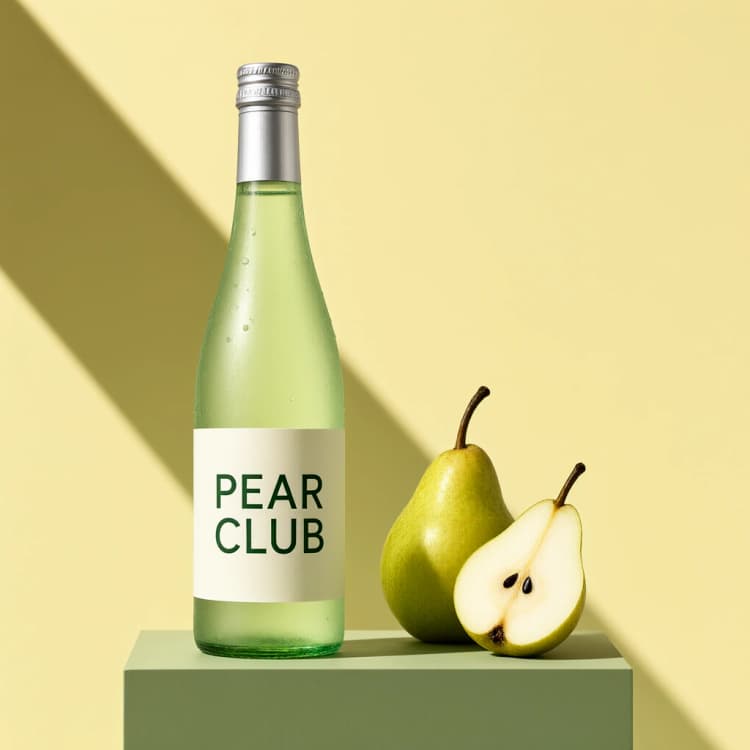
- Short labels that stay readable. Put every exact string you want to see in straight double quotes in the prompt; the model respects casing and punctuation well with the Turbo path.
- When to enable the enhancer. Turn it on for very short prompts or multi-region posters; leave it off when you already wrote a precise, layout-aware brief.
- Template parity. The node graph mirrors the official Turbo T2I template; compare or adapt alongside the JSON in the ComfyUI templates repository on GitHub.
Acknowledgements#
This workflow implements and builds upon the following works and resources. We gratefully acknowledge Comfy-Org for the ComfyUI workflow template (image_qwen_image_2_1_turbo_t2i), Qwen for the Qwen-Image-2.1-Turbo model, and Comfy-Org for the ComfyUI Qwen-Image-2.1 model files for their contributions and maintenance. For authoritative details, please refer to the original documentation and repositories linked below.
Resources#
- Official ComfyUI workflow template
- GitHub: Comfy-Org/workflow_templates
- Official Qwen Image 2.1 Turbo model
- Hugging Face: Qwen/Qwen-Image-2.1-Turbo
- ComfyUI model files
- Hugging Face: Comfy-Org/Qwen-Image-2.1
Note: Use of the referenced models, datasets, and code is subject to the respective licenses and terms provided by their authors and maintainers.