
MOSS-Image Rapid-MOSS SFT 4-Step text to image workflow#
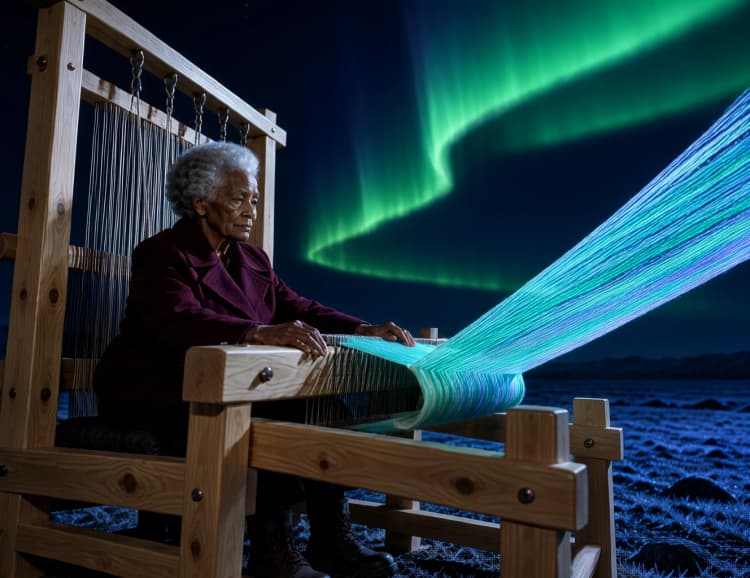
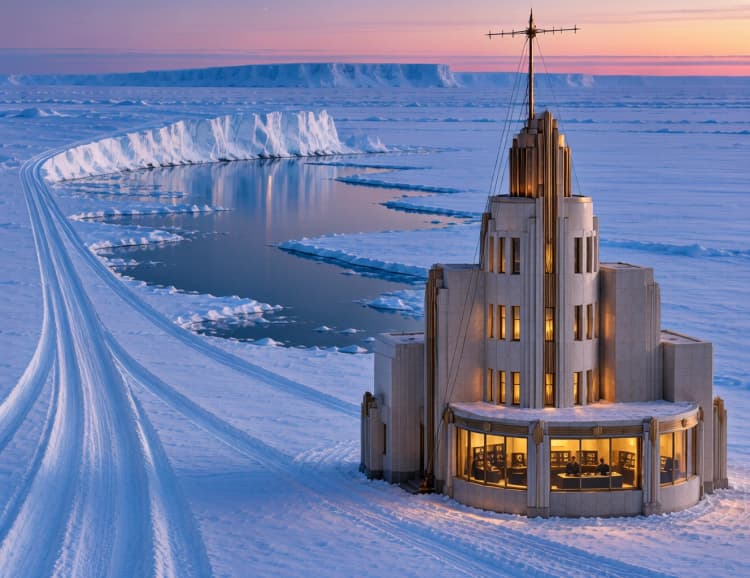
This ComfyUI workflow delivers fast, high-quality text-to-image generation with MOSS-Image-SFT paired to the Rapid-MOSS 4-step adapter and its dedicated sampler. The MOSS-Image Rapid-MOSS SFT 4-Step pipeline is tuned for speed while preserving prompt fidelity, making it ideal for photographic portraits, illustrated scenes, original character concepts, and early-stage architectural ideation.
Everything is wired so you can type a prompt, choose a size, and render in only four steps. The adapter supplies its own sampler and noise schedule, while classifier-free guidance is scheduled to keep results stable at such low step counts. If you want a rapid ideation engine in ComfyUI that still respects detailed prompting, this MOSS-Image Rapid-MOSS SFT 4-Step workflow is built for you.
Key models in Comfyui MOSS-Image Rapid-MOSS SFT 4-Step workflow#
- MOSS-Image-SFT by OpenMOSS-Team. The primary text-to-image model that interprets your prompt and synthesizes an image in latent space. It provides the UNet and text encoder used throughout this workflow. OpenMOSS-Team/MOSS-Image-SFT
- Rapid-MOSS 4-step adapter LoRA. A lightweight adapter that enables reliable four-step sampling and exposes a matching sampler and sigma schedule for best results with MOSS-Image-SFT. darask0/MOSS-Image_4-step_adapter_lora
- MOSS Image VAE. The variational autoencoder used to decode model latents into RGB images with faithful color and tone. Prepackaged weights suitable for ComfyUI are provided here. nif0/MOSS-Image-SFT-ComfyUI
- ComfyUI-KJNodes guidance utilities. This workflow relies on scheduled classifier-free guidance for stable four-step outcomes. Reference implementation and documentation live here. kijai/ComfyUI-KJNodes
How to use Comfyui MOSS-Image Rapid-MOSS SFT 4-Step workflow#
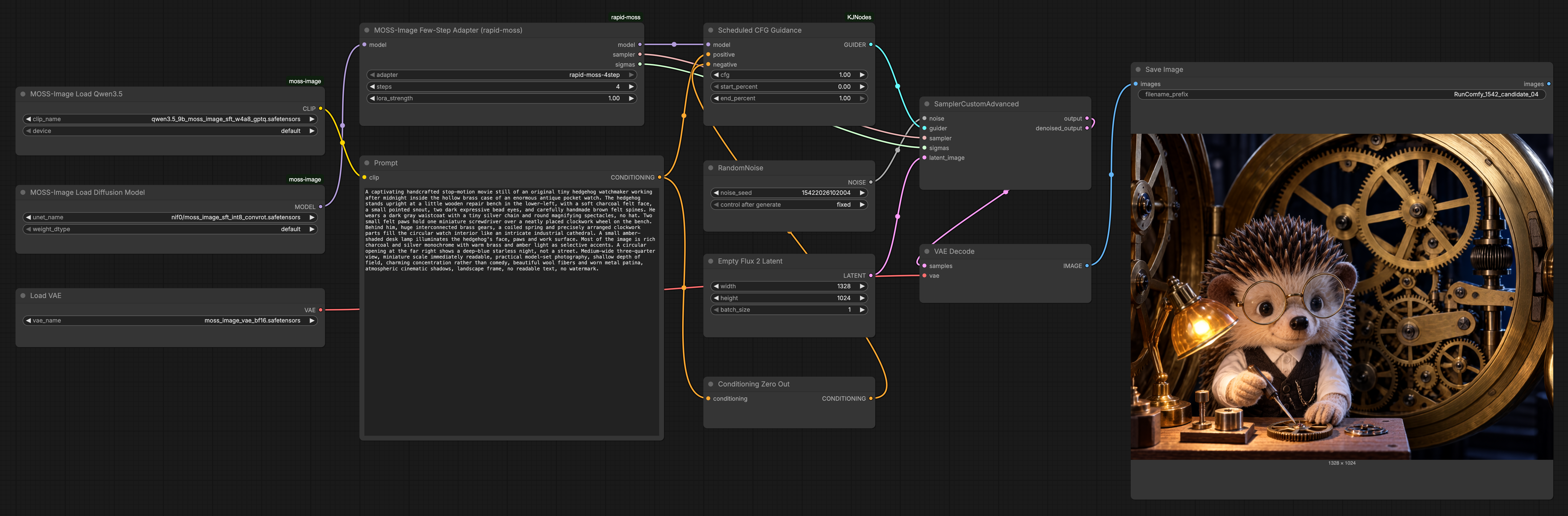
The graph flows from model and tokenizer loading to prompt encoding, then into a Rapid-MOSS powered 4-step sampler, and finally into VAE decoding and saving. Stages below reference key nodes by their on-canvas names.
Model and tokenizer loaders#
MOSSImageUNETLoader(#11) loads the MOSS-Image-SFT UNet that actually denoises latents. Treat this as the engine that learns how to turn noise into structure that matches your text.MOSSImageCLIPLoader(#10) provides the MOSS-Image text encoder so your prompt can be transformed into embeddings the UNet understands. Keep this paired with the same model family as the UNet to avoid mismatches.VAELoader(#12) brings in the MOSS VAE that will convert denoised latents into pixels at the end. This separation keeps sampling fast and decoding accurate.
Prompting and conditioning#
Prompt(#3) is where you type your text prompt. The node encodes your description into embeddings; clarity and specificity here strongly influence composition, subject, and style.ConditioningZeroOut(#14) supplies the unconditional branch for classifier-free guidance. It acts like an empty negative prompt; if you prefer custom negatives, replace it with another text encoder and wire that into the negative input of guidance.
Rapid 4-step adaptation and sampling#
RapidMOSSAdapter(#2) attaches the Rapid-MOSS 4-step LoRA to the base model and outputs a matchingsamplerandsigmasbundle. Keeping these together ensures the schedule and denoiser are aligned for stable four-step results.ScheduledCFGGuidance(#13) wraps the model and applies classifier-free guidance with a time-aware schedule. This helps the image follow your prompt without overshooting or washing out details within such a short schedule.RandomNoise(#5) seeds the generation for reproducible or varied results. Fix the seed to iterate on composition, or randomize to explore alternatives quickly.EmptyFlux2LatentImage(#6) sets the canvas size by creating a blank latent at your chosen width and height. Larger sizes capture more detail but can be harder to compose in four steps; start near your target aspect ratio and refine.SamplerCustomAdvanced(#7) performs the actual four-step denoising. It takes noise, the guidance-wrapped model, and the Rapid-MOSSsamplerandsigmasso the schedule and predictor are exactly what the adapter expects.
Decode and save#
VAEDecode(#8) converts the final latent into an image using the loaded MOSS VAE. This is where color, texture, and fine details become visible.SaveImage(#9) writes the result to disk with a clear prefix so you can track outputs from the MOSS-Image Rapid-MOSS SFT 4-Step workflow. Re-run with new seeds to quickly build a shelf of options.
Key nodes in Comfyui MOSS-Image Rapid-MOSS SFT 4-Step workflow#
RapidMOSSAdapter (#2)#
This node is the heart of the MOSS-Image Rapid-MOSS SFT 4-Step approach. It injects the Rapid-MOSS LoRA into the UNet and publishes the dedicated sampler and sigmas that make four-step sampling work. Adjust steps only when you have a reason to diverge; the adapter is designed around 4. Tuning lora_strength lets you balance strict adherence to the 4-step behavior against a looser, more general denoising feel.
ScheduledCFGGuidance (#13)#
This guidance wrapper applies classifier-free guidance with a schedule across the short trajectory, improving prompt faithfulness without destabilizing the image. Increase cfg for stronger prompt pull and crisper subjects, or decrease it to avoid oversaturation and artifacts in complex scenes. If you change the schedule window, keep it consistent with the four-step horizon so guidance remains smooth.
EmptyFlux2LatentImage (#6)#
Use this to set output size and aspect ratio before sampling. Prefer dimensions that align to common diffusion strides and keep aspect ratios reasonable for your subject to reduce stretching. When iterating, fix size while exploring seeds so composition differences are attributable to noise rather than canvas shifts.
SamplerCustomAdvanced (#7)#
This sampler consumes the adapter’s sampler and sigmas and runs the four denoise steps. Do not swap in unrelated samplers or schedules unless you also change the adapter because the pairing is what delivers speed and stability. For variations, keep the sampler-schedule pair intact and change only the seed, prompt, or guidance.
Prompt (#3)#
Your words become embeddings here. Lead with the subject, then add composition and lighting, and finish with style cues. Keep it concise and concrete to help the MOSS-Image Rapid-MOSS SFT 4-Step pipeline resolve confident structure in very few steps.
Optional extras#
- For portraits, specify framing, lens cues, and lighting; for illustrated scenes, include medium and palette hints.
- If you want a custom negative prompt, replace
ConditioningZeroOut(#14) with anotherCLIPTextEncodeand wire it to the negative input ofScheduledCFGGuidance(#13). - Lock a seed in
RandomNoise(#5) to iterate on wording; unlock it to explore fast variations. - Start with moderate guidance in
ScheduledCFGGuidance(#13); nudge upward only if the image drifts from the prompt. - Keep the adapter’s four-step pairing intact in
RapidMOSSAdapter(#2) andSamplerCustomAdvanced(#7) for the best balance of speed and quality.
Acknowledgements#
This workflow implements and builds upon the following works and resources. We gratefully acknowledge OpenMOSS-Team for MOSS-Image-SFT, darask0 for the Rapid-MOSS four-step adapter and ComfyUI nodes, and nif0 for the MOSS-Image-SFT quantized model files for their contributions and maintenance. For authoritative details, please refer to the original documentation and repositories linked below.
Resources#
- OpenMOSS-Team/MOSS-Image-SFT
- GitHub: OpenMOSS/MOSS-Image
- Hugging Face: OpenMOSS-Team/MOSS-Image-SFT
- arXiv: 2610.23374
- darask0/MOSS-Image_4-step_adapter_lora
- Hugging Face: darask0/MOSS-Image_4-step_adapter_lora
- nif0/MOSS-Image-SFT-ComfyUI
- Hugging Face: nif0/MOSS-Image-SFT-ComfyUI
- r/comfyui/The Greatest Model Ever: MOSS-Image-SFT at 4 steps (workflow discussion)
- Docs / Release Notes: Reddit post
Note: Use of the referenced models, datasets, and code is subject to the respective licenses and terms provided by their authors and maintainers.