

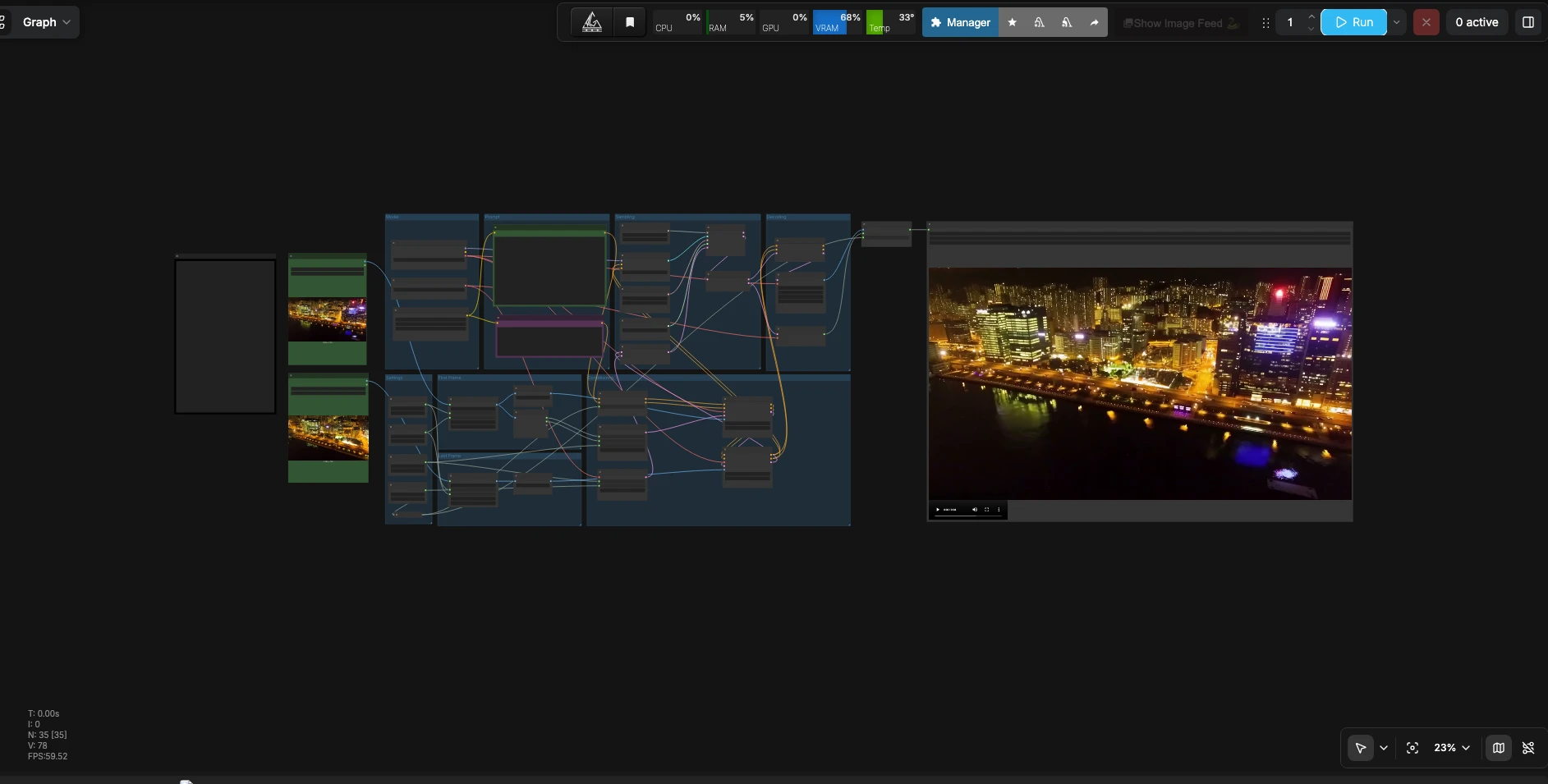
LTX 2.3 First Last Frame to Video#
LTX 2.3 First Last Frame to Video is a ComfyUI workflow that turns two still images into a smooth, continuous video with synchronized audio. You provide a first frame, a last frame, and a natural-language prompt describing motion, scene details, and sound. Powered by the LTX-2.3 22B distilled FP8 checkpoint, the pipeline interpolates between the images while maintaining consistent appearance and timing. It is ideal for editors, motion designers, and storyboard artists who need a seamless transition or a short looping clip created directly inside ComfyUI.
This LTX 2.3 First Last Frame workflow emphasizes efficient inference and high prompt fidelity. FP8 weights keep VRAM use in check, while a Gemma 3 12B text encoder improves semantic understanding of both visual and audio instructions. The result is a coherent visual passage from first to last frame that honors your prompt and stays in sync with generated audio.
Key models in Comfyui LTX 2.3 First Last Frame workflow#
- LTX-2.3 22B Distilled FP8 checkpoint by Lightricks. Core video generation model distilled for efficient inference, used here to synthesize temporally consistent frames while conditioning on the two image guides and the text prompt. Model card
- Gemma 3 12B IT text encoder. Provides robust language understanding for both visual and audio aspects of the prompt, enabling accurate motion, scene attributes, and soundtrack cues. Model card
- LTX-2.3 latent VAEs for video and audio. These components map images and waveform audio to compact latents and back during decoding, preserving quality while keeping sampling efficient. Shipped with the LTX-2.3 FP8 release. Model card
How to use Comfyui LTX 2.3 First Last Frame workflow#
This workflow takes two reference images and a prompt, builds conditioning with first and last frame guides, samples a video latent with synchronized audio, and decodes everything to a playable file.
Settings
- Set your target resolution, frame count, and frame rate in the Settings group. Width and height define the working canvas; the input frames are resized to match so the model can interpolate cleanly. Frame count controls how long the transition lasts, and frame rate sets playback speed. Choose an aspect ratio that matches your sources to avoid unwanted cropping. The nodes
WIDTH(#113),HEIGHT(#98),Length(#102), andFrame Rate(int)(#114) anchor these choices.
First Frame
- Load your starting image in
Load First Frame(#31). It is resized byResizeImageMaskNode(#124) to the target dimensions and normalized byLTXVPreprocess(#104). This prepares the first frame to act as a strong structural and color guide at the beginning of the clip. Use a sharp, well-lit image for best results.
Last Frame
- Load your ending image in
Load Last Frame(#39). The image is matched to the same size withResizeImageMaskNode(#125) and normalized byLTXVPreprocess(#99). This ensures the final look and layout you want at the end of the transition. For loops, make the last frame visually compatible with the first.
Prompt
- The
LTXAVTextEncoderLoader(#103) provides the text encoder, and twoCLIPTextEncodenodes capture your positive and negative prompts. In the positive prompt (CLIPTextEncode(#128)), describe camera motion, subjects, lighting, and also include audio cues such as “Music: ambient pads with soft percussion” or “Dialogue: brief whisper.” The negative prompt (CLIPTextEncode(#112)) can list artifacts or traits you want to suppress.
Conditioning
LTXVConditioning(#109) merges the text conditioning with timing information so motion and audio align with your chosen frame rate.EmptyLTXVLatentVideo(#108) creates a video latent at your resolution and length. Two passes ofLTXVAddGuidefirst attach the first frame (LTXVAddGuide(#115)) and then the last frame (LTXVAddGuide(#111)) so the model knows where to start and where to end.LTXVEmptyLatentAudio(#101) initializes an audio latent of matching duration, andLTXVConcatAVLatent(#119) bundles audio and video latents for sampling.
Model
CheckpointLoaderSimple(#127) loads the LTX-2.3 22B distilled FP8 weights and the video VAE, whileLTXVAudioVAELoader(#126) provides the audio VAE. These are preconfigured so you can focus on creative inputs rather than setup details.
Sampling
CFGGuider(#116) balances adherence to your text and guide frames against creative freedom.RandomNoise(#100) sets a seed for reproducibility. The sampler usesSamplerEulerAncestral(#117) with a custom schedule fromManualSigmas(#118), orchestrated bySamplerCustomAdvanced(#120), to progressively refine the latent into a coherent sequence that follows your motion and audio instructions.
Decoding
- After sampling,
LTXVSeparateAVLatent(#121) splits the combined latent back into video and audio.LTXVCropGuides(#106) refines spatial guidance to reduce edge artifacts before image decoding.VAEDecodeTiled(#105) produces the frame sequence, andLTXVAudioVAEDecode(#107) generates the audio waveform.CreateVideo(#122) muxes frames and sound at your selected fps andSaveVideo(#68) writes the final file to your ComfyUI output.
Key nodes in Comfyui LTX 2.3 First Last Frame workflow#
EmptyLTXVLatentVideo (#108)
- Defines the working resolution and duration of your clip. Adjust width, height, and length here to set visual scale and transition time. Longer durations need stronger motion cues in the prompt to avoid stagnation.
LTXVAddGuide (#115)
- Injects the first frame as a structural and color anchor at the start of the sequence. If the opening drifts from your source, increase this guide’s influence; if it feels overconstrained, reduce it slightly to allow more motion.
LTXVAddGuide (#111)
- Anchors the target look at the end of the clip using the last frame. If the transition overshoots or never quite lands on your last frame, raise the guide influence; if it snaps too hard near the end, ease it down.
CFGGuider (#116)
- Controls how strongly the model follows text and image conditioning. Higher guidance emphasizes your prompt and guides but can reduce smoothness; lower values feel freer but may deviate from the intended look. Tweak in small steps and re-use the same seed when comparing.
SamplerCustomAdvanced (#120) with SamplerEulerAncestral (#117) and ManualSigmas (#118)
- Drives denoising with a consistent schedule for stable motion. Shorter schedules render faster but can be rough; longer or gentler schedules improve consistency at additional compute cost. Keep the schedule consistent when A/B testing other parameters.
CreateVideo (#122)
- Muxes decoded frames and audio into a final clip at your chosen frame rate. Use the same fps you conditioned with so lip shapes, footsteps, or music pulses remain aligned.
Optional extras#
- Write prompts with verbs and timing: “camera trucks forward,” “lights dim as we approach,” “Music: sparse piano with soft reverb.” Clear verbs help the LTX 2.3 First Last Frame pipeline infer motion and rhythm.
- Match the aspect ratio and orientation of your two images. Large mismatches can introduce unwanted cropping or stretching.
- For seamless loops, make the last frame a near match to the first and keep camera motion cyclical.
- Reuse a seed in
RandomNoiseto reproduce a look while iterating on prompts or guide strengths; change the seed to explore fresh variations. - If you need implementation details or custom node references, see ComfyUI’s LTX integrations and utilities such as ComfyUI-LTXTricks. Repository
Acknowledgements#
This workflow implements and builds upon the following works and resources. We gratefully acknowledge Lightricks for LTX-2.3 22B Distilled FP8 Checkpoint, Google for Gemma 3 12B IT FP4 Text Encoder, logtd for ComfyUI-LTXTricks Custom Nodes, and Comfy.org for Comfy.org Official Workflow for their contributions and maintenance. For authoritative details, please refer to the original documentation and repositories linked below.
Resources#
- Lightricks/LTX-2.3 22B Distilled FP8 Checkpoint
- Hugging Face: Lightricks/LTX-2.3-fp8
- Google/Gemma 3 12B IT FP4 Text Encoder
- Hugging Face: google/gemma-3-12b-it
- logtd/ComfyUI-LTXTricks Custom Nodes
- GitHub: logtd/ComfyUI-LTXTricks
- Comfy.org/Comfy.org Official Workflow
- Docs / Release Notes: comfy.org/workflows/video_ltx2_3_flf2v
Note: Use of the referenced models, datasets, and code is subject to the respective licenses and terms provided by their authors and maintainers.