minimax-h3-fast/image-to-video
MiniMax H3 Fast animates a first frame into a 5-15s clip
A prompt and 1 to 10 images are required. FLUX 3 Max Keyframes To Video places each image on a unique 24 fps frame index. The highest index cannot pass duration times 24.
| Parameter | Required | Type | Default | Range / Options | Description |
|---|---|---|---|---|---|
| prompt* | Yes (*) | string | — | Text | How FLUX 3 Max Keyframes To Video should move between the stills. |
| keyframes* | Yes (*) | array | — | 1-10 items | Each item has image_url and a unique frame_index. |
| aspect_ratio | No | string | auto | auto, 21:9, 2:1, 16:9, 4:3, 1:1, 3:4, 9:16 | Frame shape for FLUX 3 Max Keyframes To Video. auto follows the first image. |
| resolution | No | string | 720p | 720p, 1080p | Output resolution. |
| duration | No | integer | 5 | 5-20 | Length in seconds for FLUX 3 Max Keyframes To Video. Needed so frame indexes can be checked. |
| generate_audio | No | boolean | true | true, false | Create an audio track with the video. |
| reasoning_level | No | string | high | low, high | high spends longer on the prompt. |
| seed | No | integer | Empty | Integer or empty | Empty means a random seed for FLUX 3 Max Keyframes To Video. |
The rate is $0.05 per second at 720p and $0.08 per second at 1080p. FLUX 3 Max Keyframes To Video bills the generated clip length. Extra stills are not a separate fee.
| Resolution | Rate |
|---|---|
| 720p | $0.05 per second |
| 1080p | $0.08 per second |
| Duration | 720p | 1080p |
|---|---|---|
| 5 s | $0.25 | $0.40 |
| 10 s | $0.50 | $0.80 |
| 20 s | $1.00 | $1.60 |
MiniMax H3 Fast animates a first frame into a 5-15s clip

LTX 2.5 Fast audio-to-video for track-timed 1080p clips

Cinematic 4K image-to-video at $0.419 per second of output.
Refined AI visuals, real-time control, and pro FX for creators
Render fluid, stylized scenes with fast, frame-consistent output
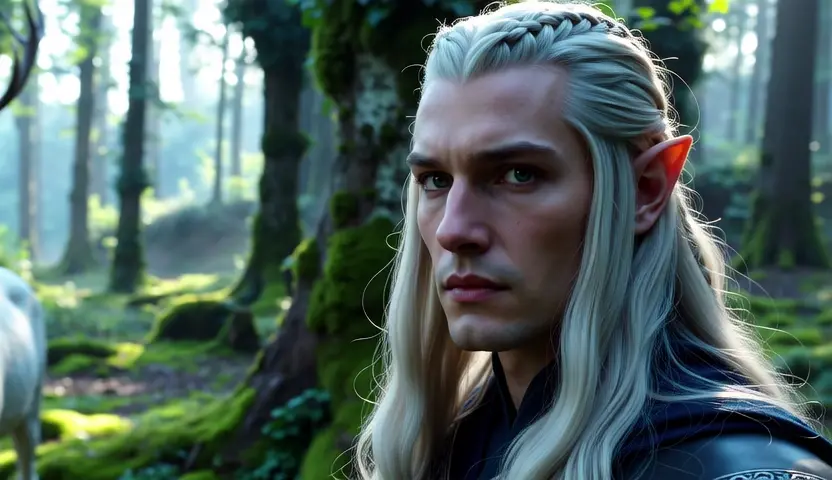
Cinema-grade AI videos with precise dual-prompt control
FLUX 3 Max Keyframes To Video connects up to ten stills that you pin to frame numbers, then fills the motion between them. It fits storyboards, multi-beat product reveals, and pose-to-pose scene arcs.
FLUX 3 Max Keyframes To Video accepts 1 to 10 images. Each image needs its own frame_index on a 24 fps timeline, and two images cannot share the same index.
FLUX 3 Max Keyframes To Video uses a whole-second length from 5 to 20. The default is 5 seconds. The highest frame index cannot exceed that length times 24.
FLUX 3 Max Keyframes To Video outputs 720p by default or 1080p. Aspect ratio can be auto, 21:9, 2:1, 16:9, 4:3, 1:1, 3:4, or 9:16. auto follows the first image.
Yes. Generate Audio is on by default, so FLUX 3 Max Keyframes To Video can return a soundtrack with the picture. Turn it off when you need a silent file.
FLUX 3 Max Keyframes To Video offers low and high. high is the default and spends more time on the prompt, so the wait is longer. low returns sooner.
Set seed to reuse a closer take in FLUX 3 Max Keyframes To Video. Leave seed empty and the model picks a random value. Changing the prompt or a keyframe still changes the result.
Prototype FLUX 3 Max Keyframes To Video in the RunComfy Playground Web UI, then call the same model through the RunComfy API with the same prompt, keyframes, duration, resolution, and other fields. Jobs spend usd or credits. New accounts usually start with a trial balance.
FLUX 3 Max Keyframes To Video costs $0.05 per second at 720p and $0.08 per second at 1080p, based on the generated clip length. A 5-second 720p clip is $0.25. A 10-second 1080p clip is $0.80. Extra keyframes do not add a separate image fee.
RunComfy is the premier ComfyUI platform, offering ComfyUI online environment and services, along with ComfyUI workflows featuring stunning visuals. RunComfy also provides AI Models, enabling artists to harness the latest AI tools to create incredible art.