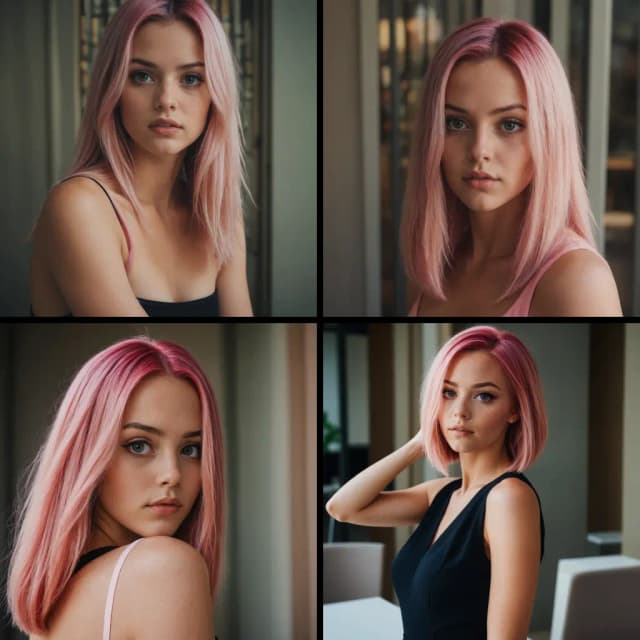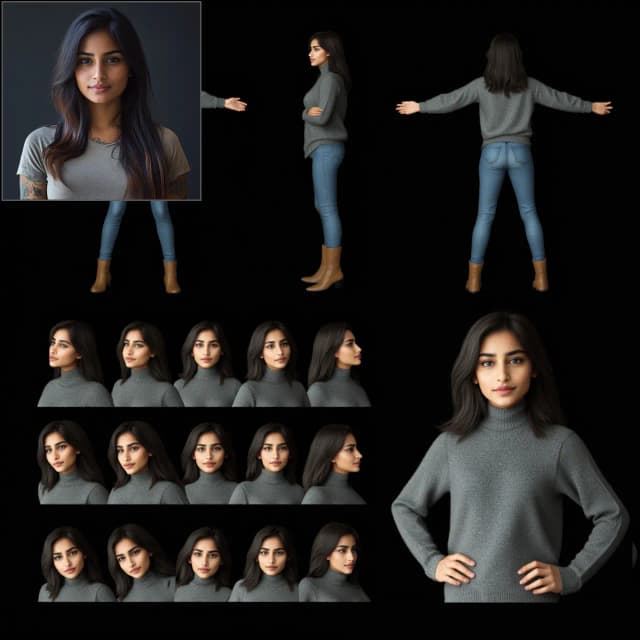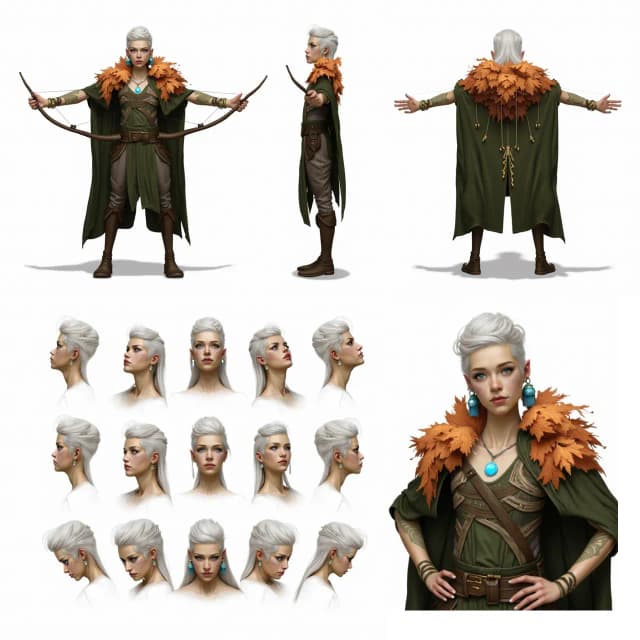


Consistent Character Creator 3.8: Hyperrealistic, identity-consistent AI characters from one photo#
Consistent Character Creator 3.8 is a modular ComfyUI workflow that turns a single reference image into a complete, identity‑consistent character pack. It focuses on speed and repeatability while preserving the subject’s proportions, clothing, and facial features across views and scenes.
Built around Qwen‑Image‑Edit‑2511, this version adds richer turnarounds, multiple scene variants, close‑ups, try‑on and pose paths, and a dataset export utility. The result is a one‑canvas system for character artists, game developers, and creators who need hyperrealistic, consistent outputs fast.
Key models in Comfyui Consistent Character Creator 3.8 workflow#
- Qwen-Image-Edit-2511 (GGUF) UNet. The image-guided generator that anchors identity and style from your reference photo. Used via the "Qwen Image Edit" nodes with GGUF weights optimized for ComfyUI. unsloth/Qwen-Image-Edit-2511-GGUF
- Qwen Image encoders and VAE. Text encoders and the VAE that pair with the Qwen image-edit UNet to correctly interpret the reference image and decode high-quality pixels. Comfy-Org/Qwen-Image_ComfyUI
- Qwen-Image-Edit-2511-Lightning LoRA. A lightweight LoRA that speeds up and stabilizes Qwen image edits while retaining identity. lightx2v/Qwen-Image-Edit-2511-Lightning
- FLUX.1‑dev checkpoint. Used in the dataset pipeline for style‑aware upscaling and refinement. Comfy-Org/flux1-dev
- USO FLUX projector model patch. Bridges CLIP‑Vision style features into FLUX for style‑consistent refinement and dataset prep. Comfy-Org/USO_1.0_Repackaged
- SigCLIP Vision 384. Extracts visual features for style reference and guidance in the dataset path. Comfy-Org/sigclip_vision_384
- Florence‑2‑FLUX‑Large. Generates high‑quality automatic captions for dataset export. gokaygokay/Florence-2-Flux-Large
- 4x-UltraSharp upscaler. Sharp, natural upscaling used in the dataset flow. Any compatible upscaler can be swapped in.
How to use Comfyui Consistent Character Creator 3.8 workflow#
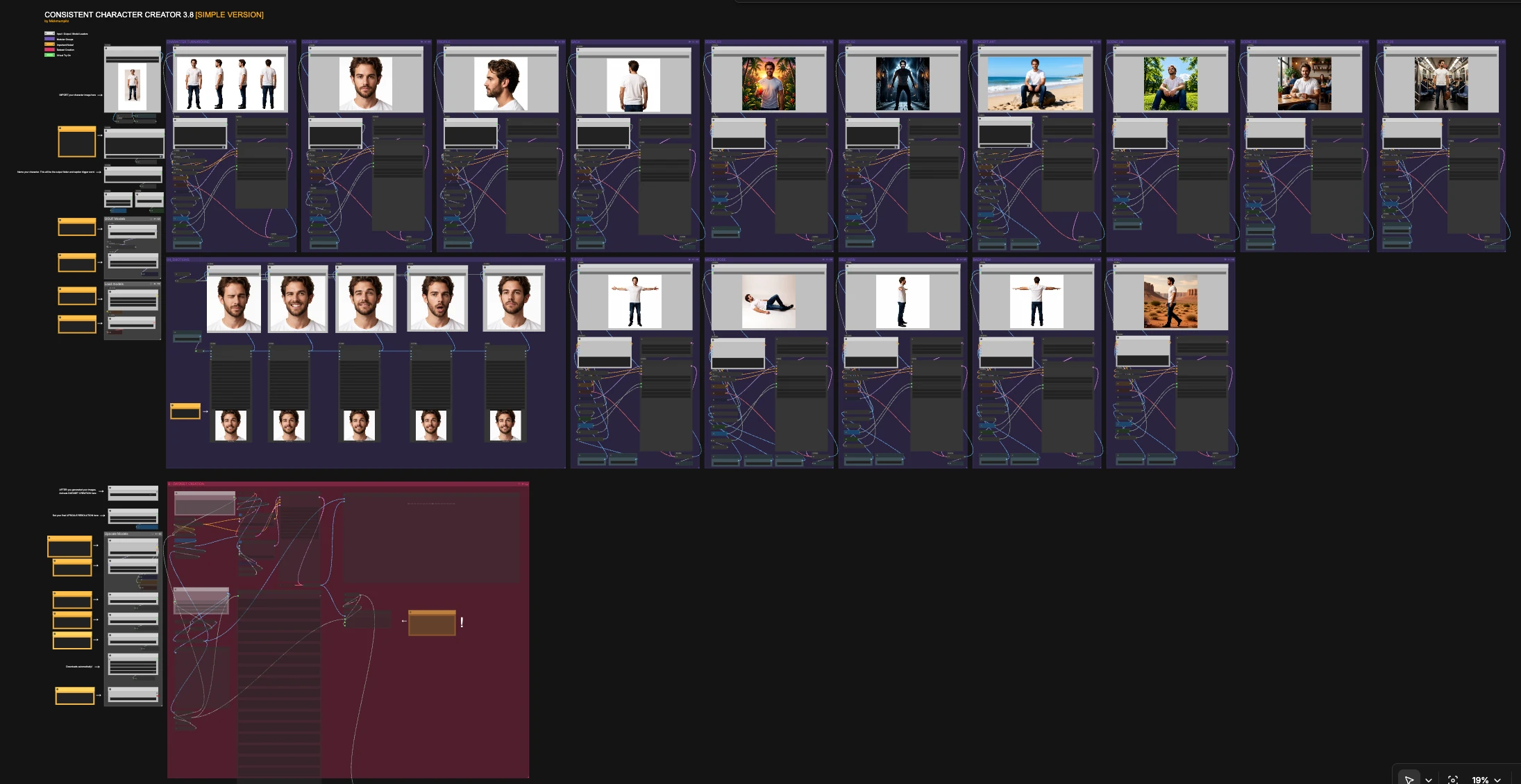
The overall logic is simple: import a clean reference image, give the character a short name (used for folders and captions), optionally add a one-sentence style prompt, then run any group you need. Each group is self-contained and can be triggered independently to create close-ups, turnarounds, poses, scenes, and dataset exports that stay visually consistent.
Load models#
This utility group initializes the Qwen image-edit encoders, the paired VAE, and the CLIP text/vision backbones. The Qwen-Image-Edit-2511 GGUF weights and the Lightning LoRA are loaded and combined so you can iterate quickly without manual setup. You do not need to change anything here unless you want to swap checkpoints or encoders.
GGUF Models#
This group points the graph at the Qwen-Image-Edit-2511 GGUF UNet used by all generation paths. It keeps sampling stable across the canvas while the Lightning LoRA accelerates steps. Treat it as the backbone that enforces identity.
Upscale Models#
Loads the FLUX.1‑dev checkpoint, the USO FLUX projector model patch, a CLIP‑Vision encoder, and your chosen upscaler. These assets are used primarily inside the dataset pipeline to produce sharper, style‑consistent training images and captions. You can leave defaults as is unless you prefer a different upscaler or need to swap the style projector.
CHARACTER TURNAROUND#
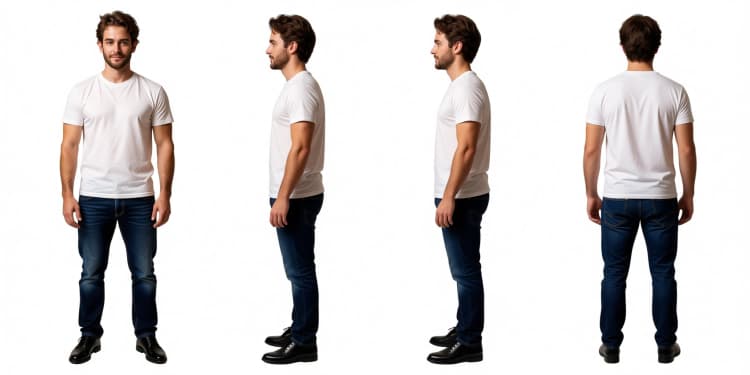
Generates a clean multi‑view sheet from your single input image. The Qwen encoder conditions on the reference and a short instruction that asks for an even, white‑background lineup. Use this when you want a quick identity check before running scenes and poses. Outputs save under your character’s name for easy reuse in later groups.
CLOSE UP#
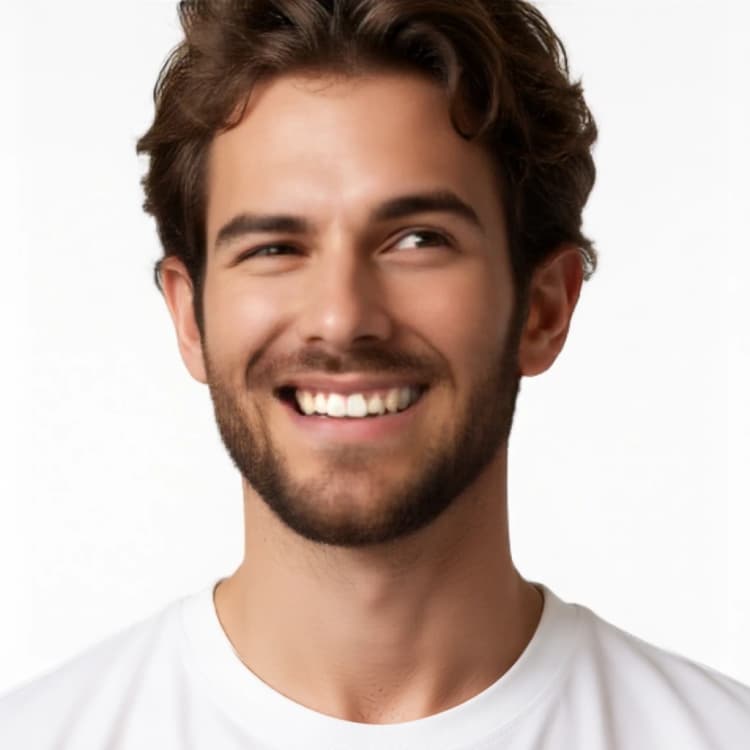
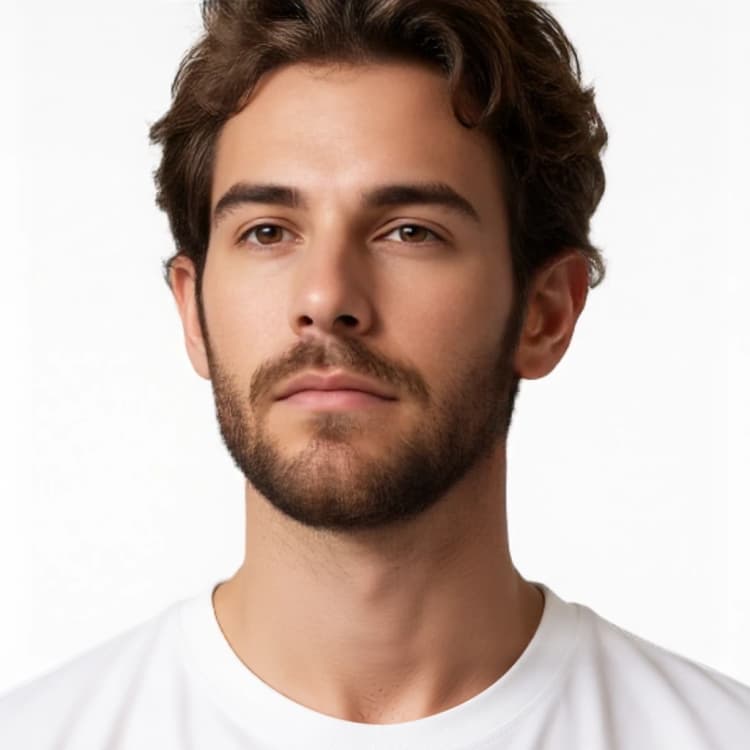
Creates a frontal, neutral close-up that locks in skin tone, facial features, and micro-detail. The encoder prioritizes your reference image over text so the likeness stays true. Use it for thumbnails, ID cards, or to judge whether identity is ready for broader scenes.
PROFILE#
Produces a side-view close-up of the head for profile and silhouette verification. The prompt asks for a clean framing to keep proportions consistent. Run this early to confirm ear, nose, and jawline shape before moving to full-body shots.
BACK#
Renders an over-the-shoulder or back-view to complete the portrait range. This helps validate hair silhouette, clothing seams, and back proportions. It is especially useful if you plan to generate animations or turnarounds later.
T‑POSE#
Generates a full-body, neutral T-pose on white for rigging, try-on, or template work. Because it is conditioned by the same reference, proportions and clothing transfer without drift. Use this as a base before attempting movement or stylized poses.
MODEL POSE#
Places the character in relaxed studio poses for try-on and lookbook-style shots. It is designed to keep clothing, hairstyle, and styling intact while changing body posture. Great for apparel visualization or art direction tests.
SIDE VIEW#
Builds a full-body side view for scale and posture alignment. Running SIDE VIEW plus BACK VIEW gives you orthographic references you can use for modeling or 2D rigging. Identity is preserved through the same conditioning stack used elsewhere.
BACK VIEW#
Creates a full-body back view to complete orthographic coverage. Helpful for garment back details, backpacks, or hair length checks. Use together with SIDE VIEW and T-POSE when assembling turnaround sheets.
WALKING#
Generates a cinematic side-on walking frame that maintains the outfit and silhouette. The instruction encourages natural motion without breaking identity. Useful for quick storyboards and shot tests.
SCENE_02#
Moves the character into a moody interior with lighting changes while preserving clothing and face. Use it to test how your character holds up under stylized lighting. Identity consistency is maintained by the image‑first conditioning.
SCENE_03#
Places the character outdoors with warm light and foreground props while keeping the same look and wardrobe. It is a good stress test for color balance shifts and still keeps the face stable. Swap this in when you want bright, saturated results.
SCENE_04#
Gives you a sunny park setup with a different camera angle to check low-angle facial stability. Run this after the neutral pack to confirm likeness under upward-looking shots. Useful for social, lifestyle, or product contexts.
SCENE_05#
Adds a cozy café environment and handheld prop guidance while preserving outfit and style. This is a realism check that mixes interior lighting and hand interaction without losing identity. Use it when you need naturalistic storytelling frames.
SCENE_06#
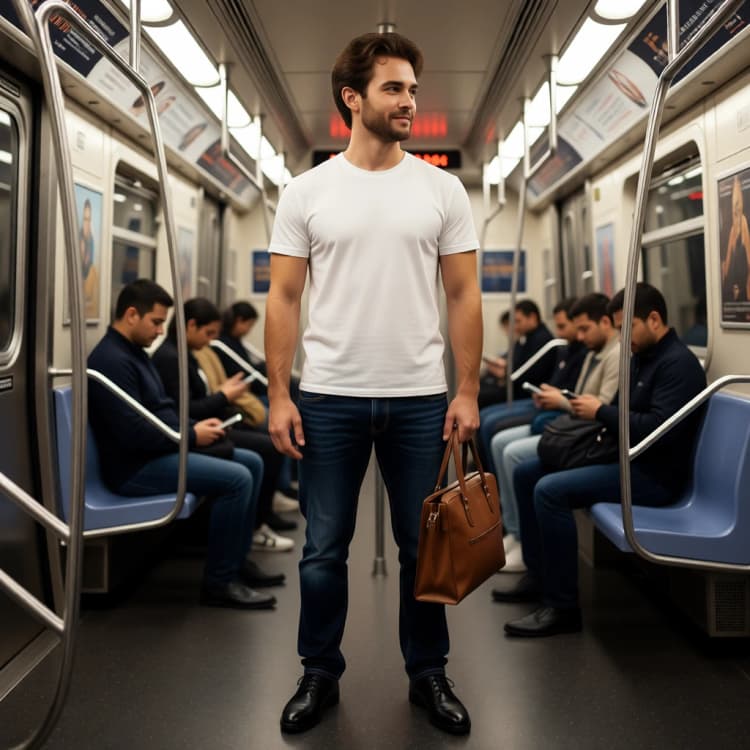
Moves the character into public transit with retained clothing and color palette. It verifies identity in tighter, busier backgrounds. Handy for editorial or urban narrative panels.
CONCEPT ART#
Produces an art‑directed variant that extrapolates style while still honoring the original proportions and outfit. It is intended for mood boards, key art, or preproduction sketches. Because it leverages the same reference, your character remains recognizable.
04_EMOTIONS#
Creates multiple close-up variations with subtle expression changes. It is useful for UI avatars, reaction sheets, or dialogue portraits while staying faithful to the subject. Trigger this group when you want a compact emotion pack matching the same identity.
B - DATASET CREATION#
After you generate your pack, this group loads selected images, upscales and normalizes them, auto-captions with Florence-2, and writes a ready-to-train folder. It uses a style-reference path so your dataset keeps the same look as the generated pack. Set the character name once and the exporter will save images and captions into a dedicated dataset folder for future fine-tunes.
Key nodes in Comfyui Consistent Character Creator 3.8 workflow#
TextEncodeQwenImageEditPlus(#1199). Feeds Qwen with your reference image plus a short instruction so the model knows what to change and what to keep. Keepimage1connected to your character photo and write conciseprompttext when you need pose or scene changes rather than style rewrites. The less you over-describe identity, the more consistent the outputs remain.FluxKontextMultiReferenceLatentMethod(#1351). Locks identity features early in the sampling schedule so the subject survives across angles and lighting. Use it as provided for strongest identity; relax only if you intentionally want more restyling.KSampler(#199). Converts conditioning into images across all packs. If you need more fidelity, adjuststeps; if you want looser adherence to the instruction, adjustcfg. Small coordinated changes here affect every group in predictable ways.LoraLoaderModelOnly(#547). Attaches the Qwen-Image-Edit-2511-Lightning LoRA to the UNet. If you see oversharpening or the look drifts, slightly lowerstrength_model; raise it if edits feel too weak. This is the main speed-to-quality dial for Qwen edits. lightx2v/Qwen-Image-Edit-2511-LightningUSOStyleReference(subgraph). Combines CLIP‑Vision features with FLUX via the USO projector to preserve your pack’s style while upscaling for dataset export. If faces crop too tight or too loose, adjust thecropoption in the CLIP‑Vision encoder for more stable framing. Comfy-Org/USO_1.0_RepackagedFlorence2Run(#1413). Auto‑generates captions used by the dataset writer. Leave the captiontaskon detailed mode for training datasets; switch to shorter modes only if you need compact tags. gokaygokay/Florence-2-Flux-LargeSaveImageTextDataSetToFolder(#1440). Writes images and paired captions into a clean folder using your character name. Setfolder_nameto keep datasets separate per character andfilename_prefixfor reproducible naming.
Optional extras#
- Start with CLOSE UP and PROFILE to validate likeness, then run CHARACTER TURNAROUND before exploring scenes and poses.
- Keep prompts short and descriptive of camera, pose, or environment; let the reference image define identity.
- Use a simple, unique NAME; it becomes the output folder and a convenient trigger token for captions.
- When you are happy with the pack, run B - DATASET CREATION once to export normalized images and captions for fine‑tuning.
- For “try‑on” looks, run MODEL POSE or T‑POSE first to lock proportions, then switch to your preferred scene group.
Acknowledgements#
This workflow implements and builds upon the following works and resources. We gratefully acknowledge MickMumpitz for the New Video Create workflow source page and the accompanying source archive for their contributions and maintenance. For authoritative details, please refer to the original documentation and repositories linked below.
Resources#
- MickMumpitz/Workflow source page
- Docs / Release Notes: Workflow source page from MickMumpitz
- MickMumpitz/Source archive
- Local source file used for setup:
260106_MICKMUMPITZ_CCC_3-8_SMPL.json
- Local source file used for setup:
Note: Use of the referenced models, datasets, and code is subject to the respective licenses and terms provided by their authors and maintainers.