ComfyUI VNCCS Clone Existing Character: Qwen-powered visual-novel character sheet maker#
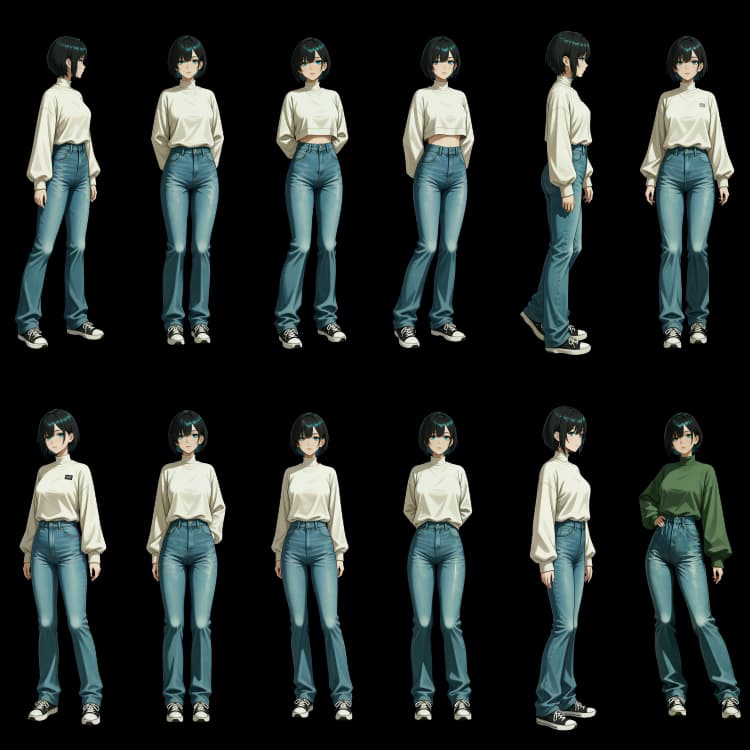
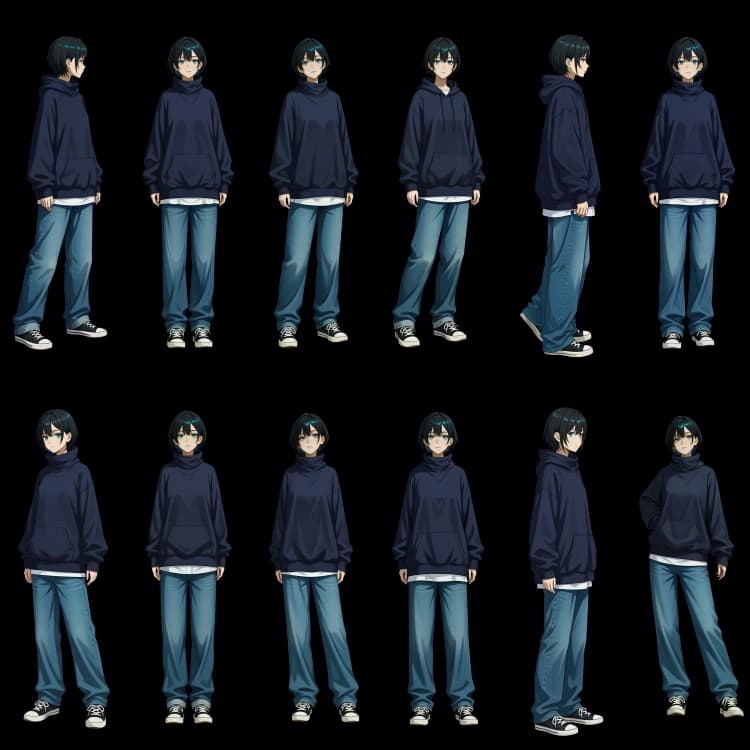
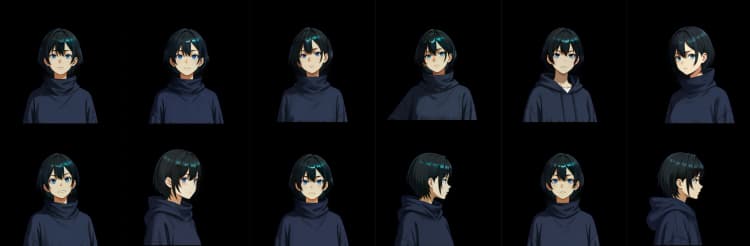
This ComfyUI VNCCS workflow turns a single reference image into a consistent visual‑novel character sheet and face set, ready for sprites and downstream use. It combines VNCCS custom nodes with Qwen Image components to preserve identity, applies RMBG cleanup for clean edges, and uses optional SeedVR2 upscaling to deliver crisp outputs at sheet scale.
Designed for artists, VN teams, and toolsmiths, the ComfyUI VNCCS pipeline lets you clone an existing character, generate body poses and face expressions, produce clothes variants, and export sprite‑ready PNGs with alpha. You control prompts, seed, and sheet layout while the workflow handles pose guidance, facial refinement, and background removal.
What you get out of the box
- Consistent body character sheet plus a tiled face set
- Optional “clone from reference” path for an existing character
- Clothes transfer and variant generation
- Expression packs for VNCCS‑style faces
- Sprite cuts with transparent backgrounds and dataset exports for LoRA training
Key models in Comfyui ComfyUI VNCCS workflow#
- Qwen Image for ComfyUI. Packaged diffusion components used here include the vision‑language encoders and the Qwen Image VAE that guide identity‑preserving edits and image generation. They provide strong instruction following from text while respecting visual references. Comfy‑Org/Qwen‑Image_ComfyUI
- Stable Diffusion XL (base). Used as a robust prior for style scaffolding and pose‑conditioned synthesis in helper stages, SDXL contributes high‑fidelity detail and compatibility with ControlNet conditioning. stabilityai/stable‑diffusion‑xl‑base‑1.0
- ControlNet OpenPose. The OpenPose branch provides keypoint guidance that locks down anatomy across poses so your ComfyUI VNCCS sheets align consistently frame to frame. ControlNet (official repo)
- Ultralytics YOLOv8 Face. A fast and accurate detector used by the face refinement path to localize faces before enhancement, improving identity retention in the ComfyUI VNCCS face set. ultralytics/ultralytics
- VNCCS LoRA bundle. Purpose‑built LoRAs (pose helper, clothes transfer, emotion core, etc.) tuned for VN character sheets; these stabilize proportions, clothing logic, and expression structure across steps. MIUProject/VNCCS
- VNCCS custom nodes. The workflow relies on the official VNCCS ComfyUI extension for the encoder, sheet manager, mask tools, and utilities that connect the pieces into a production‑grade pipeline. AHEKOT/ComfyUI_VNCCS
How to use Comfyui ComfyUI VNCCS workflow#
Overall flow
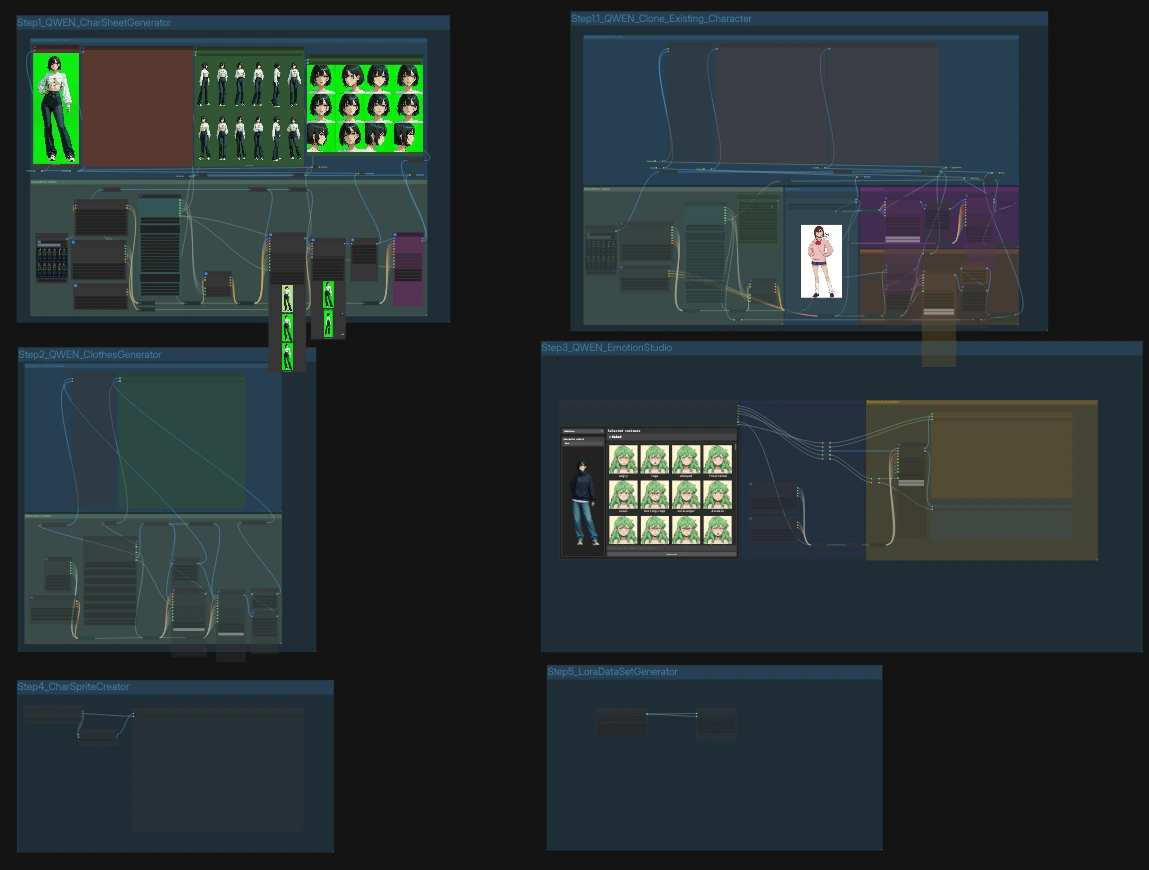
- The graph has five labeled steps that can run independently or in sequence. Step 1 builds a character sheet; Step 1.1 clones from a reference; Step 2 generates clothes variants; Step 3 produces expressions; Step 4 cuts sprites; Step 5 writes dataset scaffolding for LoRA training. Each step exposes a few focused inputs while the rest is pre‑wired for repeatability.
Step 1.1 — Clone an existing character#
Use this when you have one or more reference images. Drop your image into LoadImage (#808) and, if needed, provide a short instruction such as desired pose or framing. The core fuser VNCCS_QWEN_Encoder (#724) blends the reference with your prompt, creating pose‑aware conditioning while keeping identity. VNCCS_RMBG2 (#700) removes the background and VNCCSSheetManager (#702) composes a clean sheet; Face Detailer refines faces for consistency. Run the group to save a character sheet and faces set to the prefixed folders.
Step 1 — Generate a character sheet from sliders and prompts#
If you prefer a parameter‑driven start, the CharacterCreator (#499) widget gives you age, body, eyes, hair, and negative prompt controls plus a fixed seed for reproducibility. A VNCCS_PoseGenerator (#585) produces an OpenPose grid that anchors proportions. The pipeline encodes this guidance through VNCCS_QWEN_Encoder (#570), removes the background, composes the sheet, and saves both the full sheet and a tiled face set. Use this path to establish a base look the rest of the ComfyUI VNCCS steps will follow.
Step 2 — Clothes generator and transfer#
Point CharacterAssetSelectorQWEN (#865) to the sheet you want to dress and define a simple costume text (for example, “winter coat, scarf, boots”). The workflow extracts a clean mask with VNCCS_MaskExtractor (#869/#870), blends the clothing instruction with your prior sheet in VNCCS_QWEN_Encoder (#620), and applies chroma key cleanup in VNCCSChromaKey (#874). VNCCSSheetManager composes the dressed result into a consistent sheet. Save outputs are prefixed for easy sorting beside your original.
Step 3 — Expression studio#
EmotionGeneratorV2 (#960) builds a bank of expressions and emits both face crops and per‑emotion output paths. Faces are localized with a YOLOv8 path and enhanced via the Face Detailer node 803a797b‑… (#821), ensuring identity and style match your ComfyUI VNCCS sheet. The results flow into VNCCSSheetManager (#820), which composes a refined faces sheet, and into a second saver that exports per‑emotion PNGs with alpha for sprites and datasets. Use the emotions list to add, remove, or rename targets before running.
Step 4 — Sprite creator#
Feed your finished sheet(s) into SpriteGenerator (#962) to build sprite frames at uniform crop sizes. CharacterSheetCropper (#961) auto‑segments the body and face tiles into ready‑to‑use PNGs with transparency. The save node (SaveImage, #963) writes the sprite set to a timestamped folder so you can version and compare.
Step 5 — Dataset and notes#
When you want to fine‑tune or archive, DatasetGenerator (#965) creates a labeled folder structure and Save Text File (#964) writes a companion note or prompt file. This keeps your ComfyUI VNCCS runs reproducible and portable between projects.
Key nodes in Comfyui ComfyUI VNCCS workflow#
VNCCS_QWEN_Encoder (#570)#
The identity workhorse that fuses reference imagery with your textual intent. It accepts up to three images plus a prompt and returns both positive/negative conditioning and a latent that downstream samplers use to preserve proportions and facial features. Tune prompt to steer style or pose, and adjust target_size when switching between square headshots and tall, full‑body sheets so tiling remains consistent across steps.
EmotionGeneratorV2 (#960)#
A high‑level controller for expression batches. It emits a list of emotions, a grid of candidate faces, and matching output paths so the save nodes tag files correctly. Modify the emotions list to match your VN’s needs, keep the seed stable for A/B tests, and combine with the face detailer path to enforce identity under strong expressions.
CharacterAssetSelectorQWEN (#865)#
A convenience panel that points the graph at your existing assets. Set the sheet path, faces path, and optional costume text, and it wires those into the clothes generator and variant branches for you. Keep the seed here in sync with the step you are iterating, and organize your folders so the selector finds the latest ComfyUI VNCCS outputs without manual rewiring.
VNCCSSheetManager (#820)#
The sheet compositor used in several steps. In “split” mode it cuts a sheet into faces or body tiles for processing; in “compose” mode it assembles cleaned images back into a uniform grid. Adjust the mode and tile dimensions to match your target engine or sprite pipeline, and apply it after RMBG/face refinement to guarantee square‑pixel alignment across the entire ComfyUI VNCCS project.
Face Detailer (#821)#
A refinement path that detects faces (YOLOv8), crops them, and re‑generates them under your current conditioning. Use it when identity drifts between steps or when strong emotions introduce artifacts. Keep the “emotion” wildcard aligned with the expression you’re rendering, and rerun this node after upscaling or background changes to restore sharp, consistent facial features.
Optional extras#
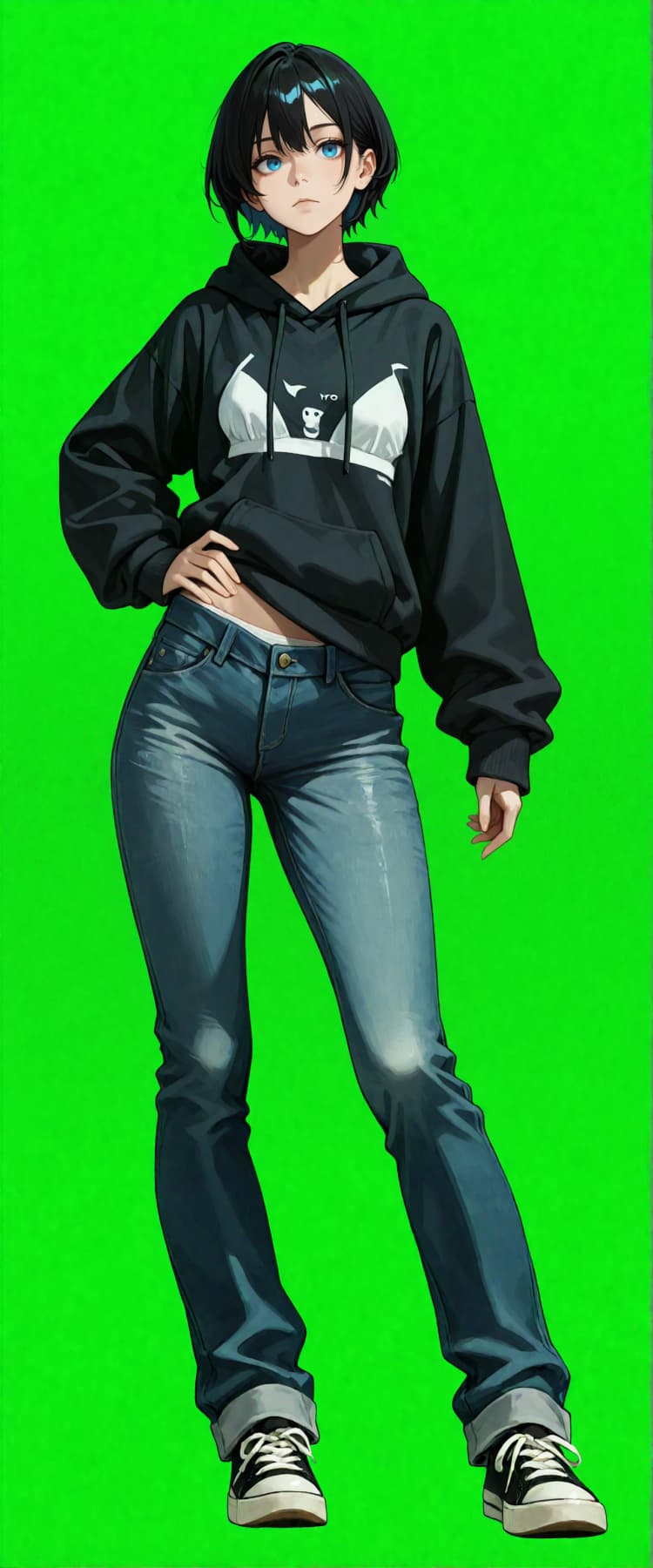
- Reference prep. For cloning, use a single, well‑lit image on a solid background. Green works best with
VNCCSChromaKey, but any uniform color is fine. - Keep seeds stable. Each step exposes a
seedinput; reuse it across runs to compare clothing or expression changes deterministically. - Sheet scale. If you need bigger sheets, enable the SeedVR2 upscaler branches before chroma keying, then compose with
VNCCSSheetManagerto retain crisp edges. - File hygiene. The workflow writes to clearly named prefixes (for example, VN_Character/Body_Refined, VN_Character/faces). Keep these per‑project to avoid mixing assets.
- When to use each path. Step 1.1 is for “clone from image,” Step 1 is for parameter‑first creation, Step 2 for outfits, Step 3 for expressions, Step 4 for sprite cuts, Step 5 for dataset scaffolding.
Resources
- VNCCS custom nodes and examples: AHEKOT/ComfyUI_VNCCS
- VNCCS LoRA bundle: MIUProject/VNCCS
- Qwen Image components for ComfyUI: Comfy‑Org/Qwen‑Image_ComfyUI
- ControlNet OpenPose: ControlNet
- Ultralytics YOLOv8: ultralytics/ultralytics
- SDXL base checkpoint: stabilityai/sdxl‑base‑1.0
Acknowledgements#
This workflow implements and builds upon the following works and resources. We gratefully acknowledge AHEKOT for the ComfyUI_VNCCS repository and workflow JSON, MIUProject for the VNCCS model bundle, and Comfy-Org for the Qwen-Image_ComfyUI components (CLIP encoder and VAE) for their contributions and maintenance. For authoritative details, please refer to the original documentation and repositories linked below.
Resources#
- AHEKOT/ComfyUI_VNCCS
- GitHub: AHEKOT/ComfyUI_VNCCS
- AHEKOT/VN_Step1.1_QWEN_Clone_Existing_Character_v1.json
- MIUProject/VNCCS
- Hugging Face: MIUProject/VNCCS/tree/main
- Comfy-Org/Qwen-Image_ComfyUI (CLIP encoder)
- Hugging Face: qwen_2.5_vl_7b_fp8_scaled.safetensors
- Comfy-Org/Qwen-Image_ComfyUI (VAE)
- Hugging Face: qwen_image_vae.safetensors
Note: Use of the referenced models, datasets, and code is subject to the respective licenses and terms provided by their authors and maintainers.