
logo
RunComfy
  • ComfyUI
  • TrainerNew
  • Models
  • API
  • Pricing
discord logo
ComfyUI>Workflows>Product Relighting Video | Vid2Vid

Product Relighting Video | Vid2Vid

Workflow Name: RunComfy/Relighting-Video
Workflow ID: 0000...1110
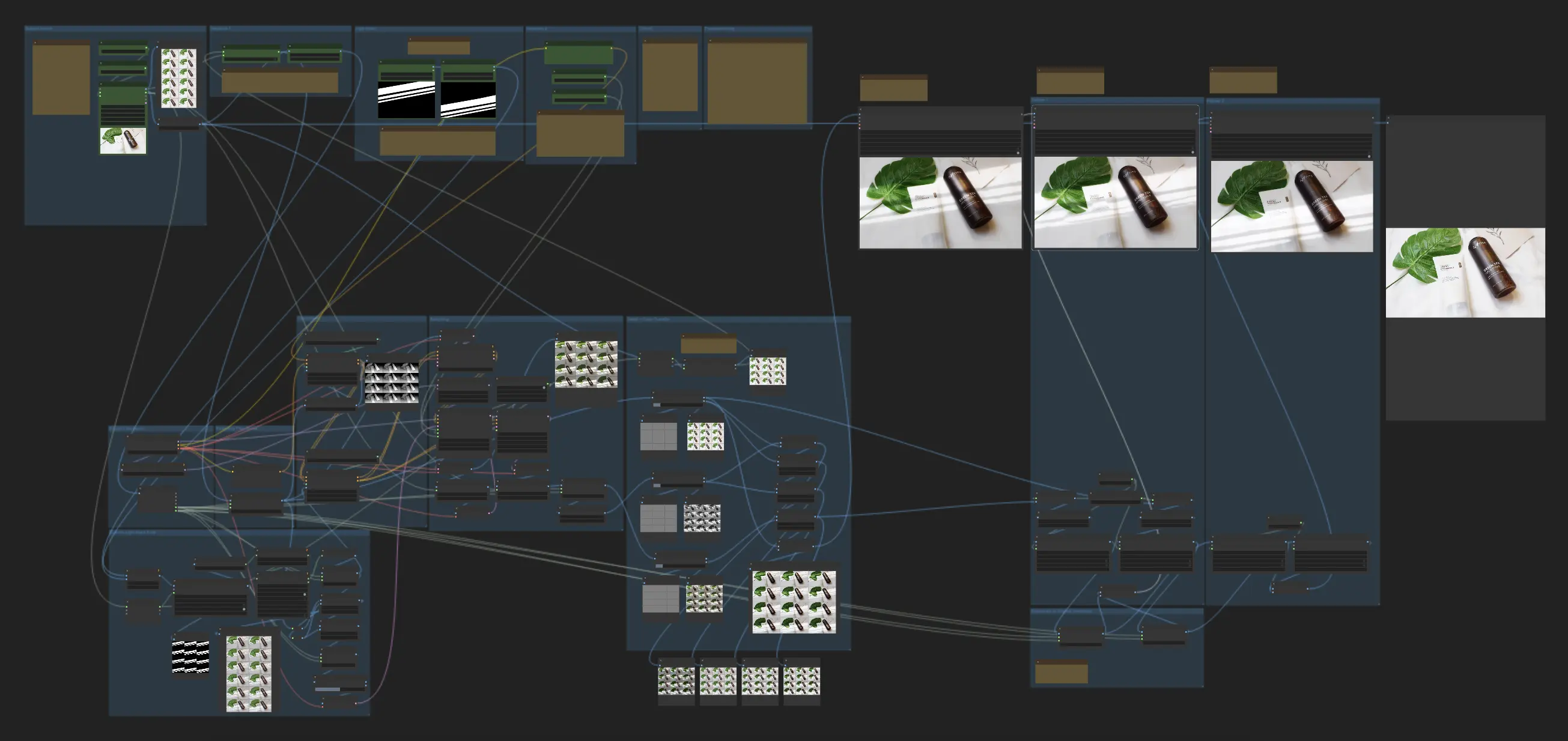
This workflow generates relighting videos using a video and light masks, supporting moving subjects with moving or still light masks, and still subjects with moving light masks.

Overview of the Product Relighting Video Workflow

This workflow allows you to input a video and one or more light masks to generate a relighting video. It supports three scenarios:

  1. Moving subject with a moving light mask
  2. Still subject with a moving light mask
  3. Moving subject with a still light mask

While this relighting video workflow is experimental and may not produce perfect results, it represents a significant step towards non-AnimateDiff pipelines that prioritize product fidelity over perfect frame merging in the video relighting process.

Inputs and Variables for Relighting Video

To run the workflow and achieve the desired video relighting effects, you must provide the following inputs and variables:

  • Source Video: The input video to be relit
  • Number of frames: The total number of frames to process
  • Number of initial frames to skip: The number of frames to skip from the beginning of the video
  • Still or Moving Subject: A boolean switch to indicate whether the subject is still or moving
  • Size of the longer side (resize): The size to which the frames will be resized based on the longer side
  • Two Light Masks: Either the initial and final light mask positions (for a moving light mask) or the same light mask (for a still light mask)
  • Light prompt: A text prompt describing the desired lighting
  • CFG: A value between 1.05 and 3 to control the strength of the lighting changes (higher values lead to more noticeable changes but a higher chance of artifacts)
  • Denoise: A value between 0.3 and 0.6 to control the denoising strength (higher values result in less flickering but may make the light mask look more like a filter)

How the Video Relighting Workflow Works

  1. The workflow uses IC-Light to relight each frame independently.
  2. For each frame, a latent is generated based on a blend of the subject frame and the corresponding light mask frame.
  3. The latent is generated at a low denoise value to force the light mask onto the final output.
  4. Since IC-Light may lose details at low denoising, the details and original colors are transferred back using Frequency Separation at the end of the workflow to maintain video quality after relighting.

Want More ComfyUI Workflows?

Product Relighting | Magnific.AI Relight Alternative

Elevate your product photography effortlessly, a top alternative to Magnific.AI Relight.

IC-Light | Image Relighting

IC-Light | Image Relighting

Edit backgrounds, enhance lighting, and regenerate new scenes easily.

Consistent Character Creator

Create consistent, high-resolution character designs from multiple angles with full control over emotions, lighting, and environments.

FLUX LoRA (RealismLoRA) | Photorealistic Images

FLUX LoRA (RealismLoRA) | Photorealistic Images

Blend FLUX-1 model with FLUX-RealismLoRA for photorealistic AI images

Flex.1 LoRA Inference | AI Toolkit ComfyUI

Run your AI Toolkit-trained Flex.1 LoRA in ComfyUI with training-matched defaults using a single RC custom node.

AnimateDiff + ControlNet | Cartoon Style

Give your videos a playful twist by transforming them into lively cartoons.

Z-Depth Maps | Houdini-like Animations

Create stunning Houdini-like animations with Z-Depth Maps using only 2D image.

Flux Fill | Inpaint and Outpaint

Official Flux Tools - Flux Fill for Inpainting and Outpainting

Follow us
  • LinkedIn
  • Facebook
  • Instagram
  • Twitter
Support
  • Discord
  • Email
  • System Status
  • Affiliate
Resources
  • Free ComfyUI Online
  • ComfyUI Guides
  • RunComfy API
  • ComfyUI Tutorials
  • ComfyUI Nodes
  • Learn More
Legal
  • Terms of Service
  • Privacy Policy
  • Cookie Policy
RunComfy
Copyright 2026 RunComfy. All Rights Reserved.

RunComfy is the premier ComfyUI platform, offering ComfyUI online environment and services, along with ComfyUI workflows featuring stunning visuals. RunComfy also provides AI Models, enabling artists to harness the latest AI tools to create incredible art.