


hunyuan/video-to-video
Transform one video into another style with Tencent Hunyuan Video.



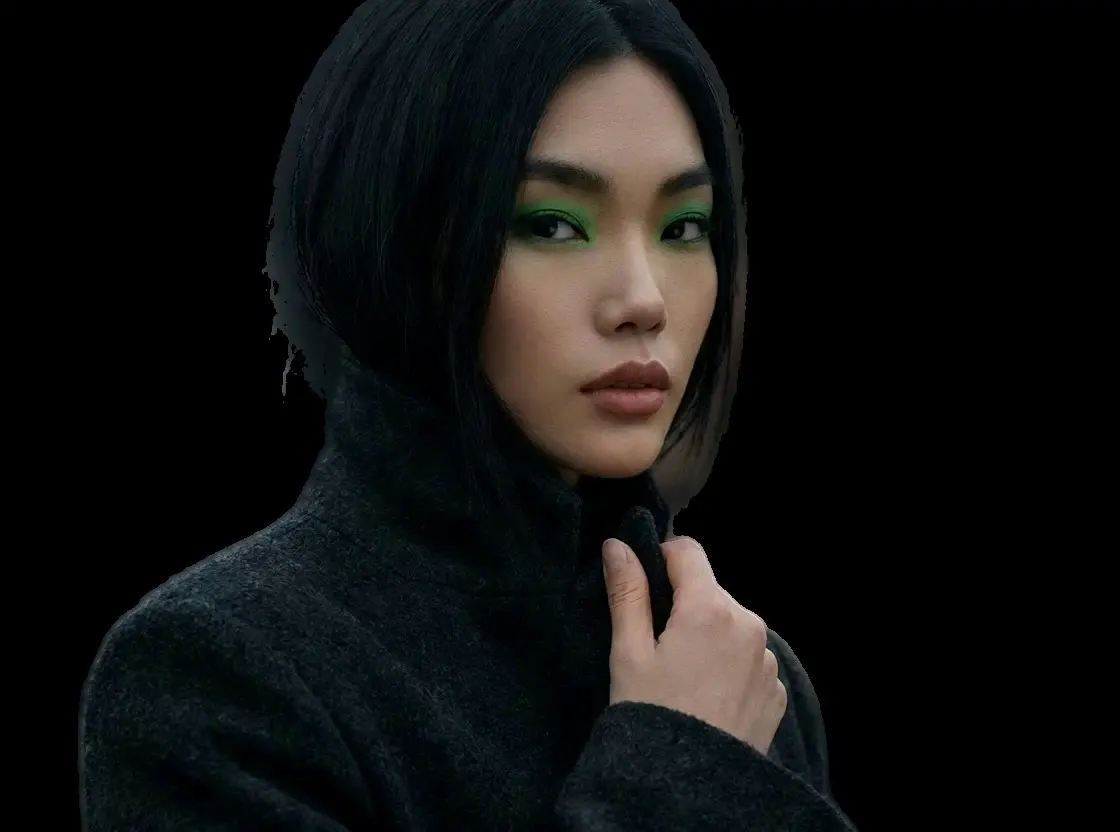


Veed AI
Video background removal and AI rotoscoping
This video background remover excels at handling complex moving subjects without manual masking. Unlike basic filters, it maintains temporal consistency to reduce flickering. Key capabilities include automatic rotoscoping that separates humans or objects from their surroundings, format flexibility offering both VP9 (alpha channel) and H264 outputs, and an advanced edge refinement pass that cleans up difficult details like hair or fast motion.
RunComfy hosts this model as a managed service, accessible via our Playground UI for instant browser-based testing, or as a playground API for developers building background removal features into their own applications. All processing happens on our cloud GPUs.
To use this video background remover effectively, you simply need to configure a few key inputs.
Core Inputs
The most important parameter is the video_url, where you provide the direct link to your source MP4, MOV, or WEBM file. You should also verify the subject_is_person setting; keep this set to true (default) for human subjects to ensure the best face and body detection, or switch it to false if you are isolating objects or pets.
Output and Quality Settings
Control the final result using the output_codec option. You can choose 'vp9' to generate a video with a transparent background (perfect for web overlays), or 'h264' for a high-fidelity video with a matte, which is better suited for professional editing software. Finally, the refine_foreground_edges option is enabled by default. We highly recommend keeping this on, as it performs a secondary pass to smooth out the cut-out lines, delivering a truly professional video background remover result.
Web & App Overlays
Use the VP9 output to create dynamic, transparent video elements that sit on top of websites or UI layers.
Content Creation
Streamline your editing works by using this tool to instantly remove messy backgrounds from social media clips, allowing you to place yourself in any environment.
E-commerce
Isolate products from video shoots to place them on clean, brand-consistent backgrounds.
API & Documentation
Add /api to the end of this page's URL to access the full Swagger documentation for integrating this video background remover into your codebase.
Ecosystem
Compatible with major video editing platforms (via H264 matte) and modern web browsers (via VP9).
Transform one video into another style with Tencent Hunyuan Video.

Empowers precise tracking and seamless object edits across video scenes.

Generate lifelike motion visuals fast with Dreamina 3.0 for designers.

AI-powered tool for fast video-to-video backdrop swaps with pro-level precision.
Animate an image into a high quality video with OpenAI Sora 2 Pro.

Turn text prompts into high quality videos with Tencent Hunyuan Video.
This tool is an AI-powered video background remover that automatically detects and isolates subjects from their surroundings. Unlike simple static filters, it maintains temporal consistency across frames to prevent flickering, delivering professional-grade results without the need for physical green screens.
Usage rights depend on the specific licensing terms associated with Veed models and RunComfy's commercial tiers. Generally, if you are on a commercial plan, you can use the output for business purposes. Please review the pricing page and Terms of Service to ensure your intended use complies with all regulations.
The model is optimized for standard HD video inputs (up to 1080p is recommended for best performance). While there is no strict hard limit on file size, extremely long videos should be split into shorter clips to avoid timeouts. The output resolution generally matches the source input aspect ratio.
Once you have tested the video background remover in our Playground and confirmed the settings (such as output_codec and refine_foreground_edges), you can switch to the "API" tab. From there, you can generate an API key and obtain the code snippets (Python/cURL) to integrate the model directly into your application.
To get a transparent background on the web, you must select vp9 as the output_codec. This generates a .webm file with an alpha channel. If you select h264, the video background remover will typically output a matted video, which offers better color fidelity but requires specific player support for transparency.
Processing time varies based on video length and resolution. For a typical short clip, the inference is rapid. However, keeping refine_foreground_edges enabled (which is recommended for quality) adds a secondary processing pass. If speed is your absolute priority over edge detail, consider checking our Fast model variant.
RunComfy is the premier ComfyUI platform, offering ComfyUI online environment and services, along with ComfyUI workflows featuring stunning visuals. RunComfy also provides AI Models, enabling artists to harness the latest AI tools to create incredible art.