logo
RunComfy
  • ComfyUI
  • TrainerNew
  • Models
  • API
  • Pricing
discord logo
MODELS
Explore
All Models
LIBRARY
Generations
MODEL APIS
API Docs
API Keys
ACCOUNT
Usage

Reve Edit image-to-image: Pro AI Image Generator for Designers

reve/reve/edit

Edit images with structure-aware changes, region control, multi-reference blending, strong text rendering, and selectable output formats.

Upload the reference image to edit. Supports PNG, JPEG, WebP, AVIF, and HEIF formats.
Number of images to generate.
Output format for the generated image.
Idle
The rate is $0.04 per image.

Introduction to Reve Edit

Reve Edit is a next-generation AI image-to-image editing model developed by Reve, an innovative startup building creative intelligence tools. Officially launched as Reve V1 on October 1, 2025, Reve Edit delivers a major step forward in visual editing. It allows you to transform any uploaded image using natural language prompts or combine multiple references into one cohesive result. Reve Edit stands out with strong text rendering, precise spatial awareness, and support for both realistic and stylized results.
Reve Edit image-to-image generation tool empowers you to reimagine photos intuitively, whether you are a designer, marketer, or creator. By blending multi-image composition with precise controls, Reve Edit image-to-image delivers authentic, high-fidelity results that match your creative vision fast and effortlessly.

Reve Edit on X: Updates and Community Content

What makes Reve Edit stand out

Reve edit is a high-fidelity image-to-image editor designed to follow natural language precisely while preserving scene geometry, lighting, camera perspective, and overall coherence. Instead of regenerating the entire frame, it performs targeted, structure-aware changes so results remain stable and believable.

Key capabilities:

  • Structure-preserving edits: maintains pose, layout, depth cues, and material response; avoids warping and unwanted re-synthesis.
  • Consistent lighting and realism: adjusts illumination and mood while keeping shadows, reflections, and perspective plausible.
  • Multi-reference conditioning: use one or multiple reference images to transfer style, palette, materials, typography, or content motifs; blend influences without losing the base framing.
  • Fine-grained control: region-based and direct manipulation workflows enable localized fixes or global restyling as needed.
  • Reliable typography: strong text rendering and replacement with scene-aware placement and perspective consistency.
  • Flexible aesthetics: from subtle photorealistic retouching to bold stylization, while keeping composition intact.

Prompting guide for Reve Edit

Start with a base image, then describe desired changes in clear, concrete language. Be explicit about what to preserve to prevent unnecessary alterations.

Single-image edits

  • State what to keep: 'preserve subject, pose, and overall composition'.
  • Specify lighting/mood: 'soft golden hour backlight', 'overcast studio lighting'.
  • Localize changes: 'only modify the background', 'do not alter the model's face'.
  • Add/remove items: 'remove the power lines', 'add a wooden bench to the right of the subject'.
  • Text and signage: 'replace the storefront sign with "REVE" in white sans-serif, perspective-matched'.
  • Style direction: 'subtle cinematic grade', 'editorial fashion look', 'studio e-commerce clean'.

Pro tips

  • Be explicit about constraints (what to preserve) and scope (what to change).
  • Use relative spatial language: 'left of the subject', 'background only', 'upper-right quadrant'.
  • Avoid over-constraining with too many competing adjectives; prefer a few strong descriptors.
  • Iterate with short refinements rather than one long prompt for finer control.
  • Provide high-quality, on-topic references; crop out irrelevant regions when possible.

Related Models

seedream-5/lite/edit

Transforms reference visuals into layout-accurate, style-consistent designs for creative workflows.
flux-1-kontext/pro/edit

Edit images precisely and fast with FLUX Kontext Pro.

q2/reference-to-image

High-speed model for consistent visual creation and precise design control

q2/text-to-image

High-speed visual generator for designers with 4K detail and style control.
flux-1-kontext/max/edit

Edit images with strong prompt control and consistent style using FLUX Kontext Max.

flux-2/pro/edit

Edit detailed visuals fast with layout-aware, multi-reference control for brand-ready results.

Frequently Asked Questions

What is Reve Edit and what does its image-to-image feature do?

Reve Edit is an advanced image editing model by Reve AI that focuses on image-to-image generation. It allows users to transform or enhance existing photos using natural language prompts, offering precise control over style, lighting, and composition.

How does Reve Edit achieve high-quality image-to-image results?

Reve Edit uses a unique layout representation system to control object placement and visual consistency, ensuring image-to-image edits look natural and coherent with the original content. This results in cleaner compositions and more accurate prompt responses.

Is Reve Edit free, or is there a cost to use its image-to-image editor?

Reve Edit operates on a credit-based model in Runcomfy’s AI playground. While new users get free credits to test image-to-image editing, continued access after that typically requires purchasing additional credits.

Who can benefit most from using Reve Edit for image-to-image editing?

Reve Edit serves artists, designers, and creative professionals who need quick and controllable image-to-image transformations. It's especially useful for marketing visuals, product photography, and stylistic remixes where precision and realism both matter.

How is Reve Edit different from earlier versions or other image-to-image editors?

Unlike earlier iterations, Reve Edit offers better text rendering, multi-reference image remixes, and fine object manipulation in image-to-image edits. These upgrades make it one of the top-ranking tools for realistic and creative image modification.

What kinds of input and output formats are supported in Reve Edit’s image-to-image process?

Reve Edit supports standard image formats like JPG and PNG for both input and output. The image-to-image workflow preserves resolution and ensures consistent lighting, perspective, and structure across the edit sequence.

Can I use Reve Edit for commercial projects that involve image-to-image editing?

Yes, Reve Edit grants commercial usage rights for its generated outputs, so users can apply their image-to-image edits to marketing materials, product visuals, and other business content without additional licensing.

Is Reve Edit available on all platforms for image-to-image generation?

At present, Reve Edit’s image-to-image editor is available via the Runcomfy web platform, which works smoothly on both desktop and mobile browsers. Users can log in to start creating directly online.

Are there any limitations in Reve Edit’s image-to-image editor?

While Reve Edit is powerful, results may vary if the input image lacks clarity or detail. For best outcomes, start with high-quality images and descriptive prompts when using its image-to-image capabilities.

Follow us
  • LinkedIn
  • Facebook
  • Instagram
  • Twitter
Support
  • Discord
  • Email
  • System Status
  • Affiliate
Video Models
  • Seedance 1.0 Pro Fast
  • Seedance 1.0
  • Seedance 1.5 Pro
  • Hailuo 02
  • Wan 2.2
  • Seedance Lite
  • View All Models →
Image Models
  • seedream 4.0
  • Nano Banana 2 Edit
  • Nano Banana Pro
  • Nano Banana 2
  • Seedream 5.0 Lite
  • nano banana
  • View All Models →
Legal
  • Terms of Service
  • Privacy Policy
  • Cookie Policy
RunComfy
Copyright 2026 RunComfy. All Rights Reserved.

RunComfy is the premier ComfyUI platform, offering ComfyUI online environment and services, along with ComfyUI workflows featuring stunning visuals. RunComfy also provides AI Models, enabling artists to harness the latest AI tools to create incredible art.

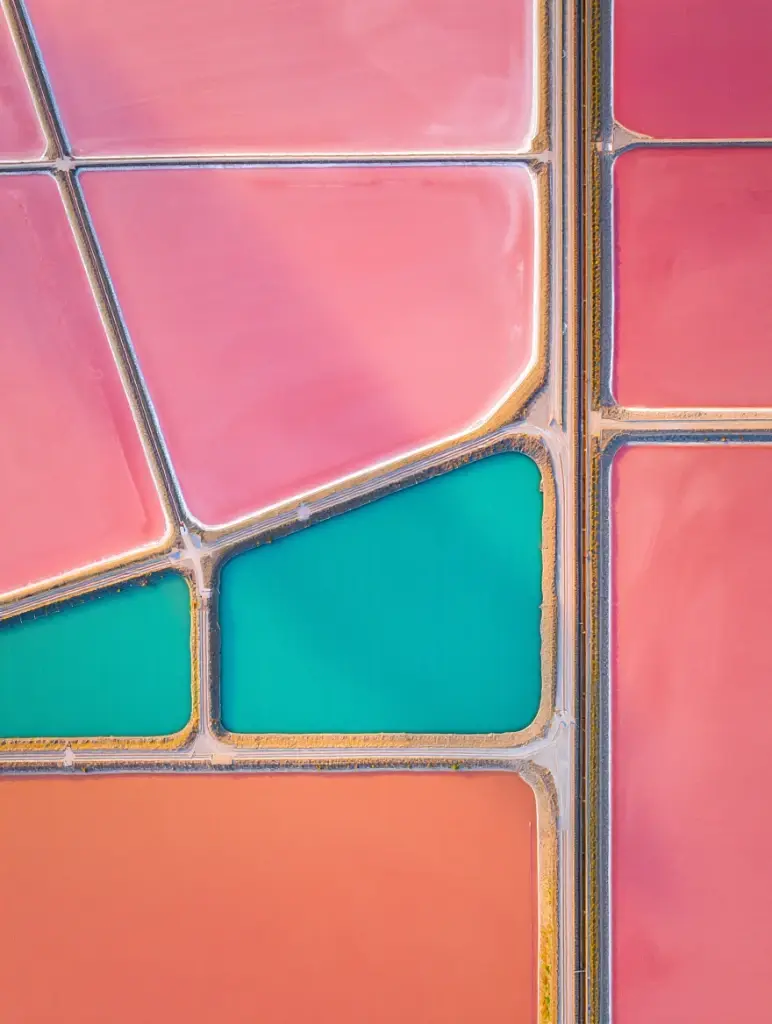
Examples of Reve Edit in Action