logo
RunComfy
  • ComfyUI
  • TrainerNew
  • Models
  • API
  • Pricing
discord logo
MODELS
Explore
All Models
LIBRARY
Generations
MODEL APIS
API Docs
API Keys
ACCOUNT
Usage

Flux 2 Klein 4B: 4단계 1초 미만의 텍스트-이미지 생성 | 달리다편안하다 | Models and API | RunComfy

blackforestlabs/flux-2-klein/4b/text-to-image

전자상거래, 디자인 및 제품 마케팅을 위해 1초 미만의 속도, 정확한 다중 참조 합성, 최대 1024x1024 해상도로 텍스트에서 고품질 이미지를 생성하고 편집합니다.

Idle
[Super Limited Time Offer] The rate is $0.003 per image.

Flux 2 Klein 4B 소개

Black Forest Labs의 Flux 2 Klein 4B Text to Image는 텍스트에서 이미지를 생성하고 1초 미만의 대기 시간과 최대 1024x1024 출력으로 이미지당 $0.003의 비용으로 다중 참조 편집을 수행하여 초고속 통합 텍스트-이미지 및 이미지 편집을 제공합니다. Flux 2 Klein 4B는 RunComfy의 전자 상거래 팀, 디자이너 및 제품 마케팅 담당자를 위한 4단계의 신속한 다중 참조 합성을 위한 수동 마스킹, 느린 업스케일 및 GPU 랭글링을 간소화하여 창의적인 반복 작업과 브랜드 안전 편집을 간소화합니다. 개발자의 경우 RunComfy의 Flux 2 Klein 4B는 브라우저와 HTTP API를 통해 모두 사용할 수 있으므로 모델을 직접 호스팅하거나 확장할 필요가 없습니다.
이상적인 대상: 신속한 창의적 프로토타이핑 | 브랜드 내 캠페인 비주얼 | 다중 참조 제품 모형

Black Forest Labs / Flux 2 Klein 4B Text to Image#


Flux 2 Klein 4B is a compact, open-weight text-to-image and image-editing model built by Black Forest Labs, optimized for speed and responsive creative iteration. It accepts a text prompt (and optionally one or more reference images for editing) and returns a single image suitable for concepting, mockups, and fast visual experiments.


Output format: up to ~1024×1024 resolution (commonly used), fps: n/a, duration: n/a, aspect ratio: flexible, audio: none


Highlights#


  • Distilled, fast sampling: Flux 2 Klein 4B commonly reaches interactive latency with very few steps, enabling quick prompt iteration.
  • Unified generate + edit: One model for text-to-image and image-to-image, with optional multi-reference guidance for consistent edits.
  • Open and integration-friendly: Apache 2.0 open weights and support across popular tooling make deployment flexible.
  • Efficient by design: Flux 2 Klein 4B typically runs on consumer-grade GPUs or cloud instances without heavy VRAM needs.
  • Strong prompt adherence: Good control via descriptive prompts, camera terms, and style cues, with reliable reproducibility via seeds (when exposed by the platform).


Parameters#


ParameterRequiredTypeDefaultRange / OptionsDescription
multipart*Yes (*)objectNonen/aContainer for form-data fields; typically includes prompt text and generation options.
bodyNoobjectNonen/aThe multipart body payload; commonly includes fields such as prompt, steps, width, height, and optional references (varies by provider).
contentTypeNostringNonen/aContent type for multipart submissions; set by the client or SDK.


Pricing#


UnitPrice
Per image$0.003


How to Use#


1) Choose 이 모델 in RunComfy: select Flux 2 Klein 4B Text to Image for generation or editing workflows.

2) Prepare your input:

- Text-to-image: write a concise prompt with subject, style, lighting, and camera terms.

- Image editing: upload one or more reference images (if your workflow supports multi-reference editing) to guide style or identity.

3) Set image size and aspect ratio:

- Start with 1024×1024 for quality and speed; adjust aspect ratio to fit your composition.

4) Configure steps and quality:

- Fewer steps are faster; more steps can refine detail. Typical ranges vary by provider.

5) Use a seed if available:

- Fix a seed to reproduce results; change it to explore new variations around the same prompt.

6) Run the job and review outputs:

- Iterate by adjusting style tokens, composition terms, or references; save preferred seeds and prompts.

7) API usage (no self-hosting required):

- Submit a multipart POST with fields like prompt, steps, width, and height to the platform endpoint; Flux 2 Klein 4B is also compatible with common AI-inference APIs that accept multipart form data.


Prompt & Reference Tips#


  • Use structured prompts: subject + style + medium + lighting + lens/camera + mood; Flux 2 Klein 4B responds well to concrete, visual language.
  • Keep references consistent: if editing, align angle, lighting, and scale between reference(s) and the target description.
  • “Follow the reference but change X”: be explicit (e.g., “same outfit and pose, new background: rainy neon city”).
  • Iterate thoughtfully: lock a good seed, then vary one factor at a time (lighting, aspect ratio, or adjective set).
  • Mind resolution trade-offs: very high resolutions can be slower or less stable; upscale externally if needed after Flux 2 Klein 4B generation.
  • Avoid conflicting terms: remove redundant style tags that point in different directions (e.g., “soft cinematic” vs “harsh studio flash”).
  • Fix common errors: if uploads fail, ensure multipart content type; if compositions clip, choose a matching aspect ratio or reduce subject count.


How Flux 2 Klein 4B Text to Image compares to other models#


  • Compared to Nano Banana Pro, Flux 2 Klein 4B delivers much faster generation and open-weight flexibility, while high-end 4K detail and advanced multilingual text rendering are stronger on the competitor (based on publicly available information).
  • Key improvements versus larger, slower setups: Flux 2 Klein 4B emphasizes low-latency 4-step inference, prompt adherence, and unified generate/edit workflows on modest hardware.
  • Ideal use case: choose Flux 2 Klein 4B when rapid creative iteration, multi-reference editing, and open licensing matter more than extreme photorealism or native 4K output.

In short, Flux 2 Klein 4B offers one of the best speed-to-quality trade-offs in its family for agile image creation.


More Models to Try#


  • Flux 2 Klein 9B Text to Image — higher fidelity and texture richness; use when you outgrow Flux 2 Klein 4B for fine detail.
  • Flux 2 Flex Text to Image — a higher-quality sibling oriented toward premium outputs on stronger hardware.
  • Flux 2 Dev Text to Image — developer-focused variant for advanced control and research-style workflows.
  • Seedream 4.5 — photorealism-focused alternative for complex scenes and high-resolution demands.
  • Z-Image-Turbo — a low-latency alternative with competitive detail at moderate resolutions.


관련 모델

flux-1-kontext/max/edit

정확한 프롬프트 제어와 일관된 스타일로 이미지를 자유롭게 수정하는 FLUX Kontext Max.

gpt-image-2/text-to-image

이미지 내 정확한 텍스트와 로고로 브랜드 비주얼을 생성합니다.

imagen-4/text-to-image

텍스트만으로 고품질 이미지를 빠르게 생성해주는 디자이너용 AI 도구

wan-2-6/image-to-image

Wan 2.6 Image-to-Image: 원활한 시각적 편집과 확장 가능한 스타일 적응을 위한 지시 기반 AI

nano-banana-2/text-to-image

Nano Banana 2로 빠르고 고품질의 텍스트→이미지 생성。종횡비, 안전 허용도, 출력 형식을 세밀하게 제어할 수 있습니다.

ideogram-v3/replace-background

Ideogram 3.0으로 사진의 배경을 손쉽게 바꾸고 창의적인 이미지 변환을 경험하세요.

Frequently Asked Questions

텍스트-이미지 애플리케이션에서 Flux 2 Klein 4B의 주요 기능은 무엇입니까?

Flux 2 Klein 4B는 텍스트-이미지 생성, 이미지-이미지 편집 및 다중 참조 입력 혼합 기능이 모두 하나의 통합 모델 내에서 탁월합니다. 깨끗한 텍스트 렌더링, 사실적인 이미지, UI 모형 및 브랜드 일관성에 적합한 빠른 출력을 제공하며 소비자 GPU에서는 종종 1초 미만의 낮은 대기 시간을 제공합니다.

Flux 2 Klein 4B 텍스트-이미지 변환은 Seedream 4.5 또는 Nano Banana Pro와 같은 모델과 어떻게 비교됩니까?

Flux 2 Klein 4B 텍스트 투 이미지는 속도, 로컬 실행 및 오픈 소스 가용성을 강조하는 반면, Seedream 4.5 및 Nano Banana Pro는 더 높은 계산 비용으로 극도의 세부 묘사와 충실도를 목표로 합니다. Flux 2 Klein 4B는 제한된 리소스에 대해 신속한 반복과 강력하고 즉각적인 준수가 필요한 경우 여전히 최고의 선택입니다.

RunComfy에서 Flux 2 Klein 4B 텍스트-이미지 변환이 지원하는 최대 출력 해상도는 얼마입니까?

Flux 2 Klein 4B 텍스트-이미지 변환은 현재 화면 비율 설정에 따라 최대 약 2048×2048 픽셀(약 4 메가픽셀)의 이미지 해상도를 지원합니다. 이 제한은 약 13GB 메모리를 갖춘 GPU에서 VRAM 요구 사항을 초과하지 않고 빠른 생성을 보장합니다.

Flux 2 Klein 4B 텍스트-이미지 생성에 종횡비 또는 프롬프트 토큰 제한이 있습니까?

Flux 2 Klein 4B 텍스트-이미지 변환은 128×128과 2048×2048 사이의 유연한 화면 비율을 단계적으로 지원하며 일반적으로 최대 512개 토큰의 프롬프트를 허용하여 최고의 선명도를 제공합니다. 추론 중에 일관된 성능을 유지하기 위해 더 긴 프롬프트는 자동으로 잘립니다.

RunComfy Playground의 Flux 2 Klein 4B 텍스트-이미지 테스트에서 프로덕션 API 사용으로 어떻게 전환할 수 있습니까?

RunComfy API를 사용하여 RunComfy Playground(웹 UI)에서 프로덕션으로 이동할 수 있습니다. API는 Flux 2 Klein 4B 텍스트-이미지 변환에 대한 플레이그라운드 모델 설정을 미러링하여 생성을 자동화하거나 백엔드 워크플로우에 통합할 수 있도록 해줍니다. API 문서에 따라 API 키를 보호하고, 사용량 가격을 검토하고, 생성 설정을 구성하세요.

스타일이나 문자 일관성을 위해 Flux 2 Klein 4B 텍스트-이미지 간 처리가 가능한 참조 이미지 수는 몇 개입니까?

Flux 2 Klein 4B 텍스트-이미지 변환은 다중 참조 모드를 통해 다중 참조 입력을 지원합니다. 효율성을 위해 설계되었지만 대부분의 배포에서는 소비자 하드웨어 구성의 충실도와 속도의 균형을 유지하면서 동시에 2~3개의 참조를 허용합니다.

Flux 2 Klein 4B 텍스트-이미지 변환은 Flux 1 또는 더 큰 Flux 2 변형에 어떤 개선 사항을 제공합니까?

FLUX.1 및 대형 Flux 2 모델과 비교하여 Flux 2 Klein 4B 텍스트-이미지 변환은 단 4개의 추론 단계로 증류된 정류 흐름 변환기를 사용하여 충실도를 유지하면서 1초 미만의 이미지 생성을 달성합니다. 더 작은 GPU의 속도와 접근성을 위해 일부 미세한 세부 사항을 교환합니다.

Flux 2 Klein 4B 텍스트-이미지 변환은 텍스트 렌더링 및 다국어 프롬프트에서 어떻게 수행됩니까?

Flux 2 Klein 4B 텍스트-이미지 변환은 정확한 영어 텍스트 렌더링과 UI 또는 브랜딩 모형과 같은 구조화된 구성에 최적화되어 있습니다. 다국어 입력도 가능하지만 영어로 입력하면 최상의 결과를 얻을 수 있습니다. 이중 언어 작업의 경우 추가적인 미세 조정이 도움이 될 수 있습니다.

Follow us
  • LinkedIn
  • Facebook
  • Instagram
  • Twitter
Support
  • Discord
  • Email
  • System Status
  • Affiliate
Video Models
  • Wan 2.6 Flash
  • Wan 2.7 Reference to Video
  • Seedance 1.0
  • Seedance 1.0 Pro Fast
  • Seedance 2.0 Pro
  • Hailuo 2.3 Fast Standard
  • View All Models →
Image Models
  • Ideogram V4
  • Wan 2.6 Image to Image
  • Nano Banana 2 Edit
  • Flux 2 Dev
  • Nano Banana Pro
  • Qwen Image Edit 2511 LoRA
  • View All Models →
Legal
  • Terms of Service
  • Privacy Policy
  • Cookie Policy
RunComfy
Copyright 2026 RunComfy. All Rights Reserved.

RunComfy is the premier ComfyUI platform, offering ComfyUI online environment and services, along with ComfyUI workflows featuring stunning visuals. RunComfy also provides AI Models, enabling artists to harness the latest AI tools to create incredible art.

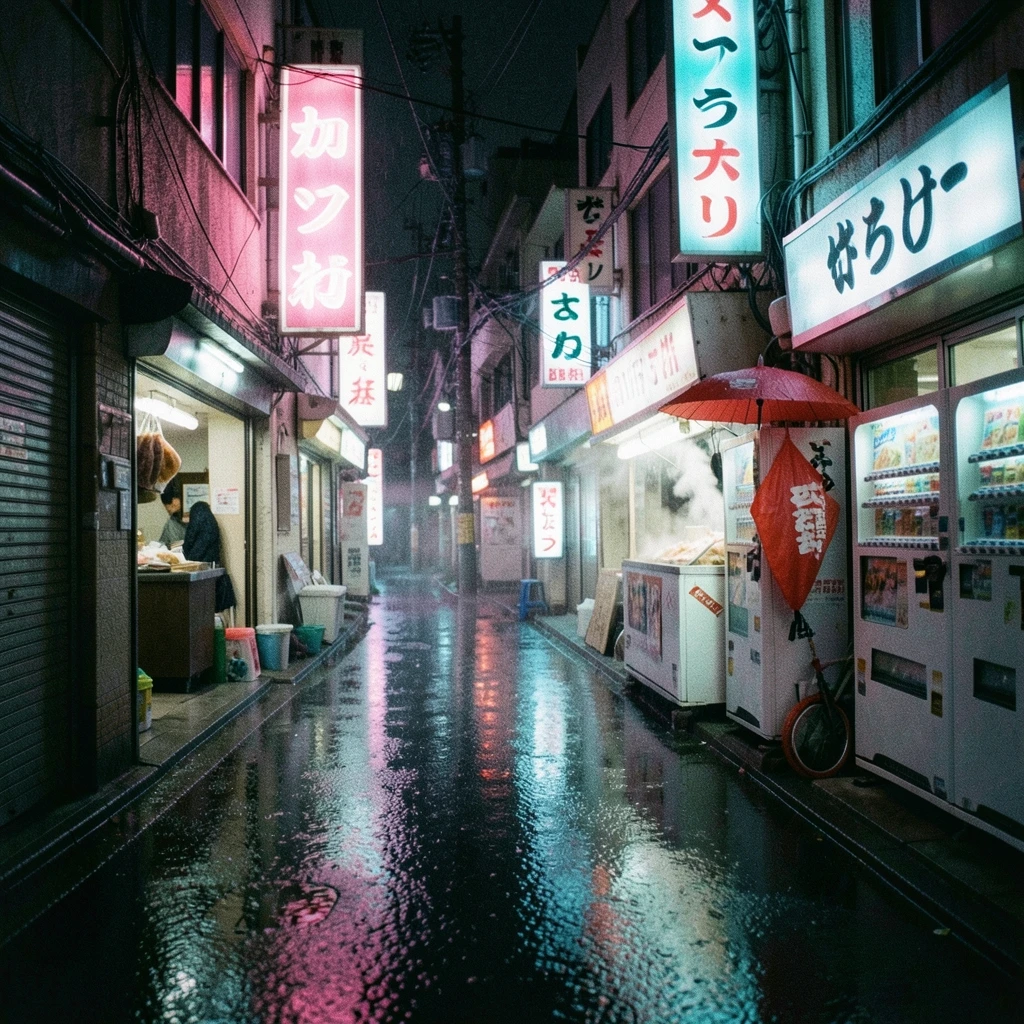
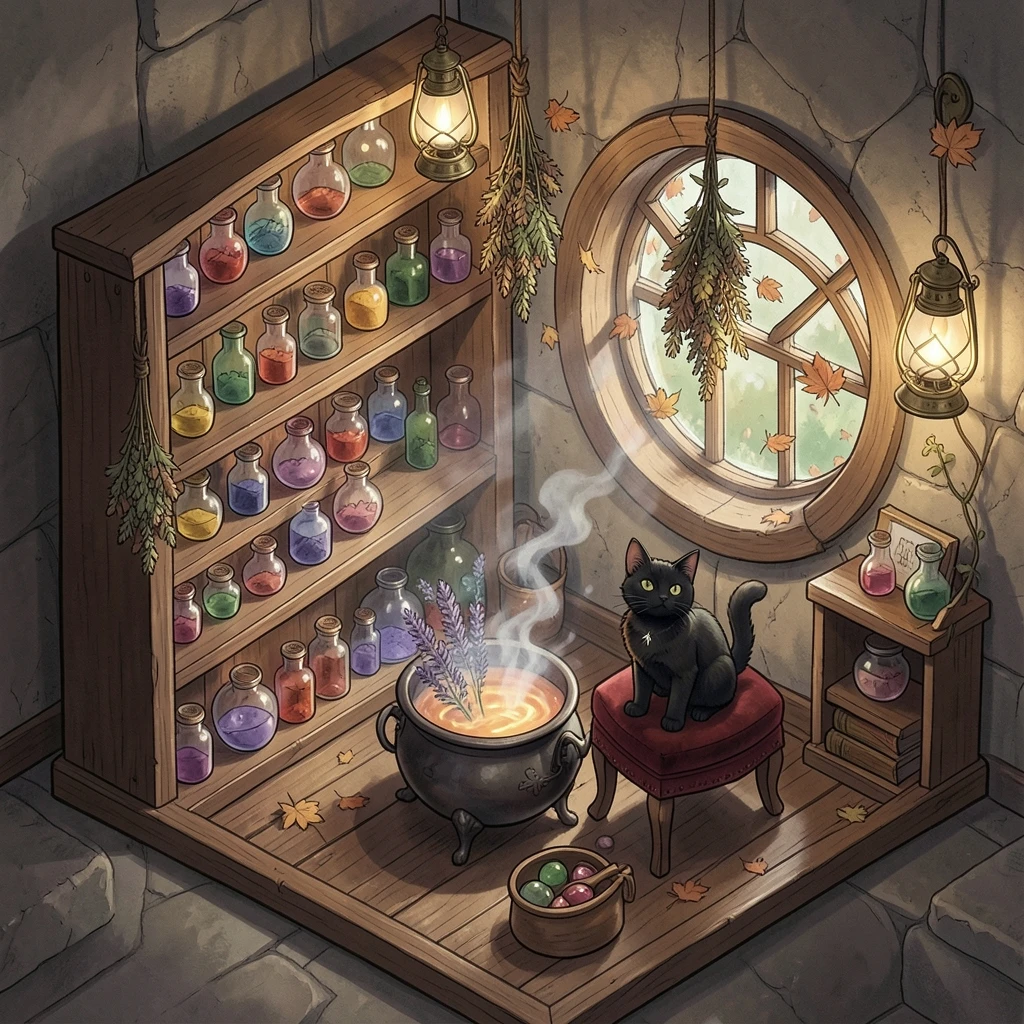
Flux 2 Klein 4B 이미지 예