SCAIL pose‑guided character animation in ComfyUI#
This workflow brings SCAIL to ComfyUI for pose‑guided, reference‑based character animation. By combining a single reference image with extracted human poses, SCAIL maintains subject identity, body structure, and coherent motion across frames while you control style with prompts. It supports either an input video for motion transfer or images plus rendered poses for choreography, then outputs multi‑frame videos with optional audio passthrough.
Use this SCAIL workflow for dance and action motion transfer, stylized character animation, and consistent multi‑shot sequences where temporal stability and accurate poses matter. Under the hood it runs on WanVideo for diffusion‑transformer video generation, augments identity via CLIP vision, and drives structure with NLF and ViTPose/DWPose pose signals, all wired for efficient long‑sequence sampling.
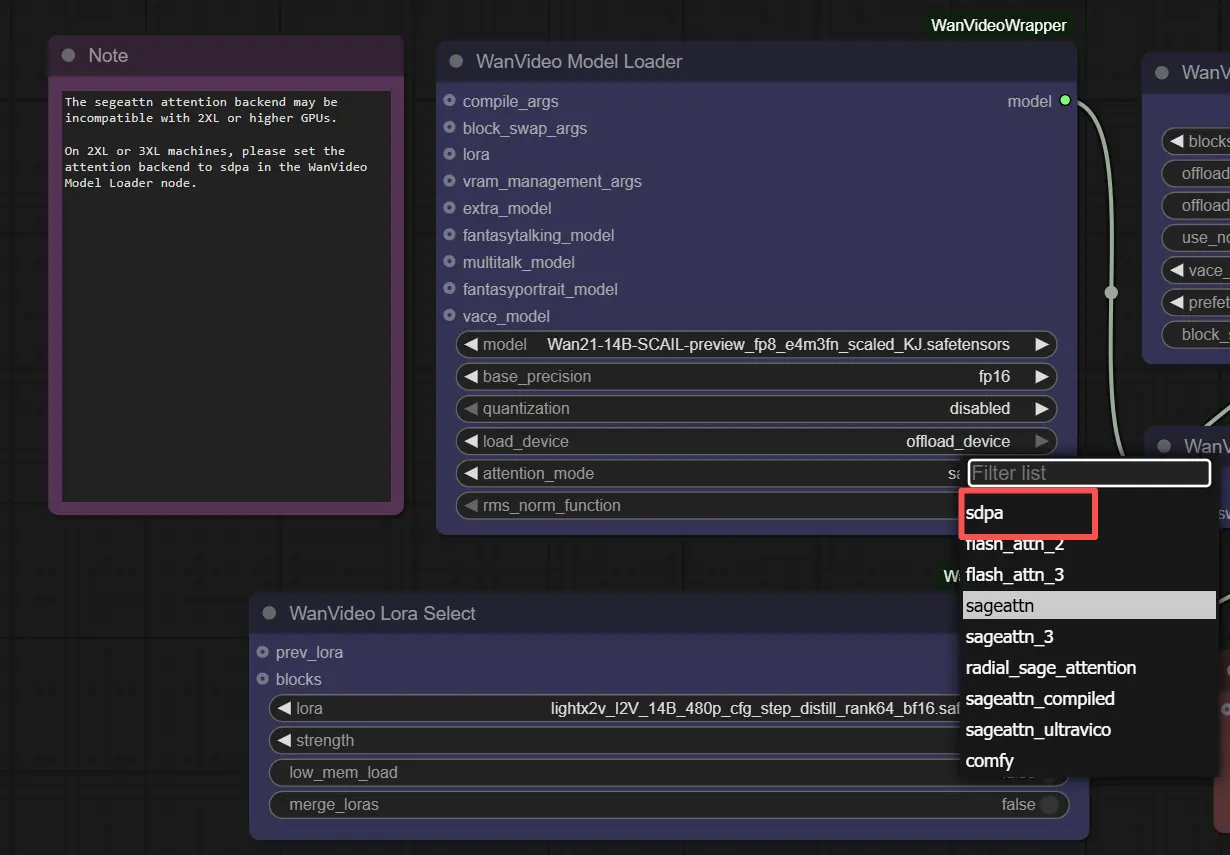
Note: On 2XL or 3XL machines, please set the attention backend to "sdpa" in the WanVideo Model Loader node. The default segeattn backend may cause compatibility issues on high-end GPUs.
Key models in Comfyui SCAIL workflow#
- SCAIL: Studio‑grade character animation via full‑context pose injection and a 3D‑consistent pose representation; the core of this workflow’s identity preservation and pose fidelity. GitHub, arXiv
- Wan 2.x Image‑to‑Video backbone: large video diffusion models used here as the sampler backbone for SCAIL‑conditioned generation; supports high‑quality I2V and animation tasks. Examples: Wan‑AI/Wan2.1‑I2V‑14B‑480P, Wan‑AI/Wan2.2‑Animate‑14B
- UMT5‑XXL text encoder: multilingual T5 variant used by Wan pipelines to turn prompts into conditioning embeddings. Hugging Face
- CLIP ViT‑H/14 vision encoder: extracts robust reference image features to anchor identity during video synthesis. GitHub
- ViTPose (Whole‑Body): high‑quality 2D human pose estimator that supplies dense keypoints for body, hands, and face used by SCAIL’s alignment and drawing utilities. GitHub
- DWPose: whole‑body keypoint format and models leveraged for optional face/hands detail and pose alignment. GitHub
- NLF (Neural Localizer Fields): predicts continuous human pose/shape cues that render into the SCAIL 3D‑aware pose images used for strong structural control. GitHub
- YOLOv10: fast detector used in the pose pre‑processing chain for person localization. GitHub
How to use Comfyui SCAIL workflow#
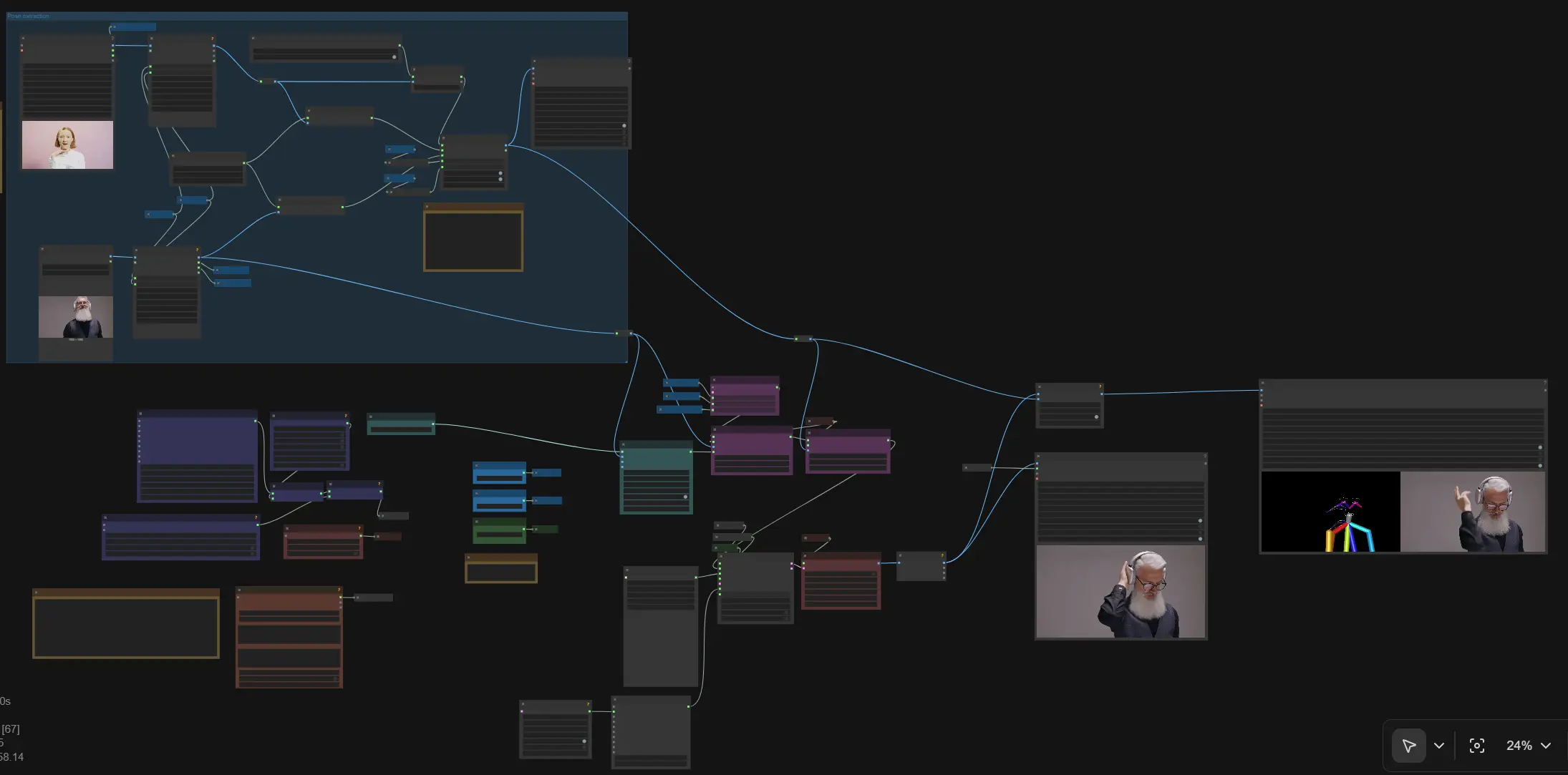
Overall flow: load a reference image and an optional driving video; extract and render poses; encode the reference with CLIP vision; add SCAIL reference and SCAIL pose embeddings; assemble text conditioning; sample frames with WanVideo; decode and export the video. The graph includes public “Set_” variables so width, height, CFG, and frame count propagate automatically.
- Inputs and sizing
- Load a reference character image, or a video for motion transfer. The workflow resizes the reference to generation size and ensures the target dimensions are divisible by 32. If you load a video, its audio is available for passthrough to the final export.
- Set width, height, and frame count once; the values feed the sampler, decoder, and exporter via shared getters and setters. Keep aspect ratio consistent between reference and output to minimize stretching artifacts.
- Pose extraction (group: Pose extraction)
- The input video frames or images are resized for analysis and fed to an NLF pose predictor and a ViTPose detector. The ViTPose output is converted into DWPose format for optional face/hands detail and for aligning the global pose to the reference subject.
- Rendered SCAIL pose images are produced at half the generation resolution internally for efficiency, then composed to the target size, preserving depth cues and occlusions. Face/hands drawing can be toggled while still using alignment; disconnect DWPose if you want pose alignment disabled.
- Reference identity encoding
- The reference image is encoded with CLIP ViT‑H/14 and converted into WanVideo image embeddings. These embeddings capture color, texture, and local structure so SCAIL can keep the character consistent through challenging motion.
- If identity drifts in long or stylized shots, keep a clean, front‑facing reference and avoid heavy crops; this strengthens the CLIP signal used downstream.
- SCAIL pose conditioning
- The SCAIL pose renders are injected as additional image embeddings. They act as strong structural guidance that enforces limb placement, depth ordering, and silhouette stability across frames.
- You can swap the driving source at this stage: use extracted poses from a video for motion transfer or feed pre‑rendered SCAIL pose images to choreograph sequences without a driver.
- Text prompt conditioning
- Prompts are encoded to text embeddings that bias style, wardrobe, lighting, and environment. Use concise descriptors that complement the reference image; negative text can reduce over‑saturation, artifacts, or clutter.
- Prompts are optional when you want the output to follow the reference look closely under SCAIL control.
- Sampling and scheduling
- The WanVideo sampler runs the diffusion‑transformer with model, scheduler, image embeds (reference + SCAIL pose), text embeds, and CFG guidance. A context options node can window long sequences for memory‑friendly generation while preserving temporal continuity.
- If you notice flicker or soft edges, consider a slower scheduler or slightly stronger CFG; if motion feels over‑constrained, reduce overall guidance so SCAIL structure and appearance cues balance naturally.
- Decode and export
- Latents are decoded to frames using the Wan VAE, and the video is written with your chosen frame rate and filename prefix. The workflow can concatenate visuals for A/B slices and passes audio through when connected.
- Inspect the output; if arms or legs clip during fast turns, revisit pose extraction quality or alignment inputs, then requeue with the same seeds for controlled iteration.
Key nodes in Comfyui SCAIL workflow#
WanVideoAddSCAILReferenceEmbeds(#350)- Adds identity and appearance conditioning from the reference image into the image‑embedding stream. Increase its influence when the character’s face or clothing drifts; decrease if the model refuses to adapt to large body rotations or dramatic lighting.
WanVideoAddSCAILPoseEmbeds(#324)- Injects rendered SCAIL pose images as structural guidance. Raise its influence for stricter limb placement and silhouette stability; lower if motion looks too rigid or if you want more freedom for style prompts to bend the pose slightly.
RenderNLFPoses(#362)- Renders continuous NLF predictions into SCAIL‑style pose images, optionally overlaying DWPose face/hands and performing pose‑to‑reference alignment. Keep the internal pose render at half the target resolution to match SCAIL’s design and avoid aliasing; disconnect DWPose to remove alignment.
WanVideoSamplerv2(#348)- Drives the main diffusion sampling with model, image/text embeds, scheduler, extra args, and
cfg. If you see temporal wobble, use a steadier scheduler or more steps; if details overshoot the reference, lowercfgso SCAIL’s identity cues lead.
- Drives the main diffusion sampling with model, image/text embeds, scheduler, extra args, and
WanVideoSchedulerv2(#349)- Controls denoising schedule behavior. Choose schedules that balance detail and stability; slower schedules often improve temporal consistency for sweeping motions and long sequences.
WanVideoClipVisionEncode(#327)- Encodes the reference image with ViT‑H/14 and outputs CLIP image embeddings for identity. Use high‑quality, well‑lit references; frontal or 3/4 views tend to anchor faces and hair better.
Optional extras#
- Dimensions must be divisible by 32. Keep reference and output aspect ratios aligned to avoid warping.
- SCAIL expects pose renders at half the generation resolution; this workflow auto‑calculates it so you do not need to manage it manually.
- For precise hands and expressions, keep DWPose connected to enable face/hands cues; to disable alignment only, disconnect the DWPose link but keep the rendered pose images.
- Long sequences: use the context options node to window generation for memory efficiency while keeping overlap for smooth transitions.
- If you use SCAIL preview weights repackaged for ComfyUI, grab them from the community distributions when needed. Example preview pack: Kijai/WanVideo_comfy SCAIL and Kijai/WanVideo_comfy_fp8_scaled SCAIL.
Acknowledgements#
This workflow implements and builds upon the following works and resources. We gratefully acknowledge Ai Verse Z.ai (zai-org) for SCAIL (official implementation) and teal024 for the SCAIL project page for their contributions and maintenance. For authoritative details, please refer to the original documentation and repositories linked below.
Resources#
- zai-org/SCAIL
- GitHub: zai-org/SCAIL
- Hugging Face: zai-org/SCAIL-Preview
- arXiv: arXiv:2512.05905
- teal024/SCAIL Project Page
- Docs / Release Notes: Project Page
- GitHub: zai-org/SCAIL
- Hugging Face: zai-org/SCAIL-Preview
- arXiv: arXiv:2512.05905
Note: Use of the referenced models, datasets, and code is subject to the respective licenses and terms provided by their authors and maintainers.