logo
RunComfy
  • ComfyUI
  • 訓練器
  • 模型
  • MCP新
  • 定價
  • Seedance 2.5火爆
  • Seedream 5.5新

依模型瀏覽工作流

火爆MiniMax H3根據文字、影像或參考生成含音訊影片火爆Qwen Image 2.1生成影像,並依參考編輯照片Wan文字或影像生成影片,動作遷移FLUX影像生成、編輯與角色變體LTX文字或影像生成音畫同步影片Qwen Image Edit用文字與參考圖編輯照片Krea 2影像生成、風格遷移與參考編輯Z-Image根據文字快速生成人像與概念圖

熱門與最新工作流

新MiniMax H3 Character Swap V1.5替換影片角色,保留原音訊新P-H3-Image Reference Edit依參考圖編輯照片火爆MiniMax H3 Image-to-Video一張圖生成電影感影片,音畫同步火爆LTX 2.5 Image-to-Video一幀生成清晰影片,音畫同步火爆MiniMax H3 Character Swap (SAM3)替換影片角色,並跟隨原動作Qwen Image 2.1 Multi-Image Editing最多 10 張參考圖合成精準場景FLUX Klein Face Swap自然逼真的換臉SeedVR2 Video Upscaler清晰流暢的影片超解析
查看更多工作流

訓練模型

新MOSS-Image Base影像生成,新支援新FLUX.3 Klein影像生成,新支援火爆Krea 2訓練最多的影像模型火爆Krea 2 Turbo少步數影像生成火爆Qwen Image 2.1影像生成與編輯Z-Image Turbo快速生成人像與概念圖MiniMax H3音畫同步影片

訓練與部署

入門指南用 Ostris AI Toolkit 完成第一個訓練任務資料集上傳與管理訓練資料集推論在 Playground 或透過 API 執行訓練好的模型部署將訓練好的模型部署為專屬端點
訓練更多模型

影像模型

新GPT Image 2.6省 5% · 精細文生圖,支援 GIF 與 SVG,最高 4K新Seedream 5.5省 10% · 文生圖,最高 2K,支援透明 PNG新MiniMax H3 Image省 10% · 文字或參考圖生成靜幀,最高 4K新FLUX 3 Image Klein省 10% · 文字或參考圖生成靜幀,768 至 4K火爆Seedream 5.0 Pro省 20% · 參考圖編輯,支援多語言文字火爆Seedream 4.5省 20% · 寫實級編輯,保持品牌一致火爆Wan 2.6 Image依指令編輯影像Nano Banana Pro省 77% · 從草圖生成精準的 2K 至 4K 影像

視頻模型

新Seedance 2.5 Flash省 34% · Text, image, or reference to video新Kling 4.0省 9% · 將靜態圖轉為 3 至 30 秒影片火爆Wan 3.0 Prime省 13% · 根據參考影片快速生成火爆Seedance 2.5省 35% · 更長、更連貫的電影感影片火爆Wan 3.0根據影像、影片與音訊參考生成火爆MiniMax H3將首幀轉為 5 至 15 秒影片Wan 2.5省 10% · 流暢動作,原生音訊FLUX 3 Max根據文字、靜態圖或關鍵影格生成
查看更多模型

API

Serverless (ComfyUI)將 ComfyUI 工作流程部署為無伺服器端點。Serverless (LoRA)將 LoRA 部署為無伺服器端點。Model API按需運行託管模型,無需部署。Trainer API透過 API 訓練、管理和取得 LoRA。CLIRun RunComfy models from your terminal.
模型
探索
所有模型
資源庫
生成記錄
模型 API
API 文檔
API 金鑰
帳戶
使用情況

Seedance 2.5 Reference to Video 1080p:在 Models and API 上產生多參考影片 | RunComfy

bytedance/seedance-2.5/reference-to-video/1080p

Seedance 2.5 Reference to Video 1080p 將參考圖片(及可選影片/音訊)融合為 1080p 片段,用於可交付的參考引導生成。

描述期望影片的文本提示詞,可將所提供的圖片、影片與音訊作為環境、運動與情緒線索。
Image 1
用於引導環境與風格的參考圖片。最多 9 張。
用於運鏡與節奏的參考影片。最多 3 段。每段參考影片時長須在 2 到 30 秒之間。所有參考影片總時長不能超過 30 秒。
用於情緒與節奏的參考音訊。最多 3 個檔案。每段參考音訊時長須在 2 到 30 秒之間,總時長不能超過 30 秒。
生成影片的寬高比。
生成影片的時長(秒)。範圍為 4–30。
為 true 時,模型輸出帶同步音訊(語音、音效、音樂)的影片。
Idle
33% off. After discount — no reference video: $0.764 per second of output; with a reference video: $0.467 per second for both the reference video and the output. Example: 10s reference + 10s output = $9.34. Images and audio are not billed.

Seedance 2.5 Reference to Video 1080p 簡介

ByteDance 的 Seedance 2.5 Reference to Video 1080p 以參考圖片及可選影片或音訊引導 1080p 成片,在交付解析度下維持主體與風格一致。以更銳利的成片取代低解析度多參考試片,協助廣告公司與 previz 團隊在迭代運動時鎖定身份。對開發者而言,RunComfy 上的 Seedance 2.5 Reference to Video 1080p 可在瀏覽器中使用,也可透過 HTTP API 呼叫,無需自行託管或擴充該模型。

適用於:角色一致成片 | 產品參考影片 | 風格鎖定的品牌短片

參數#


參數必填類型預設範圍 / 選項說明
prompt*是 (*)string——以參考素材為線索的場景描述
images否array (image URIs)—0–9用於外觀與身份的參考圖片
videos否array (video URIs)—0–3用於運動與節奏的參考片段
audios否array (audio URIs)—0–3用於情緒與節奏的參考音訊
aspect_ratio否string16:916:9, 9:16, 1:1, 4:3, 3:4, 21:9, adaptive輸出畫幅比例
duration否integer54–30(秒)片段時長
generate_audio否booleantruetrue / false原生同步音訊

定價#


無參考影片每秒 $0.764,有參考影片每秒 $0.467。


  • 無參考影片: 總價 = 輸出影片時長 × $0.764。
  • 有參考影片: 總價 =(輸入參考影片時長 + 輸出時長)× $0.467。示例:10 秒參考影片 + 10 秒輸出 = 20 秒 × $0.467 = $9.34。
  • 圖片與音訊參考不計費。

相關模型

wan-3.0-prime/reference-to-video

Wan 3.0 Prime Reference To Video 根據參考快速建立剪輯

Hailuo Video 01 Live

AI 驅動動畫工具,精準控制臉部與鏡頭,靜態插圖即刻變動畫

hunyuan/text-to-video

使用騰訊 Hunyuan Video 根據文字提示詞生成高品質影片。

veo-3-1/fast/extend-video

依照提示詞將現有影片延長 7 秒,以 720p 輸出,並可選擇是否產生音訊。

infinite-talk/fast

使用一段音訊與一張圖片生成影片,並可視需要設定提示詞與隨機種子。

kling-video-o1/image-to-video/reference

透過必填參考圖片與元素陣列生成影片,使用按順序編號的 @Image 和 @Element 標記,並精確控制片長與長寬比。

常見問題

Seedance 2.5 Reference to Video 1080p 最適合用來做什麼?

Seedance 2.5 Reference to Video 1080p 是 ByteDance 的參考導向影片端點,用圖片及可選影片或音訊引導 1080p 片段。適合角色一致、產品以及風格鎖定的品牌成片。

Seedance 2.5 Reference to Video 1080p 與 480p 或 720p 參考模型有何不同?

工作流程同為多參考路徑;Seedance 2.5 Reference to Video 1080p 將輸出鎖定為 1080p,以便更銳利地交付。請先在較低解析度驗證參考組合,再拿到這裡重用。

Seedance 2.5 Reference to Video 1080p 支援哪些參考數量與時長?

Seedance 2.5 Reference to Video 1080p 最多接受 9 張參考圖片、3 段參考影片和 3 個參考音訊檔案,時長 4 至 30 秒(預設 5)。寬高比選項包括 adaptive 以及常見固定比例。

Seedance 2.5 Reference to Video 1080p 如何計費?

無參考影片:總價 = 輸出影片時長 × $0.764。有參考影片:總價 =(輸入參考影片時長 + 輸出時長)× $0.467。示例:10 秒參考影片 + 10 秒輸出 = 20 秒 × $0.467 = $9.34。圖像和音頻參考不收費。

開發者能否在 UI 試用後透過 RunComfy API 呼叫 Seedance 2.5 Reference to Video 1080p?

可以。先在 RunComfy 模型 UI 中做原型驗證,再用相同參數透過 RunComfy API 呼叫同一套 Seedance 2.5 Reference to Video 1080p 模板。兩條路徑的生成都會消耗 usd / credits。

使用 Seedance 2.5 Reference to Video 1080p 必須提供影片和音訊參考嗎?

不必。Seedance 2.5 Reference to Video 1080p 僅用 prompt 加圖片即可執行。需要更強的運動或情緒引導時,再加入短參考影片或音訊。

關注我們
  • 領英
  • Facebook
  • Instagram
  • Twitter
支持
  • Discord
  • 電子郵件
  • 系統狀態
  • 附屬
視頻模型
  • Seedance 2.5 Flash Text To Video
  • Seedance 2.5 Flash
  • Seedance 2.5 Flash Reference to Video
  • Wan 3.0
  • MiniMax H3 Fast
  • Wan 2.5
  • 查看所有模型 →
影像模型
  • Seedream 5.5
  • Seedream 5.5 Edit
  • Seedream 5.5 Layer Decomposition
  • Wan 2.6 Image to Image
  • Nano Banana Pro
  • Seedream 5.0 Pro
  • 查看所有模型 →
法律
  • 服務條款
  • 隱私政策
  • Cookie 政策
RunComfy
版權 2026 RunComfy. 保留所有權利。

RunComfy 是首選的 ComfyUI 平台,提供 ComfyUI 在線 環境和服務,以及 ComfyUI 工作流程 具有驚豔的視覺效果。 RunComfy還提供 AI Models, 幫助藝術家利用最新的AI工具創作出令人驚艷的藝術作品。

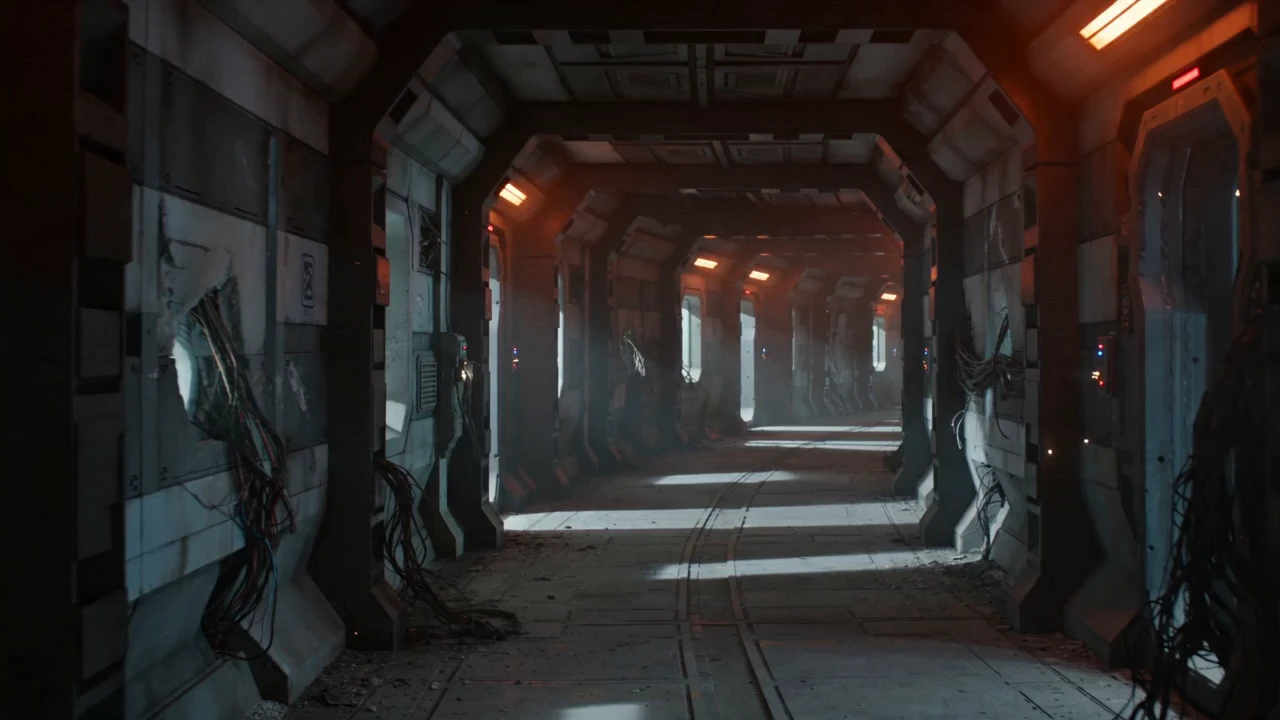
Seedance 2.5 Reference to Video 1080p 範例

Video thumbnail
Loading...
Video thumbnail
Loading...
Video thumbnail
Loading...
Video thumbnail
Loading...
Video thumbnail
Loading...
Video thumbnail
Loading...