one-to-all-animation/1.3b
Create identity-stable motions from photos using fast, alignment-free motion retargeting for designers and animators.
LTX 2.5 Fast Text To Video turns a written prompt into a synchronized audio-video clip in one pass. It is the speed-optimized text-to-video tier of LTX 2.5—built for rapid drafts and previews before you lock a final. This page is text-only; use the Image-to-Video or Audio-to-Video Fast pages when you have a still or a soundtrack to follow.
| Advantage | What it means for you |
|---|---|
| Prompt → AV in one pass | Generate picture and native audio together so dialogue, SFX, and ambience land with the shot. |
| Fast iteration | Speed-focused mode for exploring camera language, lighting, and beats without waiting on a heavyweight render. |
| Flexible length and resolution | Choose auto duration or 6–20 seconds, and deliver at 720p, 1080p, 1440p, or 4K (2160p). |
| Optional camera macros | Apply dolly, jib, static, or focus-shift presets when you want a prescribed camera path. |
9:16 Shorts or 16:9 web spots with synced sound.Controls on this LTX 2.5 Fast Text To Video page:
| Parameter | Required | Type | Default | Range / Options | How to choose |
|---|---|---|---|---|---|
prompt* | Yes (*) | String | Example prompt | Up to 5,000 characters | Structure subject, action, camera, setting, style, and audio. |
duration | No | String | auto | auto, 6, 8, 10, 12, 14, 16, 18, 20 | Use auto for model-inferred length; fixed seconds when timing is locked. |
resolution | No | String | 1080p | 720p, 1080p, 1440p, 2160p | Draft cheaper at 720p; step up for finals. |
aspect_ratio | No | String | 16:9 | 16:9, 9:16 | Match landscape web/ads or vertical social. |
fps | No | Integer | 25 | 24, 25, 48, 50 | Editorial (24/25) or smoother motion (48/50). |
generate_audio | No | Boolean | true | true / false | On for synced sound; off for silent plates. |
camera_motion | No | String | — | dolly_in, dolly_out, dolly_left, dolly_right, jib_up, jib_down, static, focus_shift | Optional prescribed camera path. |
LTX 2.5 Fast Text To Video is billed per second of generated video. Native audio is included at every resolution.
| Resolution | Price per second | 6s | 10s | 20s |
|---|---|---|---|---|
| 720p | $0.10 | $0.60 | $1.00 | $2.00 |
| 1080p | $0.14 | $0.84 | $1.40 | $2.80 |
| 1440p | $0.21 | $1.26 | $2.10 | $4.20 |
| 4K (2160p) | $0.33 | $1.98 | $3.30 | $6.60 |
For batches, total ≈ duration × per-second rate × output count. When duration is auto, billing follows the actual generated length.
Reusable structure for LTX 2.5 Fast Text To Video:
[subject + details] + [action over time] + [camera] + [setting + lighting] + [look] + [audio] + [ending]
Improved prompt example
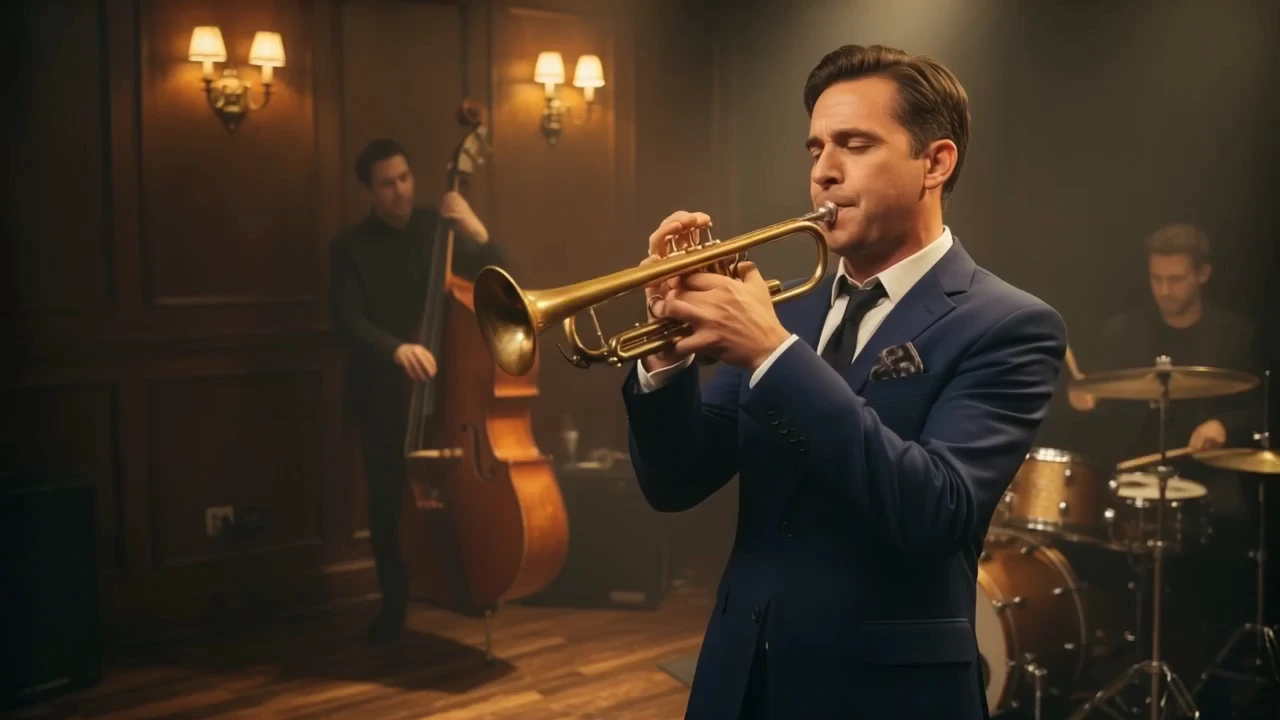
> A jazz trio performs in a wood-paneled club: upright bass, brushed drums, and a trumpet player in a midnight-blue suit. Warm tungsten sconces, soft haze, audience silhouettes in the foreground. Slow lateral track left-to-right, then a gentle push-in on the trumpet bell. Analog film grain. Audio: live trumpet, soft brushwork, quiet room murmur.
Create identity-stable motions from photos using fast, alignment-free motion retargeting for designers and animators.

Transform scripts or voices into dynamic, brand-tailored avatar videos fast.

Seedance 2.5 4K Text to Video: prompt to 4K cinematic clips
Generate videos from text prompts with audio using Wan 2.5 Preview.

Turn static photos into lifelike videos with style, motion, and full creative control.

Create dynamic, sound-synced motion clips from visuals for rich storytelling.
LTX 2.5 Fast Text To Video turns a written prompt into a synchronized audio-video clip in a speed-optimized mode. It is ideal for concept drafts, social hooks, and camera/lighting previz when you do not have a start image or driving audio bed.
This page is text-only: there are no image or audio reference inputs. Use LTX 2.5 Fast Text To Video for prompt-first exploration, then switch to Image-to-Video Fast when a still must lock composition or identity.
You can set duration to auto or 6–20 seconds, resolution from 720p to 4K (2160p), aspect ratio 16:9 or 9:16, FPS of 24/25/48/50, optional camera motion presets, and generate_audio on or off.
Yes. When generate_audio is enabled, picture and sound are produced together, and native audio is included in the per-second price at every resolution. Disable audio for silent plates.
Prompts can be up to 5,000 characters. Clear structure—subject, one main action, camera, lighting, style, and audio—usually matters more than filling the limit.
Yes. Prototype settings in the RunComfy Web UI, then reuse the same LTX 2.5 Fast Text To Video parameters through the HTTP API for batch jobs and product integrations.
Billing is per second of generated video: $0.10 at 720p, $0.14 at 1080p, $0.21 at 1440p, and $0.33 at 4K (2160p). Auto duration is charged by the actual generated length. Generations consume USD/credits; new users typically receive a free trial amount.
Choose LTX 2.5 Fast Text To Video when you need quick previews and prompt iteration. Move to higher-effort pipelines or other models when you need heavier reference control or a locked final look.
RunComfy is the premier ComfyUI platform, offering ComfyUI online environment and services, along with ComfyUI workflows featuring stunning visuals. RunComfy also provides AI Models, enabling artists to harness the latest AI tools to create incredible art.