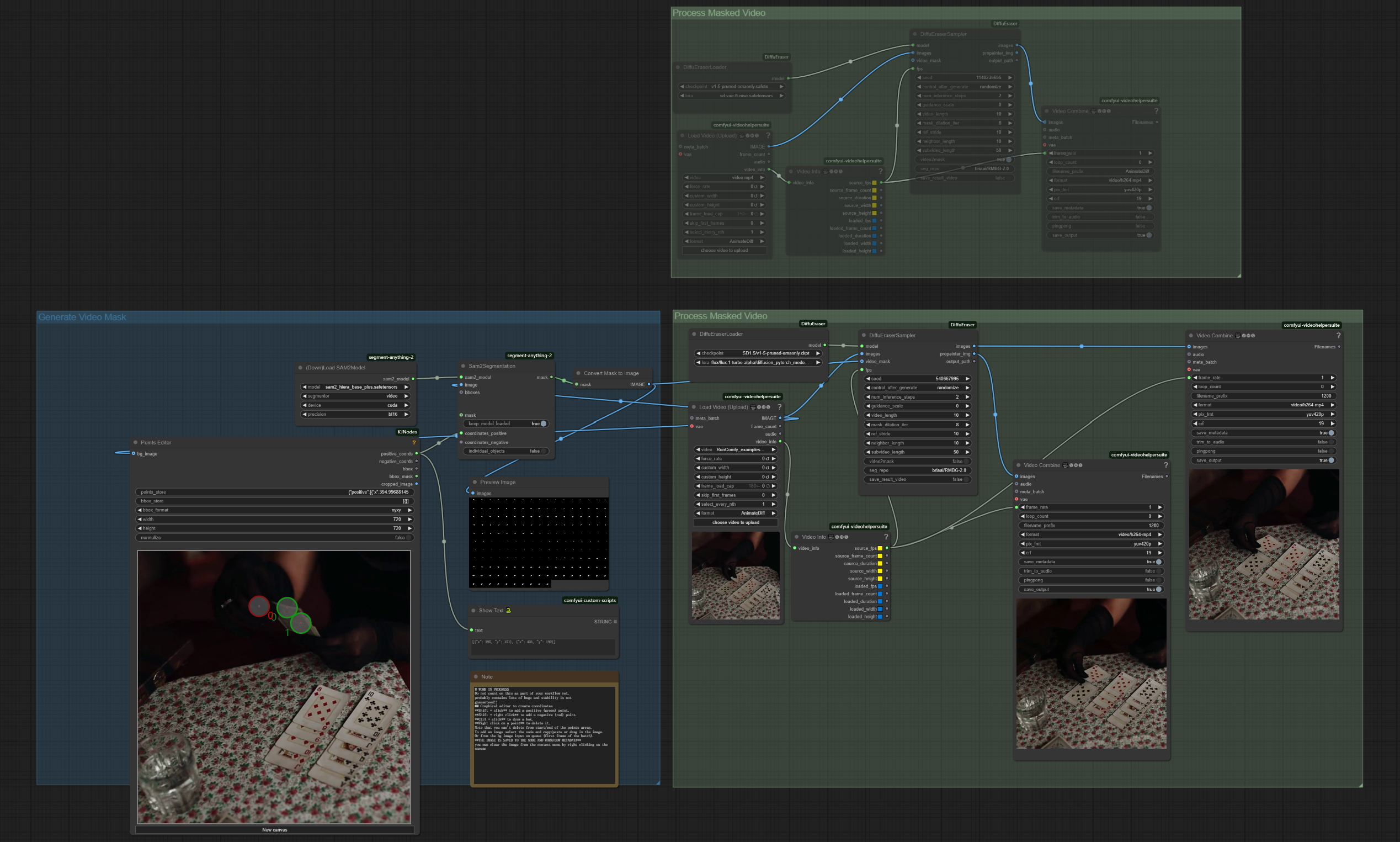
ComfyUI DiffuEraser Video Inpainting Workflow Description#
What is the ComfyUI DiffuEraser Workflow?#
DiffuEraser is a cutting-edge video inpainting solution that seamlessly removes unwanted objects from videos while preserving temporal consistency. Using a powerful diffusion-based inpainting model, DiffuEraser reconstructs missing areas with contextually accurate content. This workflow integrates with Segment Anything 2 (SAM2) for automatic mask generation, eliminating the need for manually created masks.
DiffuEraser utilizes a denoising UNet alongside an auxiliary BrushNet branch, integrating temporal attention to maintain frame consistency. By leveraging prior information, it reduces hallucinations and artifacts, ensuring flawless object removal.
The **SAM2** integration by Runcomfy Crew automates mask creation using a point-selection interface, enabling users to mark objects for removal without manually creating masks. This significantly streamlines the inpainting workflow.
Benefits of DiffuEraser Workflow#
- High-quality reconstruction with natural scene blending.
- Automatic mask generation via SAM2, reducing manual effort.
- Temporal consistency for seamless inpainting across frames.
- Flexible object selection with a point-based interface.
- Professional-grade results with minimal user input.
- Suppressed hallucinations by leveraging prior information.
- Compatible with standard video formats for effortless integration.
How to Use DiffuEraser Workflow#
Object Removal with DiffuEraser#
Primary Generation Method: SAM2 + DiffuEraser#
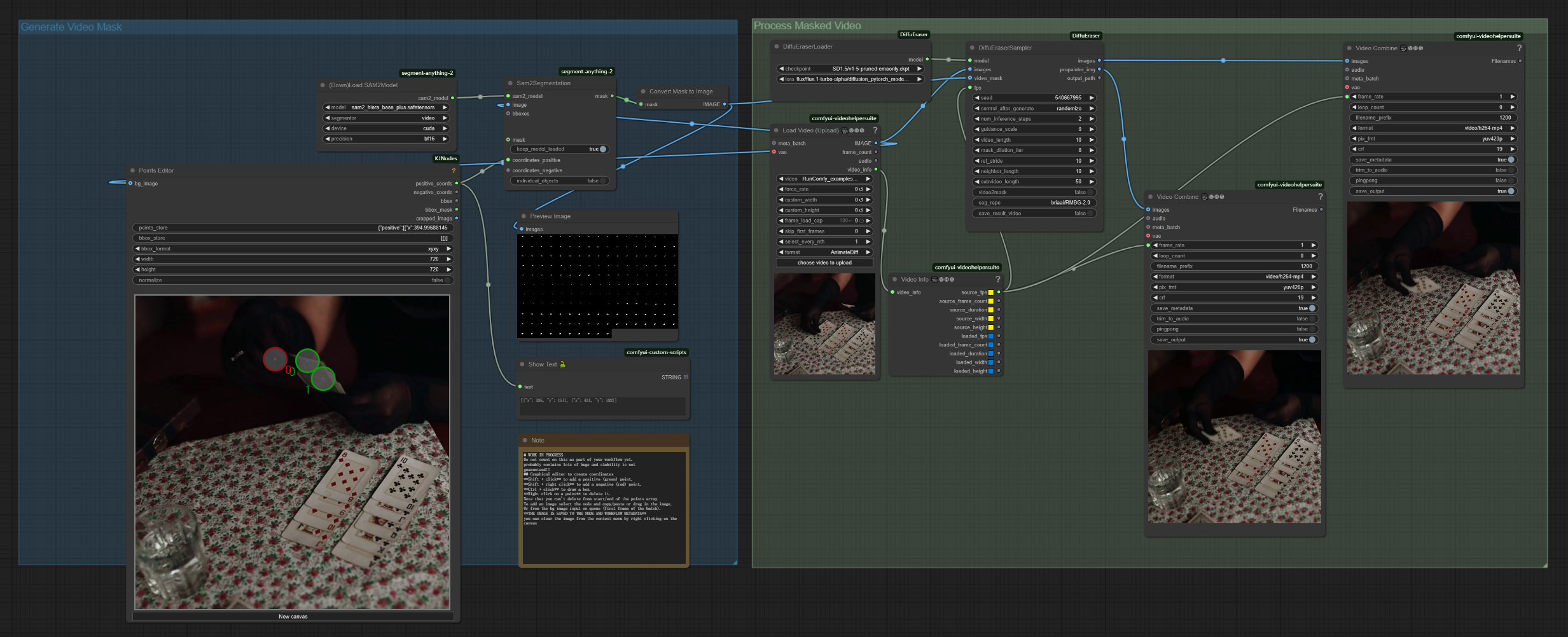
- Inputs: Original video, frames for object selection via point coordinates
- Best for: Removing objects, people, watermarks, or other unwanted elements
- Characteristics:
- Uses SAM2 for automatic mask generation
- Produces natural inpainting with high visual fidelity
- Ensures temporal consistency across all frames
Example Workflow#
- Prepare inputs
- In Load Video Node: Upload your source video
- In Points Editor: Load first frame to add positive points (green) to mark objects for removal
- Refinement (Optional)
- In DiffuEraserSampler adjust
mask_dilation_iterfor precise masking - Modify
crfin Video Combine for higher output quality
- In DiffuEraserSampler adjust
- Output
- In Video Combine: find the preview and save it to your local machine
Alternative Method: Manual Mask Creation#
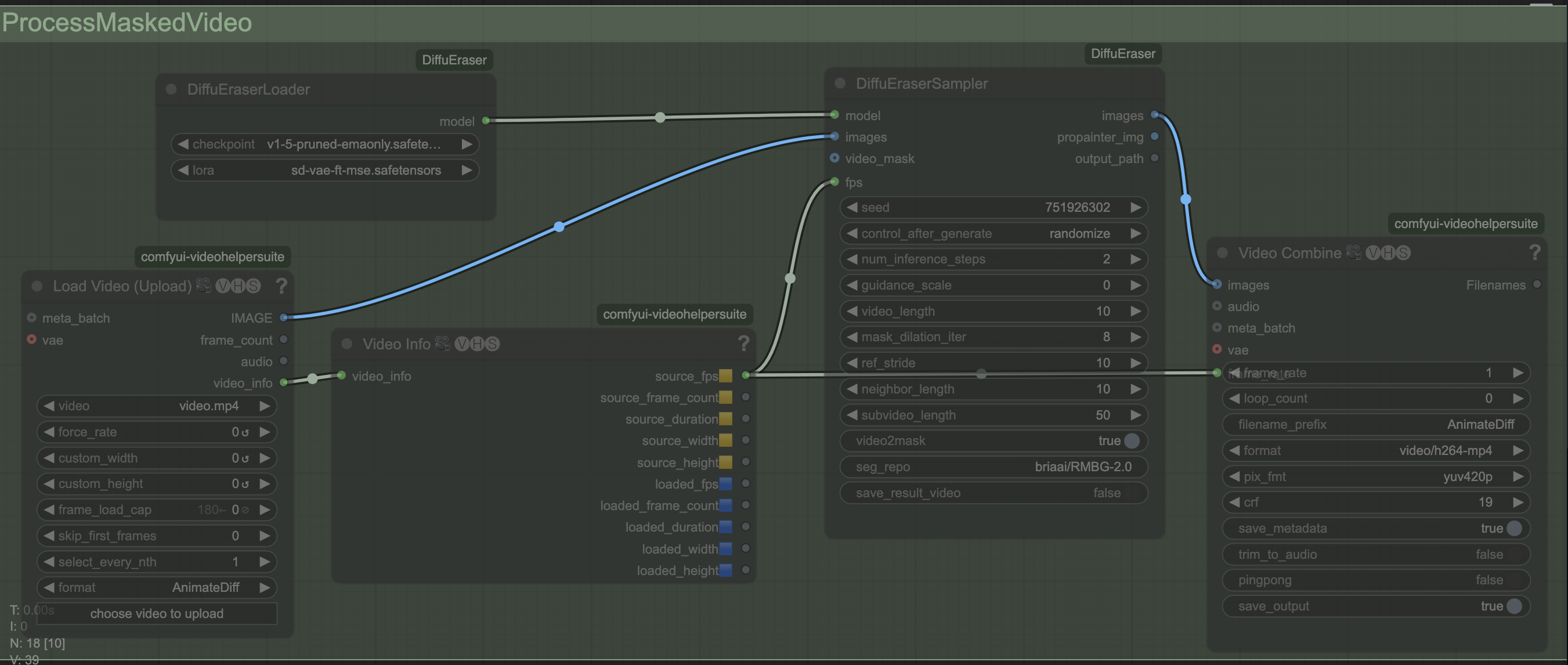
- Inputs: Pre-created mask video.
- Best for: Users needing precise control over masked regions.
- Characteristics:
- Requires manual mask creation.
- Offers full control over object selection.
- Ideal for complex scenes or artistic workflows.
Parameter Reference for DiffuEraser#
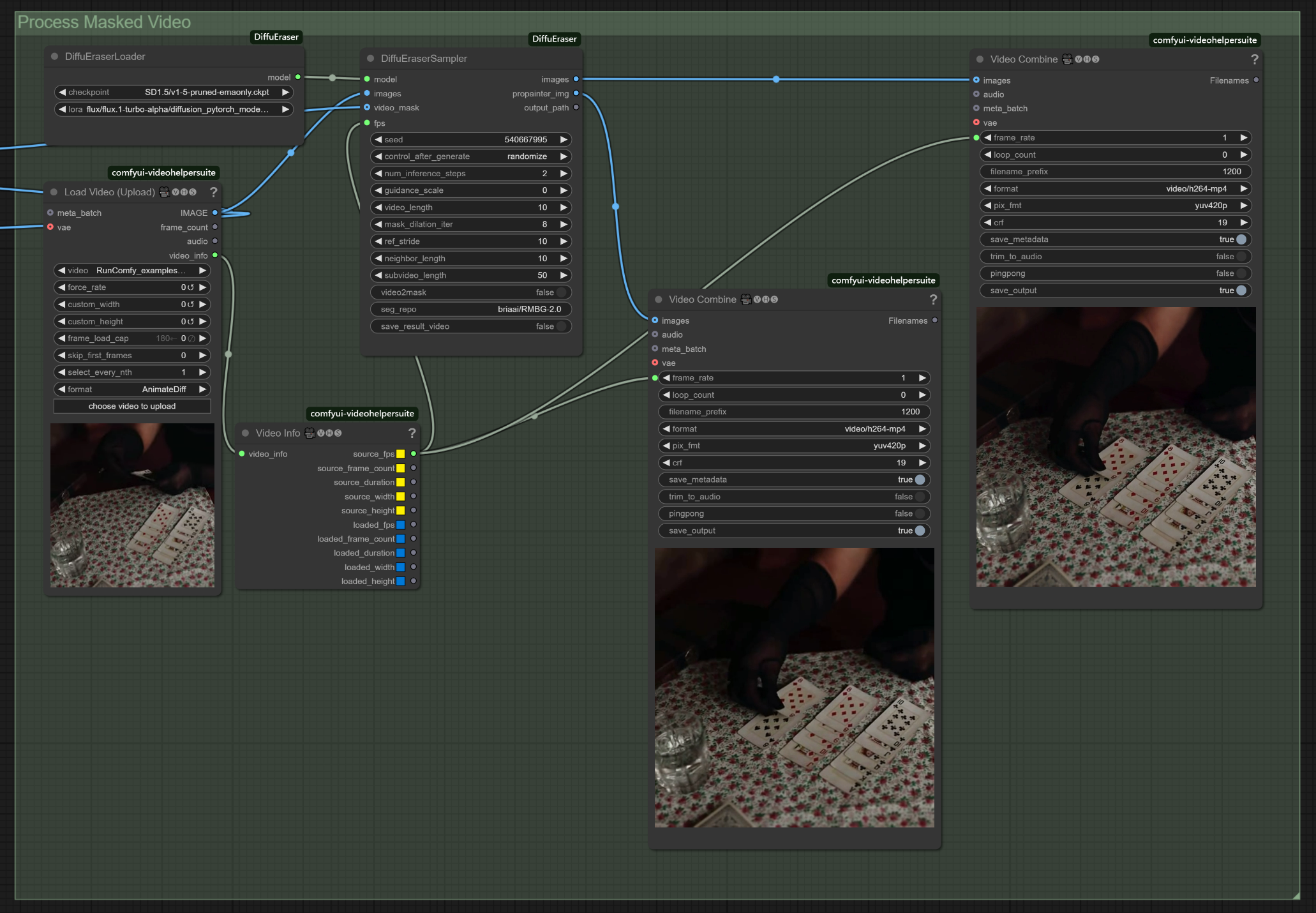
- DiffuEraserLoader:
checkpoint: [SD1.5/v1-5-pruned-emaonly.ckpt] - Stable Diffusion base model.lora: [flux/flux.1-turbo-alpha/diffusion_pytorch_model.safetensors] - LoRA for enhanced inpainting.
- DiffuEraserSampler:
seed: [random] - Controls generation variability.num_inference_steps: [2] - Higher values improve quality.guidance_scale: [0] - Controls adherence to prior information.video_length: [10] - Defines processed frames.mask_dilation_iter: [8] - Expands mask coverage.ref_stride: [10] - Reference frame stride for temporal consistency.neighbor_length: [10] - Defines frames used for reference.subvideo_length: [50] - Max frames processed in a batch.seg_repo: [briaai/RMBG-2.0] - Background removal model.
- Video Combine:
frame_rate: [1] - Matches source frame rate.format: [video/h264-mp4] - Output format.crf: [19] - Controls video compression quality.
Advanced Optimization with DiffuEraser#
- Performance Optimization:
- Reduce
subvideo_lengthfor faster processing. - Lower
num_inference_stepsto speed up generation.
- Reduce
- Quality Enhancements:
- Increase
mask_dilation_iterto improve mask coverage. - Adjust
neighbor_lengthfor moving object refinements.
- Increase
Usage Tips#
- Use Points Editor to mark multiple points on the target object.
- Add negative points (red) if SAM2 includes unwanted areas.
- For moving objects, mark points across several frames.
- Simpler backgrounds yield better inpainting results.
- Lower
video_lengthandsubvideo_lengthfor longer videos to avoid memory issues.
More Information#
- For detailed guides and updates on DiffuEraser, visit DiffuEraser
- For ComfyUI integration of DiffuEraser, visit ComfyUI DiffuEraser
- For detailed guides on SAM2, visit SAM2 on RunComfy
Credit to Original Authors#
DiffuEraser was created by Xiaowen Li, Haolan Xue, Peiran Ren, and Liefeng Bo from Tongyi Lab, Alibaba Group, with ComfyUI integration by smthemex. Runcomfy Crew enhanced the workflow with automatic mask generation via SAM2. All credit goes to the original authors for their groundbreaking contributions.