logo
RunComfy
  • ComfyUI
  • 訓練器新
  • 模型
  • API
  • 定價
discord logo
模型
探索
所有模型
資源庫
生成記錄
模型 API
API 文檔
API 金鑰
帳戶
使用情況

Flux 2 Klein 4B:4 步亞秒文字到影像生成 | Models and API | RunComfy

blackforestlabs/flux-2-klein/4b/text-to-image

以亞秒速度、精確的多參考合成以及高達 1024x1024 的分辨率從文字生成和編輯高品質圖像,適用於電子商務、設計和產品行銷。

Idle
[Super Limited Time Offer] The rate is $0.003 per image.

Flux 2 Klein 4B 簡介

Black Forest Labs 的 Flux 2 Klein 4B 文字到圖像從文字生成圖像,並以每張圖像 0.003 美元的價格執行多參考編輯,具有亞秒級延遲和高達 1024x1024 的輸出,提供超快速、統一的文本到圖像和圖像編輯。 Flux 2 Klein 4B 將手動遮罩、緩慢升級和 GPU 處理轉換為 4 步、即時忠實、多參考合成,為 RunComfy 上的電子商務團隊、設計師和產品行銷人員簡化了創意迭代和品牌安全編輯。對於開發人員來說,RunComfy 上的 Flux 2 Klein 4B 既可以在瀏覽器中使用,也可以透過 HTTP API 使用,因此您無需自行託管或擴展算力與併發。
非常適合:快速創意原型製作|品牌活動視覺效果|多參考產品模型

Black Forest Labs / Flux 2 Klein 4B Text to Image#


Flux 2 Klein 4B is a compact, open-weight text-to-image and image-editing model built by Black Forest Labs, optimized for speed and responsive creative iteration. It accepts a text prompt (and optionally one or more reference images for editing) and returns a single image suitable for concepting, mockups, and fast visual experiments.


Output format: up to ~1024×1024 resolution (commonly used), fps: n/a, duration: n/a, aspect ratio: flexible, audio: none


Highlights#


  • Distilled, fast sampling: Flux 2 Klein 4B commonly reaches interactive latency with very few steps, enabling quick prompt iteration.
  • Unified generate + edit: One model for text-to-image and image-to-image, with optional multi-reference guidance for consistent edits.
  • Open and integration-friendly: Apache 2.0 open weights and support across popular tooling make deployment flexible.
  • Efficient by design: Flux 2 Klein 4B typically runs on consumer-grade GPUs or cloud instances without heavy VRAM needs.
  • Strong prompt adherence: Good control via descriptive prompts, camera terms, and style cues, with reliable reproducibility via seeds (when exposed by the platform).


Parameters#


ParameterRequiredTypeDefaultRange / OptionsDescription
multipart*Yes (*)objectNonen/aContainer for form-data fields; typically includes prompt text and generation options.
bodyNoobjectNonen/aThe multipart body payload; commonly includes fields such as prompt, steps, width, height, and optional references (varies by provider).
contentTypeNostringNonen/aContent type for multipart submissions; set by the client or SDK.


Pricing#


UnitPrice
Per image$0.003


How to Use#


1) 在 RunComfy 中選擇本模型: select Flux 2 Klein 4B Text to Image for generation or editing workflows.

2) Prepare your input:

- Text-to-image: write a concise prompt with subject, style, lighting, and camera terms.

- Image editing: upload one or more reference images (if your workflow supports multi-reference editing) to guide style or identity.

3) Set image size and aspect ratio:

- Start with 1024×1024 for quality and speed; adjust aspect ratio to fit your composition.

4) Configure steps and quality:

- Fewer steps are faster; more steps can refine detail. Typical ranges vary by provider.

5) Use a seed if available:

- Fix a seed to reproduce results; change it to explore new variations around the same prompt.

6) Run the job and review outputs:

- Iterate by adjusting style tokens, composition terms, or references; save preferred seeds and prompts.

7) API usage (no self-hosting required):

- Submit a multipart POST with fields like prompt, steps, width, and height to the platform endpoint; Flux 2 Klein 4B is also compatible with common AI-inference APIs that accept multipart form data.


Prompt & Reference Tips#


  • Use structured prompts: subject + style + medium + lighting + lens/camera + mood; Flux 2 Klein 4B responds well to concrete, visual language.
  • Keep references consistent: if editing, align angle, lighting, and scale between reference(s) and the target description.
  • “Follow the reference but change X”: be explicit (e.g., “same outfit and pose, new background: rainy neon city”).
  • Iterate thoughtfully: lock a good seed, then vary one factor at a time (lighting, aspect ratio, or adjective set).
  • Mind resolution trade-offs: very high resolutions can be slower or less stable; upscale externally if needed after Flux 2 Klein 4B generation.
  • Avoid conflicting terms: remove redundant style tags that point in different directions (e.g., “soft cinematic” vs “harsh studio flash”).
  • Fix common errors: if uploads fail, ensure multipart content type; if compositions clip, choose a matching aspect ratio or reduce subject count.


How Flux 2 Klein 4B Text to Image compares to other models#


  • Compared to Nano Banana Pro, Flux 2 Klein 4B delivers much faster generation and open-weight flexibility, while high-end 4K detail and advanced multilingual text rendering are stronger on the competitor (based on publicly available information).
  • Key improvements versus larger, slower setups: Flux 2 Klein 4B emphasizes low-latency 4-step inference, prompt adherence, and unified generate/edit workflows on modest hardware.
  • Ideal use case: choose Flux 2 Klein 4B when rapid creative iteration, multi-reference editing, and open licensing matter more than extreme photorealism or native 4K output.

In short, Flux 2 Klein 4B offers one of the best speed-to-quality trade-offs in its family for agile image creation.


More Models to Try#


  • Flux 2 Klein 9B Text to Image — higher fidelity and texture richness; use when you outgrow Flux 2 Klein 4B for fine detail.
  • Flux 2 Flex Text to Image — a higher-quality sibling oriented toward premium outputs on stronger hardware.
  • Flux 2 Dev Text to Image — developer-focused variant for advanced control and research-style workflows.
  • Seedream 4.5 — photorealism-focused alternative for complex scenes and high-resolution demands.
  • Z-Image-Turbo — a low-latency alternative with competitive detail at moderate resolutions.


相關模型

flux-1-kontext/max/text-to-image

以文字快速生成高品質圖像,精準控制細節與風格,助力創意設計實現。

seedream-5/lite/edit

Seedream 5.0 Lite 將參考圖像轉化為版面精準、風格一致的設計,助力創意工作流程。
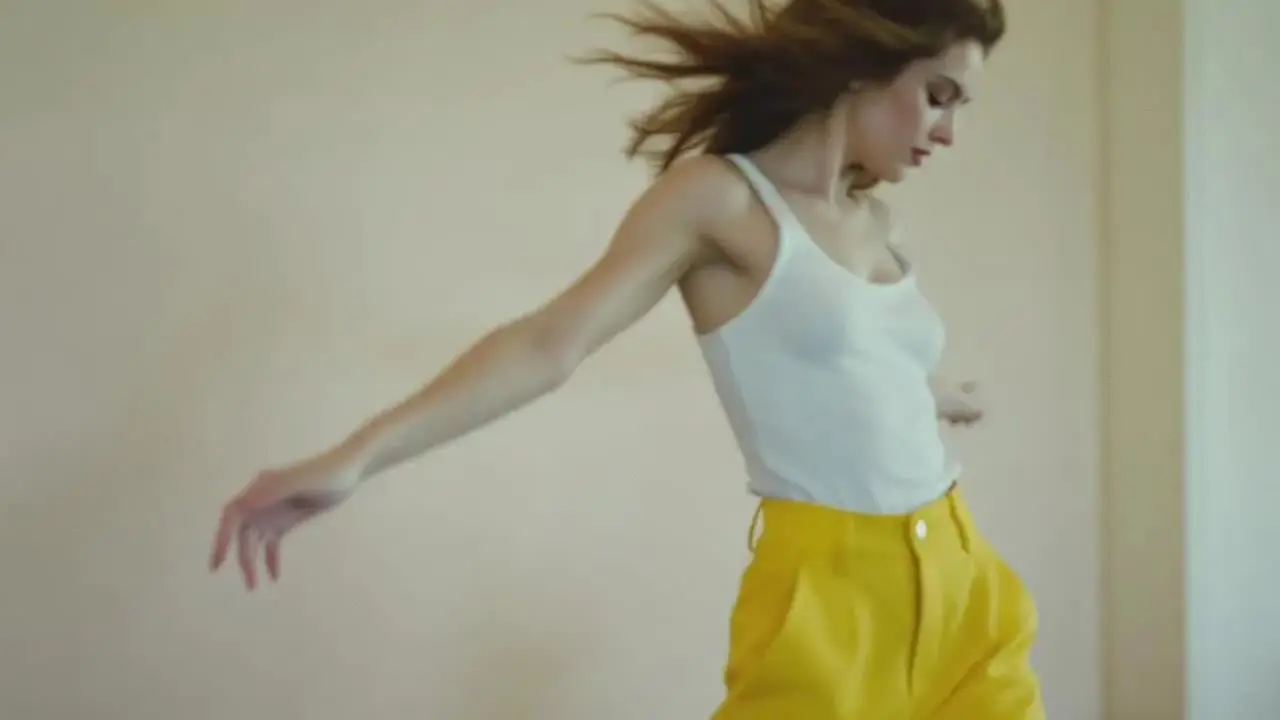
flux-1-kontext/pro/text-to-image

高精準 AI 文字轉圖像工具,支援細節調整與靈活創作。

qwen-image/edit

支援雙語文字處理與物件編輯,讓設計更自由直覺

seedream-4-0/edit

以 Seedream 4.0 將圖片重新生成高品質影像,輕鬆打造創意設計。
flux-1-1-pro/ultra/text-to-image

高速生成400萬像素照片,Ultra與Raw模式精準還原真實質感

常見問題

Flux 2 Klein 4B 在文字轉影像應用的主要功能是什麼?

Flux 2 Klein 4B 擅長文字到圖像生成、圖像到圖像編輯和多參考輸入混合 - 所有這些都在一個統一模型內。它提供清晰的文字渲染、逼真的圖像以及適合 UI 模型和品牌一致性的快速輸出,且延遲較低,在消費性 GPU 上通常低於一秒。

Flux 2 Klein 4B 文字轉影像與 Seedream 4.5 或 Nano Banana Pro 等模型相比如何?

Flux 2 Klein 4B 文字到圖像強調速度、本地執行和開源可用性,而 Seedream 4.5 和 Nano Banana Pro 旨在以更高的計算成本實現極致的細節和保真度。當您需要快速迭代和對有限資源的強烈及時遵守時,Flux 2 Klein 4B 仍然是首選。

RunComfy 中 Flux 2 Klein 4B 文字轉影像支援的最大輸出解析度是多少?

Flux 2 Klein 4B 文字到影像目前支援高達約 2048×2048 像素(約 4 兆像素)的影像分辨率,取決於寬高比設定。此限制可確保快速生成,而不會超出具有約 13 GB 記憶體的 GPU 上的 VRAM 要求。

Flux 2 Klein 4B 文字到影像生成是否存在長寬比或提示標記限制?

Flux 2 Klein 4B 文字到影像逐步支援 128×128 和 2048×2048 之間的靈活寬高比,通常允許提示最多 512 個標記以實現最高清晰度。較長的提示將自動截斷,以在推理過程中保持一致的表現。

如何從 RunComfy 模型介面 中測試 Flux 2 Klein 4B 文字到圖像轉換到生產 API 使用?

您可以使用 RunComfy API 從 RunComfy 模型介面 (Web UI) 轉移到生產環境。此 API 鏡像 Flux 2 Klein 4B 文字到影像的遊樂場模型設置,可讓您自動生成或將其整合到後端工作流程中。確保您保護 API 金鑰、查看使用定價並根據 API 文件配置產生設定。

Flux 2 Klein 4B 文字到影像可以處理多少參考影像以實現風格或字元一致性?

Flux 2 Klein 4B 文字到影像透過其多參考模式支援多個參考輸入。雖然專為提高效率而設計,但大多數部署都允許同時進行 2-3 個參考,從而平衡消費者硬體配置的保真度和速度。

與 Flux 1 或更大的 Flux 2 變體相比,Flux 2 Klein 4B 文字到影像有何改進?

與 FLUX.1 和更大的 Flux 2 模型相比,Flux 2 Klein 4B 文字到影像使用整流流轉換器,精簡為 4 個推理步驟,實現亞秒級影像創建,同時保持保真度。它犧牲了一些微觀細節來換取較小 GPU 上的速度和可訪問性。

Flux 2 Klein 4B 文字轉影像在文字渲染和多語言提示的表現如何?

Flux 2 Klein 4B 文字到圖像針對準確的英文文字渲染和結構化組合(例如 UI 或品牌模型)進行了最佳化。雖然可以進行多語言輸入,但使用英語可獲得最佳結果。對於雙語任務,額外的微調可能是有益的。

關注我們
  • 領英
  • Facebook
  • Instagram
  • Twitter
支持
  • Discord
  • 電子郵件
  • 系統狀態
  • 附屬
視頻模型
  • Wan 2.6 Flash
  • Kling Video O3 Pro Image To Video
  • Wan 2.6
  • Seedance 2.0 Fast
  • Hailuo 2.3 Fast Standard
  • Kling 3.0
  • 查看所有模型 →
影像模型
  • seedream 4.0
  • Nano Banana 2 Edit
  • Flux 2 Dev
  • Nano Banana Pro
  • GPT Image 2 Image Edit
  • FLUX.1 Schnell
  • 查看所有模型 →
法律
  • 服務條款
  • 隱私政策
  • Cookie 政策
RunComfy
版權 2026 RunComfy. 保留所有權利。

RunComfy 是首選的 ComfyUI 平台,提供 ComfyUI 在線 環境和服務,以及 ComfyUI 工作流程 具有驚豔的視覺效果。 RunComfy還提供 AI Models, 幫助藝術家利用最新的AI工具創作出令人驚艷的藝術作品。


Flux 2 Klein 4B 影像範例