
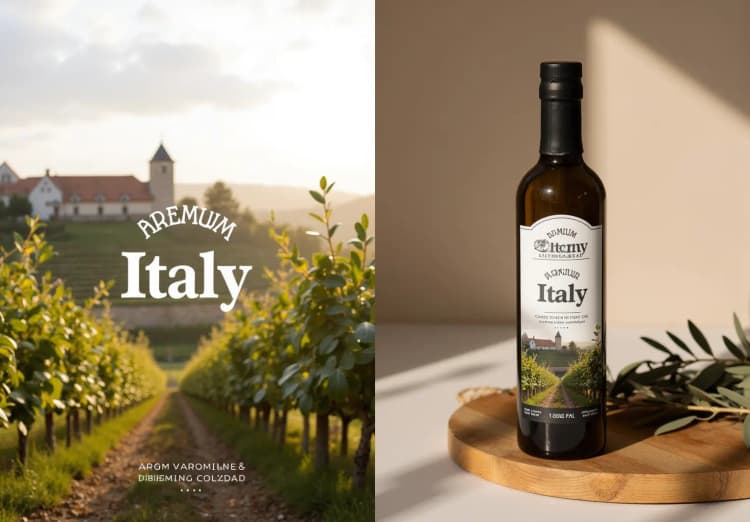
由Lianghua Huang、Wei Wang、Zhi-Fan Wu及其在同义实验室的合作者开发的In-Context LoRA (IC-LoRA) 项目,代表了一种使用扩散变压器(DiTs)进行任务无关图像生成的突破性方法。他们的创新框架通过引入最小调整和简化的流程,利用DiTs的上下文生成能力,允许使用小型数据集进行高效的任务特定调整。要了解更多关于他们的工作并访问他们的资源,请访问GitHub上的官方仓库。
1. 关于In-Context LoRA (IC-LoRA)#
In-Context LoRA (IC-LoRA) 是一个强大且灵活的框架,使现有的文本到图像扩散变压器模型能够以最小的额外训练执行各种图像生成任务。In-Context LoRA背后的关键理念是通过提供精心策划的训练数据和使用简单而有效的微调方法,利用这些模型固有的上下文学习能力。
以下是In-Context LoRA的工作原理概述:
- 图像拼接:IC-LoRA不是生成单个图像,而是将一组相关项目拼接成一个大的复合图像。这使得模型能够学习所需的关系和一致性。
- 提示工程:集合的文本提示也被拼接成一个单一提示。这个提示从集合的总体描述开始,然后是每个单独项目的具体细节。通过这样设计提示,模型可以理解高层任务以及低层需求。
- 低秩适应 (LoRA):与对整个扩散模型进行微调(这将是计算密集型的)不同,IC-LoRA使用LoRA来适应每个特定任务的模型。LoRA仅训练一小组辅助参数,保持原始模型权重不变。这使微调过程更加高效。
- 小型训练数据集:IC-LoRA的另一个关键见解是,您不需要大量数据集来触发上下文学习能力。每个任务只需20-100个高质量图像集即可获得令人印象深刻的结果。这大大减少了数据收集和计算负担。
In-Context LoRA的美妙之处在于它是一个任务无关的框架。同一方法可以应用于广泛的任务,例如故事板生成、字体设计、产品设计、视觉效果等。通过提供任务特定的训练数据,IC-LoRA可以适应每个任务,而无需对模型架构进行任何更改。
2. 10个In-Context LoRA模型及其推荐设置#
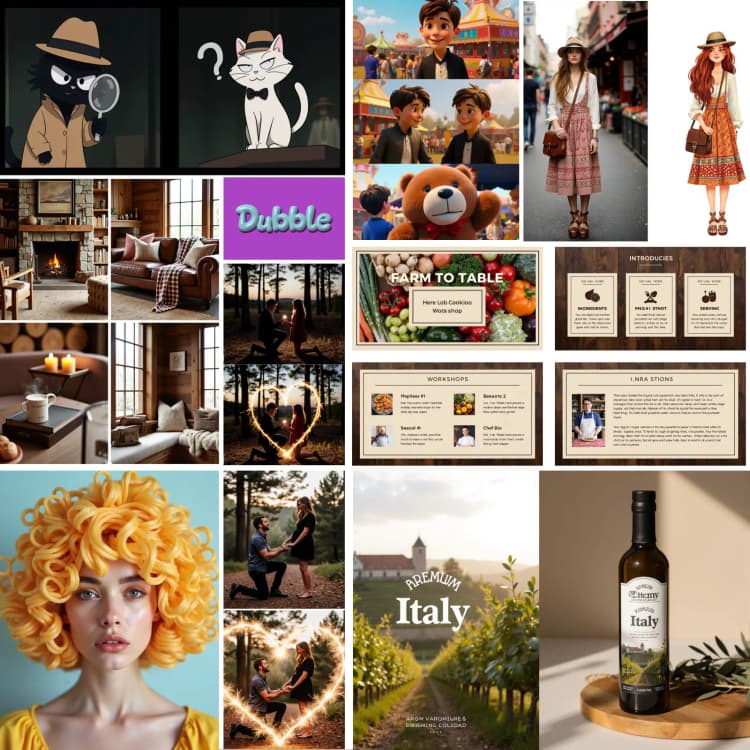
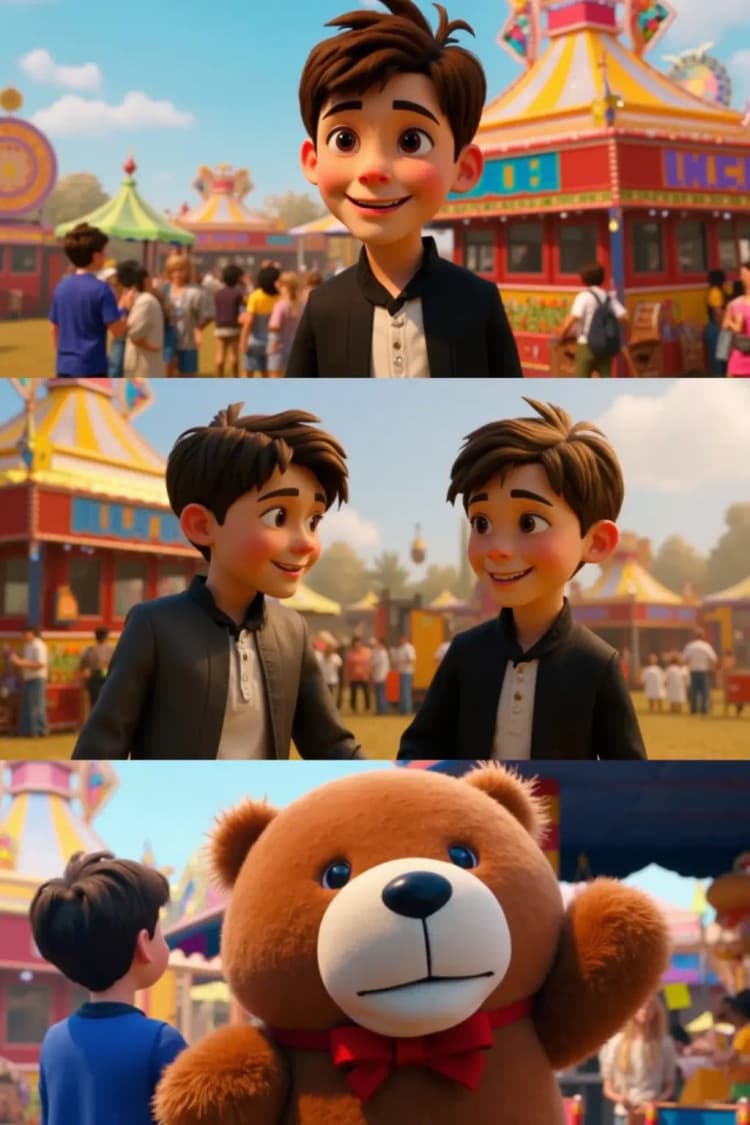
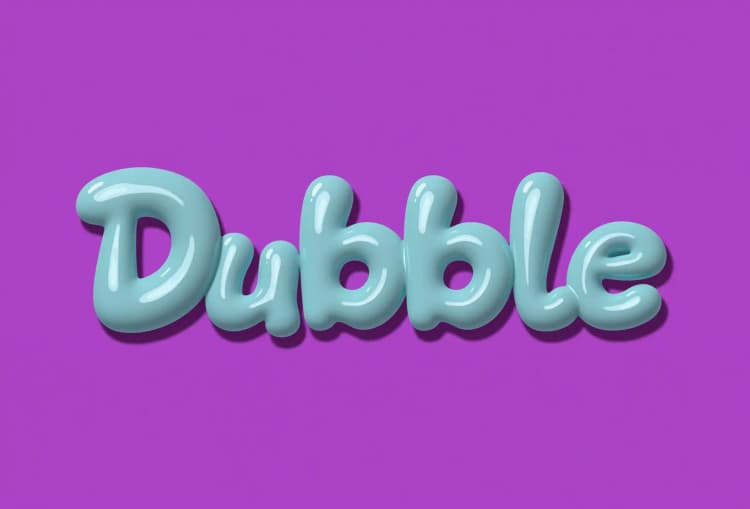
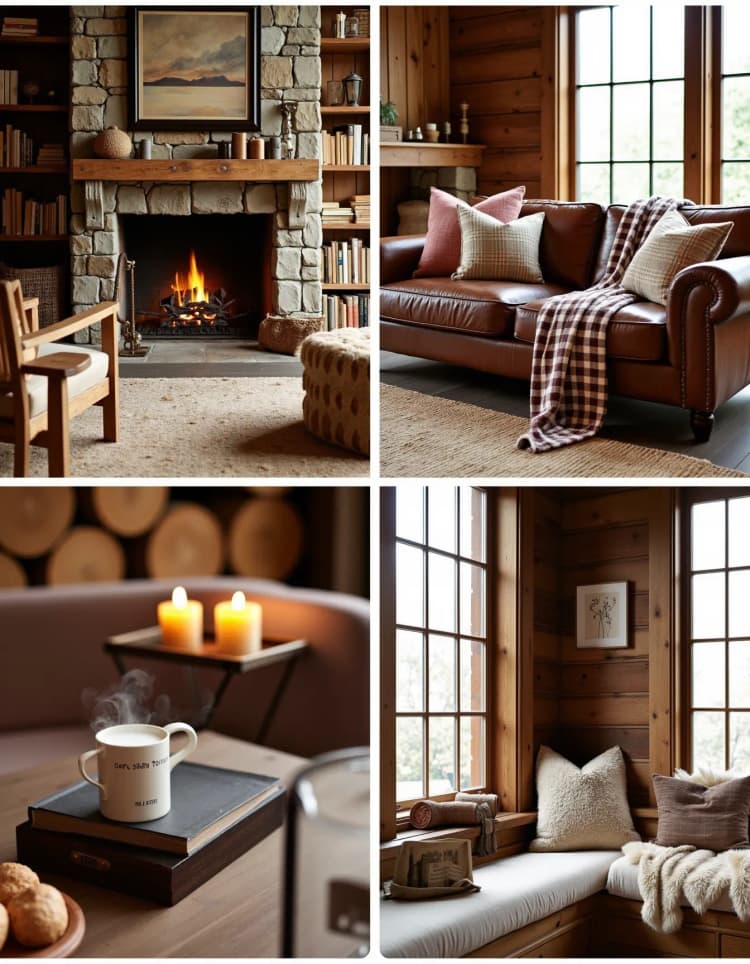
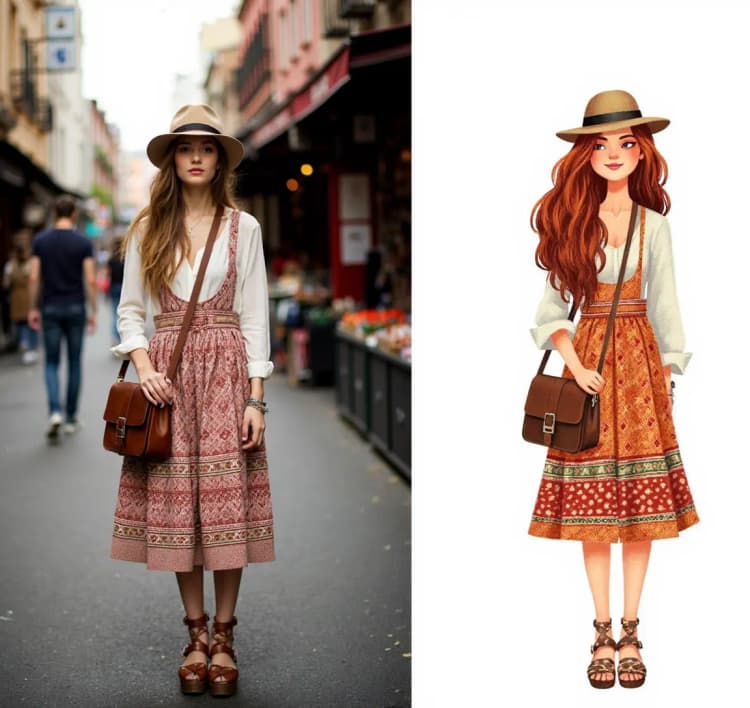
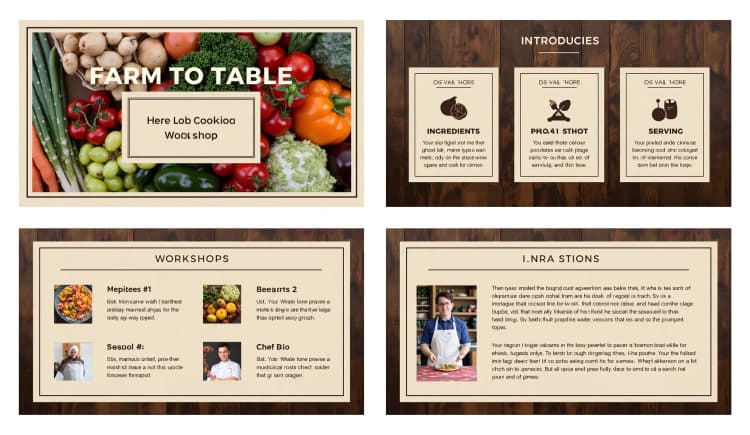
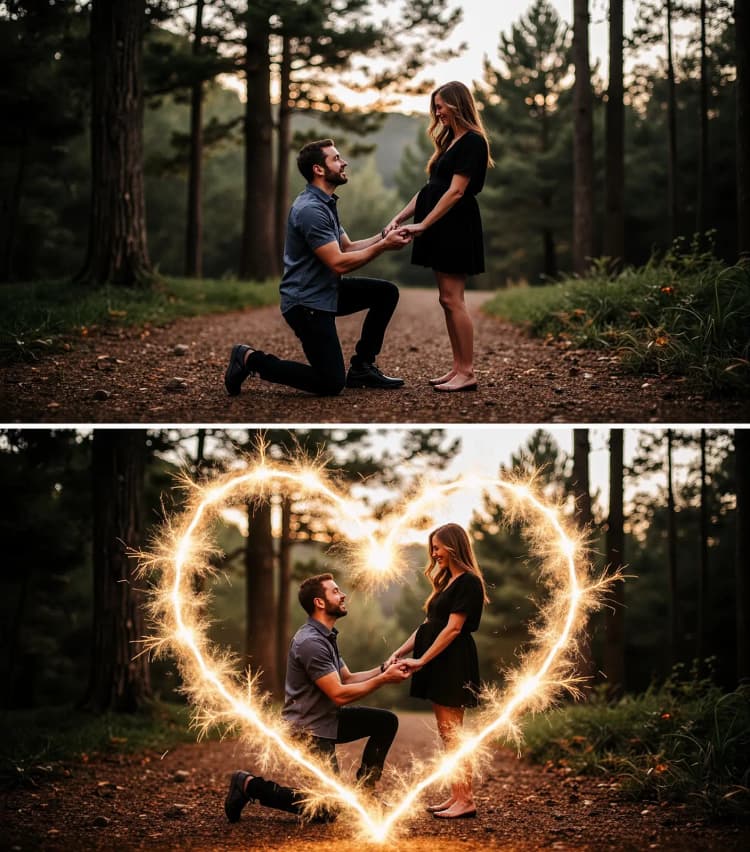
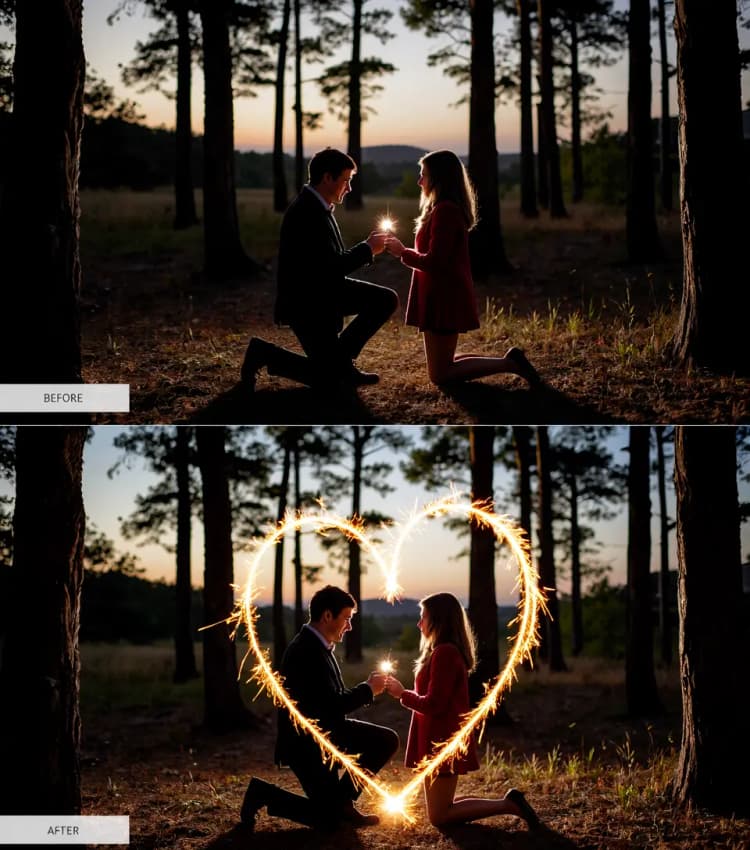
<table style={{ width: '100%', border: '1px solid grey', borderCollapse: 'collapse' }}> <thead> <tr> <th style={{ border: '1px solid grey', textAlign: 'center' }}><strong>任务</strong></th> <th style={{ border: '1px solid grey', textAlign: 'center' }}><strong>模型</strong></th> <th style={{ border: '1px solid grey', textAlign: 'center' }}><strong>推荐设置</strong></th> <th style={{ border: '1px solid grey', textAlign: 'center' }}><strong>示例提示</strong></th> </tr> </thead> <tbody> <tr> <td style={{ border: '1px solid grey', textAlign: 'center' }}><strong>1. 情侣档案设计</strong></td> <td style={{ border: '1px solid grey', textAlign: 'center' }}> <a href="https://huggingface.co/ali-vilab/In-Context-LoRA/blob/main/couple-profile.safetensors" target="_blank" rel="noopener noreferrer">couple-profile.safetensors</a> </td> <td style={{ border: '1px solid grey', textAlign: 'center' }}>宽度:2048,高度:1024</td> <td style={{ border: '1px solid grey', textAlign: 'center' }}>这幅两部分图像描绘了一对穿着侦探服装的卡通猫;[左] 一只戴着帽子和风衣的黑猫握着放大镜向右看,[右] 一只戴着领结和帽子的白猫抬起眉毛,创造了一个有趣的黑色灵感场景,背景昏暗。</td> </tr> <tr> <td style={{ border: '1px solid grey', textAlign: 'center' }}><strong>2. 电影故事板</strong></td> <td style={{ border: '1px solid grey', textAlign: 'center' }}> <a href="https://huggingface.co/ali-vilab/In-Context-LoRA/blob/main/film-storyboard.safetensors" target="_blank" rel="noopener noreferrer">film-storyboard.safetensors</a> </td> <td style={{ border: '1px solid grey', textAlign: 'center' }}>宽度:1024,高度:1536</td> <td style={{ border: '1px solid grey', textAlign: 'center' }}>[电影镜头] 在一个充满活力的节日中,[场景-1] 我们看到<Leo>,一个害羞的男孩,站在热闹的嘉年华边缘,目光炯炯地注视着五彩缤纷的游乐设施和欢声笑语,[场景-2] 过渡到他勉强尝试一个大胆的游戏,朋友们为他加油,[场景-3] 最后他赢得了一个巨大的毛绒熊,脸上洋溢着自豪,举起它让所有人看到。</td> </tr> <tr> <td style={{ border: '1px solid grey', textAlign: 'center' }}><strong>3. 字体设计</strong></td> <td style={{ border: '1px solid grey', textAlign: 'center' }}> <a href="https://huggingface.co/ali-vilab/In-Context-LoRA/blob/main/font-design.safetensors" target="_blank" rel="noopener noreferrer">font-design.safetensors</a> </td> <td style={{ border: '1px solid grey', textAlign: 'center' }}>宽度:1792,高度:1216</td> <td style={{ border: '1px solid grey', textAlign: 'center' }}>四幅图像展示了一种充满活力的泡泡字体,采用流行艺术风格。[左上] 显示"Pop Candy",背景为亮粉色的波尔卡圆点;[右上] 展示"Sweet Treat",背景为糖果插图;[左下] "Yum!" 以亮色展示;[右下] "Delicious" 背景为条纹,适合有趣的儿童产品。</td> </tr> <tr> <td style={{ border: '1px solid grey', textAlign: 'center' }}><strong>4. 家居装饰</strong></td> <td style={{ border: '1px solid grey', textAlign: 'center' }}> <a href="https://huggingface.co/ali-vilab/In-Context-LoRA/blob/main/home-decoration.safetensors" target="_blank" rel="noopener noreferrer">home-decoration.safetensors</a> </td> <td style={{ border: '1px solid grey', textAlign: 'center' }}>宽度:1344,高度:1728</td> <td style={{ border: '1px solid grey', textAlign: 'center' }}>这幅四部分图像展示了一个乡村风格的客厅,温暖的木质色调和舒适的装饰元素;[左上] 以大型石壁炉为特色,木架上摆满了书籍和蜡烛;[右上] 展示了一张复古皮沙发,上面铺着格子毯,配以各种纹理的靠垫;[左下] 显示了一把木制扶手椅,旁边的桌子上放着一杯热气腾腾的咖啡和一本经典书籍;[右下] 捕捉了一个舒适的阅读角落,窗台座位上有一个柔软的毛毯,装饰木块整齐堆放。</td> </tr> <tr> <td style={{ border: '1px solid grey', textAlign: 'center' }}><strong>5. 肖像插图</strong></td> <td style={{ border: '1px solid grey', textAlign: 'center' }}> <a href="https://huggingface.co/ali-vilab/In-Context-LoRA/blob/main/portrait-illustration.safetensors" target="_blank" rel="noopener noreferrer">portrait-illustration.safetensors</a> </td> <td style={{ border: '1px solid grey', textAlign: 'center' }}>宽度:1152,高度:1088</td> <td style={{ border: '1px solid grey', textAlign: 'center' }}>这幅两部分图像展示了从现实肖像到充满艺术风格的插图的转变,捕捉了细节和艺术魅力;[左] 照片中展示了一名女子站在繁忙的市场中,戴着宽边帽,穿着飘逸的波西米亚风格连衣裙,背着皮质斜挎包;[右] 插图面板夸大了她的配饰和特征,波西米亚连衣裙被描绘成丰富的图案和大胆的色彩,背景被简化为抽象的市场摊位,使场景充满动画和生机。</td> </tr> <tr> <td style={{ border: '1px solid grey', textAlign: 'center' }}><strong>6. 肖像摄影</strong></td> <td style={{ border: '1px solid grey', textAlign: 'center' }}> <a href="https://huggingface.co/ali-vilab/In-Context-LoRA/blob/main/portrait-photography.safetensors" target="_blank" rel="noopener noreferrer">portrait-photography.safetensors</a> </td> <td style={{ border: '1px solid grey', textAlign: 'center' }}>宽度:1344,高度:1728</td> <td style={{ border: '1px solid grey', textAlign: 'center' }}>这幅[四部分]图像展示了一位年轻艺术家的创作过程,在一个明亮而鼓舞人心的工作室中;[左上] 她站在一幅大画布前,手握画笔,为未完成的画作添加鲜艳的色彩,[右上] 她坐在杂乱的木桌旁,在笔记本中草绘想法,周围散落着各种艺术用品,[左下] 她后退一步,仔细观察自己的作品,若有所思地调整眼镜,[右下] 她通过直接在调色板上混合颜料来尝试不同的纹理,她专注的神情展现了她对工艺的投入。</td> </tr> <tr> <td style={{ border: '1px solid grey', textAlign: 'center' }}><strong>7. PPT模板</strong></td> <td style={{ border: '1px solid grey', textAlign: 'center' }}> <a href="https://huggingface.co/ali-vilab/In-Context-LoRA/blob/main/ppt-templates.safetensors" target="_blank" rel="noopener noreferrer">ppt-templates.safetensors</a> </td> <td style={{ border: '1px solid grey', textAlign: 'center' }}>宽度:1984,高度:1152</td> <td style={{ border: '1px solid grey', textAlign: 'center' }}>这幅四部分图像展示了一个乡村风格的PowerPoint模板,用于烹饪工作坊;[左上] 介绍"Farm to Table Cooking",使用温暖的土色调;[右上] 组织工作坊部分,如"Ingredients"、"Preparation"和"Serving";[左下] 显示季节性农产品的成分列表;[右下] 包含厨师简介和简短的个人介绍。</td> </tr> <tr> <td style={{ border: '1px solid grey', textAlign: 'center' }}><strong>8. 沙尘暴视觉效果</strong></td> <td style={{ border: '1px solid grey', textAlign: 'center' }}> <a href="https://huggingface.co/ali-vilab/In-Context-LoRA/blob/main/sandstorm-visual-effect.safetensors" target="_blank" rel="noopener noreferrer">sandstorm-visual-effect.safetensors</a> </td> <td style={{ border: '1px solid grey', textAlign: 'center' }}>宽度:1408,高度:1600</td> <td style={{ border: '1px solid grey', textAlign: 'center' }}>[沙尘暴-PSA] 这幅两部分图像展示了一名骑自行车者通过沙尘暴视觉效果的转变;[上] 上半部分展示了一名身穿鲜艳装备的骑自行车者,稳步骑行在一条开阔的道路上,背景是宁静的天空,强调专注和决心,[下] 下半部分将场景转变为骑自行车者被狂风暴雨般的沙尘暴包围,沙粒在自行车和骑车者周围猛烈旋转,背景阴暗暴风雨,强调混乱和力量。</td> </tr> <tr> <td style={{ border: '1px solid grey', textAlign: 'center' }}><strong>9. 烟火视觉效果</strong></td> <td style={{ border: '1px solid grey', textAlign: 'center' }}> <a href="https://huggingface.co/ali-vilab/In-Context-LoRA/blob/main/sparklers-visual-effect.safetensors" target="_blank" rel="noopener noreferrer">sparklers-visual-effect.safetensors</a> </td> <td style={{ border: '1px solid grey', textAlign: 'center' }}>宽度:960,高度:1088</td> <td style={{ border: '1px solid grey', textAlign: 'center' }}>[真实烟火叠加] 这幅两部分图像生动地展示了由烟火叠加所转变的森林求婚场景;[上] 第一部分描绘了一名男子在黄昏的森林空地上单膝跪地,手持订婚戒指向他的伴侣求婚,光线温暖自然,[下] 而第二部分引入了发光的烟火,形成一个心形围绕着这对情侣,增强了浪漫和欢乐的氛围。</td> </tr> <tr> <td style={{ border: '1px solid grey', textAlign: 'center' }}><strong>10. 视觉识别设计</strong></td> <td style={{ border: '1px solid grey', textAlign: 'center' }}> <a href="https://huggingface.co/ali-vilab/In-Context-LoRA/blob/main/visual-identity-design.safetensors" target="_blank" rel="noopener noreferrer">visual-identity-design.safetensors</a> </td> <td style={{ border: '1px solid grey', textAlign: 'center' }}>宽度:1472,高度:1024</td> <td style={{ border: '1px solid grey', textAlign: 'center' }}>这幅两部分图像展示了一家农产品品牌的快乐识别,左面板展示了一个微笑的菠萝图形和品牌名称“Fresh Tropic”,采用有趣、休闲的字体,背景为浅青色;[json LEFT] 而右面板则将设计转换为一个可重复使用的购物袋,菠萝标志为黑色,由市场中的人携带,强调品牌的亲和力和环保理念。</td> </tr> </tbody> </table>
3. 在ComfyUI中使用Flux和In-Context LoRA#
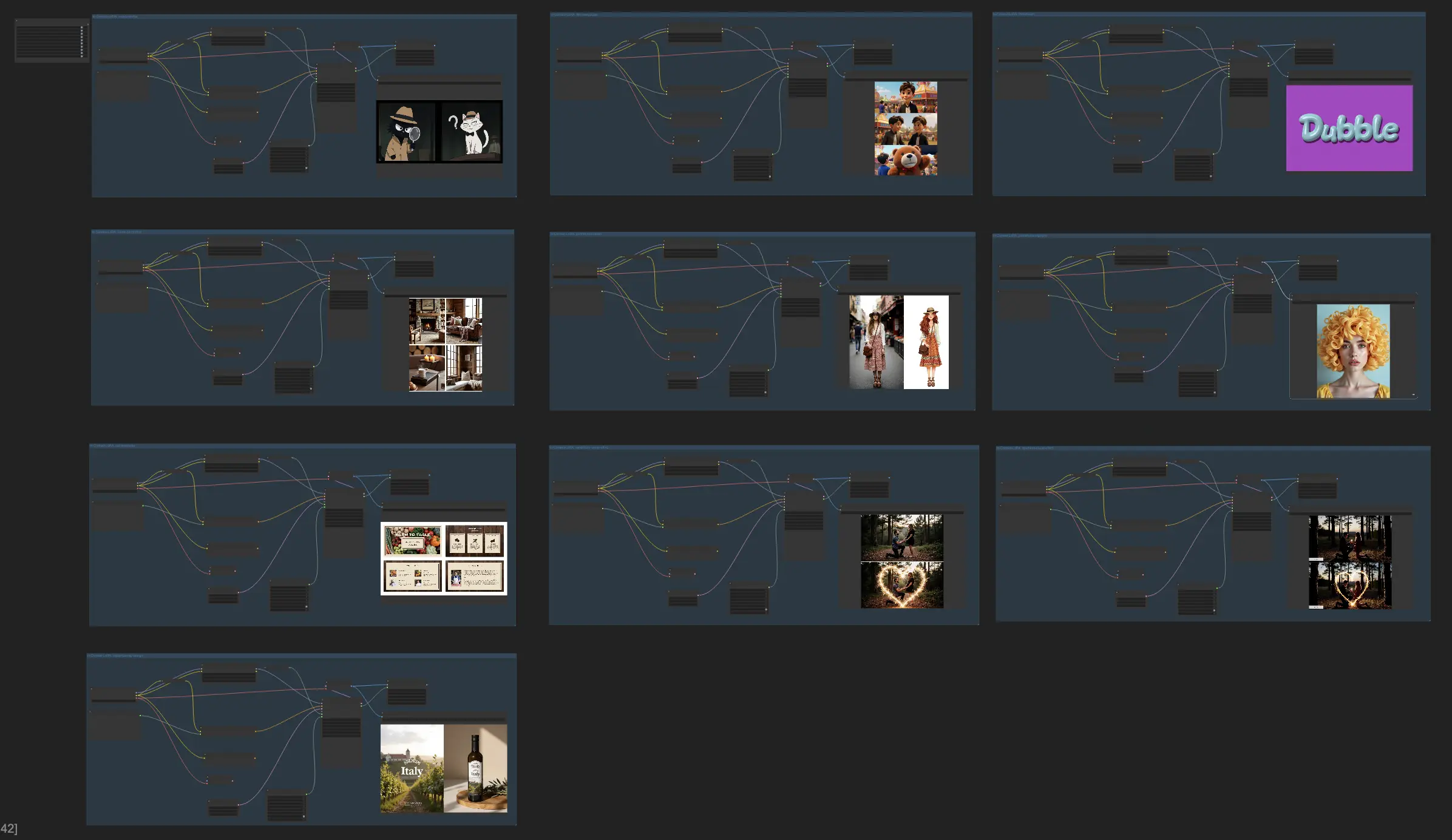
此Flux和In-Context LoRA工作流程利用Flux模型和In-Context LoRA的强大组合,基于文本提示生成一组相关图像。让我们逐步解析它的工作原理。
3.1. 预加载的Flux和In-Context LoRA模型以提高工作效率#
我们的平台已经为您准备好了Flux模型和10个In-Context LoRA模型。这使您的工作流程更加轻松,并为您节省时间。只需选择您想要的组并开始创建即可。
3.2. 根据预设提示撰写完美的提示#
此工作流程中最重要的部分是捕捉您想要创建的主要想法的文本描述。我们已经为前面提到的每个In-Context LoRA模型编写了提示。当您撰写自己的提示时,请以这些示例为指导。
3.3. 定制分辨率和尺寸#
要创建完全符合您需求的视觉效果,请更改宽度和高度设置以匹配您想要的尺寸。我们还为您提供了每个In-Context LoRA模型的推荐尺寸,供您作为起点。
3.4. Flux采样器#
Flux采样器节点管理Flux采样过程并优化生成参数以获得更好的结果。关键参数包括:
- Seed (1):种子值确保在相同设置下输出一致。调整种子允许Flux生成产生不同的结果。
- Steps (50):此参数定义Flux采样过程中的步骤数。更高的步数提高质量,但需要更多处理时间。在此,50步提供了平衡的选择。
- Guidance (3):决定指导强度。较高的值(例如3)使Flux生成的输出更紧密地与输入提示对齐,确保准确表现您的意图。
- Max Shift (null):此参数定义最大位移或变换范围。“null”设置表示使用默认或无限制范围。
- Base Shift (null):类似于最大移位,它调整基本变换强度。将其设置为“null”应用默认配置。
- Denoise (1):调整Flux生成过程中的去噪强度。值为1时应用轻度去噪,有效去除细微不一致而保留清晰度。
Flux和In-Context LoRA的结合为创建有趣的视觉内容开辟了无限可能。尝试这些新模型,释放您的创造力,前所未有。
许可#
查看许可文件:
flux/model_licenses/LICENSE-FLUX1-dev
flux/model_licenses/LICENSE-FLUX1-schnell
FLUX.1 [dev] 模型由Black Forest Labs. Inc.根据FLUX.1 [dev] 非商业许可授权。版权归Black Forest Labs. Inc.所有。
在任何情况下,BLACK FOREST LABS, INC.均不对任何索赔、损害或其他责任承担责任,无论是合同、侵权或其他方面的责任,均不因使用此模型而产生或与之相关。