

When you select a FLUX base model in Ostris AI Toolkit, the trainer downloads model files from Hugging Face. Some FLUX repositories are gated, which means downloads will fail unless you:
1) Log in and accept the model's terms (one-time per model/repo), and
2) Authenticate with a Hugging Face User Access Token (usually Read).
If you don't do both steps, you'll often see errors like:
OSError: black-forest-labs/FLUX.1-dev is not a local folder and is not a valid model identifier listed on 'https://huggingface.co/models'
If this is a private repository, make sure to pass a token having permission to this repo with `token` or log in with `hf auth login` / `huggingface-cli login`.
Quick Fix Checklist
- ✅ You are logged into Hugging Face
- ✅ You clicked Agree / Request access on the FLUX model page you're using
- ✅ You created a Read token on Hugging Face
- ✅ You pasted that token into AI Toolkit → Settings → Hugging Face Token
- ✅ You restarted / re-ran the training job after saving the token
If you're training a FLUX.2 LoRA, also see the full walkthrough: FLUX.2 [dev] LoRA training guide with Ostris AI Toolkit.
Step 1: Accept the FLUX Model Terms on Hugging Face (One-Time per Repo)
Open the FLUX repo(s) you plan to use, log in, and click Agree (or Request access, depending on the model page UI).
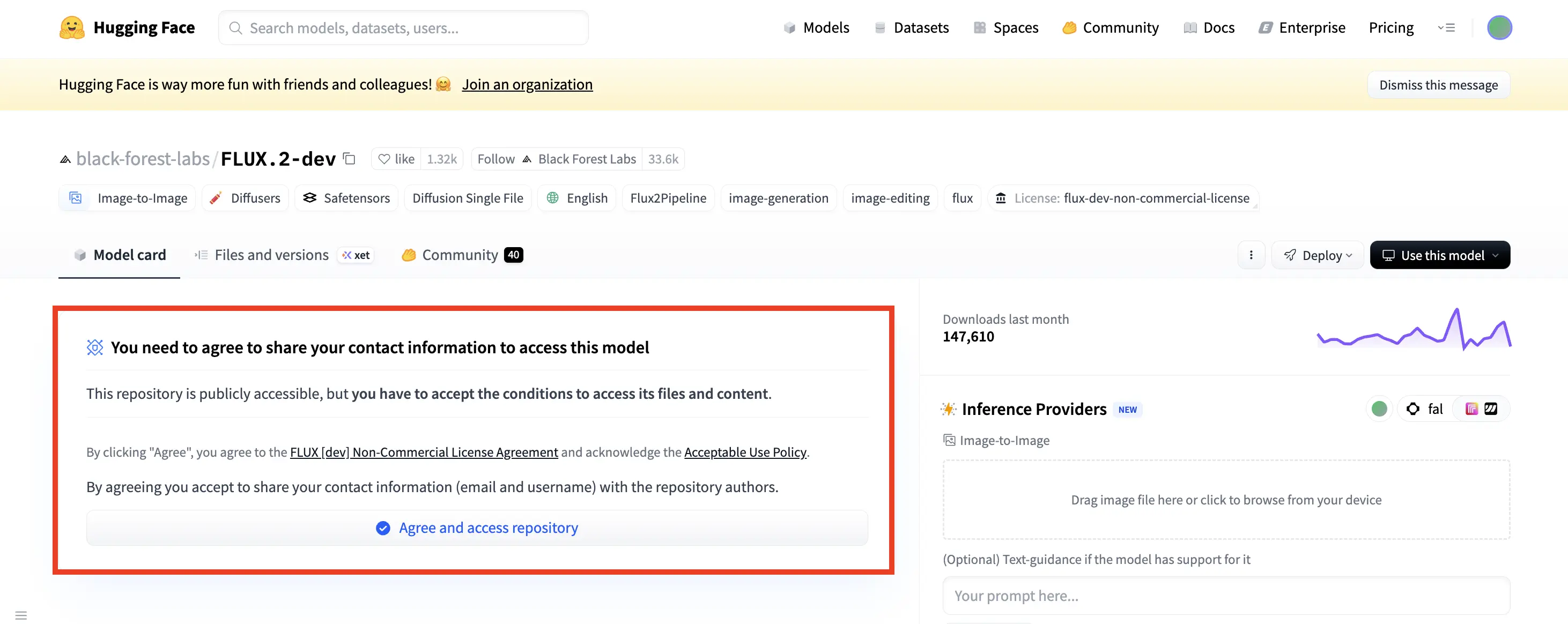
Common FLUX repos used with AI Toolkit:
Important: Accept the terms using the same Hugging Face account that will own the token you paste into AI Toolkit.
Tip: If a repo is gated, Hugging Face will keep prompting you to agree until access is granted.
Step 2: Create a Hugging Face User Access Token (Read)
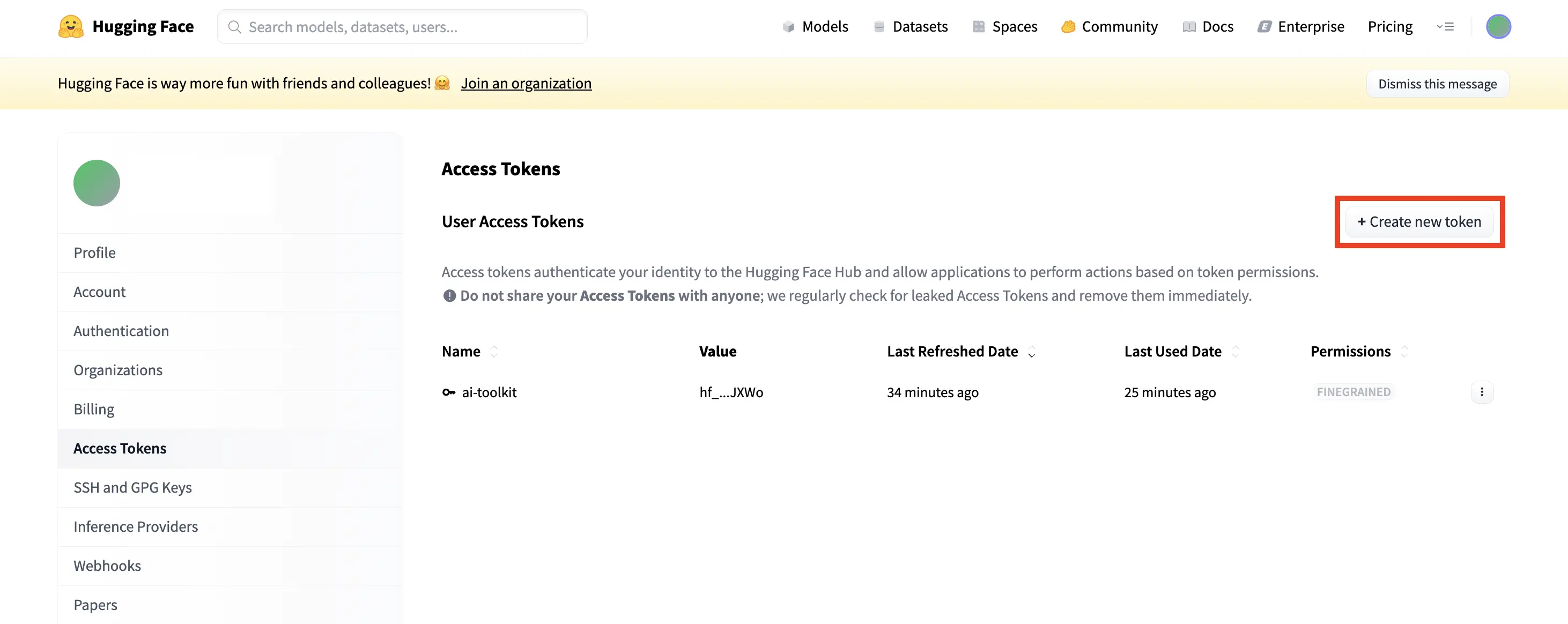
- Go to: https://huggingface.co/settings/tokens
- Click New token
- Choose Read permission (recommended for downloading model weights)
- Create the token and copy it immediately (it usually starts with
hf_...)
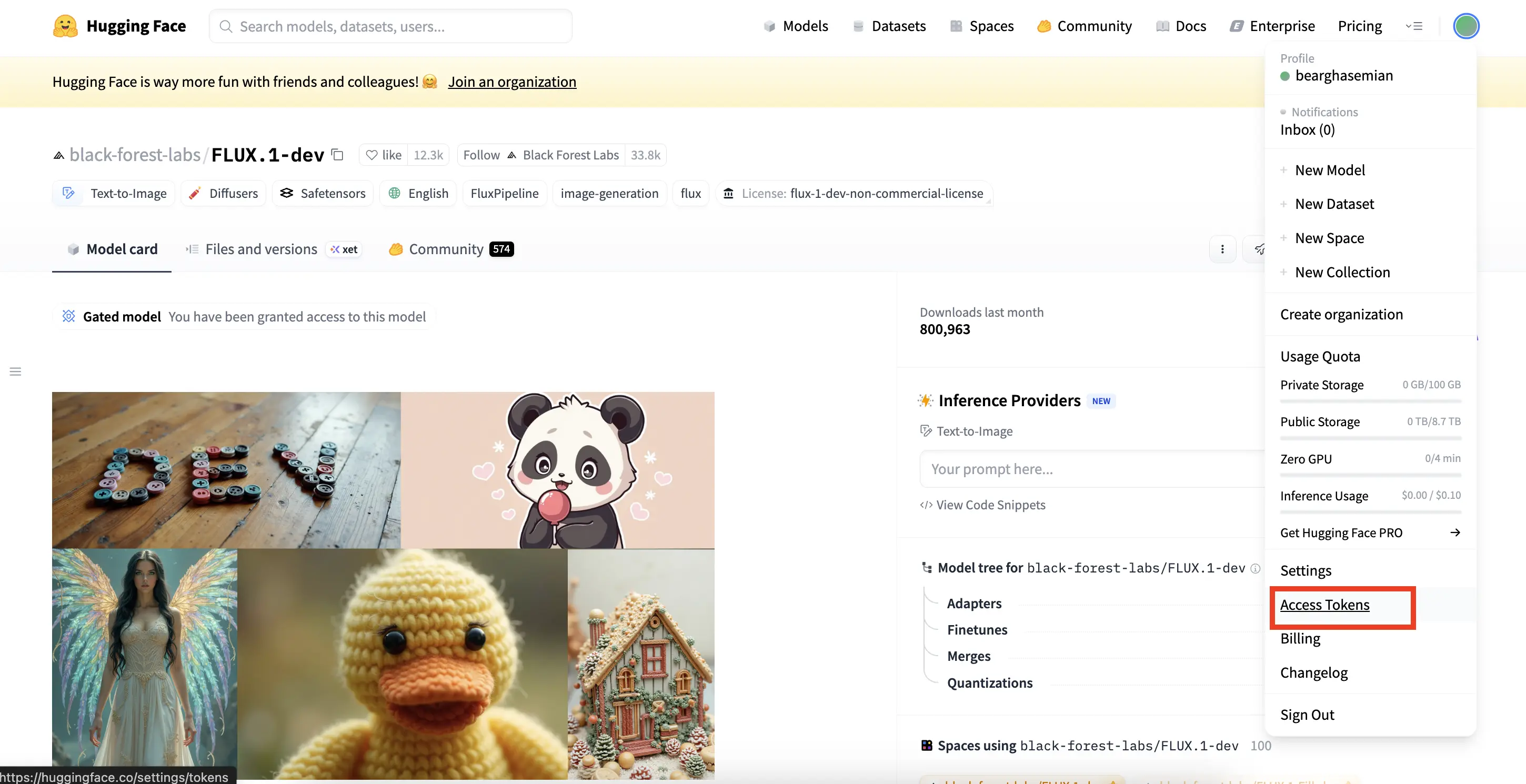
Security note
Treat your token like a password:
- Don't commit it to GitHub
- Don't paste it into screenshots
- Rotate/revoke it if you suspect it was exposed
Step 3: Add the Token in AI Toolkit
AI Toolkit → Settings → Hugging Face Token
- Open: https://www.runcomfy.com/trainer/ai-toolkit/app
- Navigate to Settings
- Paste the token into Hugging Face Token
- Click Save
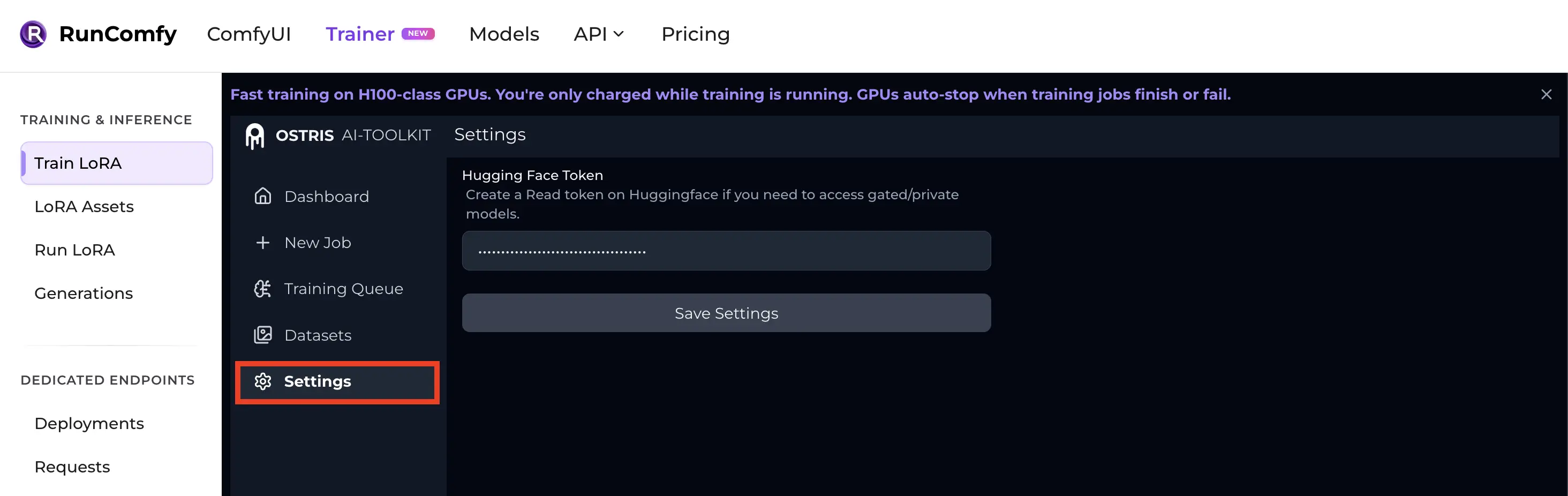
Then re-run your training job.
Step 4: If It Still Fails (Most Common Causes + Fixes)
1) You created a token, but didn't accept the repo terms
Even with a valid token, a gated FLUX repo won't download unless you clicked Agree / Request access on that specific model page.
✅ Fix: Re-open the exact repo page and confirm access is granted.
2) You accepted terms on one account but used a token from another
This is more common than it sounds (multiple accounts, browser auto-login, etc.).
✅ Fix: Make sure the token owner is the same account that accepted the terms.
3) Your token permission is too limited (or invalid/expired)
A Read token is usually enough for downloads, but it must be active and copied correctly.
✅ Fix:
- Generate a fresh Read token
FAQ
Do I need to accept the license for every FLUX repo?
Yes—gated access is typically handled per-repository. If you switch models (e.g., FLUX.1-dev → FLUX.2-dev), you may need to agree again for the new repo.
What token permissions do I need?
For downloading model weights, Read permission is the safest recommendation.
Where do I paste the Hugging Face token in RunComfy?
In the hosted UI: AI Toolkit → Settings → Hugging Face Token
Why does the error say "not a valid model identifier"?
For gated repos, Hugging Face can behave like the repo "doesn't exist" until you authenticate and/or accept the terms. Adding the token + accepting the license resolves it in most cases.
Ready to start training?